
1. Introduction
The Miwayer HB-30 UHF Wireless Guitar System provides musicians with unparalleled freedom for electric guitar, bass, violin, keyboard, and other compatible instruments. This system features a rechargeable lithium battery and a wireless transmitter/receiver pair, allowing for unrestricted movement without being tethered by cables. The UHF frequency ensures a stable, interference-free connection up to 30 meters (100 feet). Designed for ease of use, simply plug the transmitter into your instrument and the receiver into your amplifier or PA system. Its compact design and long battery life make it suitable for live performances, studio sessions, or practice environments.
2. Package Contents
Please check the package for the following items:
- 1 x Miwayer HB-30 Wireless Transmitter
- 1 x Miwayer HB-30 Wireless Receiver
- 1 x Dual-ended USB Charging Cable
- 1 x User Manual
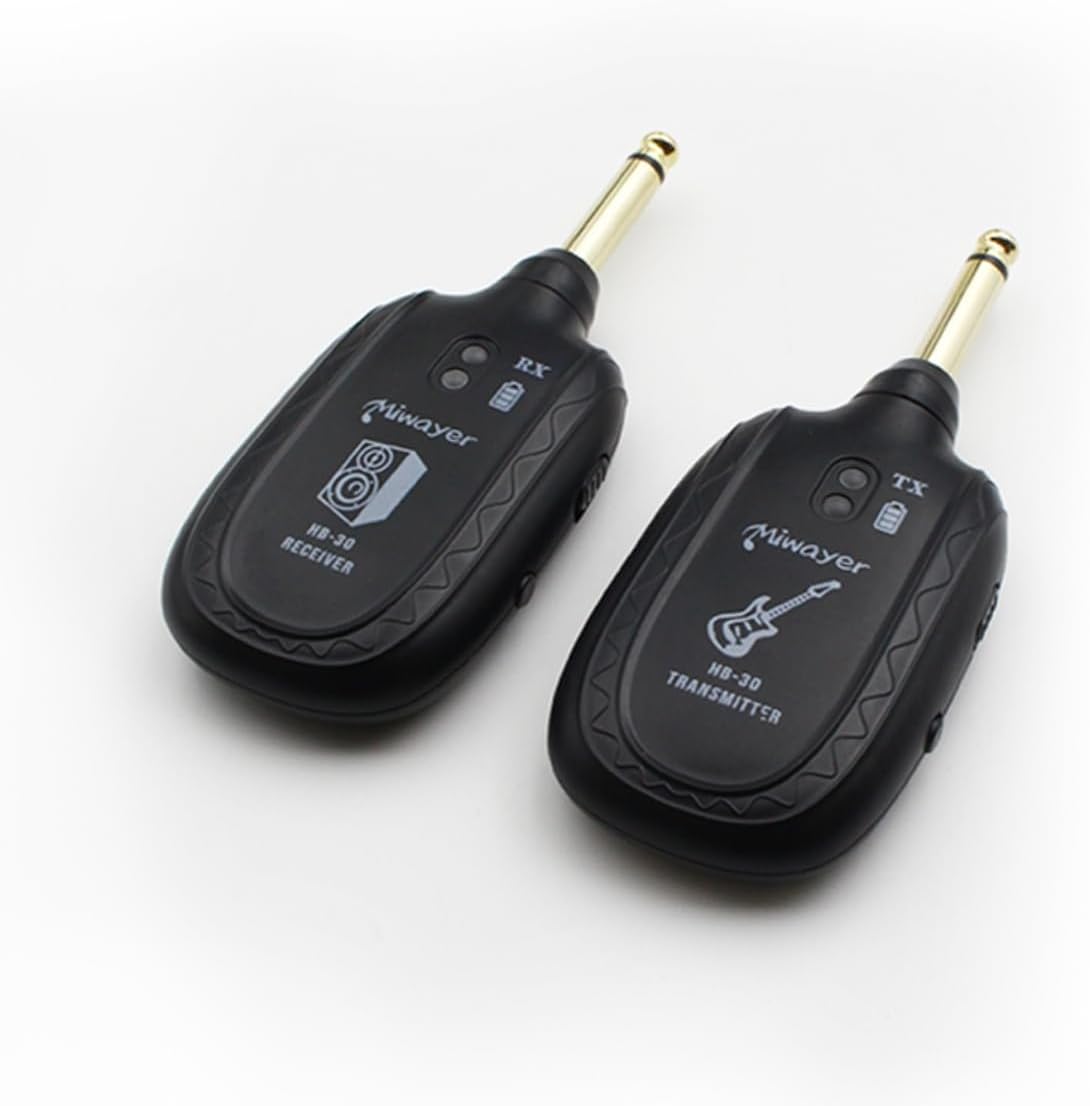
Image: Miwayer HB-30 Wireless Transmitter and Receiver units with the included dual-ended USB charging cable.
3. Setup Instructions
3.1 Charging the Device
Before first use, ensure both the transmitter and receiver are fully charged for optimal performance. Use the provided dual-ended USB charging cable to connect both units to a USB power source (e.g., computer, USB wall adapter). The charging time is approximately 2 hours, providing up to 5 hours of working time.

Image: Miwayer HB-30 Wireless Guitar System highlighting its fast charging capability (2 hours) and long working time (5 hours).
3.2 Power On and Pairing
The Miwayer HB-30 system is designed for plug-and-play operation and typically comes pre-paired. Simply power on both the transmitter and receiver. They should automatically connect. If re-pairing is needed, consult the detailed instructions in the included user manual.
Video: This video demonstrates the automatic connection and pairing process for a similar wireless instrument transceiver (INGPARTNER A9), showing how to power on and connect the units, and their compatibility with various musical instruments.
3.3 Connecting to Instruments and Amplifiers
Plug the transmitter (marked 'TX' with a guitar icon) into your instrument's output jack. Plug the receiver (marked 'RX' with an audio icon) into your amplifier's input jack or PA system. The 280° rotatable jack ensures compatibility with various instrument jack placements.

Image: Miwayer HB-30 Wireless Guitar System transmitter plugged into an electric guitar, illustrating its 'Plug and Play' feature for automatic channel setup and cable-free use.
Video: This video illustrates the automatic connection, identification of receiver and transmitter, mode switching for different pickup types (passive/active), and charging indicators for a similar wireless instrument system (INGPARTNER A8).
4. Operating Instructions
4.1 Channel Selection
The HB-30 system operates on UHF frequencies. If you experience interference, you may need to switch channels. Refer to the full user manual for detailed instructions on how to manually select or change channels if necessary. The system supports multiple channels to avoid interference.
4.2 Instrument Compatibility
The Miwayer HB-30 is compatible with a wide range of instruments featuring a 6.35mm (1/4 inch) output jack, including electric guitars, bass guitars, violins, and keyboards. The rotatable jack allows for flexible positioning on various instrument body types.

Image: Miwayer HB-30 Wireless Guitar System illustrating its broad compatibility with various instruments such as guitar, bass, violin, mixer, and keyboard, all featuring a 6.35mm jack.
Video: This video highlights the easy pairing and low latency of a wireless guitar system, demonstrating its use with electric guitar and bass, and showing how to connect the transmitter to the instrument and receiver to the amplifier.
5. Features
- UHF Wireless System: Designed for guitar, bass, violin, keyboard, and other instruments.
- Rechargeable Battery: Equipped with a built-in lithium battery for extended playtime.
- Plug and Play: Simple setup; connect the transmitter to your instrument and the receiver to an amp or speaker.
- Long Range: Operates within a range of up to 100 feet (30 meters) for cable-free performance.
- Versatile Compatibility: Works with electric guitars, basses, violins, keyboards, and other instruments with a 6.35mm jack.

Image: Miwayer HB-30 Wireless Guitar System illustrating its impressive transmission distance of 50 meters (164 feet) in an open area, emphasizing its 'Plug and Play' convenience.
6. Specifications
| Attribute | Value |
|---|---|
| Brand | Miwayer |
| Model | HB-30 |
| Item Weight | 3.84 ounces |
| Package Dimensions | 7.13 x 4.8 x 0.94 inches |
| Batteries | 1 Lithium Ion batteries required (included) |
| Battery Type | Lithium-Cobalt |
| Connectivity | UHF Wireless |
| Transmission Range | Up to 100 feet (30 meters) |
7. Troubleshooting
- No Sound: Ensure both transmitter and receiver are powered on and fully charged. Check that they are correctly paired and plugged into the instrument and amplifier/PA system. Verify instrument and amplifier volume settings.
- Interference/Static: Move away from other wireless devices (Wi-Fi routers, other wireless systems). Try switching to a different channel on both the transmitter and receiver (refer to the full user manual for channel changing instructions).
- Short Battery Life: Ensure units are fully charged before use. Battery performance can decrease over time with repeated charging cycles.
- Limited Range: Ensure there are no major obstructions (walls, large metal objects) between the transmitter and receiver. Reduce distance between units if possible.
8. Maintenance
- Cleaning: Wipe the units with a soft, dry cloth. Do not use liquid cleaners or abrasive materials.
- Storage: Store the system in a cool, dry place away from direct sunlight and extreme temperatures.
- Battery Care: For optimal battery longevity, avoid fully discharging the units frequently. Recharge them regularly, even if not in constant use.
9. Warranty and Support
For any product inquiries, technical support, or warranty claims, please refer to the contact information provided with your purchase or visit the Miwayer official website. Keep your purchase receipt as proof of purchase.