
Introduction
This user manual provides essential information for the proper use and care of your BIG BOOM 1.2m USB Charging Cable, designed specifically for the Nintendo Gameboy Advance G. Please read this manual thoroughly before using the product to ensure optimal performance and longevity.
Product Overview
The BIG BOOM 1.2m USB Charging Cable is a dedicated power supply solution for your Nintendo Gameboy Advance G. It features a standard USB-A connector on one end and a proprietary connector for the Gameboy Advance G on the other.
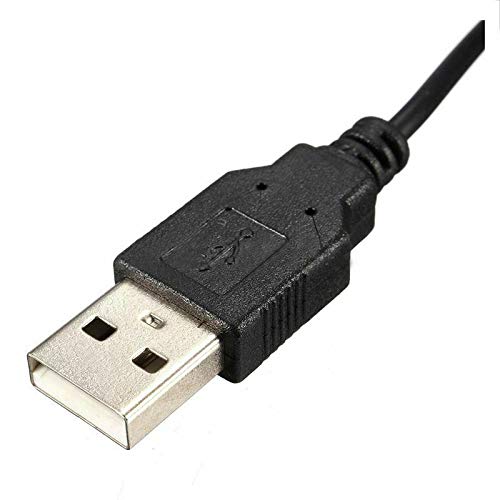
Figure 1: The USB-A connector, designed to plug into a standard USB power source such as a wall adapter, computer, or power bank.
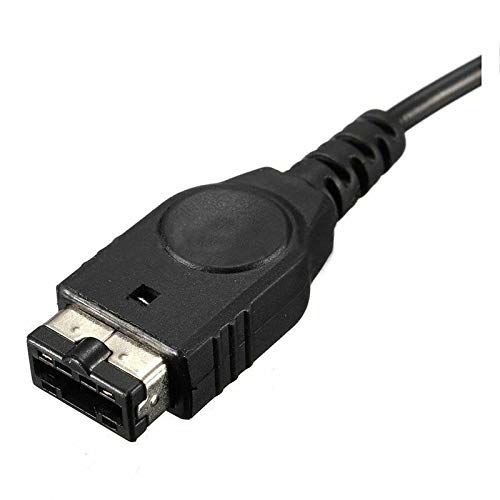
Figure 2: The proprietary connector for the Nintendo Gameboy Advance G, ensuring a secure and compatible connection to your device.
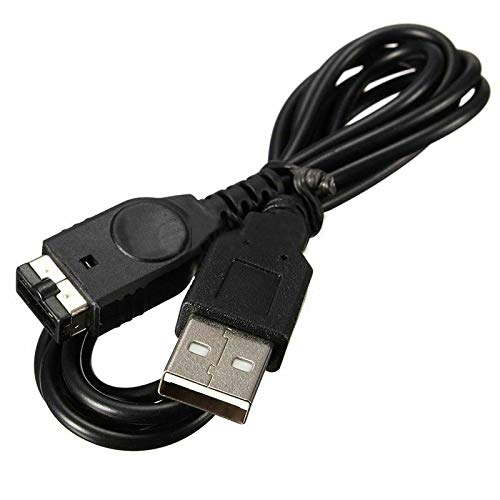
Figure 3: The complete 1.2-meter (approximately 4 feet) charging cable, showing both connectors and the cable length.
Setup
- Identify Power Source: Locate a standard USB-A port on a compatible power source. This can be a USB wall adapter (5V/1A recommended), a computer's USB port, or a power bank.
- Connect to Power Source: Insert the USB-A end of the BIG BOOM charging cable into the chosen USB power source.
- Connect to Device: Carefully insert the proprietary connector end of the charging cable into the charging port of your Nintendo Gameboy Advance G. Ensure the connection is firm and secure.
- Verify Connection: Once connected, your Gameboy Advance G should indicate that it is receiving power or charging, typically via an LED indicator on the device itself.
Operating Instructions
Once the cable is properly connected to both a power source and your Nintendo Gameboy Advance G, the device will begin to charge. The charging process is automatic. There are no additional controls on the cable itself.
- For optimal charging, ensure your Gameboy Advance G is turned off during the charging cycle.
- Monitor the device's charging indicator to determine when the battery is fully charged.
- Disconnect the cable from both the power source and the device once charging is complete.
Maintenance
- Cleaning: Use a soft, dry cloth to gently wipe the cable and connectors. Avoid using liquid cleaners or abrasive materials.
- Storage: When not in use, store the cable in a cool, dry place, away from direct sunlight and extreme temperatures. Avoid tightly coiling or bending the cable sharply to prevent internal damage.
- Handling: Always grasp the connector ends when plugging or unplugging the cable. Do not pull on the cable itself, as this can damage the internal wiring.
Troubleshooting
| Problem | Possible Solution |
|---|---|
| Device not charging. |
|
| Loose connection. |
|
Specifications
- Product Name: BIG BOOM 1.2m USB Power Supply Charger Charging Cable
- Model Number: EP-341661BIG BOOM
- Compatibility: Nintendo Gameboy Advance G
- Cable Length: 1.2 meters (approximately 4 feet)
- Connector Type (Source): USB-A
- Connector Type (Device): Proprietary Gameboy Advance G
- Color: Black (as shown)
- Product Dimensions: 15 x 5 x 10 cm (packaging/item dimensions)
- Included Components: 1 x Charging Cable
Disclaimer: Product color may slightly vary due to photographic lighting sources or your monitor settings.
Warranty and Support
For any queries, concerns, or support regarding your BIG BOOM 1.2m USB Charging Cable, please contact the seller directly through your purchase platform. Please refer to your purchase documentation for specific warranty details, if applicable.