
Introduction
The HIFI WALKER T20 Open Ear Headphones are designed to provide a comfortable and safe audio experience. Their open-ear design allows you to enjoy music and calls while remaining aware of your surroundings, making them ideal for outdoor activities. Featuring Bluetooth 5.3 for stable connectivity and powerful 16.2mm drivers, these headphones deliver clear audio with extended battery life.
Package Contents
Please check the package for the following items:
- HIFI WALKER T20 Open Ear Headphones (Left and Right)
- Charging Case
- USB Charging Cable
- User Manual
Product Overview
The HIFI WALKER T20 headphones feature an ergonomic open-ear design with soft earhooks for a secure and comfortable fit. The charging case includes an LED display to indicate battery levels.

Image: HIFI WALKER T20 Open Ear Headphones (left and right) stored within their charging case.
Components
- Earhooks: Soft and flexible for a secure fit during activity.
- Audio Drivers: Equipped with 16.2mm dynamic drivers for enhanced sound quality.
- Control Buttons: Physical buttons on each earbud for managing playback, calls, and volume.
- Charging Case: Protects the earbuds and recharges them, featuring an LED display for battery status.

Image: The HIFI WALKER T20 charging case with its lid open, displaying the earbuds and an LED screen indicating battery percentages for both the case and individual earbuds.

Image: A detailed diagram illustrating the internal structure of a 16.2mm audio driver, highlighting its components for sound production.
Setup
1. Charging the Headphones and Case
Before first use, fully charge the HIFI WALKER T20 headphones and their charging case. Connect the provided USB charging cable to the charging port on the case and a suitable power source. The LED display on the charging case will show the current battery level during charging.
- A full charge typically takes approximately 1.5-2 hours.
- The earbuds will charge automatically when placed inside the powered charging case.
2. Bluetooth Pairing
The HIFI WALKER T20 headphones utilize Bluetooth 5.3 for a stable and efficient wireless connection.
- Ensure your smartphone or audio device's Bluetooth is turned on.
- Open the charging case and remove both earbuds. They will automatically enter pairing mode.
- On your device, search for Bluetooth devices and select "HIFI WALKER T20" from the list.
- Once connected, you will hear an audible confirmation, and the earbuds' indicator lights will change.
The headphones support multi-device connection, allowing seamless switching between paired devices within a 10-meter range.

Image: HIFI WALKER T20 earbuds placed next to a smartphone, illustrating the Bluetooth 5.3 connection capability.
Operating
The HIFI WALKER T20 headphones are controlled via physical buttons on each earbud.
Music Playback
- Play/Pause: Press the button on either earbud once.
- Next Track: Press the button on the right earbud three times.
- Previous Track: Press the button on the left earbud three times.
- Volume Up: Press the button on the right earbud twice.
- Volume Down: Press the button on the left earbud twice.
Call Management
- Answer/End Call: Press the button on either earbud once.
- Reject Call: Press and hold the button on either earbud for 2 seconds.
Open-Ear Design Benefits
The open-ear design allows you to hear ambient sounds, enhancing safety during outdoor activities like running or cycling by keeping you aware of your surroundings.

Image: A person running outdoors with the HIFI WALKER T20 headphones, demonstrating how the open-ear design allows awareness of the environment, such as an approaching car.
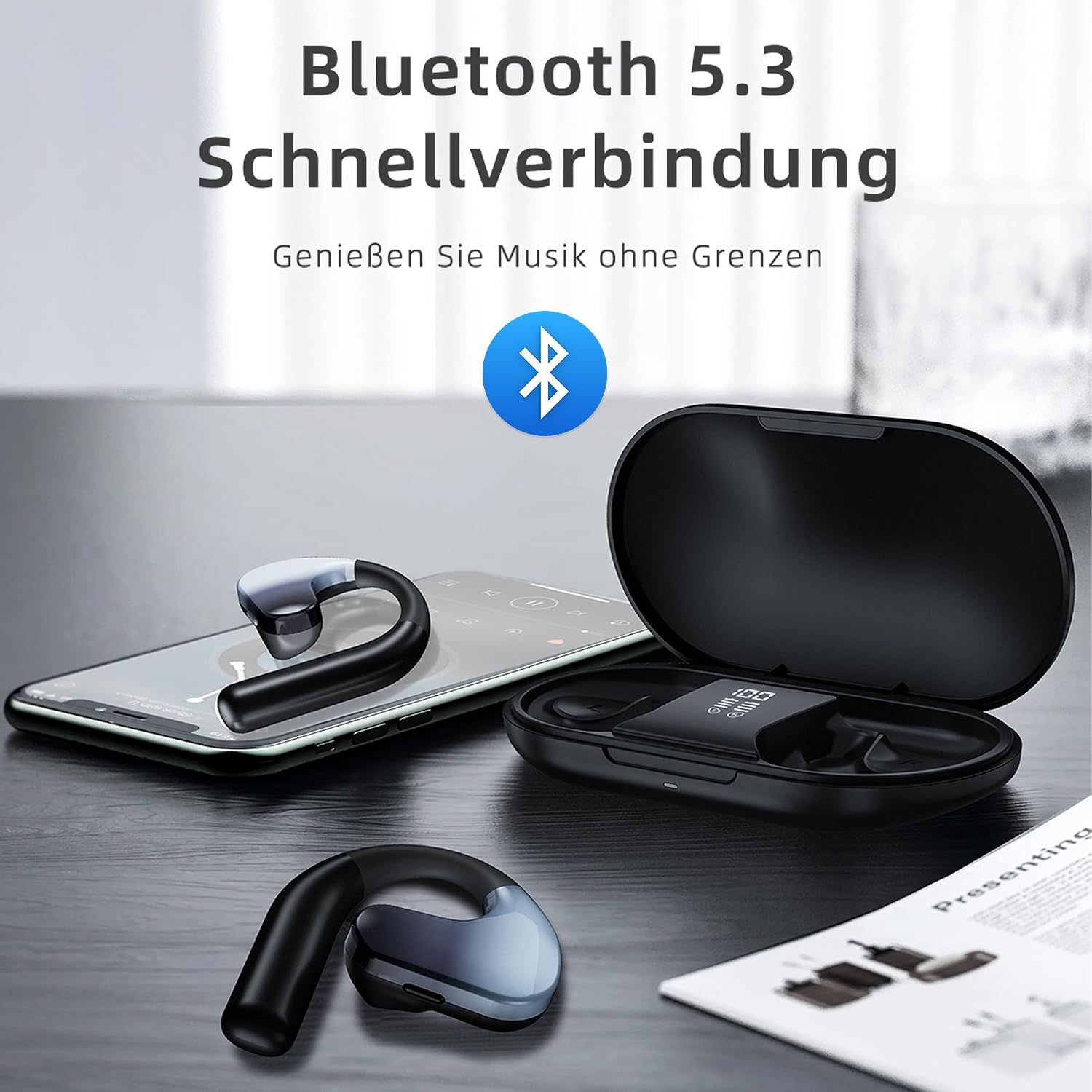
Image: A person engaged in a boxing workout, wearing the HIFI WALKER T20 headphones, highlighting their secure and stable fit during intense physical activity.
Maintenance
Cleaning
- Wipe the earbuds and charging case with a soft, dry, lint-free cloth.
- Do not use abrasive cleaners, alcohol, or chemical solvents.
- The headphones are not water resistant. Avoid exposing them to water or excessive moisture.
Storage
- Store the headphones in their charging case when not in use to protect them and keep them charged.
- Avoid storing in extreme temperatures or direct sunlight.
Troubleshooting
| Problem | Solution |
|---|---|
| Headphones do not turn on. | Ensure the earbuds are charged. Place them in the charging case and check the LED indicator. |
| Cannot pair with device. | Make sure Bluetooth is enabled on your device. Ensure the earbuds are in pairing mode (remove from case). Forget previous pairings on your device and try again. |
| No sound or intermittent sound. | Check the volume level on both the headphones and your connected device. Ensure the earbuds are within the 10-meter Bluetooth range. Re-pair the headphones if the connection is unstable. |
| Charging case not charging. | Verify the USB cable is securely connected to both the case and the power source. Try a different cable or power adapter. |
| Earbuds are uncomfortable or cause pain. | Adjust the earhooks for a better fit. If discomfort persists, discontinue use. |
Specifications
- Model: T20
- Bluetooth Version: 5.3
- Bluetooth Range: Up to 10 meters
- Driver Size: 16.2 mm
- Impedance: 40 Ohm
- Frequency Response: 20 Hz - 20,000 Hz
- Battery Life (Music Playback): Up to 12 hours (earbuds), up to 50 hours (with charging case)
- Battery Life (Talk Time): Up to 8 hours
- Control Type: Button control
- Material: Plastic
- Water Resistance: Not water resistant
- Included Components: Charging station
- Product Dimensions: 12.4 x 10.8 x 3.2 cm (package)
- Weight: 160 g (package)

Image: An infographic detailing the battery performance of the HIFI WALKER T20, showing 50 hours total playtime, 12 hours music playback, and 8 hours call time.
Safety Information
- Hearing Protection: Avoid listening at high volume levels for extended periods to prevent hearing damage.
- Environmental Awareness: The open-ear design allows you to hear your surroundings, which is a safety feature. However, always exercise caution in traffic or dangerous environments.
- Charging: Use only the provided charging cable and a certified power adapter. Do not attempt to charge the device if it is wet.
- Disassembly: Do not attempt to disassemble or modify the headphones or charging case, as this may void the warranty and cause damage.
- Children: Keep out of reach of children.

Image: Two individuals relaxing, one wearing the HIFI WALKER T20 headphones, illustrating comfortable and pain-free listening over extended periods.
Warranty and Support
For warranty information and customer support, please refer to the documentation included with your purchase or contact HIFI WALKER customer service directly. The manufacturer is HIFI WALKER.

