
1. Introduction
Thank you for purchasing the Wobane LED Desk Lamp. This manual provides essential information for the safe and efficient use of your new desk lamp. Please read it thoroughly before installation and operation, and retain it for future reference.
This LED desk lamp features a dual light source design, offering 1400 lumens of bright illumination. It includes stepless dimming and 5-step color temperature adjustment (2700K to 6500K) to suit various tasks and preferences. With a high color rendering index (Ra85+), it provides natural and vibrant lighting, reducing eye strain during prolonged use. The clamp-style base saves desk space, and its 360° adjustable gooseneck allows for precise light positioning. The lamp is operated via independent touch buttons for ease of use and comes with a PSE-certified AC adapter for stable power supply.
2. Safety Instructions
- Read all instructions carefully before use.
- Do not disassemble, repair, or modify the product yourself. Contact qualified service personnel if maintenance is required.
- Ensure the power adapter is compatible with your local power supply (AC 100V).
- Keep the lamp away from water, moisture, and high temperatures. This product is not waterproof.
- Avoid direct eye exposure to the LED light source for extended periods, as it may cause discomfort.
- Place the lamp on a stable surface or securely clamp it to a desk to prevent it from falling.
- Keep out of reach of children.
- Unplug the power adapter before cleaning or when not in use for a long time.
3. Package Contents
Please check that all items are included in the package:
- Desk Lamp Unit
- Power Cord (AC Adapter)
- Screws
- Japanese Instruction Manual
4. Setup Instructions
Follow these steps to assemble and set up your Wobane LED Desk Lamp:
- Prepare the Lamp: Gently pull the cable towards the power source side from the lamp unit.
- Connect Arm and Panel: Rotate the arm and the light panel to securely tighten them together.
- Secure with Screw: Use the provided screw and L-shaped wrench to fix the connection point, ensuring stability.
- Attach Clamp to Desk: Secure the clamp to your desk. The clamp can accommodate desk thicknesses up to 6cm.
- Insert Lamp into Clamp: Insert the lamp's base into the clamp hole and tighten the clamp screw to secure it.
- Connect Power: Connect the power cable from the lamp to the AC adapter.
- Plug into Outlet: Plug the AC adapter into a wall outlet.
Video: Wobane LED Desk Light Assembly Method
This video demonstrates the step-by-step assembly process of the Wobane LED Desk Lamp, including connecting the lamp components, attaching the clamp to a desk, and connecting the power adapter.

Image: Clamp Installation Steps
This image illustrates the six steps for installing the clamp-style desk lamp, from connecting the lamp head to securing the clamp on the desk and plugging in the power adapter.
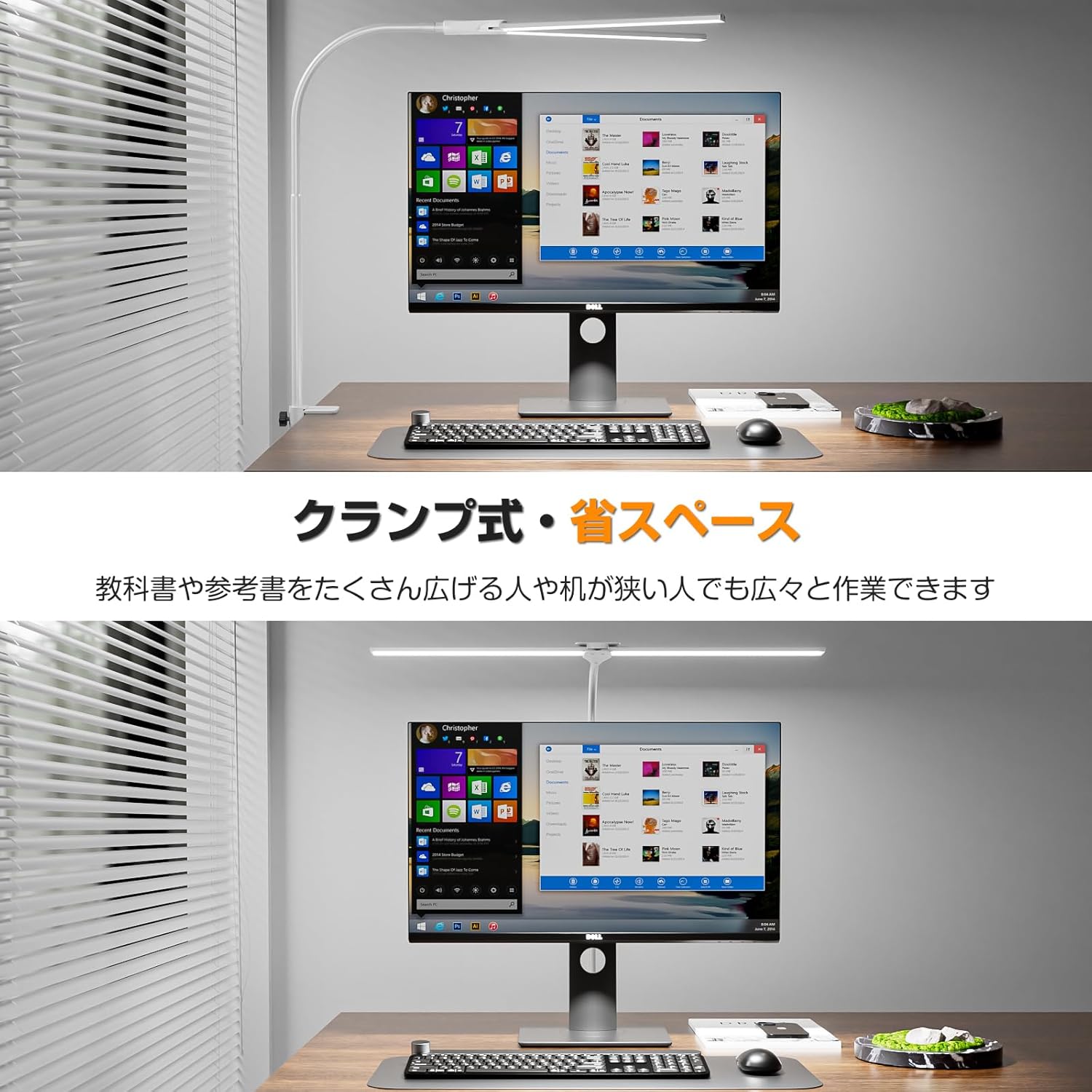
Image: Space-Saving Clamp Design
This image shows the Wobane LED Desk Lamp securely clamped to a desk, highlighting its space-saving design and how it provides ample workspace even on narrow desks.
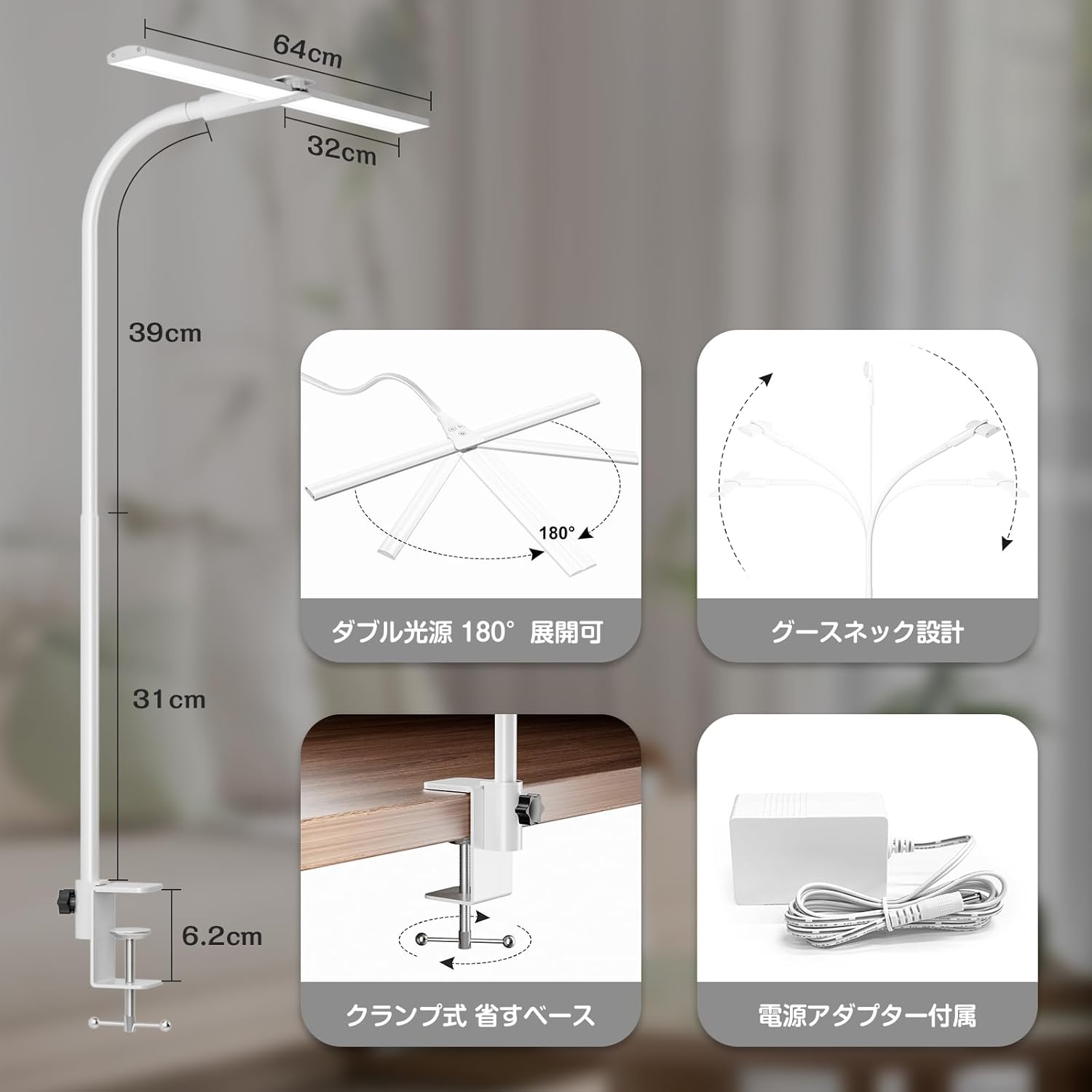
Image: Lamp Dimensions and Features
This image provides a detailed view of the lamp's dimensions (64cm light source, 39cm upper arm, 31cm lower arm, 6.2cm clamp opening) and key features like 180° dual light source expansion, gooseneck design, and the included AC adapter.
5. Operating Instructions
The Wobane LED Desk Lamp features intuitive touch controls located on the lamp head:
- Power ON/OFF: Touch the power button (⏻) to turn the lamp on or off.
- Brightness Adjustment (Stepless Dimming): Touch the brightness adjustment button (☀) to cycle through brightness levels. Long-press the button to achieve stepless dimming from 10% to 100%.
- Color Temperature Adjustment (5-Step): Touch the CCT button (CCT) to switch between 5 color temperature modes: 2700K (Warm White), 3000K (Soft White), 4000K (Neutral White), 5000K (Cool White), and 6500K (Daylight White).
- Angle Adjustment: The lamp features a flexible gooseneck design and a 180° adjustable dual light source. Adjust the lamp head and arm to direct light precisely where needed.
Video: Wobane LED Desk Light Features
This video demonstrates the lamp's features, including 5-step color temperature adjustment (from 6500K to 2700K) and stepless brightness dimming (10% to 100%). It also shows the flexible angle adjustment of the lamp head.
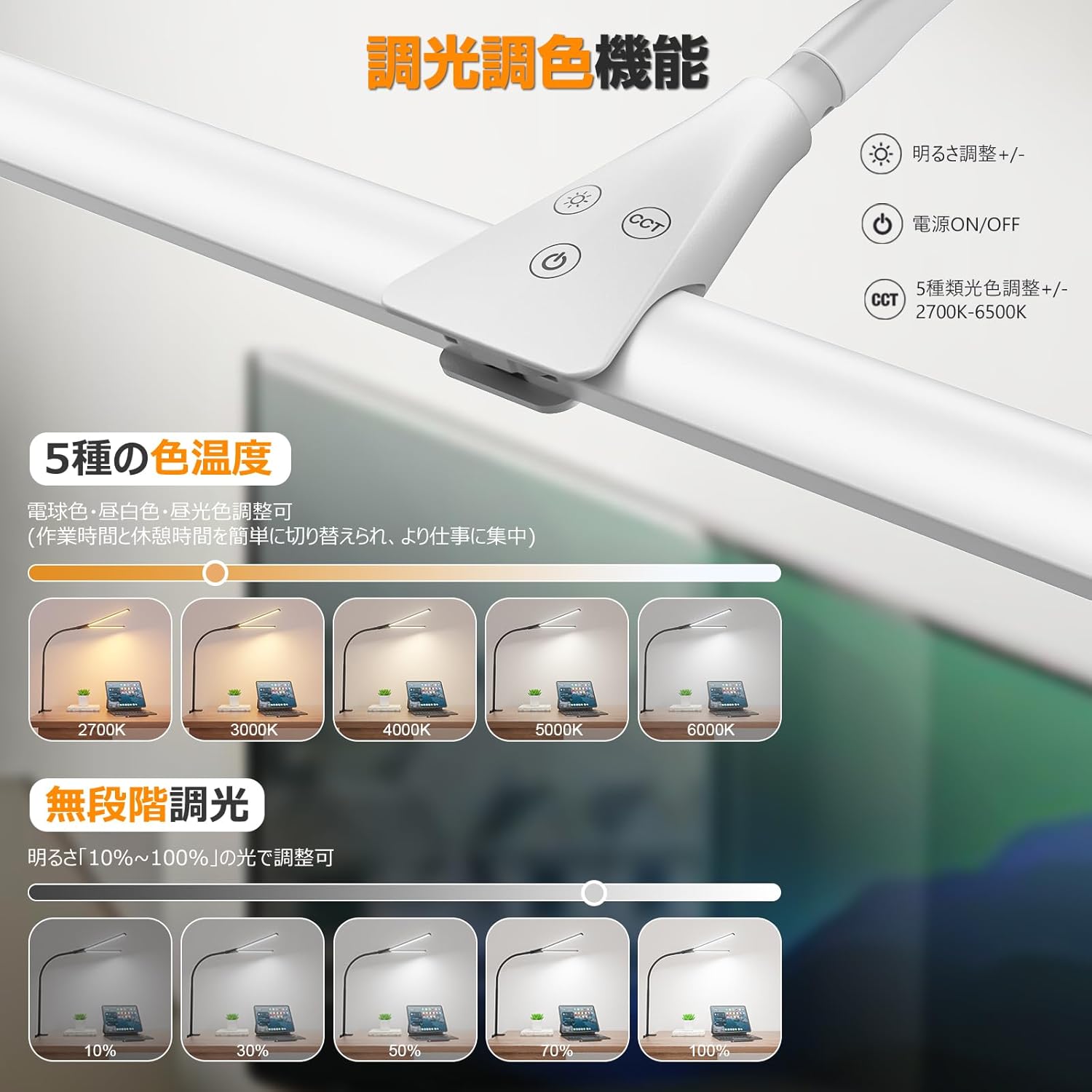
Image: Touch Control Panel
A close-up view of the touch control panel on the lamp head, showing the independent buttons for brightness adjustment (+/-), power ON/OFF, and 5-step color temperature adjustment (CCT, 2700K-6500K).

Image: Flexible Angle Adjustment
This image showcases the lamp's ability to be freely adjusted to various angles, demonstrating its gooseneck design and how the light source can be positioned for different tasks without moving the base.
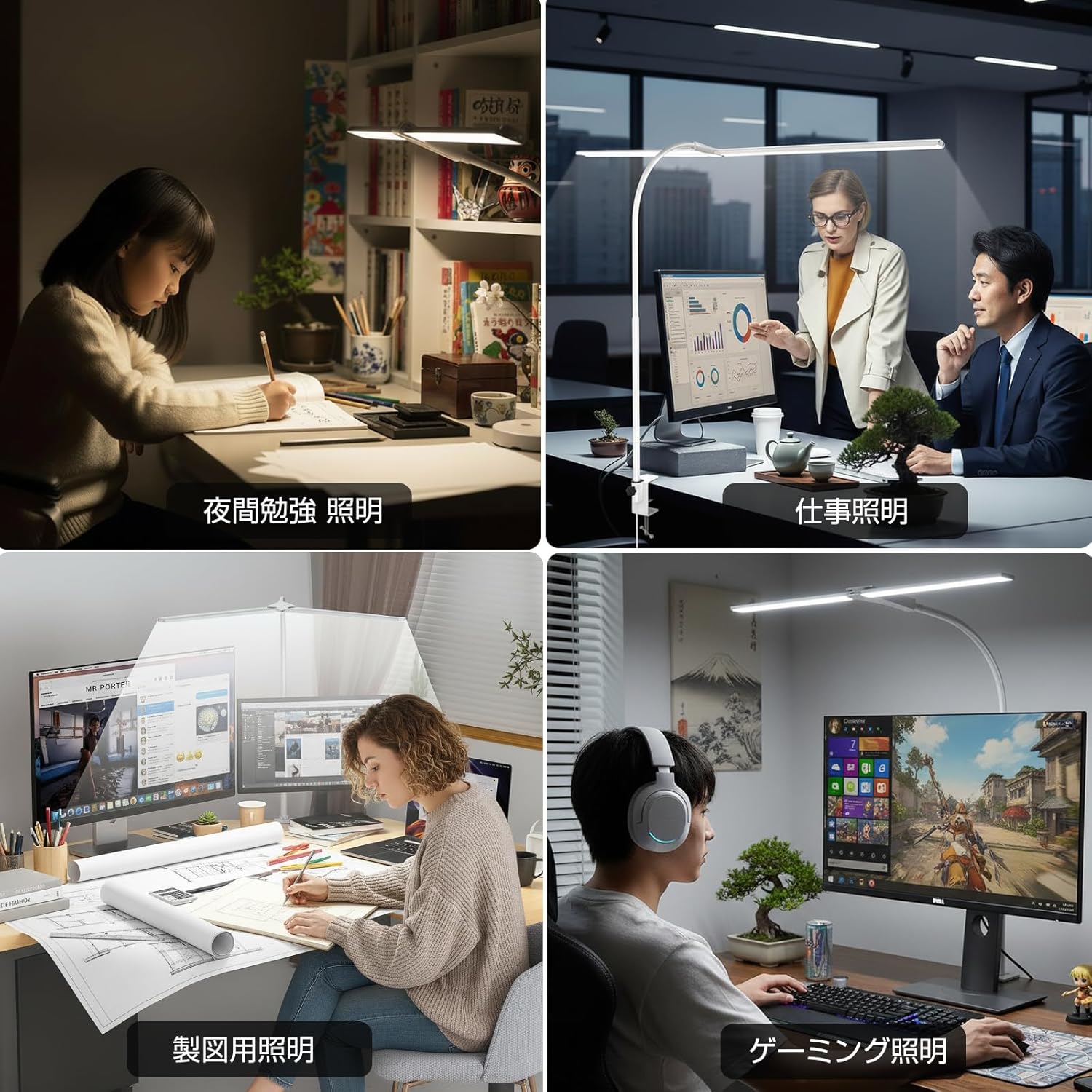
Image: Versatile Lighting Applications
A collage of images showing the Wobane LED Desk Lamp used for various activities such as night study, office work, drawing, and gaming, illustrating its adaptability to different lighting needs.
6. Maintenance
- Cleaning: Disconnect the power before cleaning. Use a soft, dry cloth to wipe the lamp. Do not use abrasive cleaners, solvents, or harsh chemicals, as they may damage the finish.
- Storage: If the lamp will not be used for an extended period, unplug it and store it in a cool, dry place.
- Bulb Replacement: The LED light source is integrated and not user-replaceable.
7. Troubleshooting
| Problem | Possible Cause | Solution |
|---|---|---|
| Lamp does not turn on. | Power adapter not connected or faulty. | Ensure the power adapter is securely plugged into both the lamp and the wall outlet. Check if the outlet is functional. |
| Light flickers or is unstable. | Loose connection or power supply issue. | Check all connections. Ensure the power adapter is providing stable power. Avoid using with incompatible dimmers. |
| Cannot adjust brightness or color temperature. | Controls are unresponsive. | Ensure your finger is making proper contact with the touch buttons. Try unplugging and re-plugging the lamp to reset it. |
| Lamp falls or is unstable. | Clamp not tightened sufficiently or desk too thin/thick. | Ensure the clamp is securely tightened to a stable desk surface within the 6cm thickness limit. |
8. Specifications
| Feature | Detail |
|---|---|
| Model Number | WBE031 |
| Brand | WOBANE |
| Color | White |
| Product Dimensions (D x W x H) | 35 x 64 x 65 cm |
| Product Weight | 340 grams |
| Light Source Type | LED (Dual Light Source) |
| Brightness | 1400 lumens |
| Color Temperature | 5-step adjustable (2700K/3000K/4000K/5000K/6500K) |
| Dimming | Stepless (10%-100%) |
| Color Rendering Index (Ra) | Ra85+ |
| Power Source | Corded Electric (AC Adapter included) |
| Voltage | 100V (AC) |
| Wattage | 12 W |
| Switch Type | Touch Control |
| Mounting Type | Tabletop / Clamp-on (Max. 6cm desk thickness) |
| Material | ABS, Aluminum |
| Special Features | Memory Function, Energy Saving, Dimmable, Color Adjustable, Height Adjustable |
| Certification | PSE Certified |

Image: Energy Saving Comparison
This image illustrates the energy efficiency of the LED desk lamp (12W) compared to fluorescent (20W) and incandescent (60W) bulbs, highlighting its significant power savings and long lifespan.
9. Warranty and Support
For warranty information or technical support, please refer to the contact details provided with your purchase or visit the official Wobane website. Please have your model number (WBE031) and purchase date ready when contacting support.