
Introduction
Thank you for choosing the TONEMAC H7 Bluetooth Headphones. These headphones are designed to provide a high-quality audio experience with hybrid noise isolation, Bluetooth 5.3 connectivity, and an extended battery life. This manual will guide you through the setup, operation, and maintenance of your new headphones to ensure optimal performance and longevity.
Important Safety Information
Please read all safety instructions carefully before using this product. Keep this manual for future reference.
- Do not expose the headphones to extreme temperatures, humidity, or corrosive substances.
- Avoid dropping or subjecting the headphones to strong impacts.
- Do not disassemble or attempt to repair the headphones yourself. This may void the warranty and cause damage.
- Clean the headphones with a soft, dry cloth. Do not use liquid cleaners.
- Prolonged listening at high volume levels may cause hearing damage. Adjust volume to a safe level.
Package Contents
Ensure all items are present in the package:
- 1 x TONEMAC H7 Bluetooth Headphone
- 1 x Quick Start Guide
- 1 x Charging Cable
- 1 x 3.5mm Audio Cable
Product Overview
Familiarize yourself with the components of your TONEMAC H7 headphones.
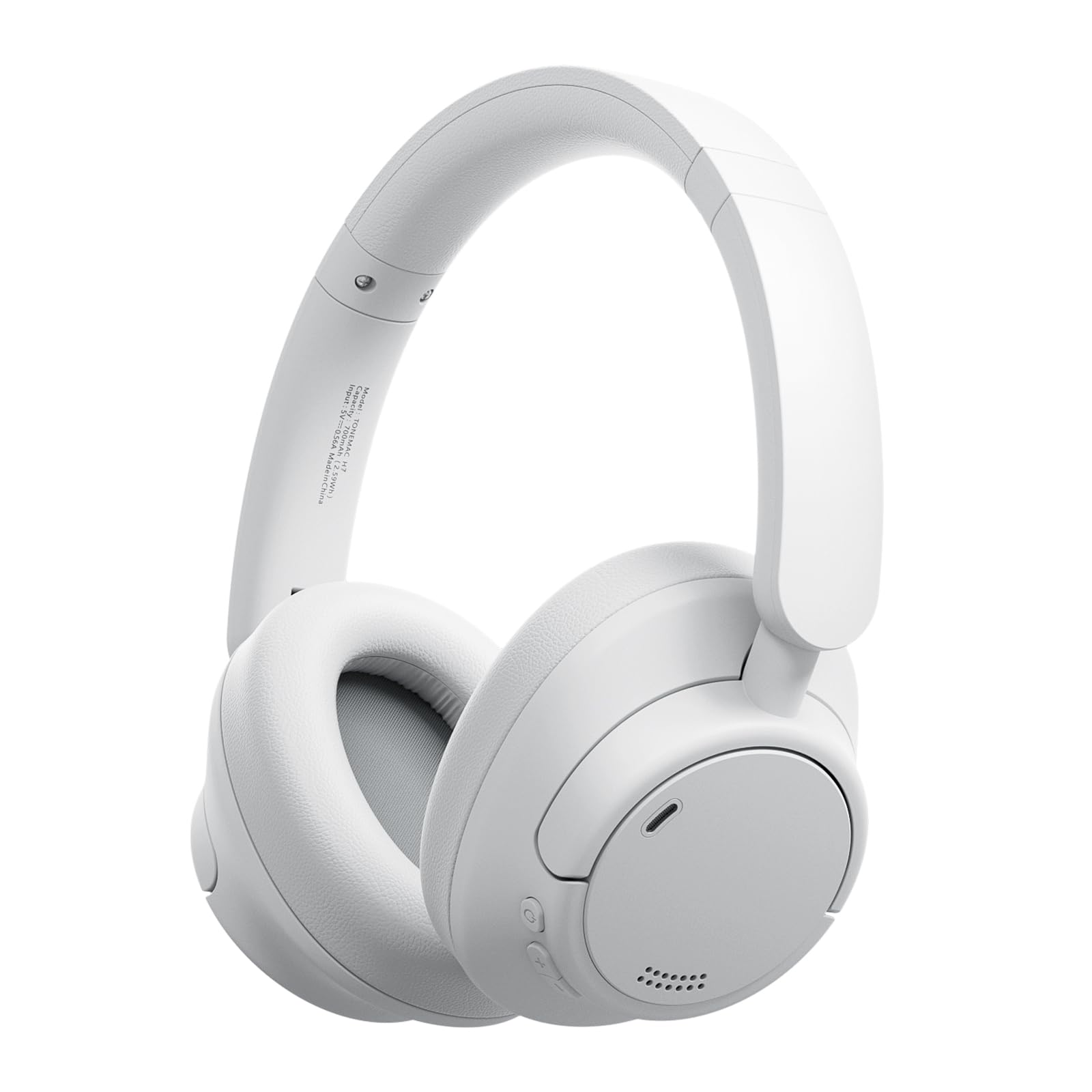
Image: TONEMAC H7 Bluetooth Headphones. This image displays the overall design of the headphones, highlighting the earcups and headband.
Note: For a detailed diagram showing button locations and ports, please refer to the Quick Start Guide included in your package.
Setup
1. Charging the Headphones
Before first use, fully charge the headphones.
- Connect the charging cable to the charging port on the headphones.
- Connect the other end of the charging cable to a USB power source (e.g., computer, wall adapter).
- The LED indicator will show charging status (e.g., red for charging, blue/off for fully charged).
Image: (Not provided) A visual representation of connecting the charging cable to the headphone and a power source would be helpful here.
2. Power On/Off
- Power On: Press and hold the Power button for approximately 3 seconds until the LED indicator lights up and you hear an audible prompt.
- Power Off: Press and hold the Power button for approximately 3 seconds until the LED indicator turns off and you hear an audible prompt.
3. Bluetooth Pairing
Pair your TONEMAC H7 headphones with your Bluetooth-enabled device.
- Ensure the headphones are powered off.
- Press and hold the Power button for approximately 5-7 seconds until the LED indicator flashes red and blue alternately, indicating pairing mode.
- On your device (smartphone, tablet, computer), enable Bluetooth and search for available devices.
- Select "TONEMAC H7" from the list of found devices.
- Once paired, the LED indicator will flash blue slowly, and you will hear a confirmation tone.
Video: (No relevant seller videos available for embedding.) A video demonstrating the Bluetooth pairing process would typically be included here.
4. Wired Connection (3.5mm Audio Cable)
You can use the headphones with a wired connection when Bluetooth is not available or preferred.
- Connect one end of the 3.5mm audio cable to the audio jack on the headphones.
- Connect the other end to the 3.5mm audio output of your device.
- The headphones will automatically switch to wired mode. Note that some functions, like microphone use, might be limited in wired mode depending on the cable and device.
Operating Instructions
1. Basic Controls
The control buttons are typically located on one of the earcups. Refer to your Quick Start Guide for exact button placement.
- Power Button: Power On/Off, Pairing Mode.
- Volume Up (+): Short press to increase volume.
- Volume Down (-): Short press to decrease volume.
- Multi-function Button (MFB):
- Play/Pause: Single press during music playback.
- Next Track: Long press Volume Up (+).
- Previous Track: Long press Volume Down (-).
Image: (Not provided) A diagram illustrating the location and function of each control button on the headphone earcup would be beneficial.
2. Call Management
When connected via Bluetooth, you can manage phone calls directly from your headphones.
- Answer Call: Single press the MFB.
- End Call: Single press the MFB during a call.
- Reject Call: Long press the MFB for 2 seconds.
- Redial Last Number: Double press the MFB.
3. Voice Assistant
Activate your device's voice assistant (Siri, Google Assistant, etc.) through the headphones.
- Activate Voice Assistant: Triple press the MFB.
4. Noise Control
The TONEMAC H7 headphones feature passive noise reduction for an immersive listening experience.
- The over-ear design with soft, breathable memory foam ear cushions provides effective passive noise isolation, reducing ambient sound.
Maintenance
1. Cleaning
- Wipe the headphones with a soft, dry, lint-free cloth.
- Do not use abrasive cleaners, alcohol, or chemical solvents.
- Avoid getting moisture into any openings.
2. Storage
- Store the headphones in a cool, dry place away from direct sunlight and extreme temperatures.
- If storing for an extended period, charge the headphones periodically to maintain battery health.
Troubleshooting
If you encounter issues with your headphones, refer to the following common solutions:
| Problem | Possible Solution |
|---|---|
| Headphones do not power on. | Ensure the headphones are charged. Connect to a power source and try again. |
| Cannot pair with device. |
|
| No sound or low volume. |
|
| Sound quality is poor. |
|
Specifications
| Feature | Detail |
|---|---|
| Model Name | H7 |
| Model Number | TM-H7 |
| Brand | TONEMAC |
| Connectivity Technology | Wireless (Bluetooth), Wired (3.5mm Jack) |
| Wireless Communication Technology | Bluetooth 5.3 |
| Ear Placement | Over-Ear (Supra-auriculaire) |
| Form Factor | Circum-Aural |
| Noise Control | Passive Noise Reduction |
| Audio Driver Type | Dynamic |
| Special Product Features | Microphone included, Detachable Cable |
| Compatible Devices | Mobile Phone (and other Bluetooth-enabled devices) |
| Recommended Uses | Gaming, Music, Sport, Work, Travel |
| Weight | 465 Grams |
| UPC | 721820713030 |
Warranty and Support
TONEMAC stands by the quality of its products. Your TONEMAC H7 headphones come with:
- Manufacturer Warranty: 12 months.
- Satisfaction Guarantee: 90 days.
- Customer Service: 24/7 support.
If you are not satisfied with the performance of your TONEMAC H7 headphones for any reason, please contact our customer service. We are committed to repairing or replacing your product within 24 hours if issues arise.
For support, please refer to the contact information provided in your Quick Start Guide or visit the official TONEMAC website.


