
1. Important Safety Instructions
Please read all instructions carefully before using this humidifier and retain them for future reference. Failure to follow these instructions may result in electric shock, fire, or serious injury.
- Always place the humidifier on a firm, flat, water-resistant surface away from walls and heat sources.
- Do not immerse the humidifier base in water or other liquids.
- Ensure the voltage of your power outlet matches the humidifier's specifications (120V).
- Unplug the humidifier before filling, cleaning, or moving it.
- Keep the humidifier out of reach of children and pets.
- Do not block the mist outlet or air intake vents.
- Use only clean, cool tap water or distilled water. Do not add hot water.
- Do not add essential oils directly into the water tank. Use the designated aroma diffuser tray.
- If the humidifier emits unusual sounds, smells, or smoke, unplug it immediately and contact customer support.
2. Product Overview
The Lacidoll Cool and Warm Mist Humidifier is designed to provide optimal humidity levels for large rooms up to 2500 sq ft. It features a large 5.3-gallon (20L) capacity, offering up to 72 hours of continuous operation. This model includes both cool and warm mist options, an essential oil diffuser, and convenient controls.
2.1 Key Features
- Cool and Warm Mist: Provides refreshing cool mist or soothing 104°F warm mist.
- Large Capacity: 5.3 Gallons (20 Liters) for extended operation up to 72 hours.
- Wide Coverage: Suitable for areas up to 2500 sq ft.
- Adjustable Humidity: Customizable humidity levels from 40% to 90%.
- Multiple Mist Modes: Low (800mL/h), Medium (900mL/h), and High (1000mL/h) mist output.
- Essential Oil Diffuser: Integrated tray for aromatherapy.
- Flexible Mist Output: Includes a 360° rotatable mist nozzle and an extended mist tube.
- Quiet Operation: Operates at less than 35dB, ideal for bedrooms and nurseries.
- Convenient Controls: Touchscreen display and remote control.
- Sleep Mode: Turns off display lights for undisturbed sleep.
- Timer Function: Set operation time for 1 to 12 hours.
- Top-Fill Design: Easy and mess-free water refilling.
- Easy Cleaning: Wide opening for thorough cleaning of the water tank.
- Safety Features: Auto shut-off when water level is low.
- Mobility: Equipped with moving casters and a lifting handle for easy relocation.
2.2 Product Components


3. Setup
3.1 Unpacking
- Carefully remove all packaging materials from the humidifier and its accessories.
- Check for any damage during transit. If any damage is found, do not use the product and contact customer support.
- Ensure all components are present: main humidifier unit, mist nozzle, extended mist tube, remote control, and user manual.
3.2 Placement
For optimal performance and safety, place the humidifier in a suitable location:
- Place the unit on a firm, flat, water-resistant surface at least 6 inches (15 cm) away from walls and furniture.
- Avoid placing it directly on carpet or absorbent surfaces.
- Ideal for use in bedrooms, kids' rooms, living rooms, nurseries, and offices.
- Do not place near heat sources, direct sunlight, or air conditioning vents.
3.3 Filling the Water Tank

- Ensure the humidifier is unplugged.
- Remove the top cover of the humidifier.
- Pour clean, cool tap water or distilled water directly into the water tank through the wide top opening. Do not exceed the 'MAX' fill line.
- Replace the top cover securely.
3.4 Attaching Mist Nozzle/Extended Tube
- Choose between the standard 360° rotatable mist nozzle or the extended mist tube based on your room size and mist direction preference.
- Align the chosen mist outlet accessory with the opening on the top cover and gently press down until it is securely in place.
3.5 Power Connection
Plug the power cord into a standard 120V AC electrical outlet. The unit will enter standby mode.
4. Operating Instructions
4.1 Power On/Off
- Press the Power button on the control panel or remote control to turn the humidifier on or off.
4.2 Mist Mode Selection

- Press the Mist Level button to cycle through Low, Medium, and High mist output settings.
4.3 Humidity Level Adjustment

- Press the Humidity Setting button to adjust the desired humidity level from 40% to 90% in 5% increments. The humidifier will automatically maintain the set humidity.
4.4 Warm/Cool Mist Function
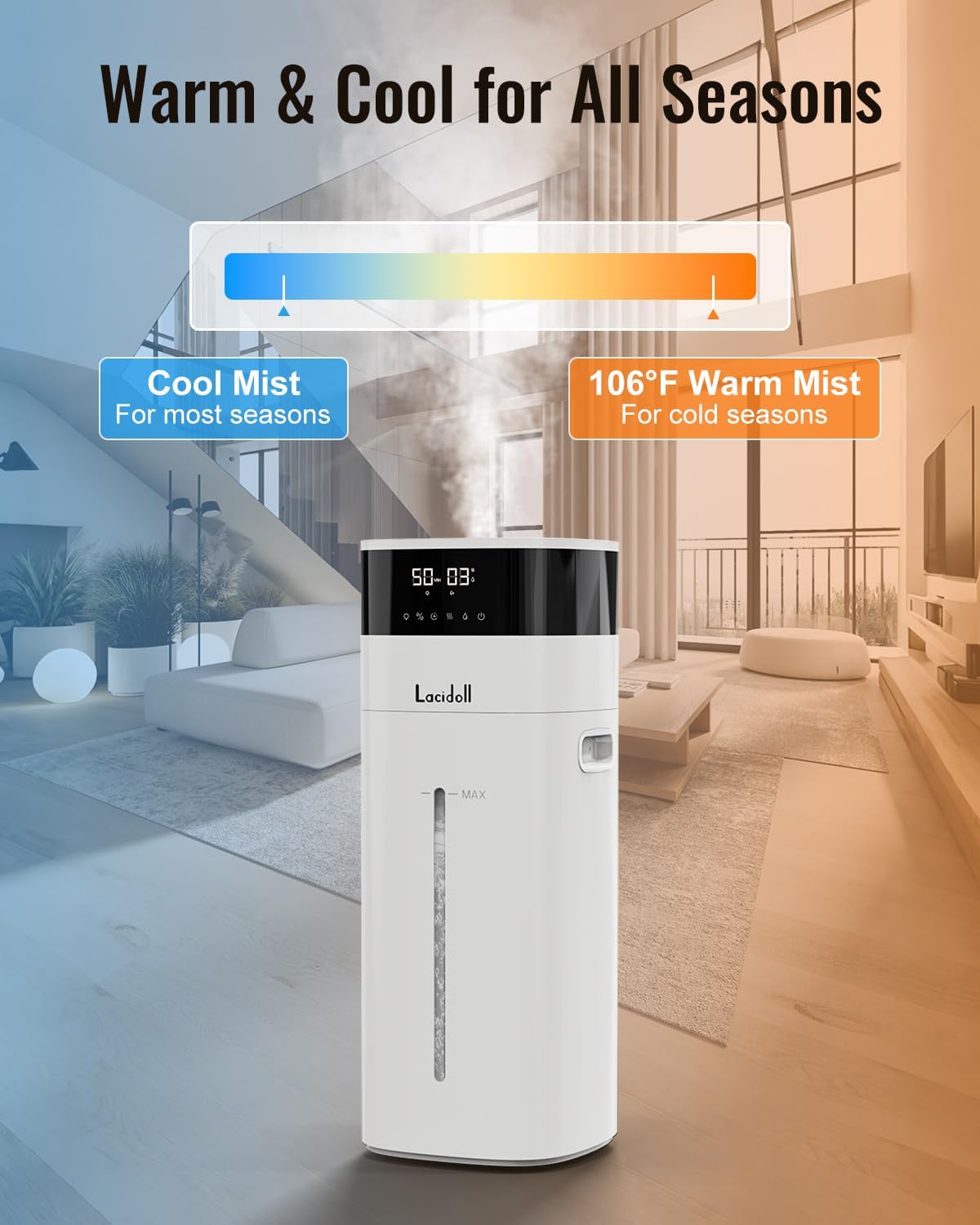

- Press the Warm Mist button to activate the warm mist function. The indicator light will illuminate. Press again to switch back to cool mist.
4.5 Timer Setting
- Press the Timer button to set the operating time from 1 to 12 hours. The humidifier will automatically turn off once the set time expires.
4.6 Sleep Mode Activation

- Press the Sleep Mode button to activate. The display lights will turn off, and the humidifier will operate quietly for undisturbed sleep.
4.7 Night Light Control
- The humidifier features a soothing green night light. Press the Night Light button to turn it on or off.
4.8 Essential Oil Diffuser Use

- Locate the essential oil tray on the side of the humidifier.
- Pull out the tray and add a few drops of your preferred essential oil onto the aroma pad.
- Slide the tray back into the humidifier. The mist will carry the fragrance into the air.
- Do not add essential oils directly into the water tank.
4.9 Remote Control Usage
- The included remote control allows convenient operation of all functions from a distance. Ensure the remote has working batteries.
5. Maintenance
Regular cleaning is essential to maintain the efficiency and longevity of your humidifier and to prevent the growth of mold or bacteria.
5.1 Daily Maintenance
- Unplug the humidifier.
- Empty any remaining water from the tank.
- Wipe the inside of the water tank with a clean, damp cloth.
- Refill with fresh water before each use.
5.2 Weekly Cleaning
- Unplug the humidifier and empty the water tank.
- Remove the top cover and mist outlet accessories.
- Pour 1 cup of white vinegar into the water tank and let it sit for 30 minutes to loosen mineral buildup.
- Use a soft brush or cloth to clean the inside of the tank, paying attention to the ultrasonic atomizer and heating element (if applicable for warm mist). The wide opening allows for easy access.
- Rinse the tank thoroughly with clean water until the vinegar smell is gone.
- Wipe the exterior of the unit with a soft, damp cloth.
- Clean the aroma diffuser tray and replace the aroma pad if necessary.
5.3 Storage
- Before storing, ensure the humidifier is completely clean and dry.
- Store the unit in a cool, dry place, preferably in its original packaging.
6. Troubleshooting
If you encounter any issues with your humidifier, please refer to the following common problems and solutions:
| Problem | Possible Cause | Solution |
|---|---|---|
| No mist or low mist output | Low water level Mineral buildup on atomizer Mist outlet blocked | Refill water tank Clean the atomizer with vinegar solution Check and clear any obstructions from the mist outlet |
| Unusual odor | Stale water Dirty water tank New unit smell | Empty and refill with fresh water Clean the water tank thoroughly The smell should dissipate after initial uses |
| Water leakage | Tank not properly seated Overfilled tank Damaged tank | Ensure top cover is securely in place Do not exceed the MAX fill line Contact customer support if tank is damaged |
| Humidifier not turning on | No power Waterless auto-off activated | Check power connection and outlet Refill water tank |
| Remote control not working | Dead batteries Obstruction between remote and unit | Replace batteries Ensure clear line of sight to the humidifier's sensor |
If the problem persists after trying these solutions, please contact Lacidoll customer support.
7. Specifications
| Feature | Detail |
|---|---|
| Brand | Lacidoll |
| Model Name | Cool and Warm Mist Humidifiers |
| Item Model Number | LCD-MH-2301J |
| Color | White |
| Operation Mode | Ultrasonic |
| Water Tank Capacity | 5.3 Gallons (20 Liters) |
| Max Mist Output | 1000 mL/h |
| Floor Area Coverage | Up to 2500 Square Feet |
| Adjustable Humidity | 40% to 90% |
| Warm Mist Temperature | 104°F (40°C) |
| Noise Level | Under 35dB |
| Timer | 1-12 Hours |
| Voltage | 120 Volts |
| Product Dimensions (D x W x H) | 26"D x 11"W x 12"H |
| Item Weight | 11.92 pounds (5.42 Kilograms) |
| Included Components | Humidifier, Mist Nozzle, Extended Mist Tube, Remote Control, User Manual |
8. Warranty and Support
The Lacidoll Cool and Warm Mist Humidifier comes with a 1-year warranty from the date of purchase. This warranty covers defects in materials and workmanship under normal use.
For any questions, concerns, or technical support, please contact our customer service team. We offer 24-hour online support to assist you.
Please have your model number (LCD-MH-2301J) and purchase information ready when contacting support.


