1. Important Safety Information
- Read all instructions before using the device.
- Keep the device away from water and moisture.
- Do not expose to extreme temperatures or direct sunlight.
- Use only the provided power adapter and charging cables.
- Do not attempt to disassemble or repair the device yourself. Contact qualified service personnel.
- Ensure proper ventilation to prevent overheating.
2. Package Contents
Verify that all items are present in the package:
- Ikarao Break X2 Karaoke Machine
- 2 Wireless Microphones
- Charging Cable
- Strap
- User Manual
3. Product Overview
The Ikarao Break X2 is an all-in-one portable karaoke system designed for an immersive entertainment experience. It features a 10.1-inch touch screen, a powerful 600W Bluetooth speaker, and two self-charging wireless microphones.
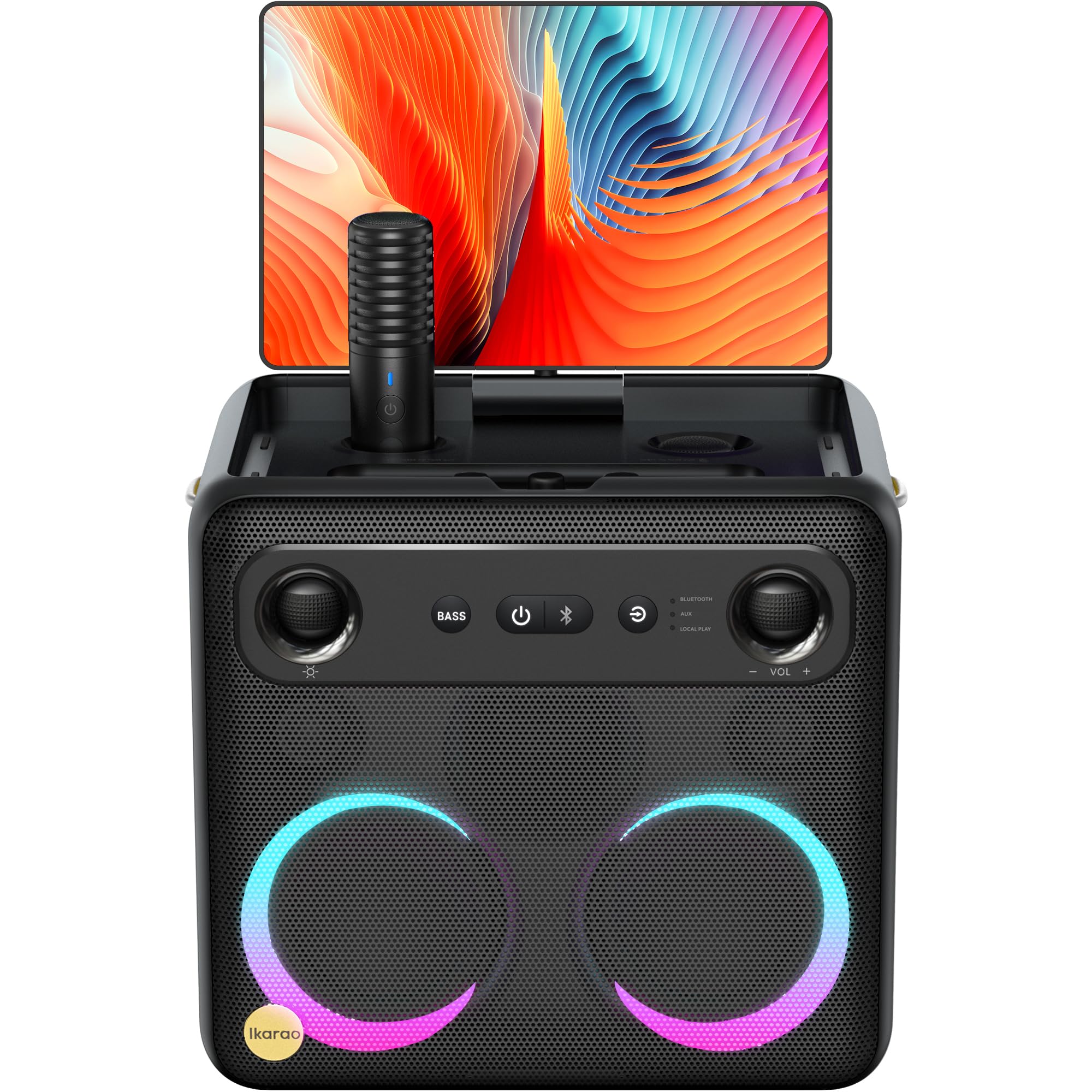
Image: Ikarao Break X2 Karaoke Machine. This image shows the main unit with its integrated 10.1-inch touch screen, the speaker grille, and the two wireless microphones stored in their charging slots.
Key Features:
- Integrated 10.1-inch Touch Screen: 2K HD resolution for clear lyric display. The screen can rotate 180 degrees for optimal viewing angles.
- 600W Bluetooth Speaker: Delivers powerful and clear audio for an engaging karaoke experience.
- Two Self-Charging Wireless Microphones: Conveniently store and charge microphones within the unit. No manual pairing required.
- Built-in Connectivity: Access YouTube and Spotify via Wi-Fi for an unlimited song library.
- Multiple Playback Modes: Supports HDMI, USB, AUX IN, AUX OUT, TF, SD, and wired microphone connections.
- Portable Design: Compact and equipped with a strap for easy transport, offering up to 8 hours of battery life.
4. Setup
4.1 Initial Charging
- Connect the provided charging cable to the charging port on the Ikarao Break X2.
- Plug the other end into a suitable power outlet.
- Allow the device to charge fully before first use. The charging indicator will show the battery status.
4.2 Powering On/Off
- To power on, press and hold the Power button located on the control panel until the screen illuminates.
- To power off, press and hold the Power button until the shutdown options appear on the screen, then select 'Power Off'.
4.3 Wi-Fi Connection
- Once powered on, navigate to the 'Settings' menu on the touch screen.
- Select 'Wi-Fi' and turn it on.
- Choose your desired Wi-Fi network from the list and enter the password if prompted.
- Once connected, you can access online features like YouTube and Spotify.
4.4 Microphone Usage
- The two wireless microphones are pre-paired with the unit. Simply remove them from their charging slots to activate.
- To charge, place the microphones back into their designated slots on the main unit.
5. Operating Instructions
5.1 Using the Touch Screen
- The 10.1-inch touch screen functions like a tablet. Tap to select, swipe to scroll.
- The screen can be rotated 180 degrees to adjust the viewing angle. Gently pivot the screen to the desired position.
5.2 Karaoke Mode (YouTube/Spotify)
- Ensure the device is connected to Wi-Fi.
- From the home screen, tap on the YouTube or Spotify application icon.
- Search for your desired karaoke songs or playlists.
- Adjust the main volume using the controls on the unit or the on-screen interface.
- Adjust microphone volume and echo effects using the dedicated controls.
5.3 Bluetooth Speaker Mode
- Activate Bluetooth on your external device (e.g., smartphone, tablet).
- On the Ikarao Break X2, navigate to the Bluetooth settings or select the Bluetooth input mode.
- Search for 'Ikarao Break X2' on your external device and pair.
- Once connected, you can play audio from your external device through the Ikarao Break X2 speaker.
5.4 External Device Connectivity
- HDMI: Connect to a TV or external display for a larger viewing experience.
- USB/TF/SD: Insert USB drives or memory cards to play local audio or video files.
- AUX IN: Connect external audio sources using a 3.5mm audio cable.
- AUX OUT: Connect to external speakers or sound systems.
- Wired Microphone: An additional port is available for a wired microphone if desired.
6. Maintenance
6.1 Cleaning
- Wipe the screen and exterior surfaces with a soft, dry, lint-free cloth.
- Do not use abrasive cleaners, solvents, or aerosol sprays.
- For stubborn marks, lightly dampen the cloth with water, then wipe dry immediately.
6.2 Storage
- Store the device in a cool, dry place away from direct sunlight and extreme temperatures.
- Ensure microphones are securely placed in their charging slots when not in use.
6.3 Battery Care
- To prolong battery life, avoid fully discharging the battery frequently.
- If storing for an extended period, charge the battery to approximately 50% every few months.
7. Troubleshooting
7.1 No Sound from Speaker
- Check the main volume level on the unit and any connected external devices.
- Ensure the correct input source is selected (e.g., Bluetooth, AUX, YouTube).
- Verify that cables are securely connected if using wired inputs.
7.2 Microphones Not Working
- Ensure microphones are fully charged. Place them in their slots for a few minutes.
- Check microphone volume levels on the unit.
- Confirm that the microphones are removed from their charging slots to activate.
7.3 Wi-Fi Connection Issues
- Restart the Ikarao Break X2 and your Wi-Fi router.
- Ensure you are within range of your Wi-Fi network.
- Double-check the Wi-Fi password.
7.4 Screen Not Responding
- Try restarting the device by holding the Power button.
- If the screen is frozen, a hard reset might be necessary (refer to specific instructions if available, or hold power button for 10-15 seconds).
8. Specifications
| Feature | Specification |
|---|---|
| Brand | Ikarao |
| Model Name | Break X2 |
| Product Dimensions | 21 x 27 x 29 cm |
| Weight | 6 Kilograms |
| Battery Type | Lithium Ion (1 required, included) |
| Power Source | Battery Powered |
| Compatible Peripherals | HDMI, Guitar, USB, AUX IN, AUX OUT, TF, SD, Wired Microphone |
| Special Features | Integrated YouTube and Spotify connection |
| Connectivity Technology | Aux, Bluetooth, HDMI, USB, Wi-Fi |
| Media Type | USB, Bluetooth |
| Recommended Uses | TV connection, Indoor, Outdoor, Parties, Commercial, Home use |
9. Warranty and Support
The Ikarao Break X2 Karaoke Machine comes with a standard manufacturer's warranty. Please refer to the warranty card included in your package for specific terms and conditions.
For technical support, troubleshooting assistance, or warranty claims, please contact Ikarao customer service through their official website or the contact information provided in your purchase documentation.
Please retain your proof of purchase for warranty purposes.


