
Avarro 0E-HDMIP50
Avarro 0E-HDMIP50 UHD 4K HDMI Cable with Ethernet
Model: 0E-HDMIP50
1. Product Overview
The Avarro 0E-HDMIP50 is a high-performance UHD 4K HDMI cable designed for reliable audio and video transmission. This 50-foot cable supports full 18 Gbps bandwidth, enabling the transmission of UltraHD 4K video at 60Hz with 4:4:4 chroma sampling and High Dynamic Range (HDR) content. It is HDCP 2.2 compliant and features 100% aluminum shielded connectors, ensuring minimal interference with wireless signals.
Key features include:
- Full 18 Gbps bandwidth for high-speed data transfer.
- UltraHD, 4K@60Hz, 4:4:4 chroma sampling support.
- Enables transmission of HDR video for enhanced picture quality.
- HDCP 2.2 Compliant for secure content transmission.
- EMI tested to ensure cables minimize interference with wireless signals.
- 100% Aluminum Shielded Connector, CL3 Rated for durability and safety.
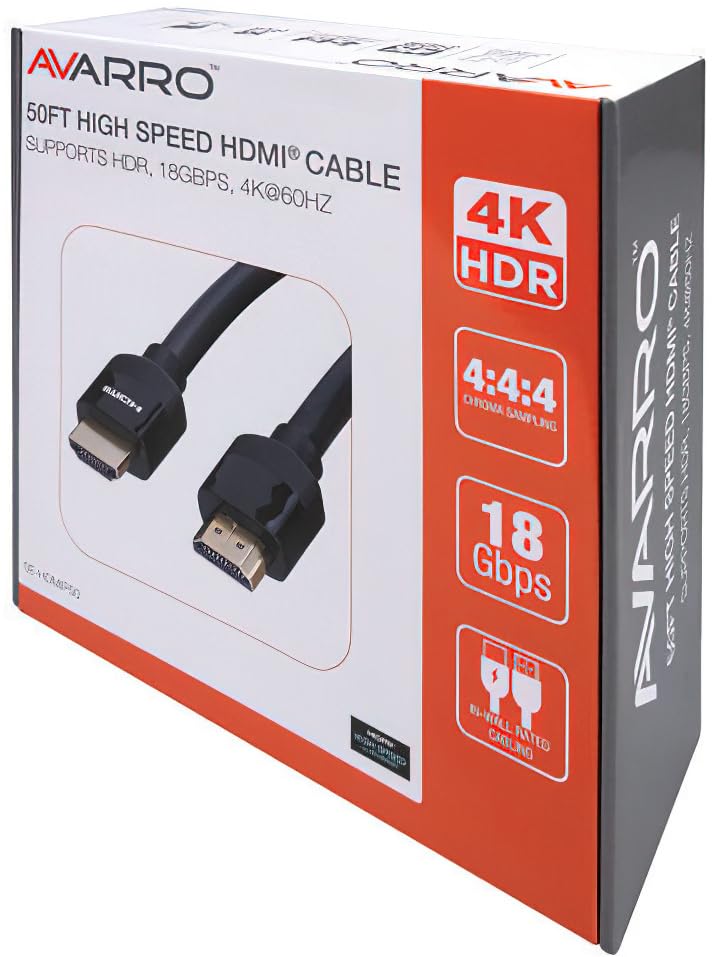
Image 1.1: The retail packaging for the Avarro 0E-HDMIP50 HDMI Cable, highlighting its 4K HDR, 18 Gbps, and 4:4:4 chroma sampling capabilities.
2. Setup Instructions
Follow these steps to properly connect your Avarro 0E-HDMIP50 HDMI cable:
- Identify Ports: Locate the HDMI output port on your source device (e.g., Blu-ray player, gaming console, computer) and the HDMI input port on your display device (e.g., TV, monitor, projector).
- Connect First End: Gently insert one end of the Avarro HDMI cable into the HDMI output port of your source device. Ensure it is fully seated.
- Connect Second End: Gently insert the other end of the Avarro HDMI cable into the HDMI input port of your display device. Ensure it is fully seated.
- Power On Devices: Turn on both your source device and your display device.
- Select Input: On your display device, use the remote control or on-screen menu to select the correct HDMI input source that corresponds to the port you used.
Note: For optimal performance, ensure both devices support the desired resolution and features (e.g., 4K, HDR, HDCP 2.2). This cable is directional for certain high-bandwidth applications, ensure the "Source" end is connected to the source device and the "Display" end to the display device if marked.
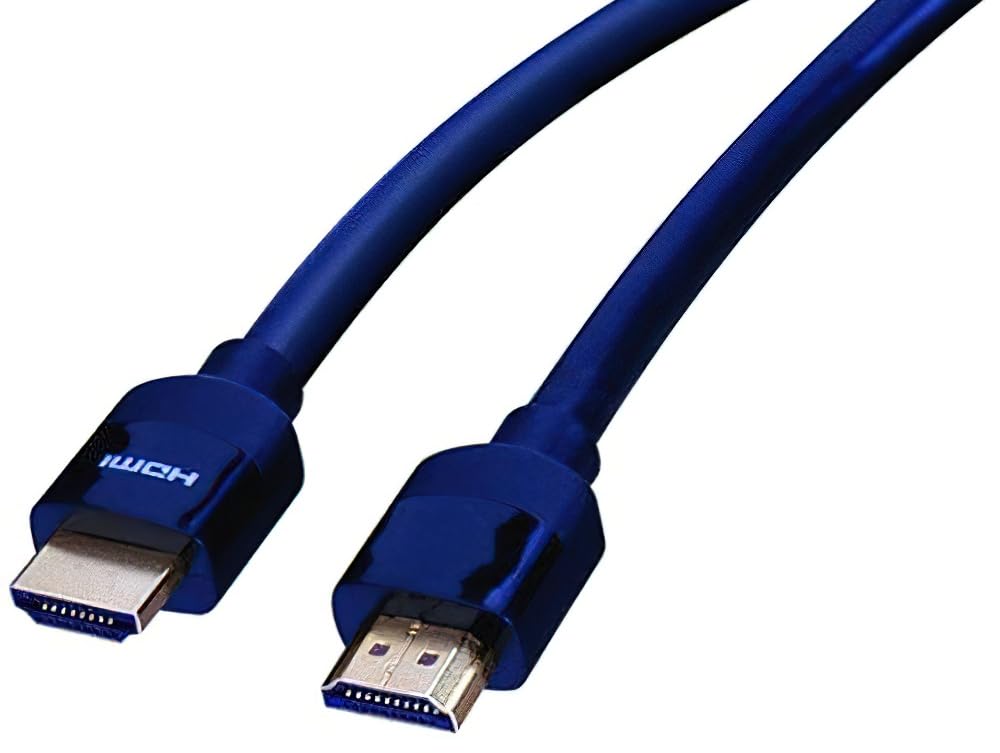
Image 2.1: A close-up view of the Avarro 0E-HDMIP50 HDMI cable, showing its male-to-male connectors and durable blue jacket.
3. Operating the Cable
The Avarro 0E-HDMIP50 HDMI cable is a passive component designed to transmit digital audio and video signals. Once properly connected, it operates automatically. There are no user-adjustable settings on the cable itself.
- Signal Transmission: The cable facilitates the transfer of high-definition video and multi-channel audio between compatible devices.
- Ethernet Channel: The integrated Ethernet channel allows for network data transmission between connected devices that support HDMI Ethernet Channel (HEC), reducing the need for separate Ethernet cables.
- Audio Return Channel (ARC): If your devices support ARC, the cable can transmit audio from your TV back to an audio receiver or soundbar, simplifying your audio setup.
Important: Always ensure devices are powered off before connecting or disconnecting HDMI cables to prevent potential damage to ports.
4. Maintenance
Proper care will extend the life and performance of your Avarro HDMI cable:
- Cleaning: Use a soft, dry, lint-free cloth to gently wipe the cable and connectors. Avoid using liquid cleaners or abrasive materials.
- Storage: When not in use, coil the cable loosely. Avoid sharp bends or kinks, which can damage the internal wires. Store in a cool, dry place away from direct sunlight and extreme temperatures.
- Handling: Always grasp the connector housing when plugging or unplugging the cable, not the cable itself. Avoid pulling or tugging on the cable.
- Protection: Keep the connectors free from dust and debris. If the cable is not connected, consider using protective caps on the connectors.
5. Troubleshooting
If you encounter issues with your Avarro HDMI cable, try the following troubleshooting steps:
| Problem | Possible Cause | Solution |
|---|---|---|
| No picture or sound | Loose connection, incorrect input selected, incompatible resolution, device power off. |
|
| Flickering picture or intermittent signal | Cable interference, damaged cable, resolution too high for cable/device. |
|
| No HDR or 4K@60Hz | Device incompatibility, incorrect settings, cable not fully compliant. |
|
If problems persist after trying these steps, consult the user manuals of your source and display devices or contact customer support.
6. Specifications
Detailed specifications for the Avarro 0E-HDMIP50 HDMI Cable:
- Model Number: 0E-HDMIP50
- Cable Type: HDMI
- Connector Type: HDMI Male to HDMI Male
- Cable Length: 50 feet
- Supported Resolution: Up to 3840 x 2160 (4K UHD) at 60Hz
- Bandwidth: Full 18 Gbps
- Chroma Sampling: 4:4:4
- HDR Support: Yes
- HDCP Compliance: HDCP 2.2
- Ethernet Channel: Yes (HDMI Ethernet Channel - HEC)
- Audio Return Channel (ARC): Yes
- Jacket Type: CL3 Rated
- Shielding: 100% Aluminum Shielded Connector
- EMI Tested: Yes, to minimize interference
- Color: Black
- Item Weight: Approximately 3.06 Pounds
7. Warranty and Support
For information regarding warranty coverage, technical support, or service for your Avarro 0E-HDMIP50 HDMI cable, please refer to the documentation provided with your purchase or visit the official Avarro website. Keep your proof of purchase for warranty claims.
Manufacturer: Avarro
ASIN: B0D936S15W
Date First Available: July 8, 2024
Ask a question about this manual
Ask about setup, troubleshooting, compatibility, parts, safety, or missing instructions. Manuals+ will review the question and use this page’s manual context to help answer it.