
Introduction
Thank you for choosing the SOAR NBA Wireless Sport Earbuds. These earbuds are designed to provide a comfortable fit and convenient charging, offering up to 32 hours of battery life and seamless Bluetooth 5.0 connectivity. This manual provides detailed instructions for setup, operation, maintenance, and troubleshooting to ensure optimal performance and longevity of your device.
Package Contents
Please check the package for the following items:
- SOAR NBA Wireless Sport Earbuds (Left and Right)
- Portable Charging Case
- USB Charging Cable
- Silicone Ear Gels (various sizes)
- Crossbody bag
- User Manual
Product Overview
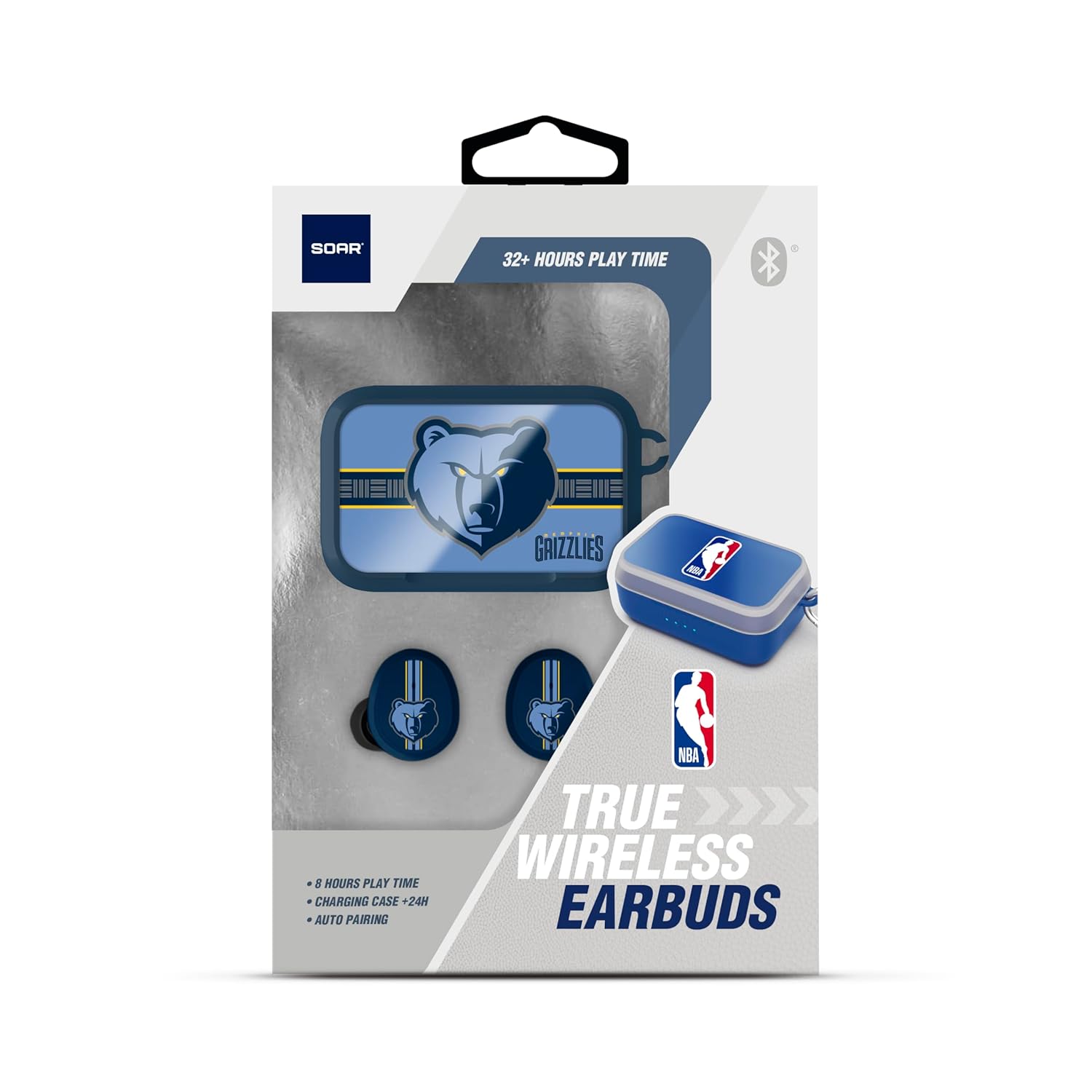
Image: SOAR NBA Wireless Sport Earbuds placed inside their open charging case, showing the earbuds and the charging contacts.

Image: The compact charging case for the earbuds, closed, featuring a carabiner clip for portability.
The SOAR NBA Wireless Sport Earbuds consist of two individual earbuds and a portable charging case. The earbuds feature silicone in-ear gels for a secure and comfortable fit. The charging case not only protects the earbuds but also recharges them on the go. LED indicators on the case show battery status.
Setup
1. Charging the Earbuds and Case
Before first use, fully charge the earbuds and the charging case. Connect the provided USB charging cable to the charging port on the case and to a USB power source. The LED indicators on the case will illuminate to show charging progress. Once fully charged, the indicators will remain solid or turn off, depending on the model.
2. Pairing with a Bluetooth Device
- Ensure the earbuds are charged.
- Open the charging case. The earbuds will automatically power on and enter pairing mode. You may hear an audio prompt indicating 'pairing'.
- On your device (smartphone, tablet, etc.), enable Bluetooth and search for available devices.
- Select 'SOAR NBA Earbuds' from the list of found devices.
- Once connected, you will hear a confirmation sound, and the earbuds' indicator lights may change.
Note: The earbuds feature auto-pairing. After the initial pairing, they will automatically connect to the last paired device when removed from the case.
3. Fitting the Earbuds
Select the silicone ear gels that provide the most comfortable and secure fit for your ears. Insert each earbud gently into your ear canal and twist slightly to ensure a snug seal. A proper fit is essential for optimal sound quality and to keep the earbuds secure during physical activity.

Image: A person wearing the SOAR NBA Wireless Sport Earbuds, demonstrating their use during an activity.
Operating Instructions
Power On/Off
- Power On: The earbuds power on automatically when removed from the charging case.
- Power Off: Place the earbuds back into the charging case to power them off automatically.
Music Playback
- Play/Pause: Tap the touch control area on either earbud once.
- Next Track: Double-tap the touch control area on the right earbud.
- Previous Track: Double-tap the touch control area on the left earbud.
- Volume Control: Adjust volume directly from your connected device.
Call Management
- Answer/End Call: Tap the touch control area on either earbud once.
- Reject Call: Press and hold the touch control area on either earbud for 2 seconds.
Voice Assistant
- Activate Voice Assistant: Triple-tap the touch control area on either earbud.
Versatile Audio Options
These earbuds support additional audio sources beyond Bluetooth. Refer to your device's specific instructions for connecting via FM radio, USB, or AUX if these features are integrated into your audio source device.
Maintenance
Cleaning
- Gently wipe the earbuds and charging case with a soft, dry, lint-free cloth.
- Do not use abrasive cleaners, solvents, or aerosol sprays.
- Keep charging contacts clean and free of debris.
Storage
When not in use, store the earbuds in their charging case to protect them from dust and damage. Store in a cool, dry place away from extreme temperatures.
Troubleshooting
| Problem | Possible Cause | Solution |
|---|---|---|
| Earbuds not powering on | Low battery | Place earbuds in the charging case and ensure the case is charged. |
| Cannot pair with device | Bluetooth off; earbuds not in pairing mode; device too far | Ensure Bluetooth is on, earbuds are in pairing mode, and device is within range (10 meters). Try restarting both devices. |
| No sound or intermittent sound | Low battery; out of range; poor connection; earbud fit | Charge earbuds, move closer to device, re-pair, adjust earbud fit. |
| Charging case not charging | Faulty cable or power source | Try a different USB cable or power adapter. Ensure connections are secure. |
Specifications
- Model Name: True Wireless Earbuds V.6
- Model Number: NBA-TWS6-GSW
- Brand: SOAR
- Connectivity Technology: Wireless
- Wireless Communication Technology: Bluetooth 5.0
- Battery Life: Up to 32 Hours (with charging case)
- Earpiece Shape: Bud (In-Ear)
- Material: Plastic
- Product Dimensions: 16.51 x 11.43 x 3.18 cm
- Item Weight: 100 g
- Batteries: 3 Lithium Ion batteries (included)
- Manufacturer: Prime Brands Group Inc.
- UPC: 192129181033
Safety Information
- Do not expose earbuds or charging case to extreme temperatures, humidity, or liquids.
- Avoid dropping, impacting, or disassembling the device.
- Keep out of reach of children and pets.
- Do not use damaged cables or chargers.
- Prolonged listening at high volumes may cause hearing damage.
Warranty and Support
For warranty information or technical support, please refer to the documentation included with your purchase or visit the official SOAR website. Keep your proof of purchase for warranty claims.


