
1. Product Overview
The TUMMASTER J-10 ARGB Fan Hub is designed to centralize control of your computer's cooling fans and addressable RGB lighting. It supports both 5V-3Pin ARGB LED equipment and 4-Pin PWM fans, offering a streamlined solution for managing multiple components.
Important Safety Note:
This hub supports 5V 3-pin ARGB equipment only. It does not support +12V 4-pin RGB interface devices. Incorrect connection can damage equipment. Always ensure the arrow marked on the ARGB equipment plug aligns with the 5V direction on the hub.

Image 1.1: The TUMMASTER J-10 ARGB Fan Hub, its accompanying RF remote control, and product packaging.
Key Features:
- ARGB Lighting Control: Supports ARGB fans, light bars, and other 5V 3-pin interface equipment for synchronized lighting effects.
- PWM Fan Control: Manages up to 10 4-pin PWM fans for efficient cooling.
- RF Remote Control: Allows for convenient adjustment of lighting modes and fan speeds.
- Motherboard Synchronization: Compatible with major motherboard RGB software including ASUS Aura Sync, GIGABYTE RGB Fusion, MSI Mystic Light, and ASRock Polychrome Sync.
- Magnetic Mounting: Features a magnetic design for easy and secure installation within your PC case.
- SATA Power Input: Ensures stable power delivery to all connected devices.
2. Setup and Installation
Follow these steps to correctly install your TUMMASTER J-10 ARGB Fan Hub.

Image 2.1: Detailed view of the hub's PWM (12V-4PIN) and LED (5V-3PIN) ports. Note the red port for CPU fan PWM function.
- Connect Power: Connect the provided SATA power cable to the hub's power input port and to an available SATA power connector from your Power Supply Unit (PSU). Ensure a secure connection to the SATA port closest to the PSU for optimal power delivery.
- Connect to Motherboard (Optional for Sync):
- For PWM fan speed control via motherboard, connect the hub's PWM signal cable to a 4-pin PWM fan header on your motherboard (e.g., CPU_FAN or CHA_FAN).
- For ARGB lighting synchronization via motherboard, connect the hub's ARGB signal cable to a 5V 3-pin ARGB header on your motherboard (e.g., ADD_HEADER or D_LED).
- Connect Fans:
- Connect your CPU cooler's 4-pin PWM cable to the designated red PWM port on the hub. This port is typically used for the primary fan whose speed will be monitored.
- Connect other 4-pin PWM fans to the remaining PWM ports on the hub.
- Connect 5V 3-pin ARGB cables from your fans and other lighting equipment to the ARGB ports on the hub. Remember the safety note regarding 5V 3-pin connections.
- Mount the Hub: The hub features a magnetic design for easy mounting. Simply place it on any metal surface inside your PC case.
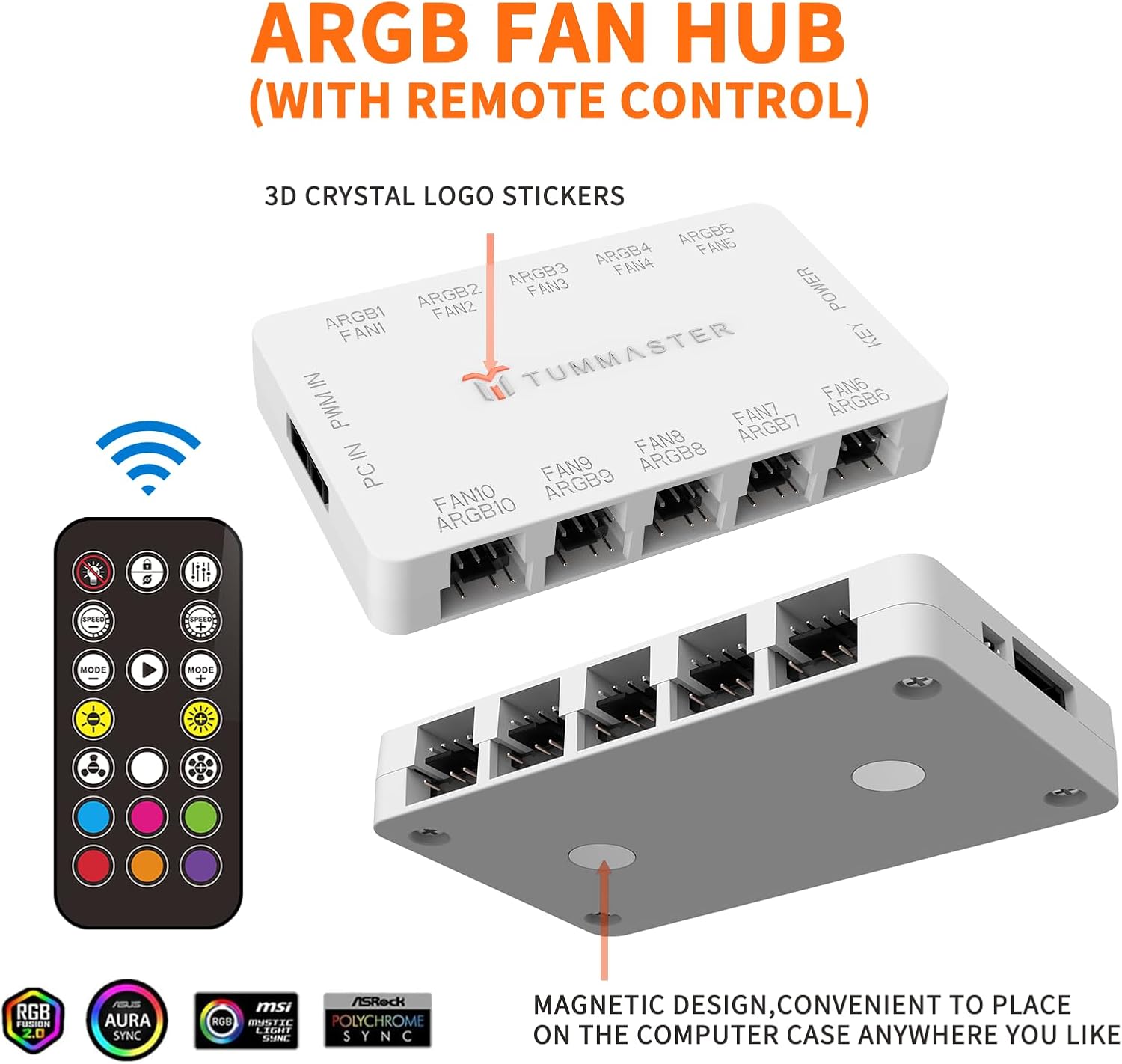
Image 2.2: The magnetic design on the back of the hub allows for convenient placement within the PC case.
Installation Video Guide:
Video 2.1: An official TUMMASTER video demonstrating the installation and connection process for the ARGB Fan Hub.
3. Operating Instructions
The TUMMASTER J-10 ARGB Fan Hub offers flexible control options for your cooling and lighting.
Using the RF Remote Control:
The included RF remote allows for direct control of ARGB lighting effects and fan speeds without requiring motherboard software.

Image 3.1: The RF remote control for adjusting lighting modes, colors, and fan speeds.
- Power Button: Turns the lighting on/off.
- Speed Buttons: Adjust the speed of dynamic lighting effects.
- Mode Buttons: Cycle through various pre-programmed lighting modes.
- Color Buttons: Select static colors for your ARGB devices.
- Brightness Buttons: Adjust the brightness of the lighting.
- Fan Speed Buttons: Control the speed of connected PWM fans (if not controlled by motherboard).
Motherboard Synchronization:
If connected to a compatible 5V 3-pin ARGB header on your motherboard, you can control the lighting effects through your motherboard's native RGB software. This allows for unified lighting across all compatible components in your system.
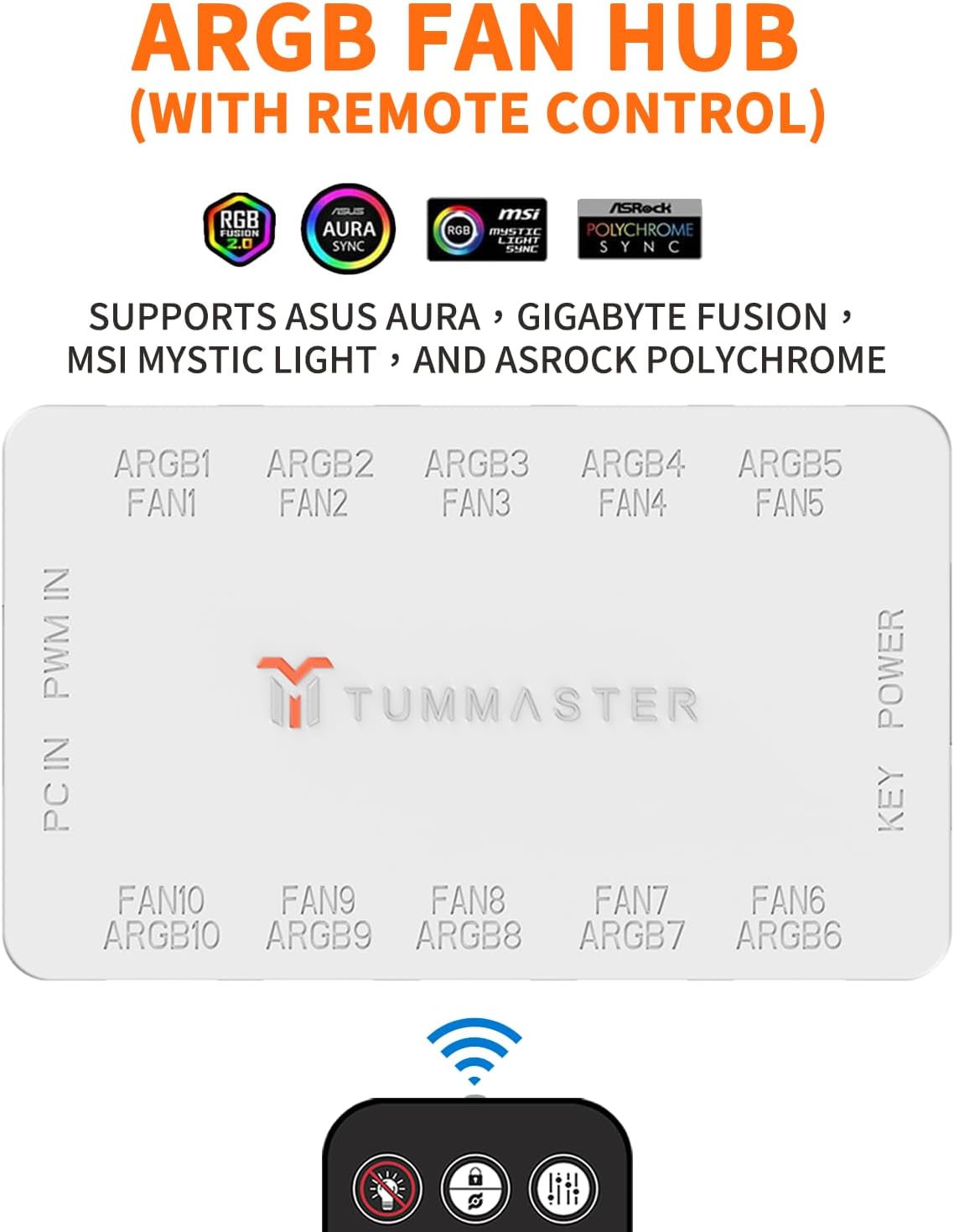
Image 3.2: The hub supports popular motherboard RGB synchronization software such as ASUS Aura Sync, GIGABYTE RGB Fusion, MSI Mystic Light, and ASRock Polychrome Sync.
Operation Demonstration:
Video 3.1: A demonstration of the TUMMASTER ARGB Fan Hub's lighting and fan control capabilities.
4. Maintenance
To ensure optimal performance and longevity of your ARGB Fan Hub, consider the following maintenance tips:
- Dust Removal: Periodically clean the hub and surrounding cables to prevent dust buildup, which can affect performance and aesthetics. Use compressed air or a soft brush.
- Cable Management: Ensure all cables are neatly routed and secured to prevent accidental disconnections or interference with other components.
- Connection Check: Occasionally verify that all fan and ARGB connections are secure and properly seated.
5. Troubleshooting
If you encounter issues with your TUMMASTER J-10 ARGB Fan Hub, try the following steps:
- No Power/Lights:
- Check the SATA power cable connection to both the hub and the PSU. Ensure it is fully seated.
- Verify that your PSU is powered on and functioning correctly.
- Fans Not Spinning/Incorrect Speed:
- Ensure all 4-pin PWM fan cables are correctly connected to the hub.
- If using motherboard control, check your motherboard's BIOS/UEFI settings or fan control software to ensure fans are configured correctly.
- If using the RF remote, try adjusting fan speed settings.
- Ensure the CPU fan is connected to the red PWM port for proper monitoring.
- ARGB Lights Not Working/Incorrect Colors:
- Verify that all 5V 3-pin ARGB cables are correctly connected to the hub, paying attention to the arrow alignment.
- If using motherboard sync, check your motherboard's RGB software settings.
- If using the RF remote, try cycling through different modes and colors.
- Confirm that no 12V 4-pin RGB devices are connected to the 5V 3-pin ARGB ports.
- Remote Control Not Responding:
- Ensure the remote's battery is functional.
- Check for any obstructions between the remote and the hub.
6. Specifications
| Feature | Detail |
|---|---|
| Brand | TUMMASTER |
| Model Number | J-10 |
| Product Dimensions | 3.83"L x 2.33"W x 0.6"H (9.73 x 5.92 x 1.52 cm) |
| Item Weight | 3.52 ounces (99.79 grams) |
| Material | Plastic |
| Voltage | 12 Volts (for PWM fans) |
| ARGB Compatibility | 5V 3-Pin Addressable RGB (Not compatible with 12V 4-Pin RGB) |
| PWM Fan Ports | 10 (4-Pin) |
| ARGB LED Ports | 10 (5V 3-Pin) |
| Power Input | SATA |
| Included Components | HUB, SATA Power Cable, ARGB Cable, PWM Cable, Remote Control, Installation Guide |
| Batteries Required | Yes (1 Unknown battery included for remote) |
| UPC | 767461103892 |
