Introduction
This manual provides detailed instructions for the XGVIEGZ Z2PLUS Smart Watch. Please read this guide thoroughly to understand the device's functions, setup procedures, and maintenance recommendations. Proper use ensures optimal performance and longevity of your smartwatch.
Package Contents
- 1 * Smartwatch
- 1 * Smartwatch silicone strap/stainless steel strap (depending on model)
- 1 * Smart Watch User Manual
- 1 * Smart watch magnetic charging cable
Product Overview
The XGVIEGZ Z2PLUS Smart Watch features a 1.3-inch high-definition circular screen. It is designed for daily wear and offers various health and fitness tracking capabilities, along with Bluetooth calling functionality.
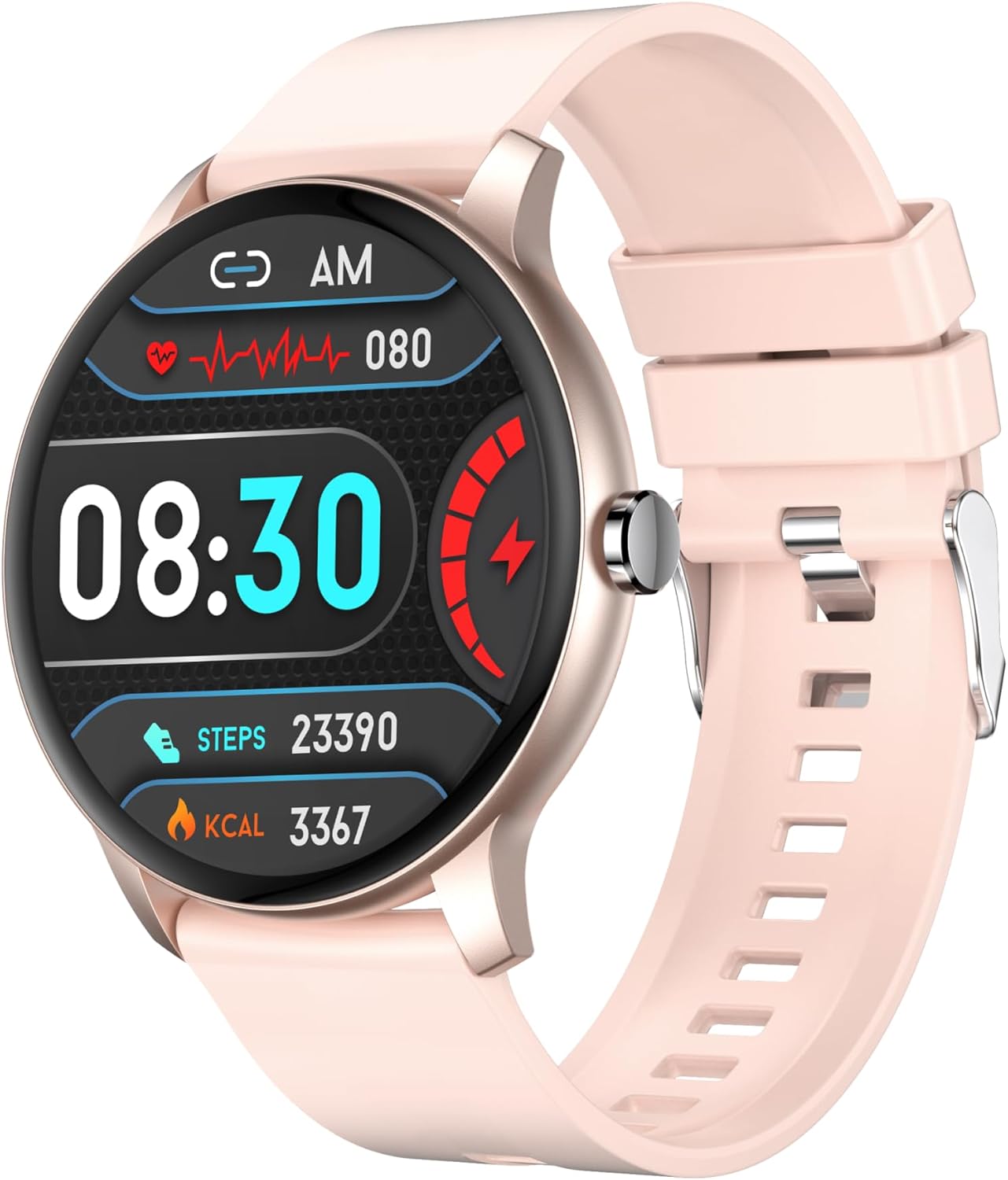
Image: Front view of the XGVIEGZ Z2PLUS Smart Watch in Rose Gold with a silicone strap, displaying time, heart rate, steps, and calories.

Image: Three XGVIEGZ Z2PLUS Smart Watches in various colors (rose gold, black, pink), highlighting the 1.3-inch HD round screen.
Key Components:
- Display: 1.3-inch Full Touch Screen (320x320 resolution)
- Side Button: Used for power on/off, screen wake/sleep, and menu navigation.
- Sensors: Located on the back for heart rate and blood pressure monitoring.
- Charging Ports: Magnetic charging contacts on the back.
Setup Guide
1. Charging the Smart Watch
Before initial use, fully charge the smartwatch. Connect the magnetic charging cable to the charging contacts on the back of the watch and plug the USB end into a power adapter (not included) or a computer's USB port.

Image: The smartwatch connected to its magnetic charging cable.
A full charge typically takes approximately 2 hours. The battery provides up to 10 days of normal use, 5 days of heavy usage, and 20 days of standby time.

Image: Diagram illustrating the battery life: 230mAh capacity, 10 days normal use, 5 days heavy use, 20 days standby.
2. App Installation and Pairing
- Download the App: Scan the QR code in the manual or on the watch screen, or search for the companion app in your smartphone's app store (Apple App Store for iOS, Google Play Store for Android).
- Enable Bluetooth: Ensure Bluetooth is enabled on your smartphone.
- Open the App: Launch the installed app and follow the on-screen instructions to create an account or log in.
- Add Device: Within the app, navigate to the "Add Device" or "Bind Device" section. The app will search for available smartwatches.
- Select Your Watch: Select "Z2PLUS" or the corresponding device name from the list. Confirm the pairing request on both your phone and the smartwatch.
- Complete Setup: Follow any remaining prompts in the app to set up your profile, preferences, and grant necessary permissions for notifications and health data synchronization.
The smartwatch is compatible with Android 5.0+ and iOS 10.0+ devices.
Operating Instructions
Basic Navigation
- Touch Screen: Swipe left/right, up/down to navigate through menus and functions. Tap to select.
- Side Button: Press to wake/sleep the screen, return to the home screen, or access the main menu.

Image: Examples of the smartwatch's menu interaction designs, including a Ferris wheel dynamic rotating menu and a honeycomb circular menu.
Bluetooth Calling and Notifications
Once paired with your smartphone, the smartwatch supports Bluetooth calling and message notifications.
- Making Calls: Access the dial pad on the watch to make calls directly.
- Answering Calls: When a call comes in, the watch will display the caller ID. Tap the green icon to answer or the red icon to reject.
- Notifications: The watch will vibrate and display notifications for incoming calls, messages, and app alerts (e.g., SMS, WhatsApp, social media) once configured in the companion app.

Image: The smartwatch displaying a call interface with a dial pad, alongside a smartphone showing an incoming call.
Health Monitoring
The smartwatch continuously monitors various health metrics.
- Heart Rate Monitor: Provides 24/7 heart rate tracking. View real-time data on the watch or detailed trends in the app.
- Blood Pressure Monitor: Measures blood pressure. For accurate readings, ensure the watch is worn correctly and remain still during measurement.
- Sleep Monitor: Automatically tracks your sleep patterns, differentiating between deep and light sleep. Access detailed sleep reports in the companion app to analyze sleep quality and develop personalized sleep strategies.

Image: The smartwatch displaying sleep data, showing total sleep time, deep sleep, light sleep, and wake time, with a user sleeping in the background.
Note: The health data provided by this device is for reference only and should not be used for medical diagnosis or treatment.
Fitness Tracking
The smartwatch supports over 100 sport modes to track your physical activity.
- Sport Modes: Select your desired sport mode (e.g., running, walking, cycling) from the watch menu to record exercise data such as steps, distance, calories burned, and active time.
- Activity Tracking: Automatically tracks daily steps, distance, and calories.
- Data Synchronization: All exercise data is synced to the companion app for detailed analysis and progress tracking.
Other Features
- Music Control: Control music playback on your smartphone (play, pause, skip tracks) directly from the watch.
- Custom Watch Faces: Choose from over 200 online watch faces or customize your own using photos via the app.
- Remote Camera Control: Use the watch as a remote shutter button for your smartphone camera.
- Breathing Exercises: Guided breathing exercises to help you relax.
- Sedentary Reminder: Alerts you to move after periods of inactivity.
- Real-time Weather: Displays current weather conditions and forecasts (requires app synchronization).
- Alarm Clock/Calendar: Set alarms and view calendar events.
- Stopwatch/Timer: Built-in tools for timing activities.
Maintenance
Cleaning
Regularly clean your smartwatch and strap to prevent skin irritation and maintain device functionality. Use a soft, lint-free cloth. If necessary, slightly dampen the cloth with water. Avoid harsh chemicals or abrasive materials.
Water Resistance (IP67)
The XGVIEGZ Z2PLUS Smart Watch is IP67 water-resistant. This means it is protected against dust and can withstand immersion in water up to 1 meter for up to 30 minutes. It is suitable for daily activities such as hand washing or showering.
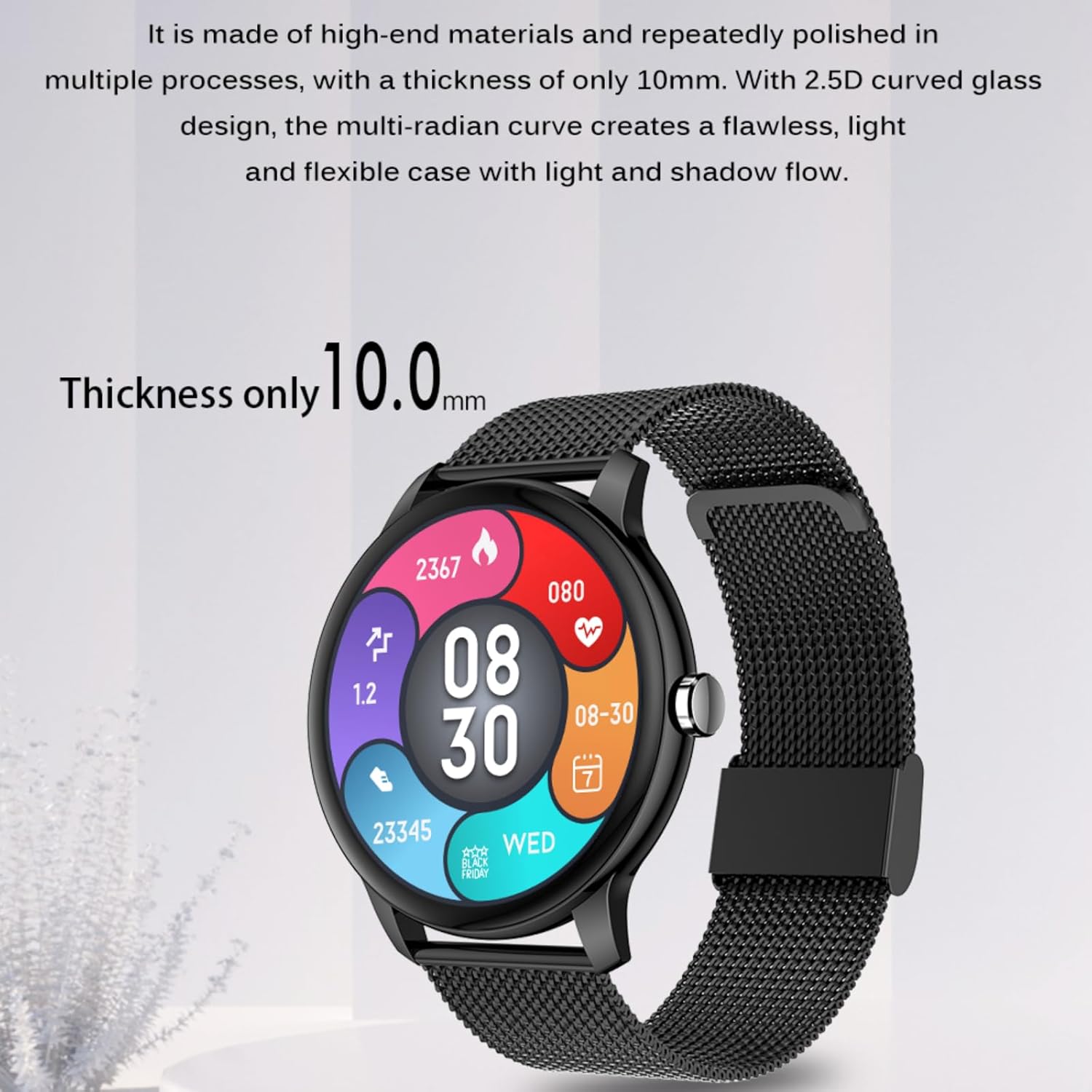
Image: A person washing hands while wearing the smartwatch, illustrating its IP67 waterproof capability.
Important: IP67 rating does not guarantee protection against hot water, steam, or prolonged submersion. Avoid wearing the watch in saunas, hot tubs, or during diving. Water resistance may decrease over time with normal wear and tear.
Battery Care
- Avoid fully discharging the battery frequently.
- Do not expose the watch to extreme temperatures.
- Use only the provided charging cable.
Troubleshooting
| Problem | Possible Solution |
|---|---|
| Watch does not turn on. | Ensure the watch is fully charged. Connect it to the charger for at least 30 minutes. |
| Cannot pair with smartphone. |
|
| Notifications are not received. |
|
| Inaccurate health data. | Ensure the watch is worn snugly on your wrist, not too tight or too loose. Clean the sensors on the back of the watch. Avoid excessive movement during measurements. |
| Screen is unresponsive. | Restart the watch by pressing and holding the side button. If the issue persists, ensure the battery is charged. |
Specifications
| Feature | Detail |
|---|---|
| Model Number | Z2PLUS |
| Screen Size | 1.3 inches |
| Resolution | 320 x 320 pixels |
| Waterproof Rating | IP67 |
| Battery Capacity | 230 mAh Lithium Polymer |
| Charging Time | Approx. 2 hours |
| Normal Use Battery Life | Up to 10 days |
| Heavy Use Battery Life | Up to 5 days |
| Standby Time | Up to 20 days |
| Connectivity | Bluetooth |
| Compatibility | Android 5.0+ / iOS 10.0+ |
| Item Weight | 3.17 ounces (approx. 90g) |
| Operating System | Native smart watch system |
| Manufacturer | XINHEFENG |

Image: Diagram showing the dimensions of the smartwatch: 42.0mm diameter, 10.0mm thickness, and 260mm strap length.
Warranty and Support
For warranty information and technical support, please refer to the contact details provided with your purchase documentation or visit the official XGVIEGZ website. Keep your purchase receipt as proof of purchase for warranty claims.