
Xtorm XR204
Xtorm Rugged Powerbank User Manual
Model: XR204
Brand: Xtorm
1. Introduction
Thank you for choosing the Xtorm Rugged Powerbank. This robust and versatile power bank is designed to provide reliable power in challenging environments, featuring a high capacity, fast charging capabilities, and an integrated flashlight. This manual provides essential information for the safe and efficient use of your device.
2. Product Features
- Durable and Weather-Resistant: Shockproof, dustproof, and water-resistant with an IP64 rating, making it ideal for outdoor use.
- Multifunctional Flashlight: Features four modes including spotlight, tent lighting, SOS, and flash function.
- High Capacity: 40,000 mAh internal battery with three USB ports and 100W Ultra FastCharge for laptops and other devices.
- Convenient Operation: Pass-through charging function for simultaneous charging of the power bank and connected devices.
- Advanced Display: Provides real-time charging times and battery percentage.
- Xtorm Quality: Durable, safe, made from recycled plastic, and features a 6-layer safety check.
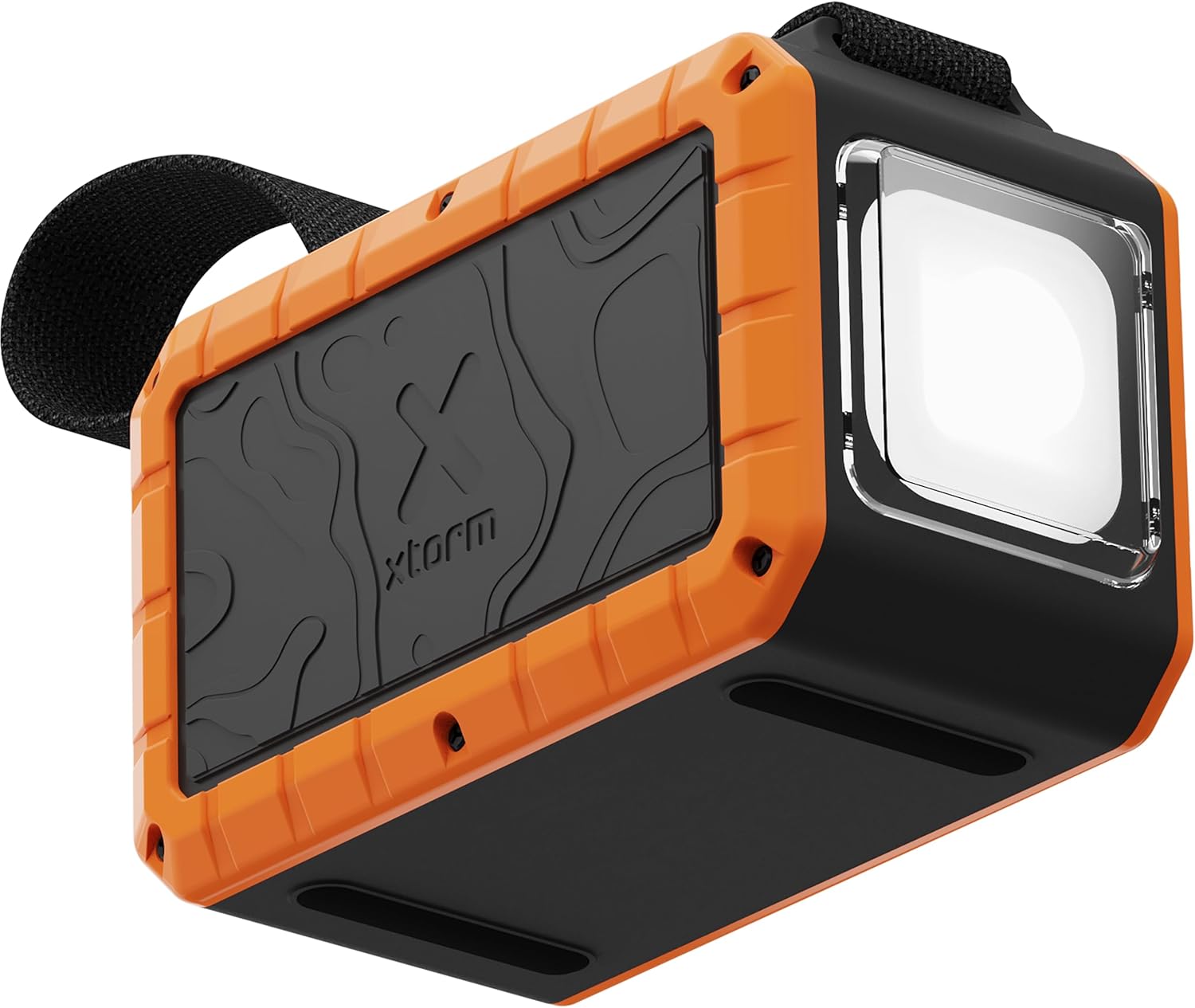
Image: The Xtorm Rugged Powerbank, showcasing its robust orange and black design with the integrated flashlight.

Image: The power bank demonstrating its IP64 water resistance, with water splashing around it and the flashlight illuminated.
3. Setup and Initial Charging
Before first use, it is recommended to fully charge your Xtorm Rugged Powerbank.
- Charging the Powerbank: Connect the power bank to a suitable USB-C power adapter (not included) using a USB-C to USB-C cable. The power bank supports up to 65W input for fast recharging.
- Monitoring Charge: The advanced display will show the current battery percentage and estimated time to full charge.
- Full Charge Indication: The display will indicate 100% when fully charged.

Image: The power bank connected to and charging multiple devices, illustrating its multi-charge capability.
4. Operating Instructions
4.1 Charging External Devices
The Xtorm Rugged Powerbank features multiple output ports to charge various devices simultaneously.
- Connect Devices: Use appropriate USB cables to connect your smartphone, tablet, laptop, or other compatible devices to the power bank's USB-C or USB-A output ports.
- Fast Charging: The USB-C ports support up to 100W Ultra FastCharge, ideal for power-hungry devices like laptops.
- Pass-Through Charging: You can charge the power bank itself while it simultaneously charges connected devices.

Image: The power bank charging a smartphone in an outdoor setting, demonstrating its portability and utility.

Image: The power bank charging a laptop in an outdoor setting, highlighting its 100W output capability.
4.2 Using the Integrated Flashlight
The power bank features a powerful integrated flashlight with multiple modes.
- Activating Flashlight: Locate the flashlight button (refer to diagram in packaging if available). Press once to turn on.
- Changing Modes: Press the flashlight button repeatedly to cycle through the four modes: Spotlight, Tent Lighting, SOS, and Flash.
- Turning Off: Press and hold the flashlight button for a few seconds to turn it off.

Image: The power bank with its integrated flashlight shining brightly, demonstrating its utility as a light source.
5. Maintenance
- Cleaning: Wipe the power bank with a soft, dry cloth. Do not use harsh chemicals or abrasive materials.
- Storage: Store the power bank in a cool, dry place away from direct sunlight and extreme temperatures. For long-term storage, charge the power bank to approximately 50-70% every 3-6 months to preserve battery health.
- Water Exposure: While IP64 rated, avoid prolonged submersion in water. Ensure all ports are dry before charging.
6. Troubleshooting
| Problem | Possible Cause | Solution |
|---|---|---|
| Power bank not charging | Cable or adapter issue; power bank fully charged; internal fault. | Try a different USB-C cable and power adapter. Ensure the adapter meets the power bank's input requirements. |
| Device not charging from power bank | Cable issue; device not compatible; power bank depleted; incorrect port. | Ensure the power bank is charged. Try a different cable. Verify device compatibility and use the correct output port. |
| Flashlight not working | Low battery; button malfunction. | Charge the power bank. Ensure the button is pressed correctly (short press for on/mode, long press for off). |
| Display not showing information | Power bank off; low battery. | Ensure the power bank is turned on or connected for charging. Charge the power bank. |
7. Specifications
| Feature | Detail |
|---|---|
| Model Number | XR204 |
| Battery Capacity | 40,000 mAh |
| Max Output Power | 100W (USB-C) |
| Max Input Power | 65W (USB-C) |
| Ports | Multiple USB-C and USB-A |
| Water Resistance | IP64 (Dustproof, Water-resistant) |
| Dimensions (L x W x H) | 13.5 x 6.5 x 8.7 cm |
| Weight | 809 g |
| Material | Thermoplastic polyurethane (partially recycled plastic) |
| Special Features | Integrated Flashlight (4 modes), Pass-through Charging, Advanced Display |
8. Safety Information
The Xtorm Rugged Powerbank is designed with a 6-layer safety check to ensure safe operation. Please observe the following:
- Temperature Control: Prevents overheating.
- Overload Protection: Protects against overcharging and irregular battery discharge.
- Secured Power Management: Selects correct and safe charging load, distributes power efficiently.
- Short Circuit Protection: Automatically interrupts circuit if short circuit detected.
- A-Class Battery Cells: Uses only best battery cells for fast charging and safety.
- High Efficiency: Designed for efficient power delivery with minimal energy loss.
General Safety Precautions:
- Do not disassemble, open, or shred the battery pack.
- Do not expose the power bank to heat or fire. Avoid storage in direct sunlight.
- Do not short-circuit the battery pack.
- Do not expose the power bank to mechanical shock.
- In the event of a battery leak, do not allow the liquid to come into contact with skin or eyes. If contact has been made, wash the affected area with copious amounts of water and seek medical advice.
- Keep the power bank clean and dry.
- Do not leave a fully charged battery on charge when not in use.
- Dispose of the power bank according to local regulations. Do not dispose of with household waste.
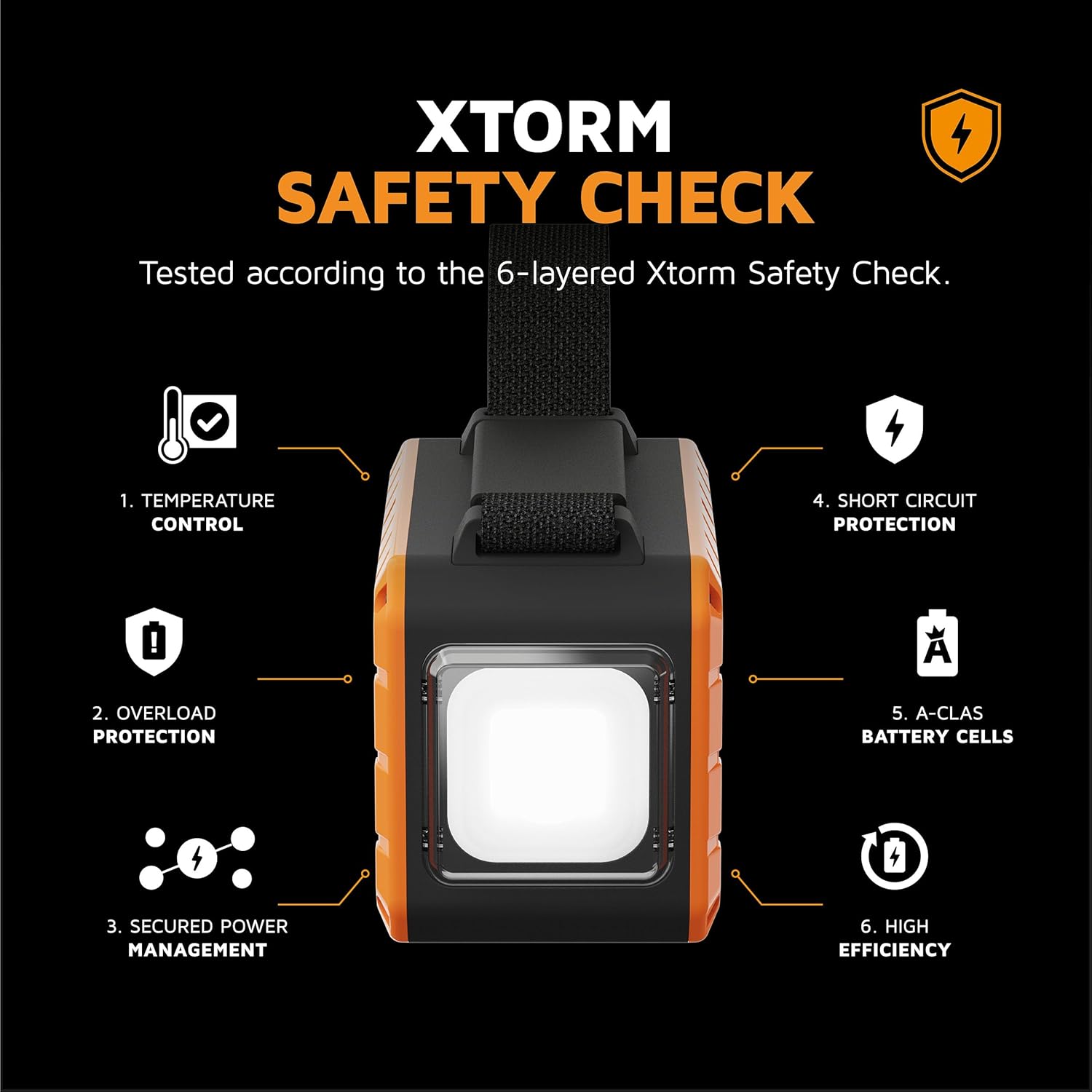
Image: Visual representation of Xtorm's 6-layer safety check, detailing features like temperature control and short circuit protection.
9. Warranty and Support
Xtorm products are manufactured to the highest quality standards. For information regarding warranty, returns, or technical support, please refer to the official Xtorm website or contact their customer service directly. Keep your proof of purchase for warranty claims.
For further assistance, visit: www.xtorm.eu
Related documentsXR204


Ask a question about this manual
Ask about setup, troubleshooting, compatibility, parts, safety, or missing instructions. Manuals+ will review the question and use this page’s manual context to help answer it.