
Introduction
This manual provides instructions for the proper use and care of your BIG BOOM® 3.5mm Stereo Plug Splitter Cable Adapter. This cable allows you to connect two audio output devices, such as headphones or speakers, to a single 3.5mm audio source. Please read this manual carefully before use and retain it for future reference.
Safety Information
- Keep the cable away from water and excessive moisture.
- Avoid exposing the cable to extreme temperatures.
- Do not attempt to disassemble or modify the cable. This may void any potential warranty and could cause damage.
- Handle the connectors gently to prevent bending or breaking the pins.
- Keep out of reach of children.
Package Contents
- 1 x BIG BOOM® 3.5mm Stereo Plug Splitter Cable Adapter
Setup
The BIG BOOM® 3.5mm Stereo Plug Splitter Cable Adapter is designed for simple plug-and-play functionality.
- Identify the Connectors: The cable has one male 3.5mm stereo plug and two female 3.5mm stereo jacks.
- Connect to Audio Source: Insert the male 3.5mm stereo plug into the audio output port of your device (e.g., smartphone, tablet, laptop, MP3 player).
- Connect Audio Output Devices: Plug your two headphones, earphones, or speakers into the two female 3.5mm stereo jacks on the splitter cable.
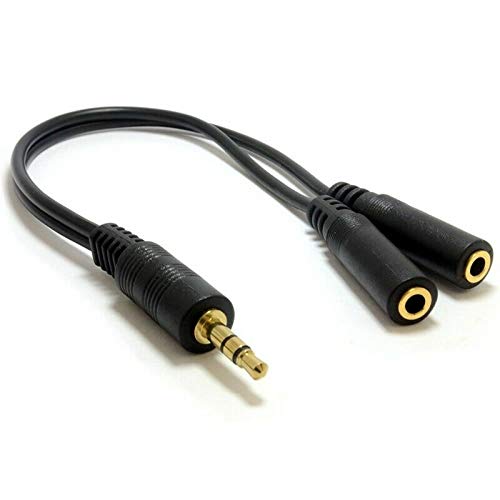
Image: The complete BIG BOOM 3.5mm Stereo Splitter Cable, showing the male input plug and the two female output jacks.
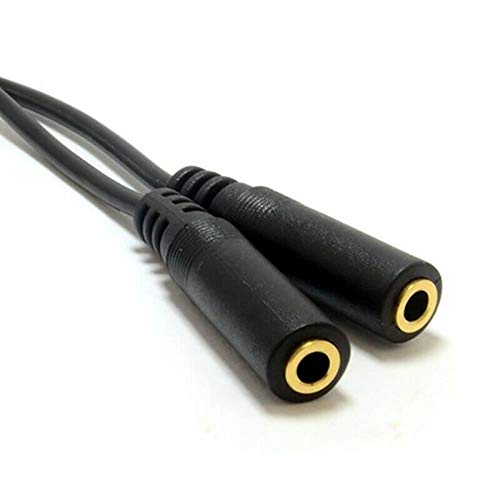
Image: A close-up view of the two female 3.5mm stereo jacks, where two audio output devices can be connected.
Operating
Once the cable is connected as described in the Setup section, your audio source will output sound to both connected devices simultaneously. The volume will be controlled by the audio source device.
- Ensure all connections are secure for optimal audio quality.
- Adjust the volume on your primary audio source device.
- Note that some devices may experience a slight decrease in volume when splitting the audio signal.
Maintenance
To ensure the longevity and optimal performance of your splitter cable, follow these simple maintenance guidelines:
- Cleaning: Use a soft, dry cloth to wipe the cable and connectors. Do not use liquid cleaners or abrasive materials.
- Storage: When not in use, store the cable in a cool, dry place, away from direct sunlight. Avoid tightly coiling the cable to prevent damage to the internal wires.
- Handling: Always grasp the connector housing when plugging or unplugging the cable, rather than pulling on the cable itself.
Troubleshooting
If you encounter issues with your BIG BOOM® 3.5mm Stereo Plug Splitter Cable Adapter, please refer to the following common solutions:
| Problem | Solution |
|---|---|
| No sound from one or both connected devices. |
|
| Poor sound quality (e.g., static, distorted audio). |
|
| Cable appears damaged. |
|
Specifications
- Brand: BIG BOOM
- Model Name: EP-48794BIG BOOM
- Item Model Number: EP-48794BIG BOOM
- Product Dimensions: 15 x 5 x 10 cm (Approximate, as per manufacturer data)
- Connector Type: 3.5mm Stereo Male to 2x 3.5mm Stereo Female
- Color: Black
- Net Quantity: 1.00 Count
Warranty and Support
For any queries or support regarding your BIG BOOM® product, please contact the seller or manufacturer directly. Specific warranty details may vary and are typically provided at the point of purchase or on the product packaging.
Manufacturer: BIG BOOM