1. Important Safety Precautions
Please read all instructions carefully before using the appliance. Keep this manual for future reference.
- Always unplug the unit after cooking and before cleaning.
- To prevent peeling of the inner pot coating, avoid using metal utensils. Clean the inner pot with a soft sponge or cloth and neutral detergent.
- Do not immerse the main unit, power cord, or plug in water or other liquids.
- Ensure the power supply matches the specifications: 100V, 50/60Hz.
- Keep out of reach of children.
2. Product Overview
The COMFEE' CRD-20PYT1B1 is a compact 4-cup microcomputer rice cooker designed for convenience and versatility.

Image 1: Front view of the COMFEE' CRD-20PYT1B1 Rice Cooker, showcasing its compact design and control panel.
Components
- Main Unit
- Inner Pot (Non-stick coating)
- Steamer Basket
- Measuring Cup
- Rice Paddle
- Ladle
- Power Cord
Control Panel

Image 2: Detailed view of the control panel, indicating buttons for menu selection, start, cancel, reservation, and keep warm functions, along with the digital display.
- Display: Shows remaining time and cooking status.
- Menu Button: Cycles through 8 cooking modes (White Rice, Brown Rice, Porridge, Mixed Grain Rice, Steam, Stew, Quick Cook).
- Start Button: Initiates the selected cooking program.
- Cancel/Keep Warm Button: Stops cooking or toggles the keep warm function.
- Reservation Button: Sets a delayed start time for cooking (up to 24 hours).
- Quick Cook Button: Activates the 30-minute quick cook mode.
3. Setup
- Unpacking: Carefully remove all packaging materials and accessories.
- Cleaning: Before first use, wash the inner pot, steamer basket, measuring cup, rice paddle, and ladle with warm soapy water. Rinse thoroughly and dry. Wipe the exterior of the main unit with a damp cloth.
- Placement: Place the rice cooker on a stable, flat, heat-resistant surface, away from direct sunlight and heat sources. Ensure adequate ventilation around the unit.
- Power Connection: Insert the power cord into the rice cooker's power inlet, then plug the other end into a grounded 100V 50/60Hz electrical outlet.
4. Operating Instructions
Basic Rice Cooking
- Measure the desired amount of rice using the provided measuring cup. (1 cup = approx. 0.18L).
- Wash the rice thoroughly until the water runs clear.
- Place the washed rice into the inner pot. Add water according to the markings inside the inner pot for your chosen rice type and quantity.
- Place the inner pot into the main unit and close the lid securely.
- Press the 'Menu' button to select the desired cooking mode (e.g., White Rice, Brown Rice, Mixed Grain Rice).
- Press the 'Start' button to begin cooking. The display will show the remaining cooking time.
- Once cooking is complete, the unit will automatically switch to 'Keep Warm' mode.
Quick Cook Mode
This mode allows for freshly cooked rice in approximately 30 minutes.
- Prepare rice and water as per basic cooking instructions.
- Close the lid.
- Press the 'Quick Cook' button.
- Press the 'Start' button.
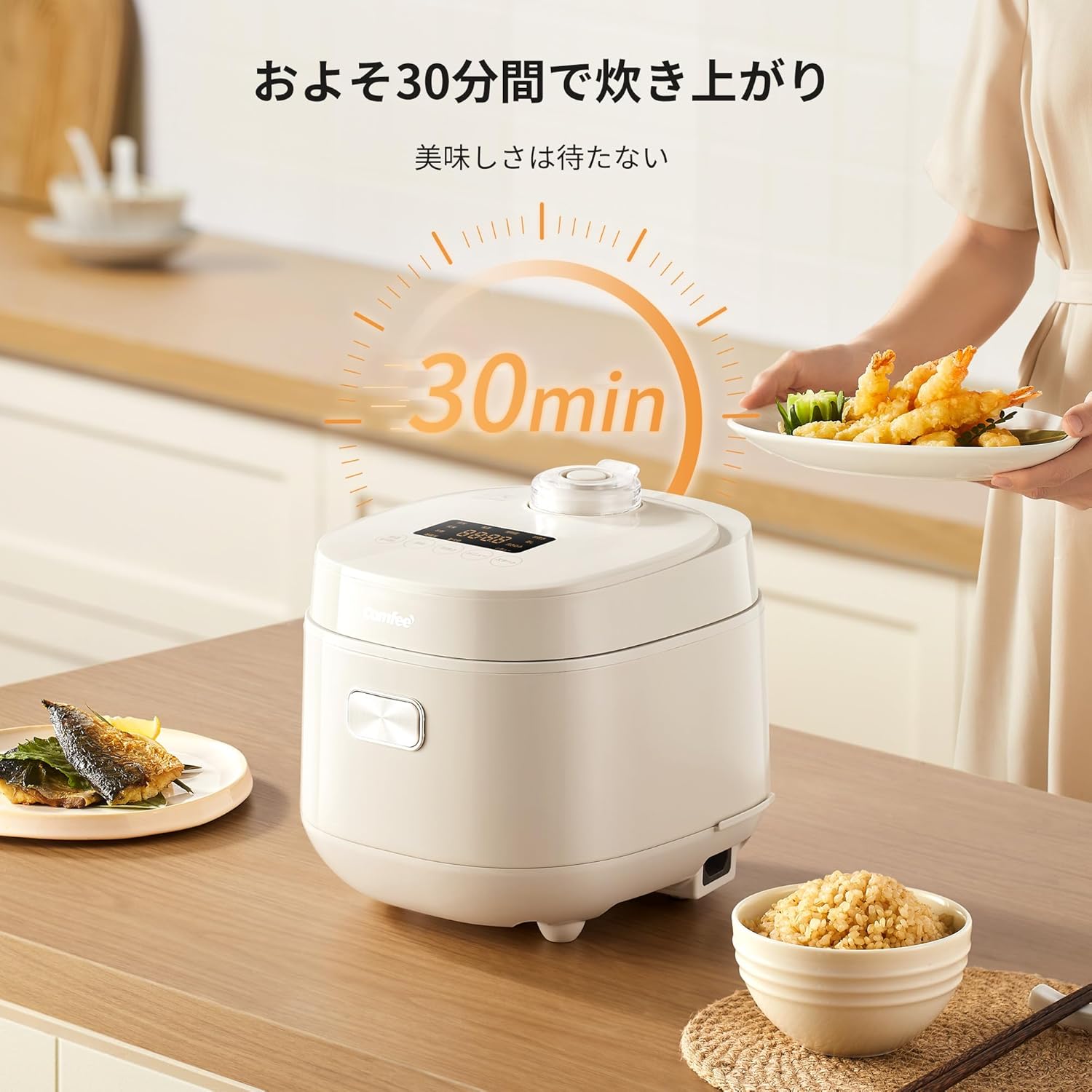
Image 3: The rice cooker in operation, with a timer indicating 30 minutes for quick cooking, and a person serving food.
Reservation (Delay Start) Function
Set the cooking completion time up to 24 hours in advance.
- Prepare ingredients for your desired dish (e.g., rice and water, or ingredients for stew/steam).
- Select the cooking mode using the 'Menu' button.
- Press the 'Reservation' button. Use the 'Menu' button to adjust the desired completion time.
- Press the 'Start' button to confirm the reservation. The unit will start cooking automatically at the set time.

Image 4: Examples of using the reservation function for various dishes like steamed buns, mixed rice, and stew, showing different setup and completion times.
Keep Warm Function
After cooking, the unit automatically enters 'Keep Warm' mode for up to 12 hours.
- To stop keeping warm, press the 'Cancel' button.
- Important Note on Keep Warm: While the unit can keep warm for over 12 hours, it is recommended to consume rice within 5 hours to maintain optimal flavor and texture. Beyond 5 hours, moisture in the rice may evaporate, significantly degrading the texture. If extended keep warm is necessary (up to 12 hours), at the 5-hour mark, gently turn the rice over in the pot and evenly add approximately 5cc of water using a spray bottle.
Multi-functional Cooking Modes
This rice cooker offers 8 distinct cooking menus:

Image 5: Visual representation of the 8 cooking modes available: White Rice, Brown Rice, Porridge, Mixed Grain Rice, Quick Cook, Steam, Stew, and a general 'Cook' mode.
- White Rice
- Brown Rice
- Porridge
- Mixed Grain Rice
- Steam (Use the included steamer basket)
- Stew
- Quick Cook
To use the Steam function, place ingredients in the steamer basket, add water to the inner pot (below the basket), select 'Steam' mode, and press 'Start'.
5. Maintenance and Cleaning
Regular cleaning ensures optimal performance and extends the lifespan of your rice cooker.
- Unplug: Always unplug the rice cooker and allow it to cool completely before cleaning.
- Inner Pot: Wash the inner pot with warm water and a soft sponge using neutral detergent. Do not use abrasive cleaners, metal brushes, or sharp objects, as these can damage the non-stick coating.
- Inner Lid: The inner lid is removable for easy cleaning. Detach it and wash with warm soapy water, then rinse and dry thoroughly.
- Steam Vent: The steam vent cap is also removable. Clean it regularly to prevent blockages.
- Exterior: Wipe the exterior of the main unit with a soft, damp cloth. Do not use harsh chemicals or immerse the unit in water.
- Accessories: Wash the measuring cup, rice paddle, and ladle with warm soapy water and dry.


Image 6: Cleaning features including the non-stick inner pot, removable inner lid, and removable steam valve for easy maintenance.
6. Troubleshooting
If you encounter any issues, please refer to the following common problems and solutions:
| Problem | Possible Cause | Solution |
|---|---|---|
| Rice is undercooked or hard. | Insufficient water, incorrect rice-to-water ratio, or power interruption. | Ensure correct water levels. Check power connection. Do not open the lid during cooking. |
| Rice is overcooked or mushy. | Too much water, or incorrect rice-to-water ratio. | Reduce water slightly for future cooking. Ensure correct water levels. |
| Unit does not turn on. | Power cord not properly connected, or no power from outlet. | Check if the power cord is securely plugged into both the unit and the wall outlet. Test the outlet with another appliance. |
| Keep warm function not working. | Unit unplugged or 'Cancel' button pressed. | Ensure the unit is plugged in. The keep warm function activates automatically after cooking. Press 'Cancel' to stop it. |
| Inner pot coating peeling. | Use of metal utensils or abrasive cleaning. | Avoid using metal utensils. Clean with a soft sponge and neutral detergent only. |
7. Specifications
| Feature | Specification |
|---|---|
| Brand | COMFEE' |
| Model Number | CRD-20PYT1B1 |
| Maximum Cooking Capacity | 4 cups (0.72 liters) |
| Power Supply | 100V, 50/60Hz |
| Product Dimensions (D x W x H) | 25.3 cm x 21.7 cm x 23 cm |
| Main Unit Weight | 2.8 kg |
| Color | Beige |
| Cooking Modes | 8 (White Rice, Brown Rice, Porridge, Mixed Grain Rice, Steam, Stew, Quick Cook) |
| Reservation Function | Up to 24 hours |
| Keep Warm Function | Up to 12 hours |
| Included Accessories | Instruction manual, rice paddle, power cord, measuring cup, steamer basket |

Image 7: Diagram showing the compact dimensions of the COMFEE' CRD-20PYT1B1 Rice Cooker (253mm depth, 217mm width, 230mm height).
8. Warranty and Support
This product comes with a one-year manufacturer's warranty from the date of purchase.
For warranty claims, technical support, or inquiries, please contact COMFEE' customer service. Refer to the contact information provided on the product packaging or the official COMFEE' website.
Please retain your proof of purchase for warranty validation.