
Introduction
This manual provides comprehensive instructions for the setup, operation, and maintenance of your TelPal Corded Pink Retro Landline Home Phone. Please read this manual thoroughly before using the product to ensure proper functionality and longevity.
Package Contents
Verify that all items listed below are included in your package:
- 1 x TelPal Corded Pink Retro Landline Home Phone
- 1 x Telephone Cord
- 1 x Handset Cord
- 1 x User Manual (this document)
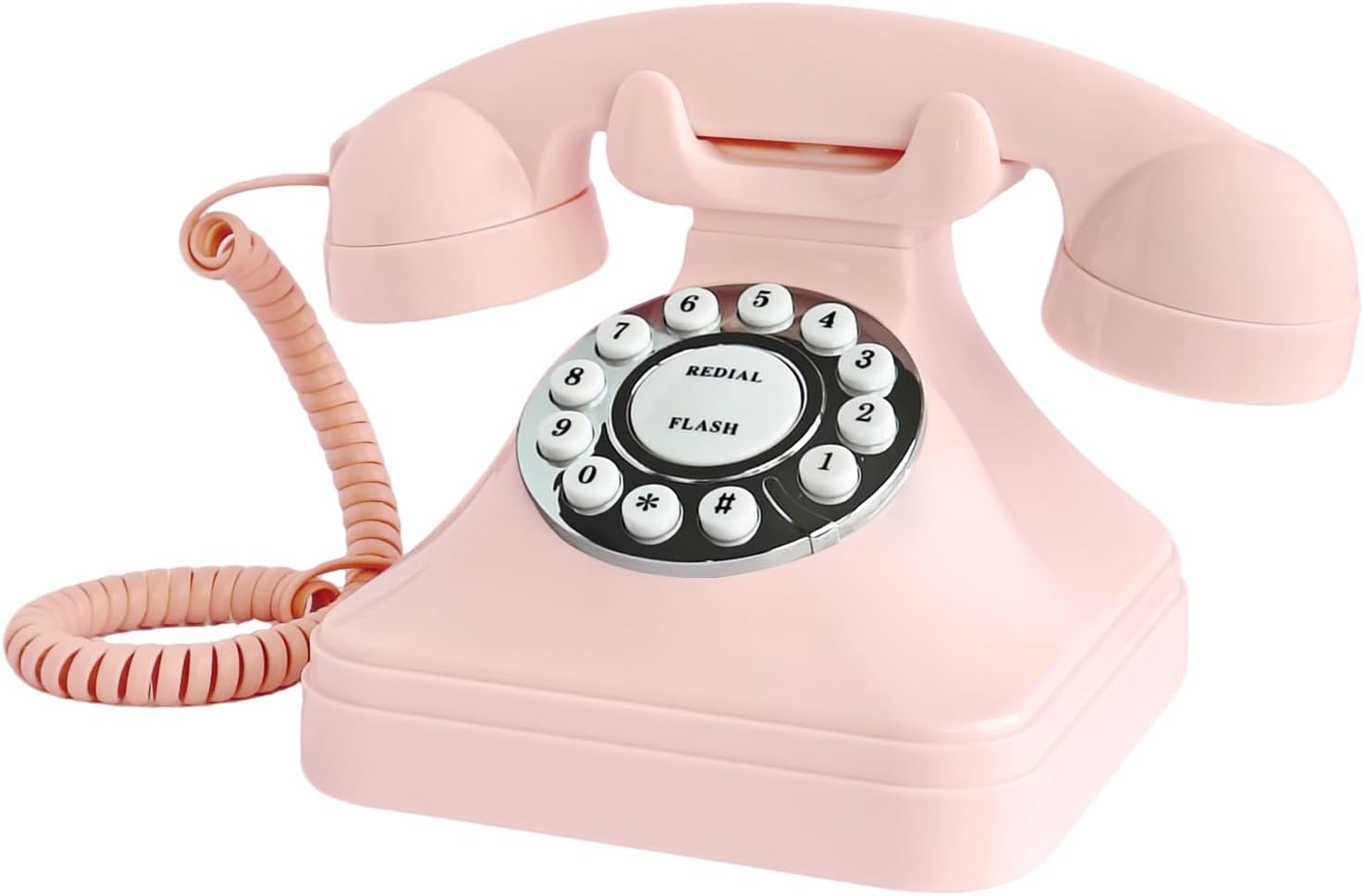
Image: The TelPal Corded Pink Retro Landline Home Phone, showcasing its classic design and pink color.
Setup Instructions
Follow these steps to set up your TelPal landline phone:
- Placement: Place the telephone on a flat, stable surface.
- Connect Telephone Cord: Connect one end of the straight telephone cord to the "Line Jack" in the back of the phone. Connect the other end to your landline wall jack. Ensure a secure connection.
- Connect Handset Cord: Connect one end of the curly handset cord to the phone handset. Connect the other end to the left side jack of the phone base.
- Power: No external power adapter or batteries are required. The phone operates directly from the telephone line current. Ensure you have an active landline service.
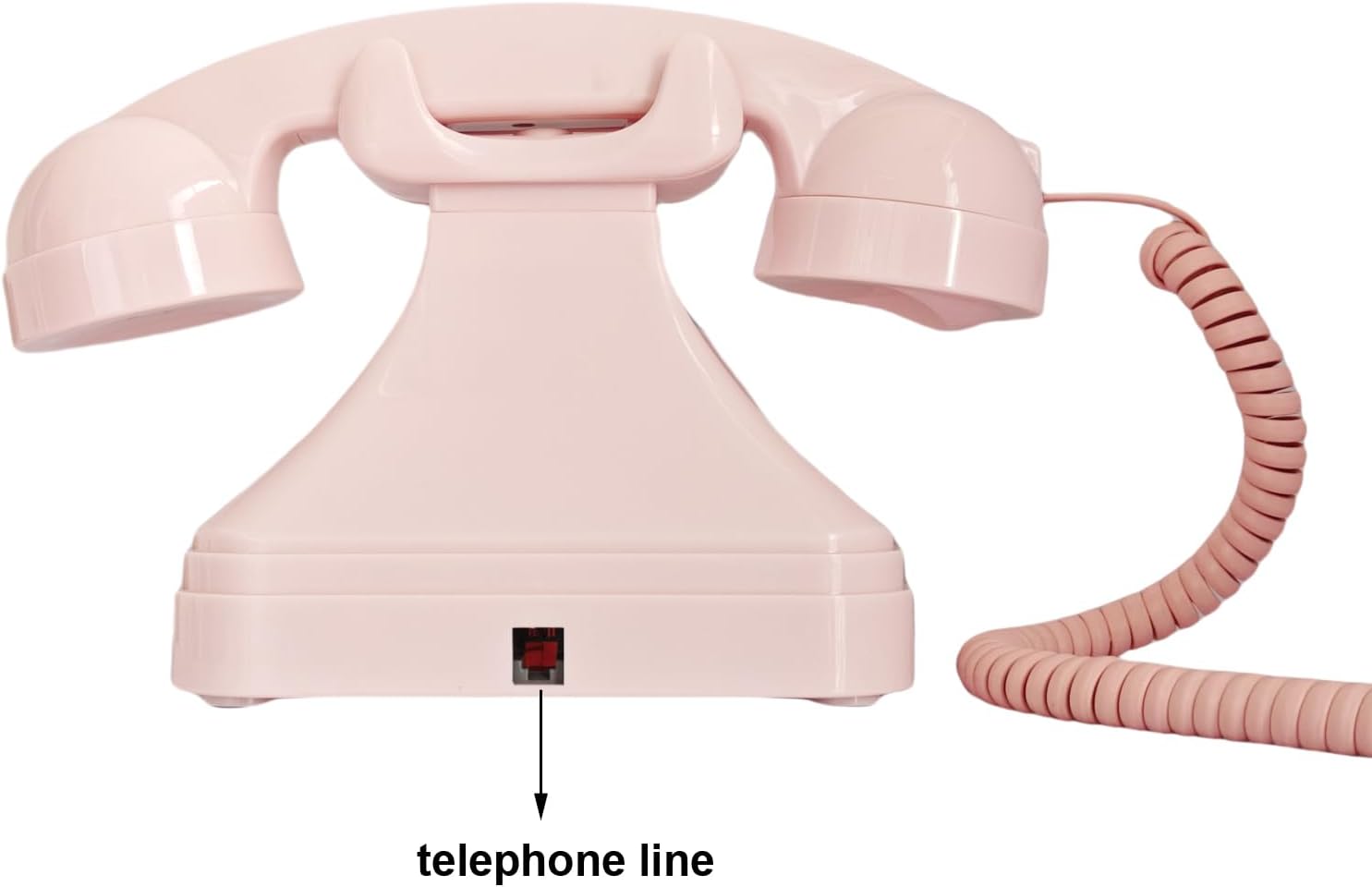
Image: Underside of the phone indicating the "telephone cord" and "handset cord" connection points, along with the ringer on/off switch.
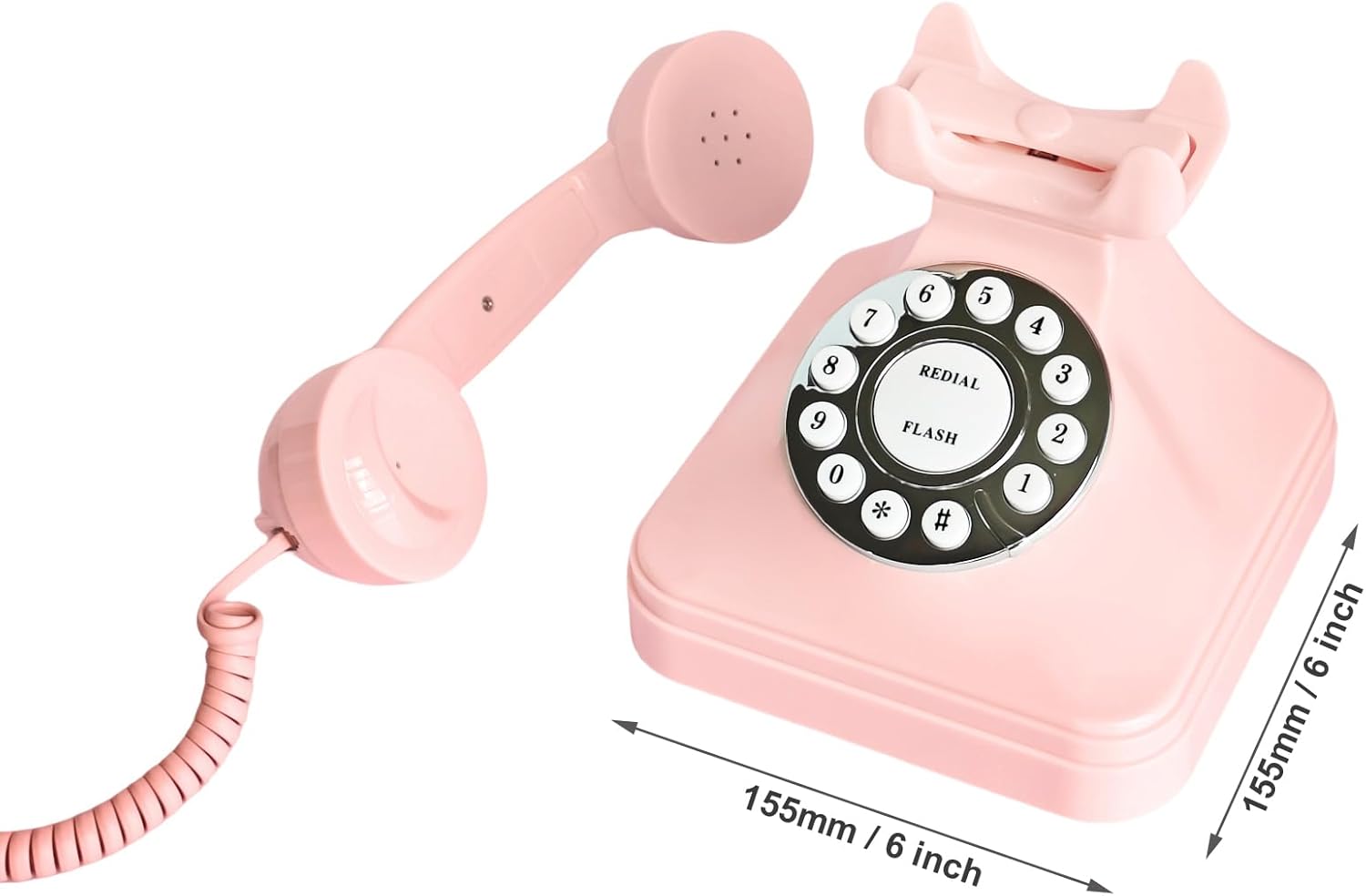
Image: Rear view of the phone highlighting the telephone line input port.
Operating Instructions
This section details the functions and operation of your TelPal phone:
- Making a Call:
- Pick up the handset.
- Dial the required telephone number using the push buttons.
- Wait for the call to connect.
- Answering a Call:
- When the phone rings, pick up the handset.
- Begin your conversation.
- Ending a Call:
Place the handset back onto the cradle to terminate the phone call.
- Redial Function:
To redial the last number dialed, pick up the handset and press the REDIAL button located in the center of the dial pad.
- Flash Function:
The FLASH button is used for certain call features provided by your telephone service provider, such as call waiting or transferring calls. Consult your service provider for specific usage.
- Ringer ON/OFF:
A switch to turn the ringer on or off is located on the bottom of the telephone base. Adjust as desired.
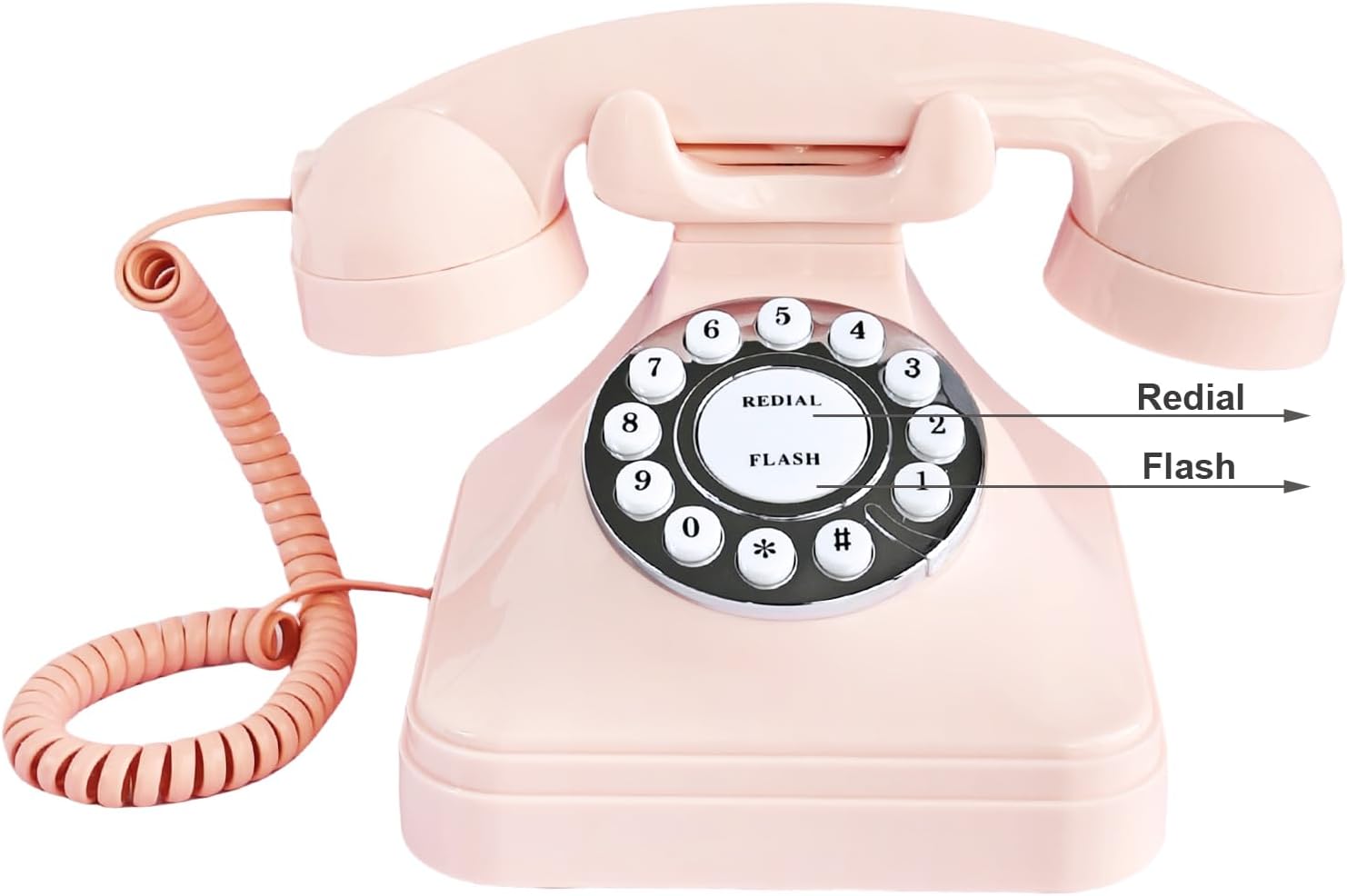
Image: A detailed view of the phone's push-button dial pad, highlighting the "REDIAL" and "FLASH" buttons.
Maintenance
To ensure the longevity and proper functioning of your TelPal phone, follow these simple maintenance guidelines:
- Cleaning: Wipe the phone's exterior with a soft, damp cloth. Avoid using harsh chemicals or abrasive cleaners, as these can damage the finish.
- Placement: Keep the phone away from direct sunlight, excessive heat, and moisture.
- Cords: Periodically check the telephone and handset cords for any signs of wear or damage. Replace if necessary.
- Storage: If storing the phone for an extended period, disconnect it from the wall jack and store it in a cool, dry place.
Troubleshooting
If you encounter any issues with your TelPal phone, refer to the following common problems and solutions:
| Problem | Possible Cause | Solution |
|---|---|---|
| No dial tone | Telephone cord not connected properly or no active landline service. | Ensure the telephone cord is securely connected to both the phone and the wall jack. Verify that your landline service is active. |
| Cannot hear caller / Caller cannot hear me | Handset cord loose or damaged. | Check that the handset cord is firmly connected to both the handset and the phone base. If issues persist, try replacing the handset cord. |
| Phone does not ring | Ringer switch is set to OFF. | Check the ringer ON/OFF switch on the bottom of the phone and set it to ON. |
| Buttons not responding | Temporary system glitch. | Disconnect the phone from the wall jack for a few minutes, then reconnect it. |
Product Specifications
| Feature | Detail |
|---|---|
| Model | B0D91VVFQJ |
| Product Dimensions (L x W x H) | 5.9 x 5.9 x 5.9 inches (150mm x 150mm x 150mm) |
| Item Weight | 1.48 pounds (550g) |
| Color | Pink |
| Telephone Type | Corded |
| Material | Plastic |
| Power Source | Telephone Line |
| Dialer Type | Push Button (Single Keypad) |
| Compatible Devices | Landline |
| Multiline Operation | Single-Line Operation |
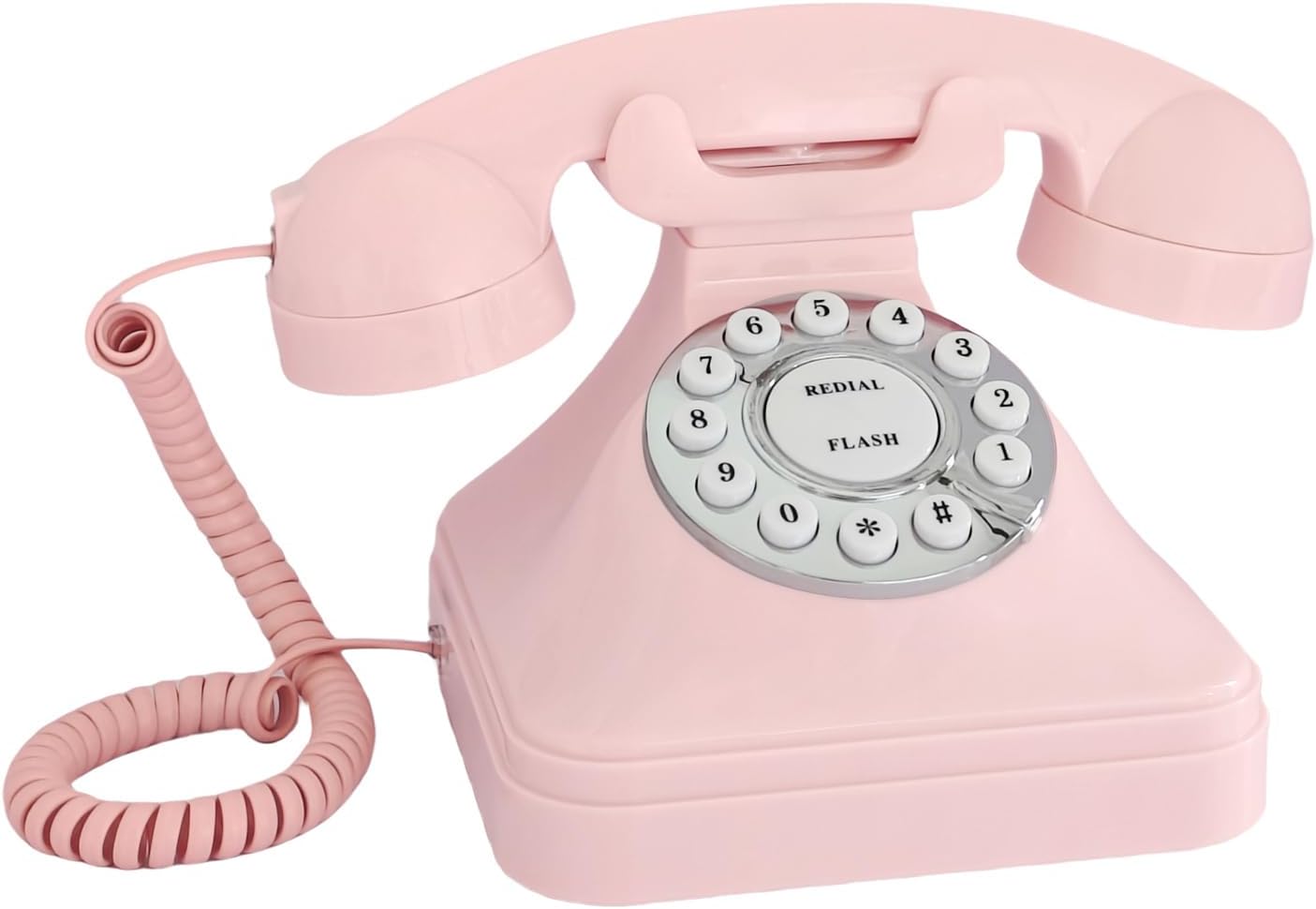
Image: The TelPal phone with indicated dimensions of 155mm / 6 inches for length, width, and height.
Official Product Video
Watch the official product video for a visual overview of the TelPal Corded Retro Landline Phone:

Video: An official product video showcasing the TelPal Corded Old Fashioned Decorative & Working Landline phone in various colors and angles, demonstrating its aesthetic appeal and functionality.
Warranty and Support
Specific warranty information is not provided in the product details. For warranty claims, technical support, or further assistance, please contact TelPal customer service or refer to the product packaging for contact details.