1. Introduction
This manual provides essential instructions for the installation, operation, and maintenance of the Minxid T-rex 500 DFC RC Helicopter 4 Blades Main Rotor Head Kit. This kit is designed as an upgrade part for Align Trex 500 standard helicopters, enhancing flight performance and stability. Please read this manual thoroughly before proceeding with installation or operation to ensure safe and correct usage.

Figure 1: Overview of the Minxid T-rex 500 DFC 4 Blades Main Rotor Head Kit.
2. Safety Information
Warning: RC helicopters are not toys. This product is intended for users aged 14 years and above with experience in RC helicopter hobbies. Improper assembly or operation can lead to serious injury or property damage.
- Always ensure all components are correctly installed and secured before flight.
- Perform pre-flight checks diligently.
- Operate RC helicopters in open areas, away from people, animals, and obstacles.
- Follow all local regulations and guidelines for RC aircraft operation.
- Keep fingers and loose clothing away from rotating parts.
3. What's in the Box
The package includes the following components:
- T-rex 500 DFC RC Helicopter 4 Blades Main Rotor Head Kit
Inspect all parts upon receipt to ensure no damage occurred during shipping and that all components are present.
4. Setup and Installation
This section outlines the general steps for installing the 4-blade DFC rotor head kit. Specific steps may vary based on your existing helicopter configuration. Refer to your helicopter's original manual for detailed disassembly instructions.
4.1 Component Overview
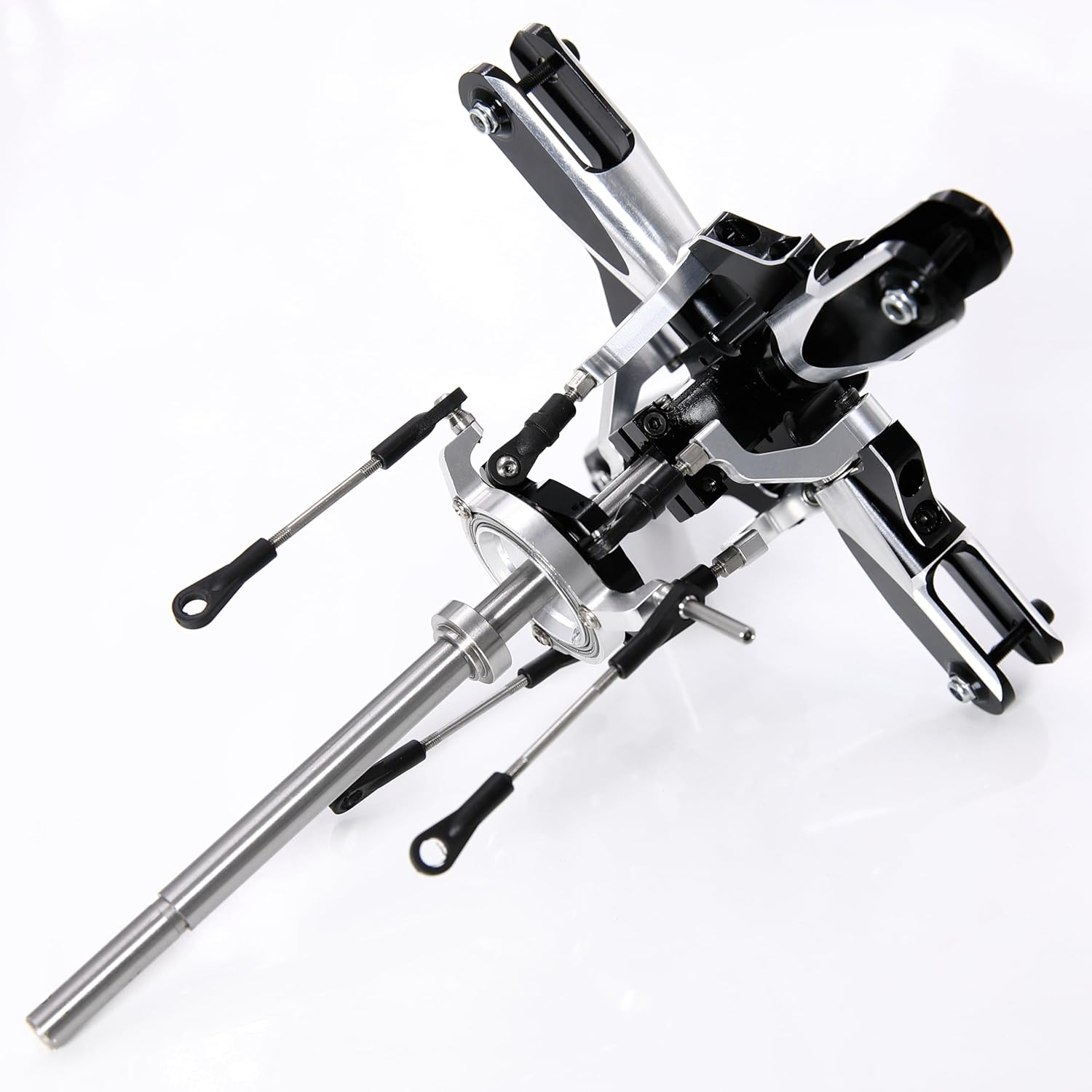
Figure 2: Detailed view of the rotor head assembly, showing the main shaft and control linkages.
4.2 Disassembly of Existing Rotor Head
- Carefully remove the main rotor blades from your helicopter.
- Disconnect all control linkages from the existing rotor head.
- Remove the existing rotor head assembly from the main shaft.
4.3 Installation of 4-Blade DFC Rotor Head
- Slide the new 4-blade DFC rotor head onto the main shaft. Ensure it is oriented correctly.
- Secure the rotor head to the main shaft using the provided fasteners. Apply thread-locking compound to metal-to-metal screws as recommended.
- Connect the control linkages from the swashplate to the DFC arms on the new rotor head. Ensure smooth, unrestricted movement.
- Install the four main rotor blades onto the blade grips. Ensure they are balanced and secured firmly.
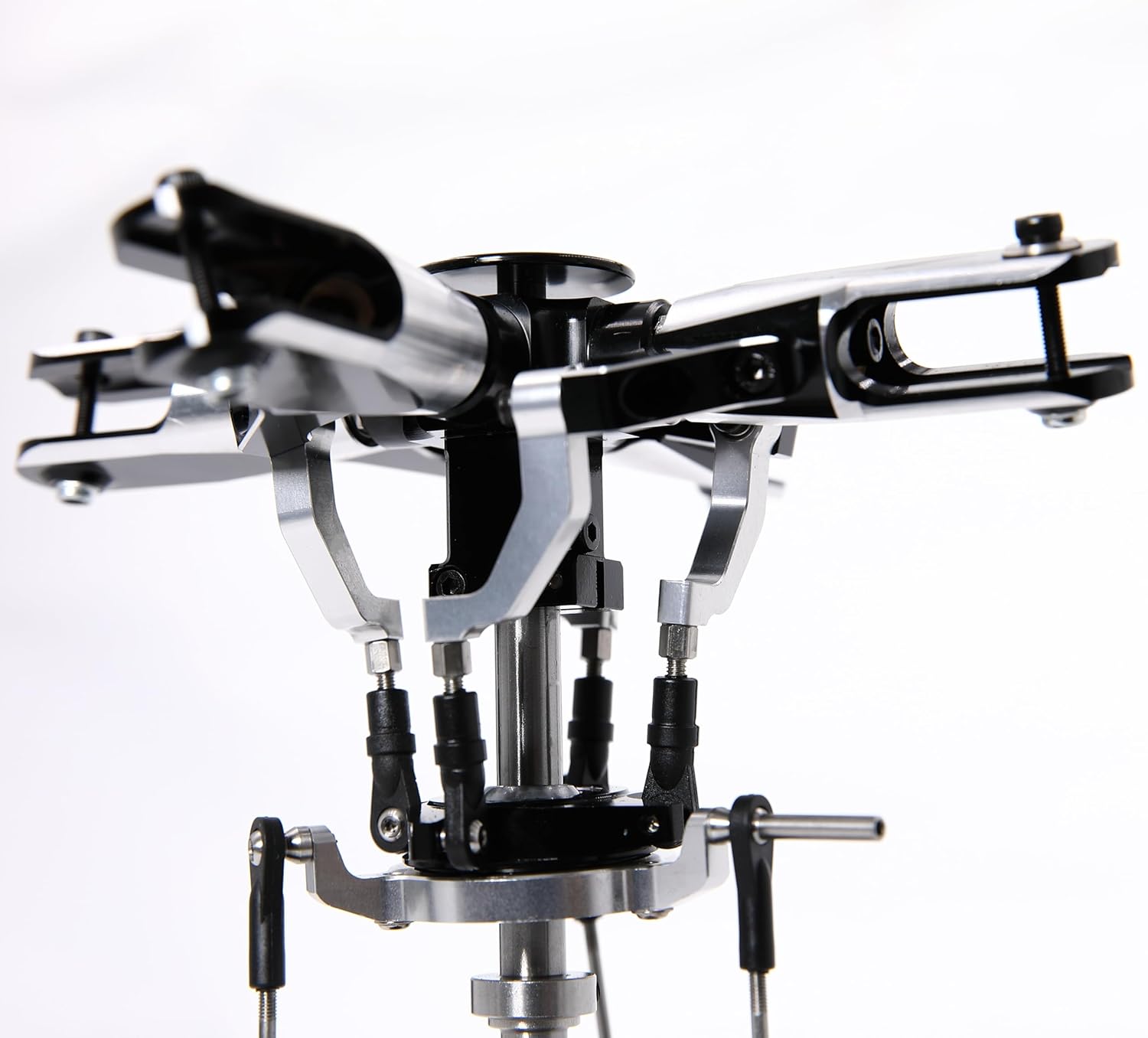
Figure 3: Close-up view of the Direct Flight Control (DFC) mechanism, highlighting the linkage points.
4.4 Initial Setup and Adjustments
- Perform a thorough mechanical setup, including swashplate leveling and pitch adjustments for all four blades.
- Adjust the electronic flybarless unit (if applicable) to accommodate the 4-blade DFC configuration. Refer to your flybarless unit's manual for specific settings.
- Check for any binding or excessive play in the control system.

Figure 4: Top view of the 4-blade rotor head, showing the blade grip arrangement.
5. Operating Guidelines
After successful installation and setup, follow these guidelines for safe operation:
- Always perform a pre-flight check before each flight, ensuring all screws are tight and linkages move freely.
- Start with gentle hovering and low-speed maneuvers to verify stability and control response.
- Gradually increase flight intensity as you become accustomed to the new rotor head's characteristics.
- Monitor motor and ESC temperatures, especially during initial flights, as a 4-blade system may draw more power.
6. Maintenance
Regular maintenance is crucial for the longevity and safe operation of your rotor head kit.
- After every flight: Inspect for loose screws, bent linkages, or damaged parts.
- Every 5-10 flights: Check all bearings for smooth operation. Replace if rough or noisy.
- Periodically: Apply a small amount of appropriate lubricant to moving parts, such as thrust bearings in the blade grips.
- Ensure blade bolts are tightened to the correct tension, allowing blades to pivot freely but without excessive play.
7. Troubleshooting
If you encounter issues, refer to the following common problems and solutions:
| Problem | Possible Cause | Solution |
|---|---|---|
| Excessive vibration | Unbalanced blades, loose screws, bent main shaft, damaged bearings. | Balance blades, check all fasteners, inspect main shaft for straightness, replace worn bearings. |
| Poor control response | Incorrect flybarless unit settings, binding linkages, incorrect pitch/cyclic setup. | Review flybarless unit manual, check linkage freedom, verify pitch and cyclic ranges. |
| Rotor head feels stiff | Over-tightened screws, binding linkages, dry bearings. | Loosen screws slightly (ensure security), check for linkage obstructions, lubricate bearings. |
8. Specifications
The following are the general specifications for the Minxid T-rex 500 DFC RC Helicopter 4 Blades Main Rotor Head Kit:
- Product Dimensions: 9 x 6 x 2 inches
- Item Weight: 14.1 ounces
- Item Model Number: MD-500DFC-F4
- Manufacturer Recommended Age: 14 years and up
- Compatibility: Align Trex 500 Standard Heli
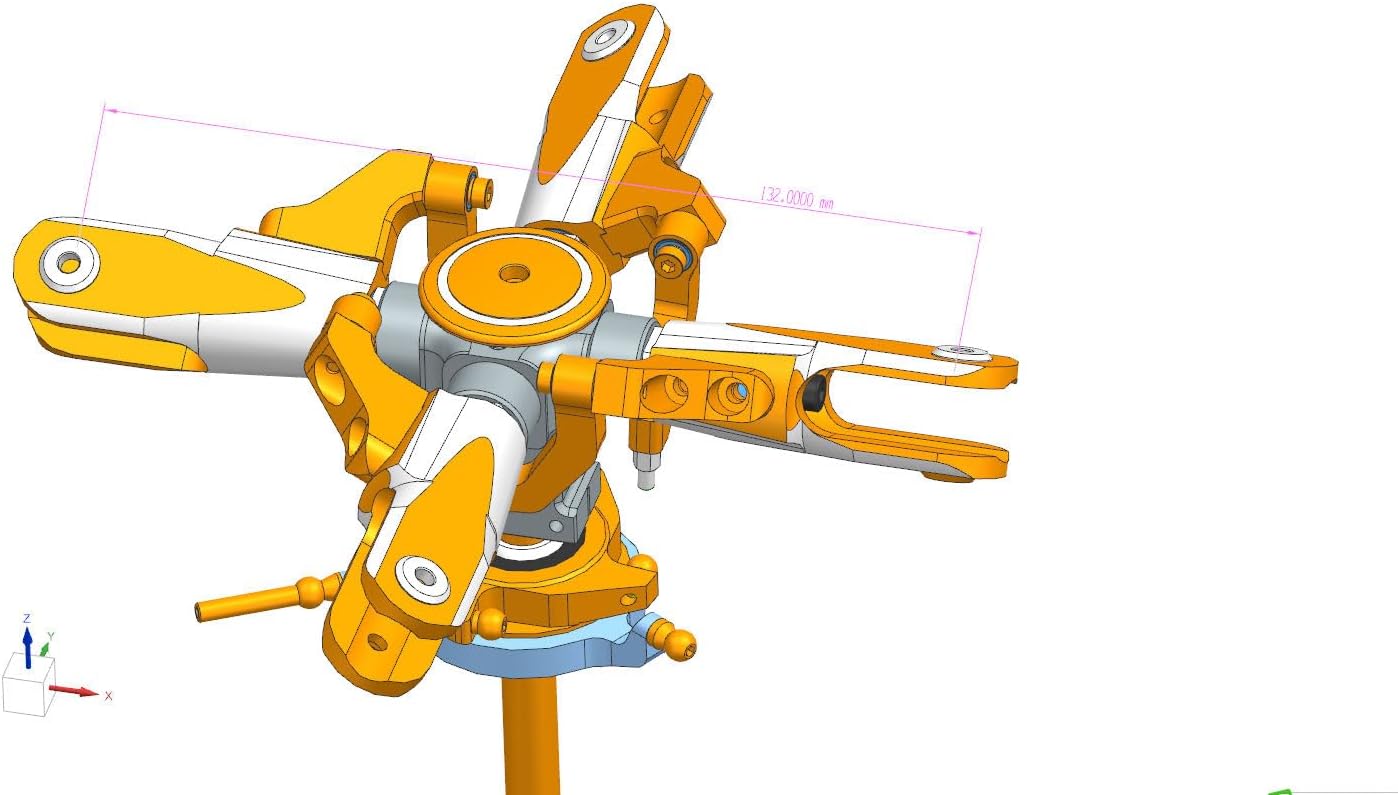
Figure 5: Technical drawing illustrating key dimensions of the rotor head.
9. Warranty and Support
For warranty information or technical support regarding your Minxid T-rex 500 DFC RC Helicopter 4 Blades Main Rotor Head Kit, please contact the manufacturer, GTBRacing, or your point of purchase. Keep your purchase receipt as proof of purchase.


