
HCALORY 8KW-app
Contents
HCALORY 8KW Diesel Heater User Manual
Model: 8KW-app
Brand: HCALORY
1. Introduction
This manual provides comprehensive instructions for the safe and efficient operation, installation, and maintenance of your HCALORY 8KW Diesel Air Heater. Please read this manual thoroughly before using the product to ensure proper function and to prevent damage or injury.

Figure 1: HCALORY 8KW Diesel Heater with control accessories.
2. Product Features
- Fast Heating: Built-in all-aluminum construction for efficient and rapid heat transfer, providing warmth within 1 second. Outputs 5500-18000 BTUs, heating 20-27 m² in 10 minutes.
- Energy Saving: Reduced fuel consumption of 0.15 L/h - 0.44 L/h, compared to typical heaters at 0.28 L/h - 0.65 L/h. Equipped with a 10L fuel tank for continuous heating up to 10 hours.
- Altitude Mode: Configured with a highland mode, supporting operation up to 5500M (18044FT) above sea level, with automatic adjustments for quick warming.
- Safety Protections: Features an upgraded 2025 motherboard with short circuit protection, reverse connection protection, over-voltage protection, and over-heat protection (≥270 °C/518 °F).
- Multiple Control Options: Supports remote control, LCD panel operation, and a smart APP for functions such as timer setting, plateau mode, and temperature adjustment. Includes a fan mode, language switch, and unit switch.
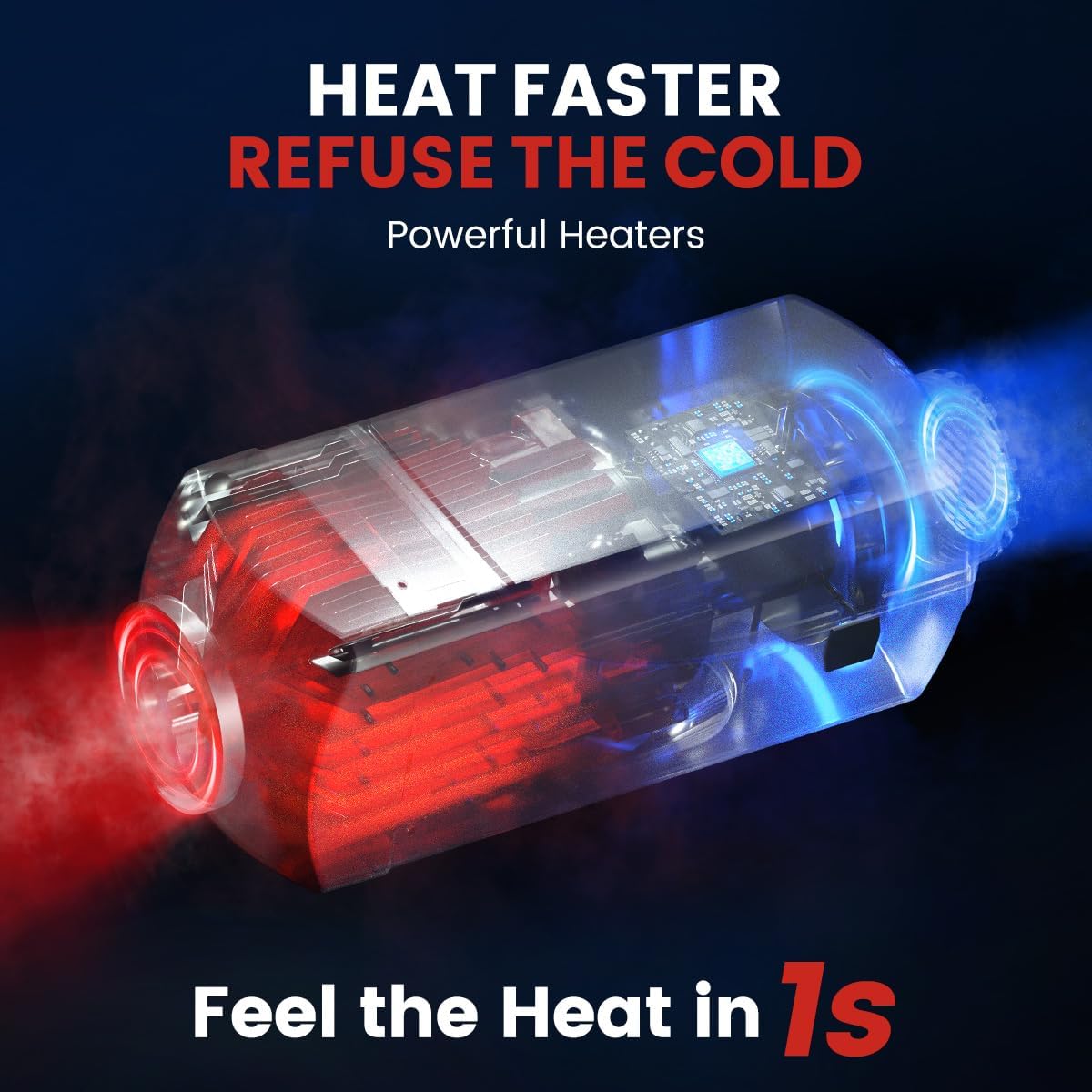
Figure 2: Illustration of the heater's fast heating capability.

Figure 3: Energy efficiency comparison of the HCALORY heater.
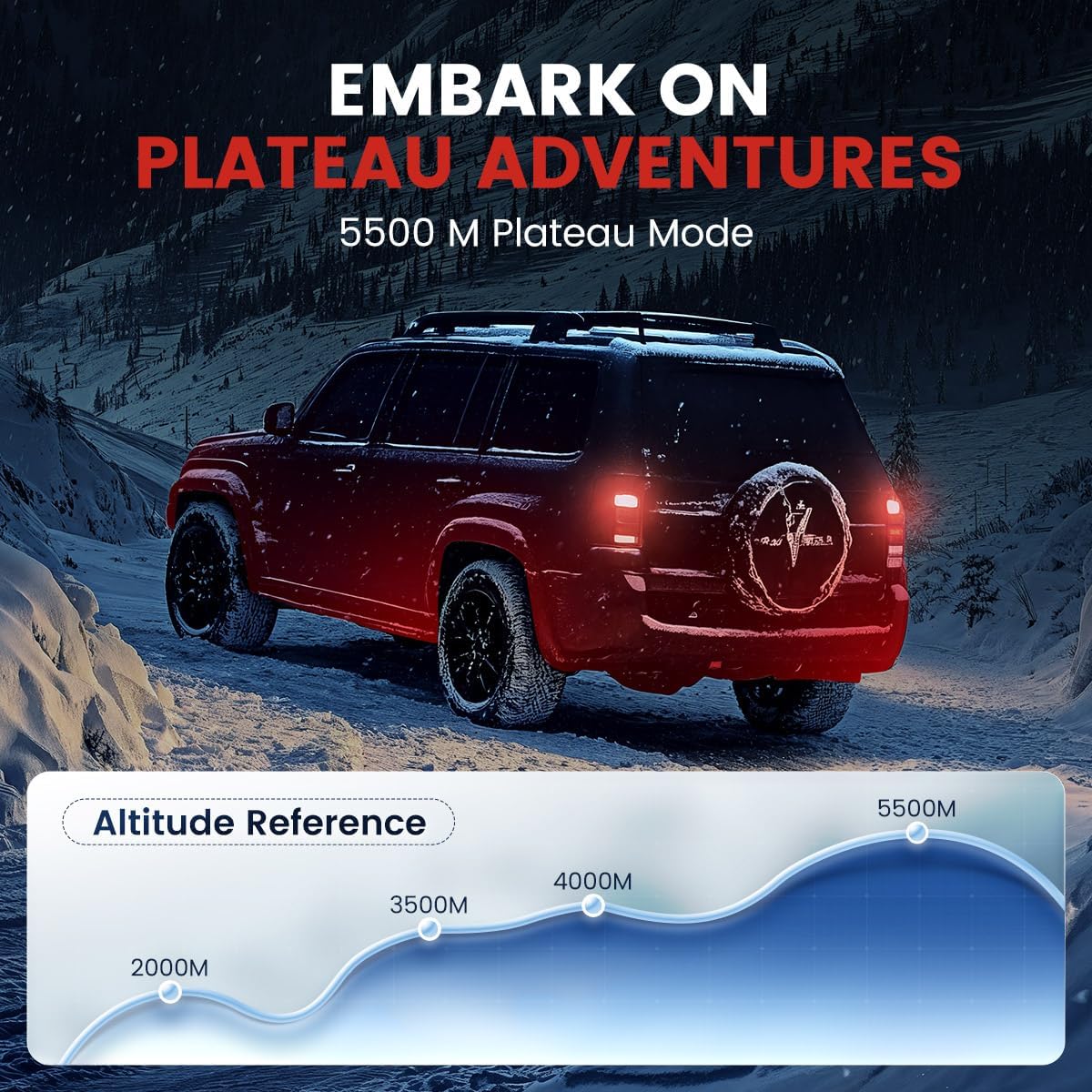
Figure 4: The heater's plateau mode for high-altitude operation.

Figure 5: Overview of the heater's safety protection features.
3. Package Contents
Upon unpacking, please verify that all components are present and undamaged:
- 1 x HCALORY 8KW Diesel Heater Unit
- 1 x Remote Control
- 1 x LCD Control Panel
- 1 x 10L Fuel Tank
- Necessary installation accessories (fuel line, exhaust pipe, air intake pipe, clamps, etc. - as typically included with such units)
4. Safety Information
Always adhere to the following safety guidelines to prevent accidents, injury, or damage to the product and property:
- Ventilation: Ensure adequate ventilation when operating the heater, especially in enclosed spaces. Carbon monoxide is a colorless, odorless gas that can be fatal. Consider using a carbon monoxide detector.
- Fuel Handling: Use only diesel fuel. Store fuel in approved containers away from heat sources and open flames. Do not refuel while the heater is operating or hot.
- Exhaust Fumes: Ensure the exhaust pipe is routed safely outside and away from any air intakes or living spaces. Fumes must not re-enter the heated area.
- Clearance: Maintain proper clearance around the heater from combustible materials (e.g., curtains, bedding, wood). Refer to installation guidelines for specific distances.
- Electrical Connection: Connect the heater to a stable 12V power source. Ensure all electrical connections are secure and properly insulated to prevent short circuits.
- Children and Pets: Keep children and pets away from the heater during operation. The surface can become hot.
- Maintenance: Perform regular maintenance as described in this manual. Do not attempt to repair the heater if you are not qualified. Contact qualified service personnel.
5. Setup and Installation
Proper installation is crucial for the safe and efficient operation of your diesel heater. It is recommended to have installation performed by a qualified professional if you are unsure.
5.1 Choosing an Installation Location
The heater can be installed in various locations depending on the application (e.g., car, truck, RV, garage, boat). Consider the following:
- Accessibility: Ensure easy access for maintenance and control.
- Ventilation: Adequate space for air intake and exhaust routing.
- Stability: Mount the heater securely on a stable, non-combustible surface.
- Fuel Tank Placement: The 10L fuel tank should be placed in a secure, well-ventilated area, away from heat sources.
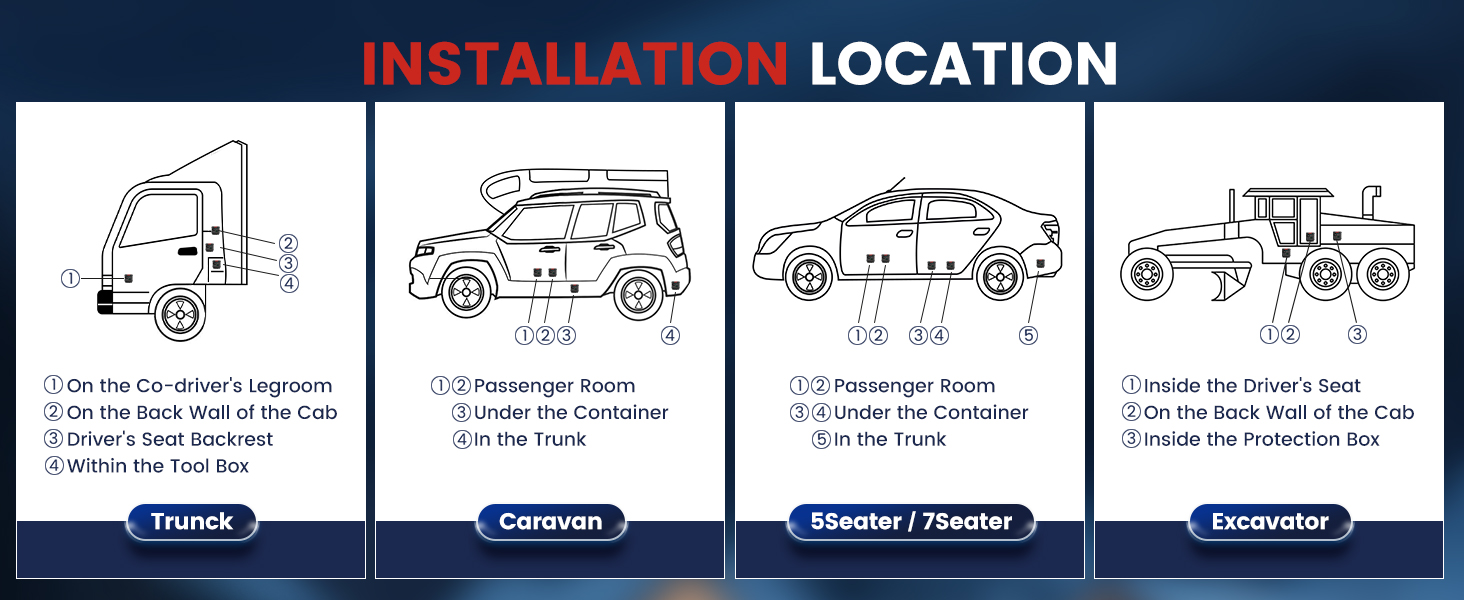
Figure 6: Recommended installation locations for various vehicle types.
5.2 Connection Steps
- Mounting: Securely mount the heater unit using appropriate hardware.
- Fuel Line: Connect the fuel line from the fuel tank to the heater. Ensure all connections are tight and leak-free. It is recommended to use high-quality fuel lines and clips.
- Exhaust System: Attach the exhaust pipe and route it safely outside the vehicle/structure, ensuring it is clear of any obstructions and points away from air intakes.
- Air Intake: Connect the air intake pipe. Ensure it draws clean air and is not obstructed.
- Electrical Wiring: Connect the heater to a 12V DC power source. Ensure correct polarity (positive to positive, negative to negative). Connect the LCD control panel and any other accessories.
- Initial Fuel Prime: After connecting the fuel line, it may be necessary to prime the fuel pump to ensure fuel reaches the heater before the first start. Refer to the LCD panel or app for a priming function if available.
6. Operating Instructions
Your HCALORY diesel heater offers multiple control methods for convenience.
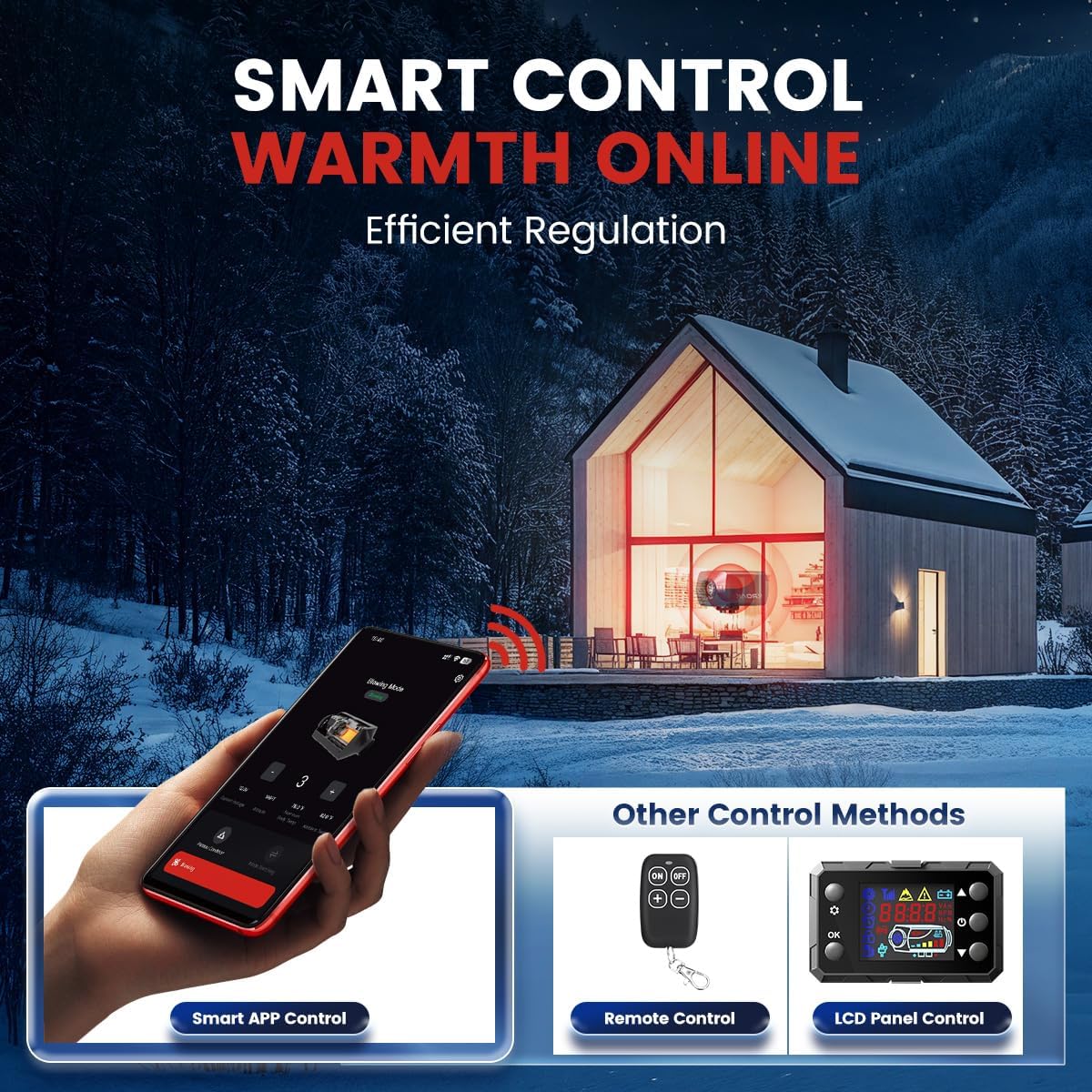
Figure 7: Multiple control methods: Smart APP, Remote Control, and LCD Panel.
6.1 LCD Control Panel
The LCD panel provides direct control and displays operational status.
- Power On/Off: Press the power button to start or stop the heater. The heater will go through a startup/shutdown sequence.
- Temperature Adjustment: Use the up/down arrows to set the desired temperature.
- Mode Selection: Navigate through menus to select modes such as heating, fan-only, or plateau mode.
- Timer Setting: Set a timer for automatic power on/off.
- Language/Unit Switch: Access settings to change display language or temperature units (°C/°F).
6.2 Remote Control
The remote control allows for convenient operation from a distance.
- ON/OFF: Buttons to power the heater on or off.
- Temperature/Power Adjustment: Use +/- buttons to adjust heating intensity or temperature.
- Ensure the remote has fresh batteries and is within range of the heater's receiver.
6.3 Smart APP Control (Bluetooth)
Download the dedicated HCALORY smart APP to control your heater via Bluetooth.
- Download App: Search for the HCALORY app on your smartphone's app store.
- Pairing: Follow the in-app instructions to pair your smartphone with the heater via Bluetooth.
- Functions: The app allows for comprehensive control, including:
- Power On/Off
- Temperature adjustment
- Timer setting
- Activation of plateau mode
- Fan mode control
- Monitoring heater status

Figure 8: Efficient time setting and management via control options.
7. Maintenance
Regular maintenance ensures the longevity and optimal performance of your HCALORY diesel heater.
- Cleaning: Periodically clean the exterior of the heater with a damp cloth. Ensure air intake and exhaust ports are free from dust, debris, or obstructions.
- Fuel Filter: Check the fuel filter regularly and replace it if it appears clogged or dirty. A clean fuel filter is essential for efficient combustion.
- Electrical Connections: Inspect all electrical connections for tightness and signs of corrosion.
- Exhaust System: Check the exhaust pipe for any damage, leaks, or blockages. Ensure it remains securely fastened.
- Storage: If storing the heater for an extended period, ensure the fuel tank is empty or filled with fresh, stabilized diesel. Store in a dry, protected area.
8. Troubleshooting
This section addresses common issues you might encounter. For problems not listed here, please contact customer support.
| Problem | Possible Cause | Solution |
|---|---|---|
| Heater does not start. | No power, low fuel, clogged fuel line, air in fuel line, faulty glow plug. | Check 12V power supply. Ensure sufficient fuel. Prime fuel system. Check fuel filter. Inspect glow plug. |
| No heat or insufficient heat. | Low power setting, exhaust blockage, air intake blockage, incorrect fuel type, dirty combustion chamber. | Increase power setting. Clear exhaust/intake. Use correct diesel fuel. Perform maintenance cleaning. |
| Excessive smoke or unusual odor. | Poor combustion, incorrect fuel-air mixture, carbon buildup, exhaust leak. | Ensure proper ventilation. Check fuel quality. Clean combustion chamber. Inspect exhaust system for leaks. |
| Error code displayed on LCD. | Specific system fault (e.g., overheating, voltage issue, sensor error). | Refer to the LCD panel's specific error code manual (if provided separately) or contact customer support with the error code. Check power supply and connections. |
| Noisy fuel pump. | Normal operation, mounting issues, air in fuel line. | Some pump noise is normal. Ensure pump is securely mounted and not vibrating against surfaces. Bleed air from fuel line if present. |
9. Specifications
| Attribute | Detail |
|---|---|
| Brand | HCALORY |
| Model | Diesel Heater (SKUK63136) |
| Power Output | 8KW (5500-18000 BTUs) |
| Voltage | 12V |
| Fuel Type | Diesel |
| Fuel Tank Capacity | 10L |
| Fuel Consumption | 0.15 L/h - 0.44 L/h |
| Heating Area Coverage | 20-27 m² |
| Product Dimensions | 48 x 44 x 27 cm |
| Item Weight | 7 kg |
| Control Methods | LCD Panel, Remote Control, Smart APP (Bluetooth) |
| Altitude Mode | Up to 5500M (18044FT) |
10. Warranty and Support
For warranty information, technical support, or service inquiries, please contact HCALORY customer service through their official website or the retailer from whom you purchased the product. Please have your model number (8KW-app) and purchase date available when contacting support.
No official product videos are available for this model at this time.
Ask a question about this manual
Ask about setup, troubleshooting, compatibility, parts, safety, or missing instructions. Manuals+ will review the question and use this page’s manual context to help answer it.