
1. Introduction
The Tevese X16 Bone Conduction Swimming Headphones are designed to provide a high-quality audio experience for various activities, including swimming, running, and cycling. Featuring IPX8 waterproofing, Bluetooth 5.4 connectivity, and a built-in 32GB MP3 player, these open-ear headphones allow you to enjoy music while remaining aware of your surroundings. This manual provides detailed instructions for setup, operation, maintenance, and troubleshooting.
2. Safety Information
- Do not attempt to disassemble or modify the headphones.
- Keep the charging port dry before charging to prevent damage.
- Avoid exposing the headphones to extreme temperatures.
- When swimming, ensure the headphones are in MP3 mode as Bluetooth signals do not transmit effectively underwater.
- Use caution when operating in environments where full awareness of surroundings is critical.
3. Package Contents
Verify that all items are present in your package:
- Tevese X16 Bone Conduction Headphones
- Magnetic Charging Cable
- Pair of Earplugs
- User Manual

Image: Contents of the Tevese X16 headphone package, showing the headphones, magnetic charging cable, a pair of earplugs, and the instruction manual.
4. Product Overview
The Tevese X16 headphones feature an open-ear design with bone conduction technology, allowing sound to be transmitted through your cheekbones, leaving your ears open to ambient sounds. The device is constructed from liquid silicone for comfort and durability.
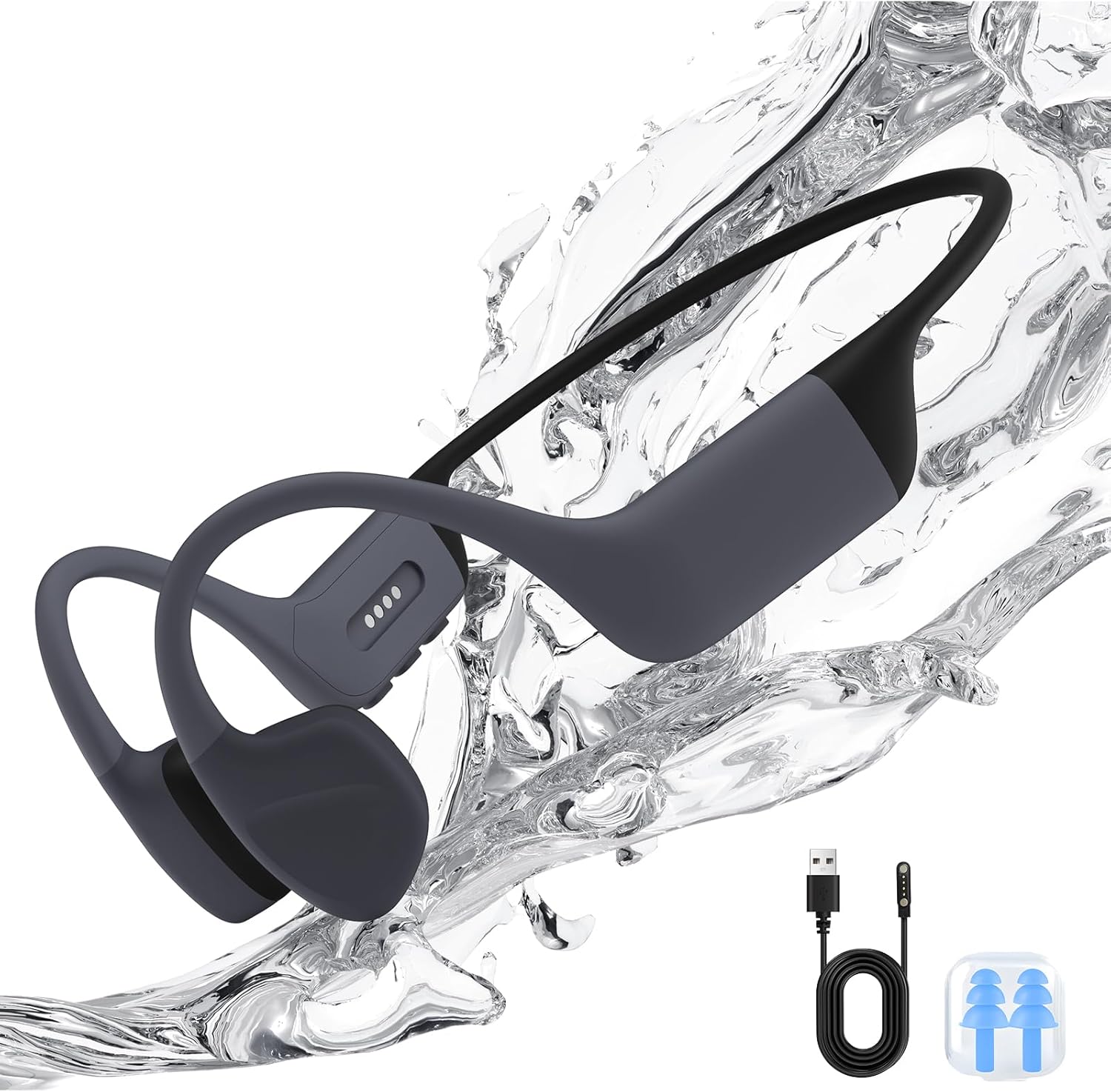
Image: The Tevese X16 Bone Conduction Headphones, showcasing their design and included accessories like the magnetic charging cable and earplugs.

Image: An exploded diagram illustrating the internal components and principle of bone conduction technology, showing how sound waves are generated by vibration.
5. Setup
5.1 Charging the Headphones
Before first use, fully charge the headphones. Connect the magnetic charging cable to the charging port on the headphones and the USB end to a power source (e.g., computer USB port, USB wall adapter). The LED indicator will show charging status.
- Charging Time: Approximately 2 hours.
- Battery Life: Up to 10 hours of playback.
5.2 Powering On/Off
- Power On: Press and hold the Power button for 3 seconds.
- Power Off: Press and hold the Power button for 5 seconds.
5.3 Bluetooth Pairing
- Ensure the headphones are powered off.
- Press and hold the Power button until the LED indicator flashes red and blue, indicating pairing mode.
- On your device (smartphone, tablet, etc.), enable Bluetooth and search for "Tevese X16".
- Select "Tevese X16" to connect. A voice prompt will confirm successful pairing.
5.4 MP3 Mode (Internal Storage)
The headphones have 32GB of internal memory for MP3 playback, supporting up to 8,000 songs. This mode is essential for underwater use as Bluetooth signals do not transmit through water.
- Loading Music: Connect the headphones to your computer using the magnetic charging cable. The headphones will appear as a removable disk. Drag and drop your MP3 audio files into the headphone's storage.
- Switching to MP3 Mode: Double-click the Power button to switch between Bluetooth and MP3 modes. A voice prompt will confirm the current mode.
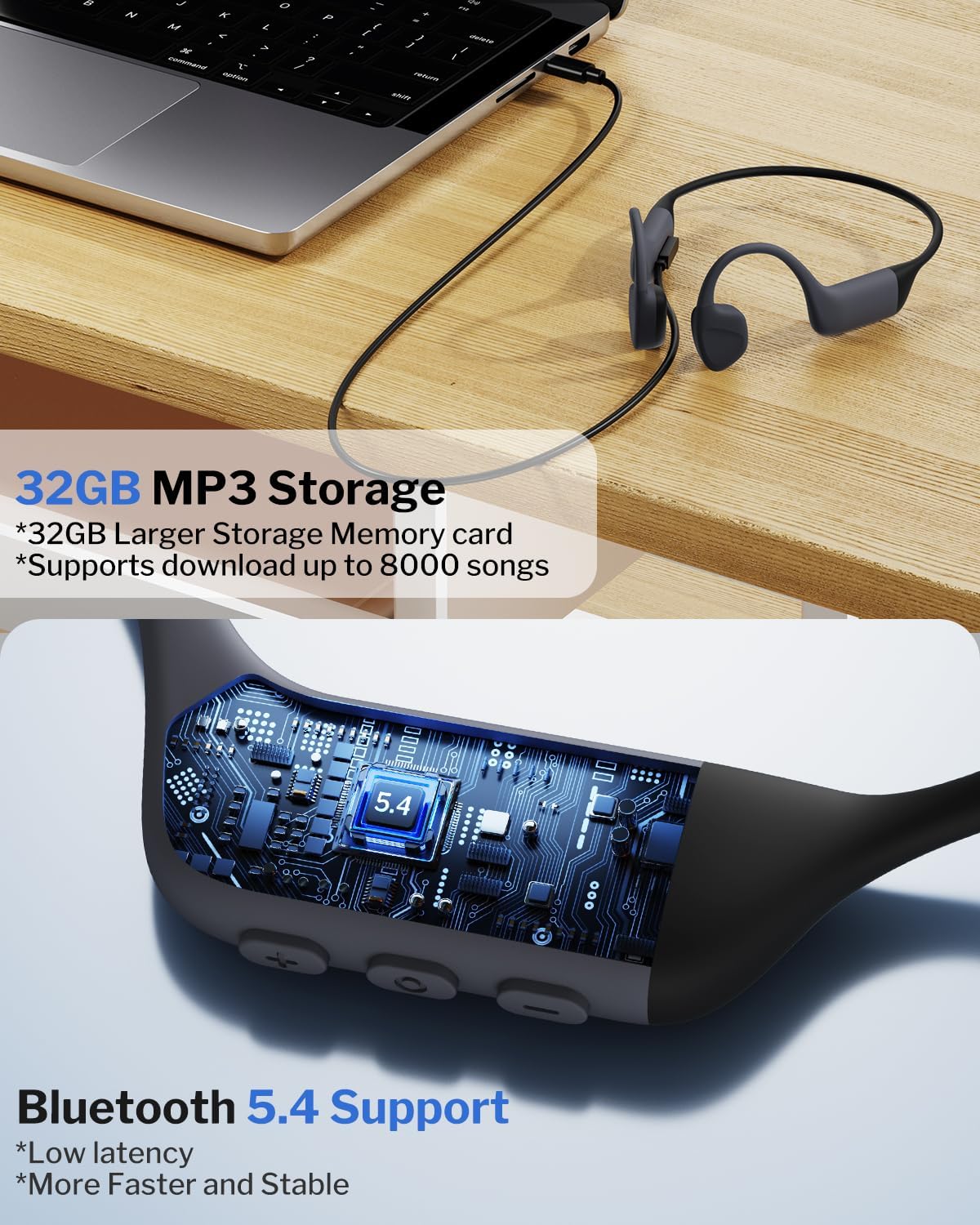
Image: The Tevese X16 headphones connected to a laptop, illustrating the process of loading music onto the 32GB internal MP3 storage and highlighting Bluetooth 5.4 connectivity.
6. Operating Instructions
6.1 Basic Controls

Image: A detailed diagram of the headphone controls, indicating functions for volume up/down, previous/next song, power on/off, music play/pause, and call management.
- Volume Up: Click the '+' button once.
- Volume Down: Click the '-' button once.
- Next Song: Press and hold the '+' button for 2 seconds.
- Previous Song: Press and hold the '-' button for 2 seconds.
- Play/Pause: Click the Power button once.
6.2 Call Functions
- Answer/End Call: Click the Power button once during an incoming call.
- Reject Call: Press and hold the Power button when there is an incoming call.
6.3 Usage Scenarios
The Tevese X16 headphones are designed for versatility across various activities.

Image: A person swimming underwater while wearing the Tevese X16 headphones, emphasizing the IPX8 waterproof rating. Note: MP3 mode is required for underwater use.

Image: A swimmer wearing the Tevese X16 headphones in a pool, demonstrating their use for underwater activities. The image highlights the IPX8 professional waterproof design, capable of withstanding immersion up to 2 meters deep.

Image: A woman running outdoors, wearing the Tevese X16 open-ear headphones, illustrating their comfortable fit for active use.

Image: A cyclist wearing the Tevese X16 headphones and a helmet, demonstrating how the open-ear design allows for awareness of surroundings while enjoying music, enhancing safety during activities like cycling.
7. Maintenance
7.1 Cleaning
Wipe the headphones with a soft, damp cloth after each use, especially after swimming or heavy sweating. Ensure the charging contacts are clean and dry.
7.2 Storage
Store the headphones in a cool, dry place away from direct sunlight and extreme temperatures. Avoid placing heavy objects on them.
7.3 Water Resistance
The IPX8 rating means the headphones can be submerged in water. However, always ensure the charging port is completely dry before connecting the charging cable to prevent corrosion or damage.

Image: A diagram illustrating the multi-layered liquid silicone construction of the headphones, highlighting its durability, scratch resistance, and ease of cleaning from oil.
8. Troubleshooting
| Problem | Possible Cause | Solution |
|---|---|---|
| Headphones do not power on. | Low battery. | Charge the headphones for at least 2 hours. |
| No sound in Bluetooth mode. | Not paired, out of range, or volume too low. | Ensure headphones are paired, within 10 meters of device, and volume is up. |
| No sound in MP3 mode. | No music files loaded or volume too low. | Load MP3 files onto the device. Increase volume. |
| Bluetooth disconnects frequently. | Interference or device too far. | Move closer to the connected device. Avoid areas with strong wireless interference. |
| Cannot hear music underwater. | Using Bluetooth mode. | Switch to MP3 mode. Bluetooth signals do not transmit through water. |
9. Specifications
| Feature | Detail |
|---|---|
| Model Name | X16 |
| Connectivity Technology | Bluetooth 5.4, Wireless |
| Water Resistance Level | IPX8 Waterproof |
| Internal Memory | 32GB (supports up to 8,000 songs) |
| Battery Life | Up to 10 Hours |
| Charging Time | 2 Hours |
| Material | Liquid Silicone |
| Audio Driver Type | Bone Conduction Driver |
| Bluetooth Range | 10 Meters |
| Frequency Range | 20 Hz - 20,000 Hz |
| Item Weight | 0.15 Kilograms (approx. 5.3 ounces) |
10. Warranty and Support
Tevese products come with a standard warranty. For specific warranty details, please refer to the warranty card included in your package or contact Tevese customer support.
If you encounter any issues or have questions not covered in this manual, please contact Tevese customer support through the retailer where you purchased the product or visit the official Tevese website for assistance.


