Introduction
The Panasonic LUMIX S9 is a compact and lightweight full-frame mirrorless camera designed for content creators. It features a 24.2MP full-frame sensor, advanced image stabilization, and versatile video capabilities. This manual provides essential information for setting up, operating, and maintaining your camera.

Figure 1: Panasonic LUMIX S9 camera with included accessories.
1. Setup
1.1 Unboxing and Initial Inspection
Carefully unpack all components and verify that the following items are included:
- Panasonic Lumix S9 Mirrorless Camera Body
- S 20-60mm f/3.5-5.6 L Mount Lens
- 64GB SF-M Tough Series UHS-II SDXC Memory Card
- USB Type C Adapter
- USB-C Cable
- P-Bank Battery Charger
- Camera Travel Bag
- Cleaning Kit
- Hand Strap
- Lens Cap Keeper
- 12-inch Flexible Vlogging Tripod
- Memory Card Wallet
- USB Card Reader, SD/microSD
- 67mm Professional 3 Piece Filter Kit
1.2 Battery and Memory Card Installation
- Charge the Battery: Insert the provided battery into the P-Bank Battery Charger and connect it to a power source using the USB-C cable. Ensure the battery is fully charged before first use.
- Insert Battery: Open the battery compartment cover on the bottom of the camera. Insert the charged battery with the correct orientation until it clicks into place. Close the cover securely.
- Insert Memory Card: Open the memory card slot cover. Insert the 64GB SDXC memory card into the slot until it clicks. Ensure the card is facing the correct direction. Close the cover.
1.3 Lens Attachment
- Remove the body cap from the camera and the rear lens cap from the 20-60mm lens.
- Align the white index mark on the lens with the white index mark on the camera body.
- Mount the lens by turning it clockwise until it clicks into place.
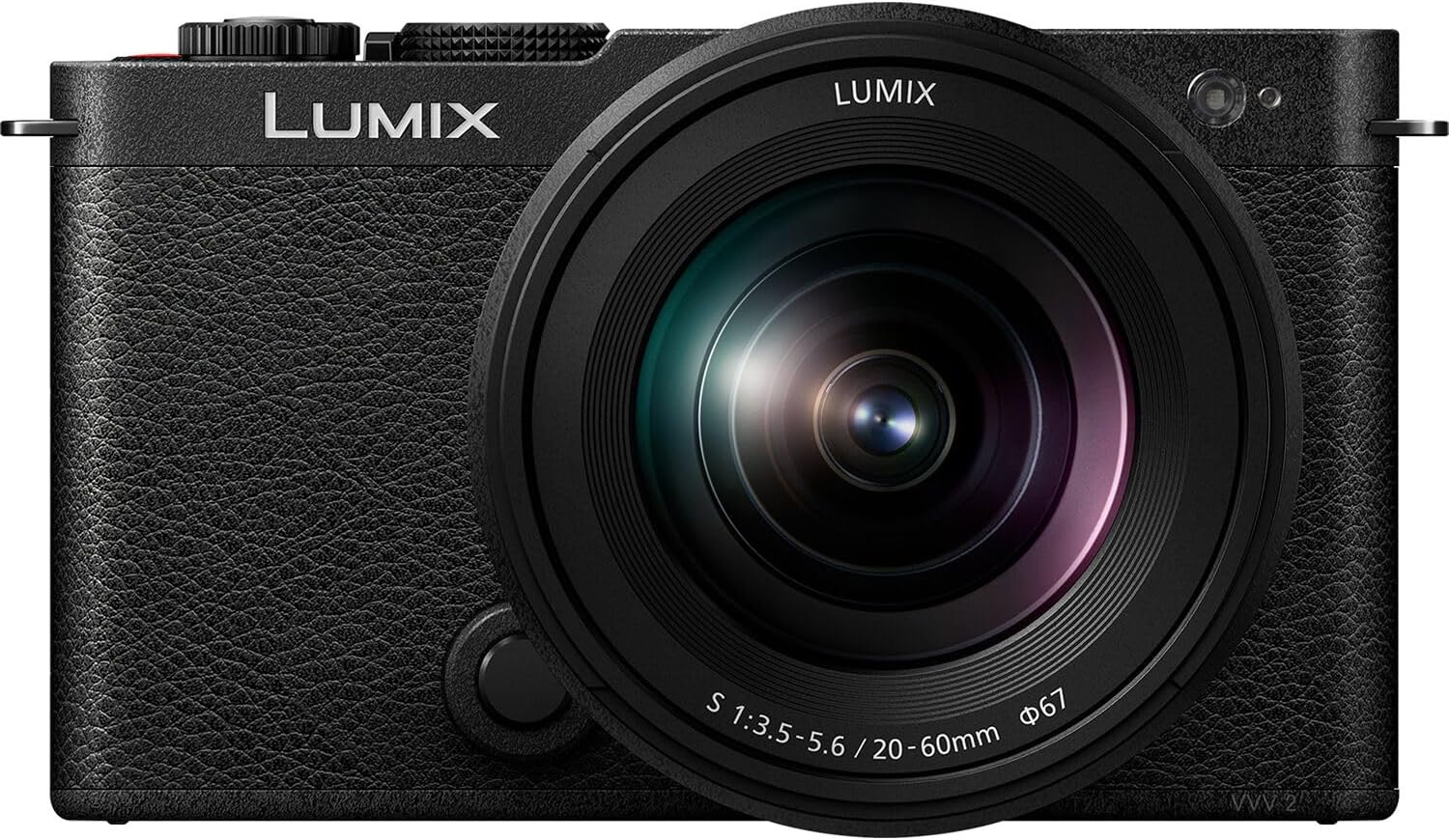
Figure 2: Front view of the LUMIX S9 with the 20-60mm lens.
1.4 Initial Settings
Turn the camera on using the power switch. Follow the on-screen prompts to set the language, date, and time zone.
2. Operating the Camera
2.1 Basic Operation
The mode dial on the top of the camera allows you to select various shooting modes, including Program AE (P), Aperture Priority AE (A), Shutter Priority AE (S), Manual Exposure (M), and various video modes. Rotate the dial to select your desired mode.
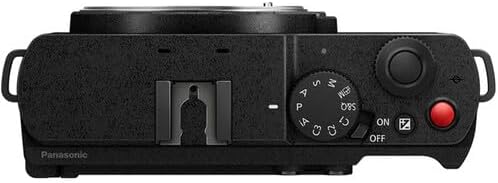
Figure 3: Top controls of the LUMIX S9.
2.2 Photography Features
- Full-Frame Sensor: The 24.2MP full-frame sensor delivers high-quality images with excellent detail and low-light performance.
- Image Stabilization: The camera features sensor-shift image stabilization, which helps reduce blur from camera shake, especially when shooting handheld.
- Autofocus: The advanced autofocus system includes 255 autofocus points and contrast detection technology for precise focusing.
- Real-Time LUT: Apply custom Look Up Tables (LUTs) directly in-camera while shooting, allowing for immediate visual feedback of your desired color grading.
- Extended Zoom: Utilize crop and hybrid zoom functions to extend your focal length range while maintaining image quality.
2.3 Video Features
- 4K Video Recording: Record high-resolution 4K video at various frame rates.
- 10-bit Color: Capture rich, detailed video with 10-bit color depth, offering greater flexibility in post-production.
- MP4Lite Format: The MP4Lite video format is optimized for fast uploads and sharing.
- Creative Video Modes: Explore specialized modes like time-lapse and stop-motion for unique video content.
2.4 Display and Controls
The camera features a 3-inch LCD display that can be articulated, allowing for flexible shooting angles, including vlogging. The electronic viewfinder provides a clear view of your scene.

Figure 4: LUMIX S9 with articulating LCD screen.
2.5 Connectivity
The LUMIX S9 offers enhanced connectivity through Wi-Fi. Use the Lumix Lab app to seamlessly transfer photos and videos to your smartphone or tablet for quick sharing and editing.

Figure 5: Side ports for connectivity.
3. Maintenance
3.1 Cleaning
- Camera Body: Use a soft, dry cloth to wipe the camera body. For stubborn dirt, slightly dampen the cloth with water.
- Lens: Use a lens brush or air blower to remove dust. For smudges, use a lens cleaning solution and a microfiber cloth. Avoid touching the lens surface directly.
- Sensor: Sensor cleaning should be performed with extreme care. If dust spots appear on your images, it is recommended to have the sensor professionally cleaned.
3.2 Battery Care
- Always use the provided P-Bank Battery Charger for optimal battery life.
- Store batteries in a cool, dry place when not in use.
- Avoid fully discharging the battery frequently to prolong its lifespan.
3.3 Firmware Updates
Periodically check the Panasonic support website for firmware updates. Firmware updates can improve camera performance, add new features, and fix bugs. Follow the instructions provided by Panasonic carefully when performing an update.
4. Troubleshooting
If you encounter issues with your LUMIX S9, try the following basic troubleshooting steps:
- Camera Not Powering On: Ensure the battery is fully charged and correctly inserted. Try using a different charged battery if available.
- Focus Issues: Check that the lens is securely attached and the autofocus mode is appropriate for your shooting conditions. Clean the lens and sensor if necessary.
- Memory Card Errors: Ensure the memory card is correctly inserted and not full. Try formatting the card (this will erase all data) or using a different compatible memory card.
- Connectivity Problems: Verify Wi-Fi settings on both the camera and your smart device. Ensure the Lumix Lab app is up to date.
For more detailed troubleshooting or persistent issues, please refer to the comprehensive operating instructions available on the Panasonic support website or contact customer support.
5. Specifications
| Feature | Specification |
|---|---|
| Brand | Panasonic |
| Model Name | DC-S9KK |
| Photo Sensor Resolution | 24.2 MP |
| Photo Sensor Size | Full Frame (35mm) |
| Compatible Mountings | Leica L |
| Image Stabilization | Sensor-shift |
| Video Resolution | 1080p (up to 4K with specific settings) |
| Frame Rate | 30 fps (Continuous Shooting) |
| Connectivity Technology | Wi-Fi |
| Display Type | LCD (Articulating) |
| Item Weight | 4.98 Pounds |
| Material | Plastic/Composite Material |
6. What's in the Box
The Panasonic LUMIX S9 Mirrorless Camera bundle includes the camera body, the S 20-60mm f/3.5-5.6 L Mount Lens, and various accessories as detailed in the Setup section.
7. Warranty and Support
For warranty information and customer support, please refer to the documentation included with your product or visit the official Panasonic website. You can also find additional resources and FAQs on the Panasonic support pages.
For further assistance, please visit the Panasonic Store.


