
Brio MIB400PKRM
Brio 4-Stage Reverse Osmosis & Mineralization Water Filter Kit
Model: MIB400PKRM
Introduction
This manual provides comprehensive instructions for the installation, operation, and maintenance of your Brio 4-Stage Reverse Osmosis & Mineralization Water Filter Kit. This filter set is designed to provide purified water enhanced with beneficial minerals, ensuring a crisp and balanced taste. Please read this manual thoroughly before installation and use to ensure proper function and longevity of your filter system.
Product Overview
The Brio 4-Stage Reverse Osmosis & Mineralization Water Filter Kit is an advanced filtration system that works in conjunction with compatible Brio RO dispensers. It includes four distinct filter stages to ensure comprehensive water purification and re-mineralization.

Image: The Brio 4-Stage Reverse Osmosis & Mineralization Water Filter Kit, showing the packaging and the four individual filter cartridges: Sediment, Pre Carbon, RO Membrane, and Mineralization.
Filter Stages Explained:

Image: A detailed diagram illustrating the four stages of the Brio water filter system, including Sediment, Pre Carbon, RO Membrane, and Mineralization filters, with descriptions of what each stage removes or adds to the water.
- Stage 1: Premium Quality Sediment Filter (5 Micron)
Removes larger particles such as dust, rust, and sediment from the water, protecting subsequent filters and ensuring clearer water. Recommended replacement: Every 6-12 months.
- Stage 2: Premium Quality GAC Filter (Pre Carbon)
Utilizes granular activated carbon to effectively remove chlorine, tastes, odors, cloudiness, and volatile organic compounds (VOCs) from the water. Recommended replacement: Every 6-12 months.
- Stage 3: Reverse Osmosis Membrane (75 GPD)
This semi-permeable membrane intercepts impurities as small as 0.0001 microns, including lead, arsenic, fluoride, and other dissolved solids, providing highly purified water. Recommended replacement: Every 6-12 months.
- Stage 4: Mineralization & Post Carbon Filter
This crucial stage restores beneficial minerals like calcium, magnesium, and potassium that may have been removed during the RO process, balancing the water's pH and enhancing its taste. It also includes post carbon for a final polish, ensuring any lingering impurities are filtered out. Recommended replacement: Every 6-12 months.

Image: A Brio water cooler with its side panel open, showing the four filter cartridges installed. The Stage 4 Mineralization filter is highlighted, with an inset showing the internal media of the filter.

Image: A diagram showing a Brio water cooler and the vital minerals infused by the mineralization filter, including Calcium, Magnesium, Potassium, Sodium, and Strontium, along with their health benefits and typical concentration ranges.
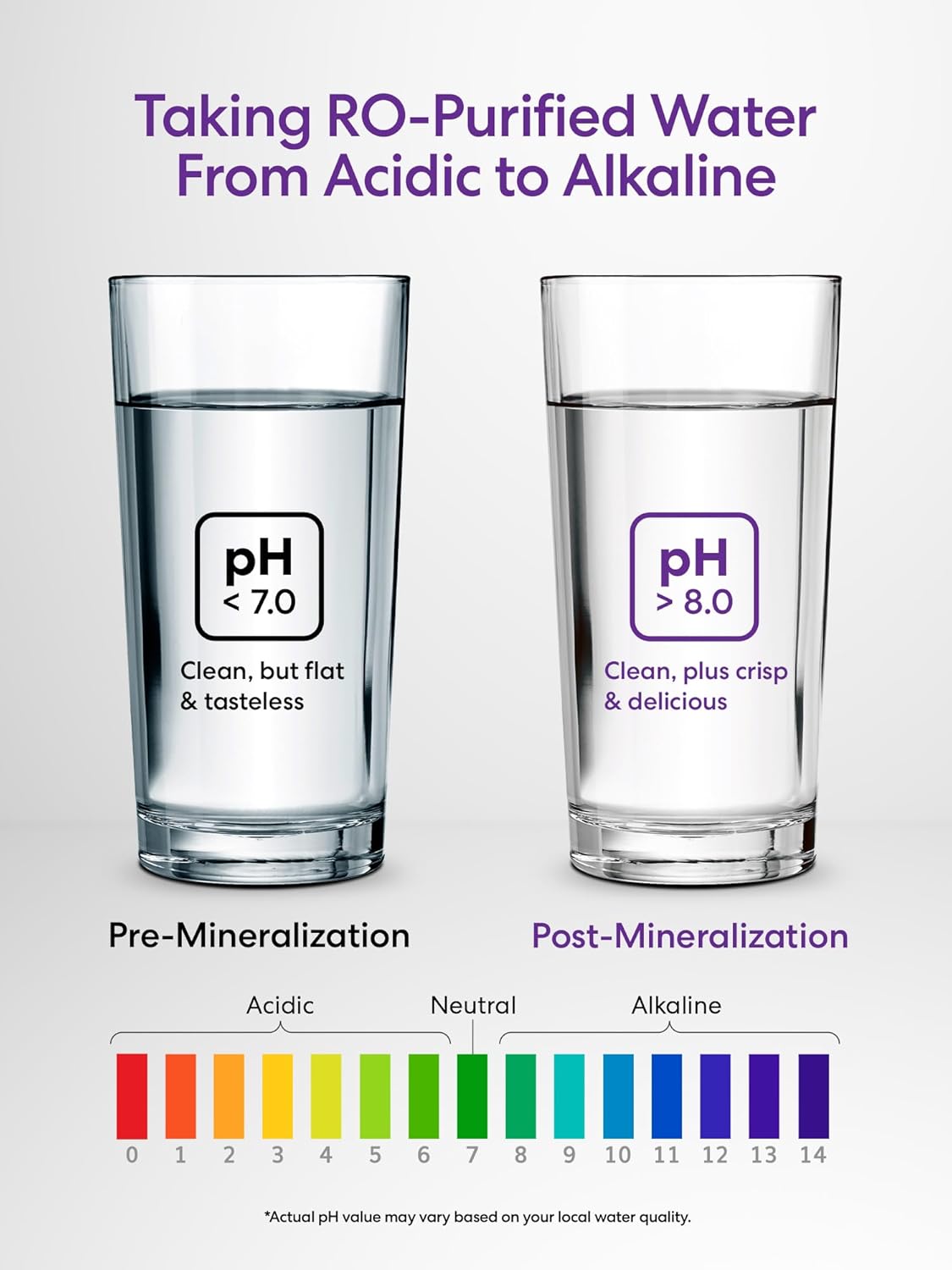
Image: A visual comparison of water pH before and after mineralization. The "Pre-Mineralization" glass shows water with a pH less than 7.0 (acidic), described as "Clean, but flat & tasteless." The "Post-Mineralization" glass shows water with a pH greater than 8.0 (alkaline), described as "Clean, plus crisp & delicious." A pH scale is shown below, indicating the shift from acidic to alkaline.
Compatibility
This Brio 4-Stage Reverse Osmosis & Mineralization Water Filter Kit (Model: MIB400PKRM) is specifically designed as a mineralizing alternative to the Brio MIB400PKRO filter replacement kit. It is compatible with the following Brio 4-stage reverse osmosis cooler dispensers:
- CLPOU520UVRO4
- CLPOU720UVRO4
Also compatible with:
- CLPOU430UVRO4
- CLPOU520UVRO4
- CLPOU530UVRO4
- CLPOU720UVRO4BK
- CLPOU720UVRO4X
- CLPOU720UVRO4IC
- CLPOU720UVRO4IX
- CLPOU720UVRO4TN
- CLPOU730UVRO4CF

Image: Three Brio water cooler models (CLPOU520UVRO4B, CLPOU730UVRO4, CLPOU720UVRO4) are shown, illustrating the types of dispensers this filter kit is compatible with. A list of additional compatible models is provided below the images.
Setup and Installation
The Brio filter kit features quick-change engineering for easy installation. Always refer to your specific Brio RO dispenser's user manual for detailed instructions on accessing the filter compartment and preparing for filter replacement.
General Filter Replacement Steps:
- Turn Off Water Supply: Locate the water supply valve to your Brio RO dispenser and turn it off to prevent water flow during filter replacement.
- Depressurize System: Dispense water from the hot and cold spouts until the water flow stops, relieving pressure in the system.
- Access Filter Compartment: Open the filter compartment door on your Brio dispenser.
- Remove Old Filters: For each filter, twist the old cartridge counter-clockwise approximately a quarter turn until it disengages from the filter head. Pull the filter straight down to remove it. Be prepared for a small amount of residual water to drip out.
- Install New Filters: Remove the protective caps from the new filter cartridges. Align the new filter cartridge with the corresponding filter head (ensure correct stage order: Sediment, Pre Carbon, RO Membrane, Mineralization). Push the filter up into the head and twist clockwise approximately a quarter turn until it locks securely into place. You should feel a click or resistance indicating it's seated properly.
- Restore Water Supply: Slowly turn the water supply valve back on.
- Flush New Filters: It is crucial to flush the new filters to remove any carbon fines and air. Refer to your dispenser's manual for the specific flushing procedure. Typically, this involves dispensing several gallons of water through the system until the water runs clear and free of air bubbles.
- Check for Leaks: Carefully inspect all filter connections for any signs of leaks. If a leak is detected, turn off the water supply, re-seat the filter, and re-check.
Operating Principles
The Brio 4-Stage Reverse Osmosis & Mineralization Water Filter Kit operates by passing water through a series of specialized filters, each designed to target specific contaminants and then reintroduce beneficial minerals. The process ensures that your drinking water is not only clean but also has an improved taste and balanced pH.
Water first enters the Sediment Filter, which acts as a pre-filter, removing larger particles. Next, the water flows through the Pre Carbon Filter, which addresses chlorine, odors, and organic compounds. The heart of the purification is the Reverse Osmosis Membrane, which meticulously filters out microscopic impurities and dissolved solids. Finally, the water passes through the Mineralization & Post Carbon Filter, where essential minerals like calcium, magnesium, and potassium are infused back into the water, and a final polishing step removes any remaining tastes or odors, resulting in a refreshing, mineral-rich water.
Maintenance
Regular maintenance, primarily filter replacement, is essential to ensure the continued performance and water quality of your Brio RO dispenser. The lifespan of the filters can vary depending on your local water quality and usage frequency.
Filter Replacement Schedule:
- Sediment Filter: Replace every 6-12 months.
- Pre Carbon Filter: Replace every 6-12 months.
- Reverse Osmosis Membrane: Replace every 6-12 months.
- Mineralization & Post Carbon Filter: Replace every 6-12 months.
Note: These are general guidelines. If you notice a decrease in water flow, a change in taste or odor, or if your dispenser's filter indicator light illuminates, it may be time to replace your filters sooner.
Refer to the "Setup and Installation" section for detailed steps on how to replace the filters.
Troubleshooting
This section addresses common issues you might encounter with your Brio filter system. For more complex problems, please refer to your Brio RO dispenser's main user manual or contact Brio customer support.
| Problem | Possible Cause | Solution |
|---|---|---|
| Slow Water Flow | Clogged filters (especially Sediment or RO Membrane), low water pressure, air in the system. | Check filter replacement schedule; replace clogged filters. Ensure adequate water supply pressure. Flush the system to remove air. |
| Unpleasant Taste or Odor | Expired carbon filters, new filters not properly flushed, contamination. | Replace Pre Carbon or Mineralization/Post Carbon filters. Flush new filters thoroughly. Inspect for system contamination. |
| Water Leaks from Filter Connections | Filters not seated correctly, damaged O-rings, cracked filter housing. | Turn off water supply. Re-seat filters by twisting firmly. Inspect O-rings for damage; replace if necessary. If housing is cracked, contact Brio support. |
| Filter Indicator Light Remains On After Replacement | Indicator not reset, sensor issue. | Refer to your Brio dispenser's manual for instructions on how to reset the filter indicator. |
Specifications
- Product Name: Brio 4-Stage Reverse Osmosis & Mineralization Water Filter, Replacement Filter Set
- Model Number: MIB400PKRM
- Dimensions: 11.25"D x 3.5"W x 3.5"H (per filter, approximate)
- Item Weight: 2 Pounds (total kit)
- Material: Plastic
- Filtration Stages: 4 (Sediment, Pre Carbon, RO Membrane, Mineralization/Post Carbon)
- RO Membrane Capacity: 75 GPD (Gallons Per Day)
- External Testing Certification: NSF
- Compatibility: Brio 4-stage reverse osmosis cooler dispensers (e.g., CLPOU520UVRO4, CLPOU720UVRO4)
Warranty and Support
Specific warranty information for replacement filter kits is typically covered under the terms of your Brio RO dispenser's original warranty or Brio's general accessory warranty policy. Please retain your proof of purchase.
For detailed warranty terms, technical support, or to purchase replacement filters, please visit the official Brio website or contact Brio customer service directly. Contact information can usually be found on the Brio website or in the original dispenser's user manual.
Brio Official Website: Visit the Brio Store on Amazon
Related documentsMIB400PKRM

Ask a question about this manual
Ask about setup, troubleshooting, compatibility, parts, safety, or missing instructions. Manuals+ will review the question and use this page’s manual context to help answer it.