Introduction
Thank you for choosing the UROINT Bumper Car Building Set. This comprehensive instruction manual provides detailed guidance for assembling, operating, and maintaining your 1840-piece amusement park model. Designed for ages 6 and up, this STEM toy offers an engaging and educational building experience, culminating in an interactive bumper car arena.
The set features a realistic collection including various karts, a booking office, a race timer, and stage lights. Once assembled, the electric control system allows the bumper cars to chase and collide within the arena, providing dynamic play. This model is also designed to be expandable, allowing integration with other theme park kits to create a larger funfair.
What's in the Box
Your UROINT Bumper Car Building Set includes the following components:
- 1840 Building Pieces (various shapes and colors)
- Detailed Instruction Manual
- Electric Control Unit (requires 6 C batteries, not included)
- Multiple Bumper Car Models
- Sticker Sheet for detailing
Please inspect all components upon opening the package. If any pieces are missing or damaged, refer to the 'Warranty and Support' section for assistance.
Assembly Instructions
Assembly of the UROINT Bumper Car Building Set is an immersive process that typically takes approximately 10 hours. Follow the detailed, step-by-step instructions provided in the included manual. Organize your pieces by type and color to streamline the building process.

Image: Initial assembly steps with various building blocks and the instruction manual.
The manual provides clear visual guides for each stage of construction, from the base structure to the intricate details of the bumper cars and the overhead power grid. Pay close attention to the placement of the electric control unit and the magnetic components that enable the cars' movement.
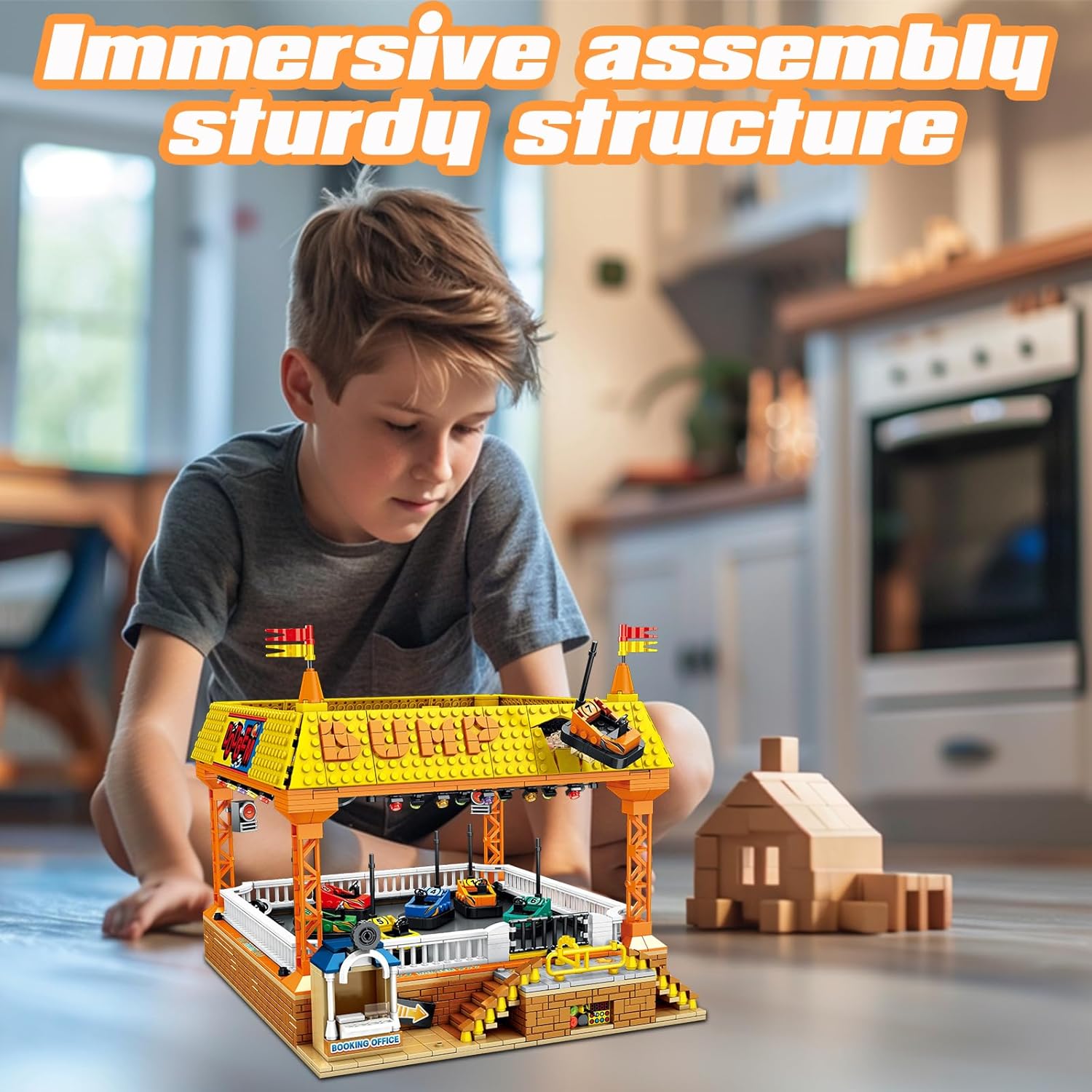
Image: A child engaged in the assembly of the bumper car set, highlighting the sturdy structure.
Ensure all connections are secure to guarantee the stability and functionality of the completed model. The set is designed for a sturdy structure, providing a durable display piece and interactive toy.
Video: A quick overview of the assembly process and the completed bumper car set in action.
Operating Instructions
Once assembly is complete, you can activate the interactive features of your UROINT Bumper Car Building Set:
- Install Batteries: Locate the battery compartment for the electric control unit. Insert 6 C batteries (not included) according to the polarity markings.
- Power On: Move the slider switch on the control unit to the 'ON' position.
- Activate Bumper Cars: Press the designated button on the control unit to start the bumper cars. The cars will begin to move and interact within the arena.
- Interactive Elements: The set includes a booking office with an opening gate. You can manually open and close the gate to simulate entry and exit from the ride.

Image: The bumper cars in action, demonstrating the electric control and movement.
The magnetic system embedded in the base and the cars allows for dynamic and continuous movement, simulating a real bumper car experience.
Video: Close-up of the bumper cars moving and interacting in the arena.
Maintenance
To ensure the longevity and optimal performance of your UROINT Bumper Car Building Set, follow these maintenance guidelines:
- Cleaning: Dust the model regularly with a soft, dry cloth. For stubborn dirt, use a slightly damp cloth and dry immediately. Avoid harsh chemicals or abrasive cleaners.
- Battery Care: Remove batteries from the control unit if the set will not be used for an extended period to prevent leakage. Replace all batteries at the same time with new ones.
- Storage: Store the set in a cool, dry place away from direct sunlight and extreme temperatures to prevent material degradation.
- Component Check: Periodically check for any loose or damaged pieces. Reattach or replace as necessary to maintain structural integrity and functionality.
Troubleshooting
If you encounter any issues with your UROINT Bumper Car Building Set, refer to the following common problems and solutions:
- Missing Pieces: While every brick undergoes triple-check quality control, rare shortages can occur. If you find a missing accessory, please contact our customer service team immediately through the contact information provided in the package or on the Amazon platform.
- Bumper Cars Not Moving:
- Ensure 6 C batteries are correctly installed in the electric control unit and are not depleted.
- Verify that the power switch on the control unit is in the 'ON' position.
- Check all electrical connections within the base for secure attachment.
- Confirm that the magnetic components in the cars and the base are properly aligned and free from obstruction.
- Parts Not Fitting: Ensure you are using the correct pieces for each step as indicated in the instruction manual. Some pieces may require a firm but gentle push to connect.
Specifications
| Feature | Detail |
|---|---|
| Brand Name | UROINT |
| Model Name | JD037 |
| Model Number | 7014001 |
| Number of Pieces | 1840 |
| Item Dimensions | 11.1 x 14.6 x 10.4 inches |
| Item Weight | 2.02 Kilograms |
| Material Type | Plastic |
| Power Source | Battery Powered |
| Battery Requirement | 6 C batteries (not included) |
| Educational Objective | STEM |
| Assembly Required | Yes |
| Approximate Assembly Time | 10 Hours |
| Minimum Age Recommendation | 72 months (6 years) |
| Control Method | Touch |
Warranty and Support
UROINT is committed to providing high-quality products. We ensure that every brick undergoes triple-check quality control. In the rare event of a missing piece or any product-related issue, our dedicated team is ready to assist you swiftly.
For support, please contact our customer service team through the contact information provided in your product packaging or via the Amazon platform. We aim to resolve any problems promptly to ensure your satisfaction.
This product is eligible for a 30-day refund/replacement policy from the date of purchase, as per Amazon's return policy.