
Introduction
This manual provides detailed instructions for the safe and efficient use of your pangootek P100S Portable Power Bank Station. This high-capacity 99.9Wh power bank is designed to provide reliable power for various devices, making it suitable for home emergencies, outdoor activities, and travel. Please read this manual thoroughly before operation and retain it for future reference.
Product Overview
The pangootek P100S is a versatile portable power solution featuring a 99.9Wh capacity, multiple output ports, and a built-in flashlight. It is designed for convenience and reliability.
Key Features:
- High-Capacity 99.9Wh: Powers most phones 7-8 times and laptops 3-4 times.
- PD 22.5W Rapid Charging: Charges phones to 60% in approximately 30 minutes.
- 7 Outputs & 3 Inputs: Allows simultaneous charging of up to 7 devices. Includes built-in Type-C and Lightning cables.
- Intelligent LCD Digital Display: Shows accurate remaining battery percentage.
- Built-in Flashlight: Features 4 modes (Strong, Soft, Strobe, SOS) for emergency use.
- Safety Protections: Includes over-voltage, over-power, over-charge, over-discharge, short-circuit, and high-temperature protection.
What's Included:
- 1x pangootek P100S Portable Power Bank Station (99.9Wh)
- 1x Charging Cable
- 1x User Manual (this document)
Setup
Before first use, fully charge your pangootek P100S Portable Power Bank Station.
- Unpack: Carefully remove the power bank and all accessories from the packaging.
- Initial Charge: Connect the provided charging cable to one of the input ports (Micro USB, Lightning, or Type-C) on the power bank and plug the other end into a suitable power adapter (not included) or a USB wall charger.
- Monitor Charging: The LCD display will show the charging progress. The device is fully charged when the display shows 100%.
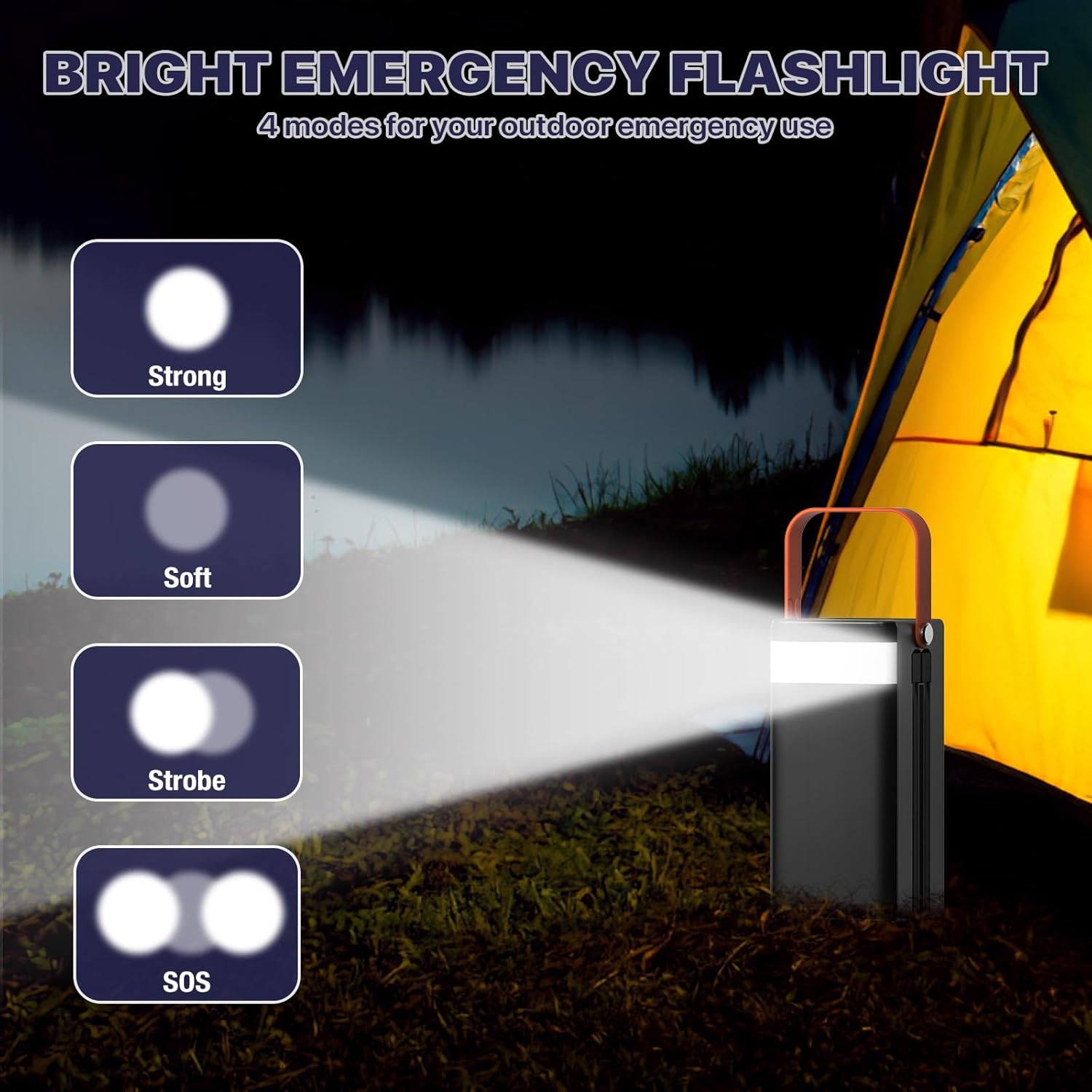
Image: The pangootek P100S Portable Power Bank Station connected to a wall adapter for recharging. The LCD screen shows the charging percentage.

Image: Close-up view of the power bank's input ports, including Micro USB, Lightning, and Type-C. Note: The built-in cables are for output only and cannot recharge the power bank.
Operating Instructions
Powering On/Off:
To turn the power bank on or off, press and hold the power button located on the device until the LCD screen illuminates or turns off.
Charging Devices:
The power bank offers multiple output options for charging various devices.
- Connect Device: Use the appropriate cable to connect your device to one of the available output ports on the power bank.
- Select Port: The power bank features USB-A ports, a PD 22.5W USB-C port, and built-in Type-C and Lightning cables. Choose the port compatible with your device for optimal charging speed.
- Monitor Charging: The LCD display will show the remaining battery level of the power bank. Your device's screen will indicate its charging status.

Image: The power bank actively charging a laptop via its USB-C port and a smartphone using its built-in Lightning cable. The display shows 90% battery.
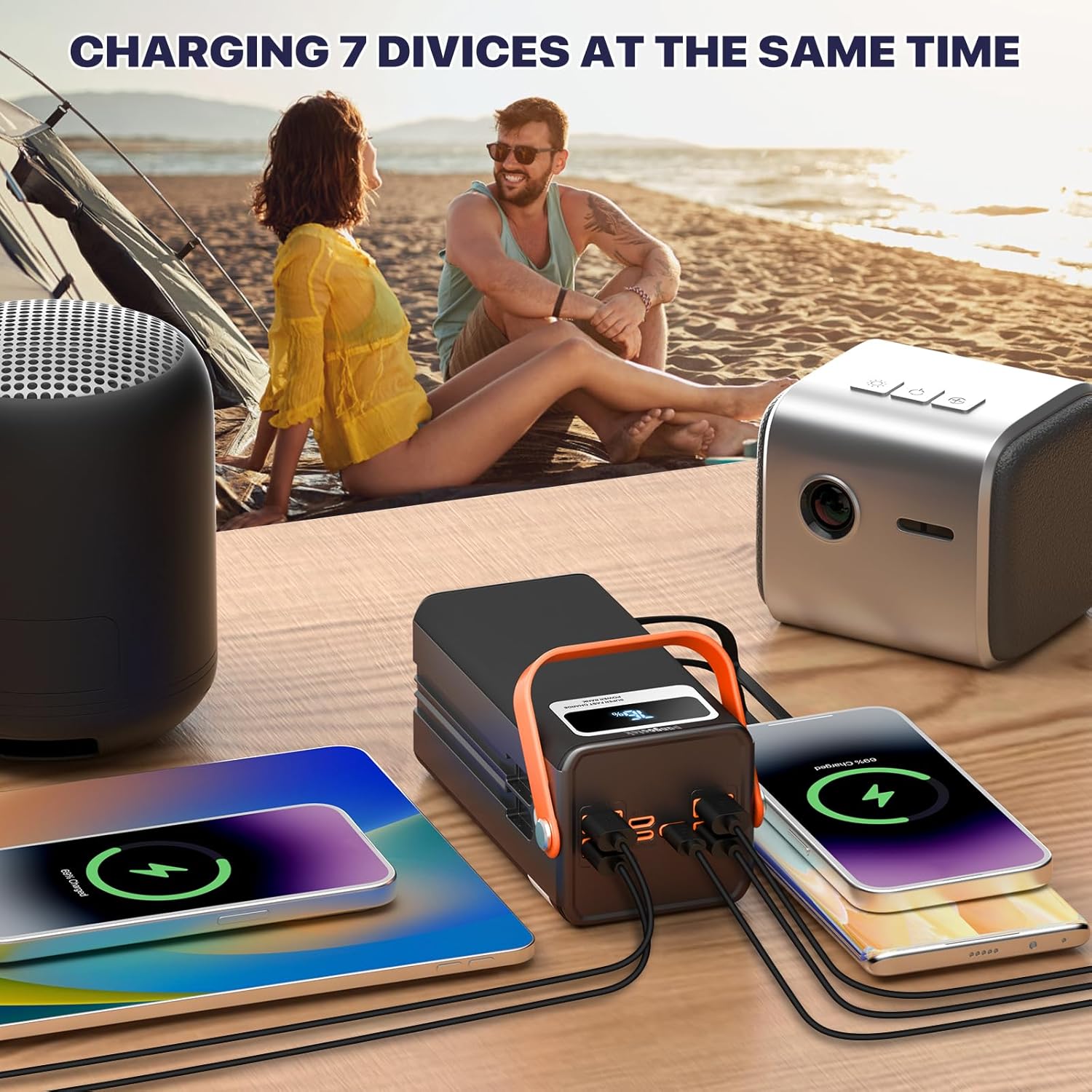
Image: The power bank connected to and charging multiple devices, including phones and tablets, demonstrating its multi-output capability.

Image: The power bank charging a Nintendo Switch and a tablet, highlighting its versatility for various electronic devices.
Flashlight Operation
The built-in flashlight provides illumination for various situations, including emergencies.
- Activate: Double-click the flashlight button to turn the flashlight on.
- Change Modes: Once the flashlight is on, press the button once to cycle through the 4 available modes: Strong, Soft, Strobe, and SOS.
- Deactivate: Double-click the flashlight button again to turn the flashlight off.

Image: Visual representation of the four flashlight modes: Strong, Soft, Strobe, and SOS, with the power bank's flashlight illuminated.

Image: The power bank's flashlight being used in different outdoor and emergency settings, showcasing its utility.
Safety Information
To ensure safe operation and prolong the lifespan of your power bank, please adhere to the following safety guidelines:
- Do not expose the device to extreme temperatures, direct sunlight, or high humidity.
- Avoid dropping, puncturing, or disassembling the power bank.
- Keep out of reach of children.
- Use only compatible charging cables and adapters.
- The power bank is equipped with multiple protection features:
- Over-voltage protection
- Over-power protection
- Over-charge protection
- Over-discharge protection
- Short-circuit protection
- High-temperature protection
- Do not attempt to recharge the power bank through multiple input ports simultaneously.

Image: The power bank with an airplane icon, indicating it is safe for air travel due to its 99.9Wh capacity.

Image: Icons representing the safety features of the power bank, including over-voltage, over-power, over-charge, over-discharge, short-circuit, and high-temperature protection.
Specifications
| Feature | Detail |
|---|---|
| Brand | pangootek |
| Model Name | P100S |
| Wattage | 99.9 Watt-hours |
| Power Source | Battery Powered |
| Item Weight | 1.46 Pounds |
| Total Power Outlets | 7 |
| Item Dimensions (L x W x H) | 2.84"L x 2.6"W x 5.87"H |
| Special Features | 99.9Wh Portable Power Station, Fast Charging PD 22.5W, Portable Charger for Laptop, with built-in Type-C and Lightning output cables |
Troubleshooting
- Device not charging:
- Ensure the power bank is sufficiently charged. Check the LCD display for battery percentage.
- Verify that the charging cable is securely connected to both the power bank and your device.
- Try a different charging cable or port on the power bank.
- Confirm your device is compatible with the power bank's output specifications.
- Power bank not charging:
- Ensure the charging cable is securely connected to the power bank's input port and the power source.
- Try a different wall adapter or USB port.
- Verify the power source is active.
- Flashlight not working:
- Double-click the flashlight button to activate it.
- Ensure the power bank has sufficient charge.
- LCD display not working:
- Press the power button briefly to wake the display.
- If the display remains off, the power bank may be fully discharged or require a reset (try connecting it to a charger).
Warranty and Support
The pangootek P100S Portable Power Bank Station comes with a 1-Year Warranty from the date of purchase.
For any issues, questions, or support needs, please contact pangootek customer service. We aim to respond to all inquiries within 24 hours.
Please refer to your purchase documentation for specific contact details or visit the official pangootek website.
Product Videos
Video: An official product video from pangoo-US demonstrating the features and usage of the Pangootek R300 Portable Power Station, including charging various devices and its portability.