
XIAOKOA ARU10
XIAOKOA Wireless Guitar Transmitter Receiver User Manual
Model: ARU10 / K380

This image displays the XIAOKOA UHF Wireless Guitar System, highlighting its key features: UHF technology, 2-in-1 plug, Type-C charging, and 164 ft long-distance wireless transmission. It shows both the transmitter and receiver units.
Introduction
Thank you for choosing the XIAOKOA Wireless Guitar Transmitter Receiver. This system utilizes advanced UHF wireless technology to provide stable and high-quality audio transmission for various musical instruments. Designed for ease of use and portability, it offers a reliable wireless solution for musicians.
Key Features
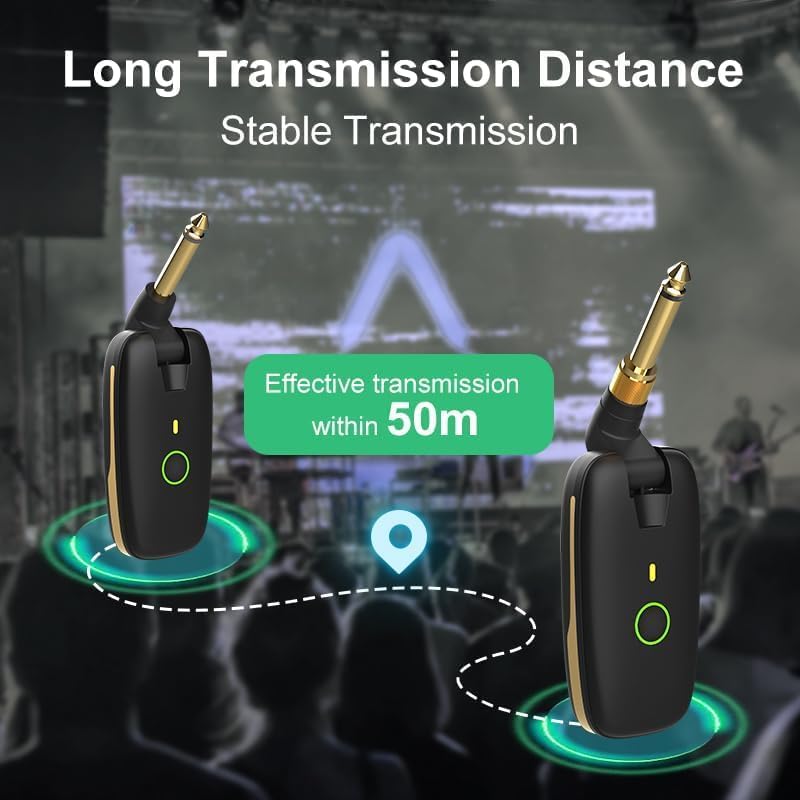
- UHF Wireless Technology: Ensures stable and high-quality audio transmission with a maximum range of 164 feet (50 meters).
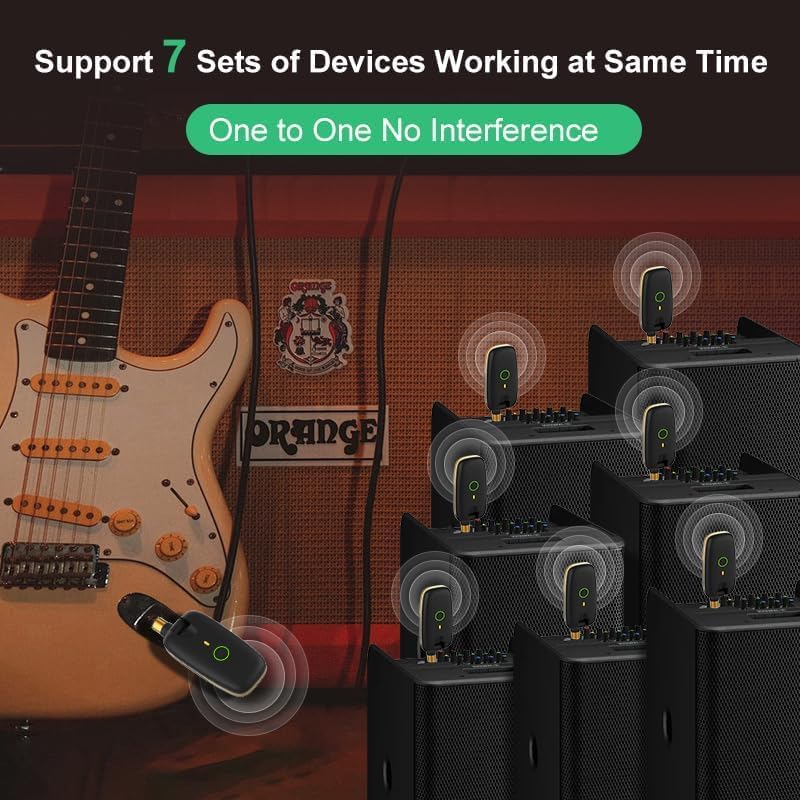
- Multi-Channel Support: Built-in 7 different frequency channels, allowing up to 7 groups of transmission systems to operate simultaneously without interference. Supports one transmitter connecting to multiple receivers.
- 2-in-1 Plug Design: The transmitter features a versatile 1/4” (6.35mm) and 1/8” (3.5mm) plug, compatible with a wide range of musical instruments including guitars and basses.
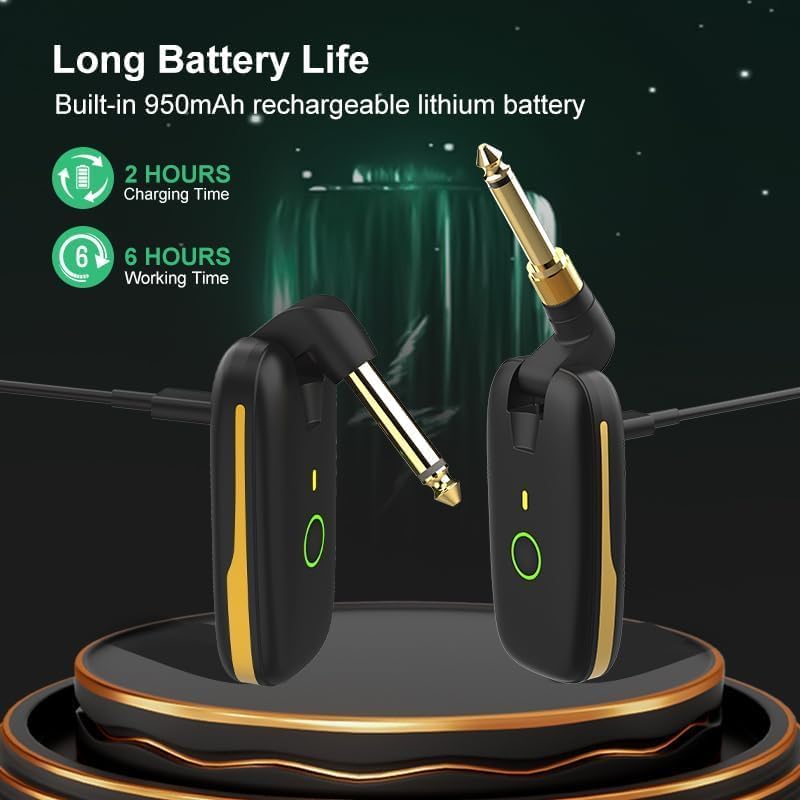
- Rechargeable Battery: Equipped with a built-in 950mAh rechargeable battery, offering up to 7 hours of working time on a full charge. Conveniently charges via TYPE-C cable.
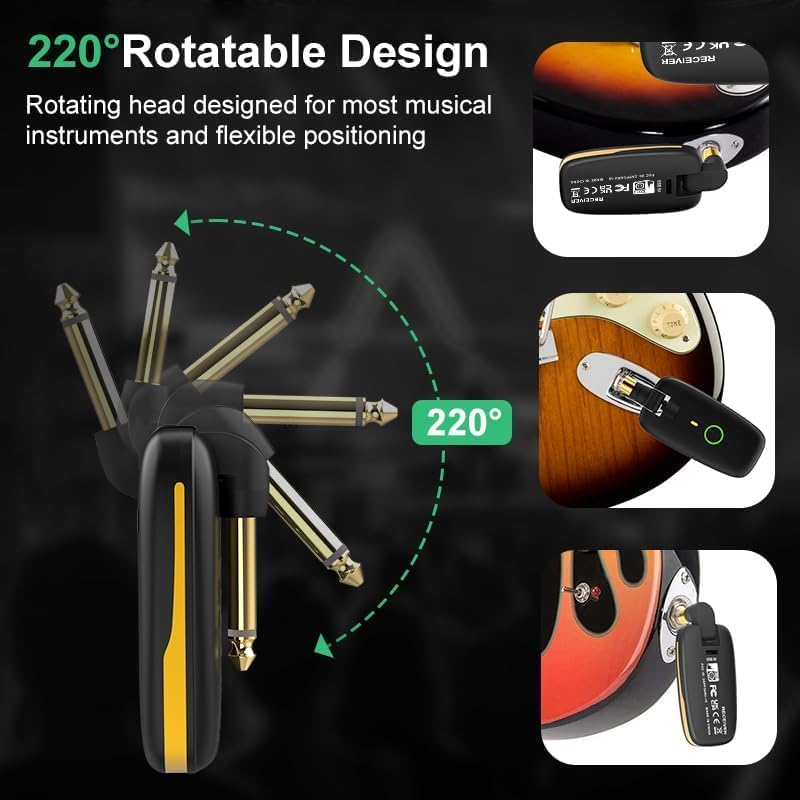
- 220° Rotatable Plug: Designed for flexibility, the plug can rotate 220 degrees, making it suitable for various instrument jack positions and ensuring easy plug-and-play operation.
Product Overview
The XIAOKOA Wireless Guitar System consists of two main units: a Transmitter and a Receiver. Both units are compact and designed for optimal performance.

This image shows the XIAOKOA Wireless Guitar Transmitter and Receiver side-by-side, highlighting their compact design and the 1/4-inch audio jacks.
Components:
- Transmitter Unit: Plugs into your instrument (guitar, bass, etc.). Features a 2-in-1 plug (1/4" and 1/8").
- Receiver Unit: Plugs into your amplifier, mixer, or other audio input device.
- USB-C Charging Cable: For recharging both units simultaneously.
This image illustrates the innovative 2-in-1 plug design of the transmitter, showing both the 6.35mm (1/4") and 3.5mm (1/8") options for wider compatibility.

This image demonstrates the 220-degree rotatable plug feature, allowing for flexible positioning and compatibility with various instrument jack angles.
Setup Guide
1. Charging the Units
Before first use, ensure both the transmitter and receiver units are fully charged.
- Connect the provided USB-C charging cable to the charging ports on both the transmitter and receiver.
- Plug the other end of the USB-C cable into a standard USB power adapter (not included) or a computer USB port.
- The indicator light on each unit will illuminate during charging and turn off when fully charged. A full charge typically takes about 2 hours.
This image depicts the transmitter and receiver units being charged via a USB-C cable, illustrating the charging process and indicating the battery life.
2. Connecting to Instruments and Amplifiers
- Transmitter: Plug the transmitter unit into the output jack of your musical instrument (e.g., guitar, bass). Adjust the 220° rotatable plug for the best fit and angle.
- Receiver: Plug the receiver unit into the input jack of your amplifier, mixer, or audio interface.
This image demonstrates the wireless system in use, with the transmitter connected to a guitar and the receiver connected to an amplifier, showcasing its application with various musical instruments.
3. Pairing and Channel Selection
- Power on both the transmitter and receiver units by pressing and holding their respective power buttons.
- The units should automatically pair. If they do not, or if you experience interference, you can manually change the channel.
- To change the channel, briefly press the power button on either the transmitter or receiver. Both units will cycle through the 7 available channels. Ensure both units are on the same channel for proper operation. The indicator light will change color or flash to indicate the current channel.

This diagram illustrates how up to 7 sets of wireless systems can work simultaneously without interference, showing a transmitter broadcasting to multiple receivers.
Operating Instructions
Power On/Off
Press and hold the power button on each unit for approximately 2-3 seconds to turn them on or off. The indicator light will illuminate when the unit is powered on.
Wireless Transmission
Once both units are powered on and paired, the system will transmit your instrument's audio wirelessly. Maintain a clear line of sight between the transmitter and receiver for optimal performance. The effective transmission range is up to 50 meters (164 feet).
This image visually represents the long transmission distance capability of the wireless system, indicating effective transmission within 50 meters.
Battery Life Indication
The indicator light on each unit may change color or flash to indicate low battery. Recharge the units when the battery is low to ensure uninterrupted performance.
Maintenance
- Keep the units clean by wiping them with a soft, dry cloth.
- Avoid exposing the units to extreme temperatures, humidity, or direct sunlight.
- Do not disassemble the units. Refer to qualified service personnel for any repairs.
- Store the units in a cool, dry place when not in use for extended periods.
Troubleshooting
| Problem | Possible Cause | Solution |
|---|---|---|
| No sound or intermittent sound. |
|
|
| Poor sound quality / Noise. |
|
|
| Units not charging. |
|
|
Specifications
| Feature | Detail |
|---|---|
| Brand | XIAOKOA |
| Model Name | K380 |
| Item Model Number | ARU10 |
| Product Dimensions | 9.8 x 10.1 x 4.8 cm |
| Item Weight | 180 Grams |
| Batteries | 2 Lithium Polymer batteries (included) |
| Compatible Devices | Guitar, Bass, Audio Mixer, Electronic Drum, Violin, Keyboard |
| Color | Black |
| Transmission Technology | UHF Wireless |
| Transmission Range | Up to 164 feet (50 meters) |
| Channels | 7 Frequency Channels |
| Battery Capacity | 950mAh (each unit) |
| Working Time | Up to 7 hours |
| Charging Port | TYPE-C |
| Plug Type | 1/4” (6.35mm) and 1/8” (3.5mm) 2-in-1 |
| Plug Rotation | 220° Rotatable |
Warranty and Support
XIAOKOA products are designed for reliability and performance. For warranty information, technical support, or service inquiries, please refer to the contact information provided with your purchase or visit the official XIAOKOA website. Please retain your proof of purchase for warranty claims.
Related documentsARU10

Ask a question about this manual
Ask about setup, troubleshooting, compatibility, parts, safety, or missing instructions. Manuals+ will review the question and use this page’s manual context to help answer it.