
1. Introduction
This manual provides detailed instructions for the safe installation, operation, and maintenance of your Garwarm 20-inch Caged Ceiling Fan with Light. Please read all instructions carefully before beginning installation and retain this manual for future reference.
The Garwarm Caged Ceiling Fan with Light combines a fan and lighting fixture in a compact design. It features a rustic industrial style with crystal accents, a quiet motor, 6 adjustable wind speeds, a timing function, and a reversible motor for year-round comfort. Control is available via remote control and a dedicated mobile application.
2. Safety Information
- Always turn off the power at the circuit breaker before installation, cleaning, or maintenance.
- Ensure all electrical connections comply with local codes and ordinances, as well as the National Electrical Code (NEC).
- Consult a qualified electrician if you are unsure about wiring or installation.
- Use only E26 base bulbs, maximum 60W each (bulbs not included).
- Do not bend the fan blades or apply excessive force to the fan cage during installation or cleaning.
- Ensure the mounting structure can support the weight of the fan.
- This product is designed for indoor use only.
3. Package Contents
Verify that all components are present before beginning installation:
- Caged Ceiling Fan Unit
- Remote Control
- Mounting Hardware Kit
- Instruction Manual (this document)
4. Product Specifications
| Feature | Specification |
|---|---|
| Model Number | TT-JD7066-4B |
| Dimensions (Diameter x Height) | 20 inches (51cm) x 7.48 inches (19cm) |
| Ceiling Canopy (Diameter x Height) | 7.08 inches (18cm) x 3.34 inches (8.5cm) |
| Material | Metal, Crystals |
| Color | Black with crystals |
| Light Source | 4 x E26 Base Bulbs (Not included) |
| Max Wattage per Bulb | 60W |
| Voltage | 110 Volts |
| Control Method | Remote Control, Mobile App |
| Fan Speeds | 6 levels |
| Timer Settings | 1H, 2H, 4H, 8H |
| Motor Power | 15W |
| Noise Level | Below 30dB (Quiet operation) |
Note: The remote and app control do not support infinite dimming for the light. The fan blades are removable and washable.

Image: Detailed product parameters including dimensions, wattage, material, color, and control mode.

Image: Close-up details of the fan, showing lightweight fan blades, solid chassis, sparkling crystal decoration, and E26 bulb sockets.
5. Installation Instructions
Professional installation is recommended. Ensure power is disconnected at the circuit breaker before proceeding.
- Mounting Bracket Installation: Securely fix the hanging bracket onto the ceiling. The choice of screws should be based on the actual ceiling condition to ensure stability.
- Wiring: Hang the fan unit onto the 'S' hook of the hanging bracket to facilitate wiring. Connect the power lines according to the wiring diagram provided in the separate wiring instructions. Ensure all connections are tight and secure.
- Final Assembly: Once wiring is complete, carefully lift the fan unit and secure it to the mounting bracket. Install the E26 bulbs (not included) into the sockets.
Video: This video demonstrates the installation process for the Garwarm Caged Ceiling Fan, including mounting the bracket and connecting the wiring.

Image: Instructions for installing the remote control holder onto a wall or surface.
6. Operating Instructions
Your Garwarm ceiling fan can be operated using the included remote control or a compatible mobile application.
6.1 Remote Control Functions
- Fan On/Off: Turns the fan on or off.
- Light On/Off: Turns the light on or off.
- Fan Speed (1-6): Adjusts the fan speed from 1 (gentle breeze) to 6 (strong wind).
- Timer (1H/2H/4H/8H): Sets the fan to turn off automatically after the selected duration.
- Forward/Reverse Rotation: Changes the direction of the fan blades for seasonal use.
- Code Alignment: Used to pair the remote with the fan if needed.
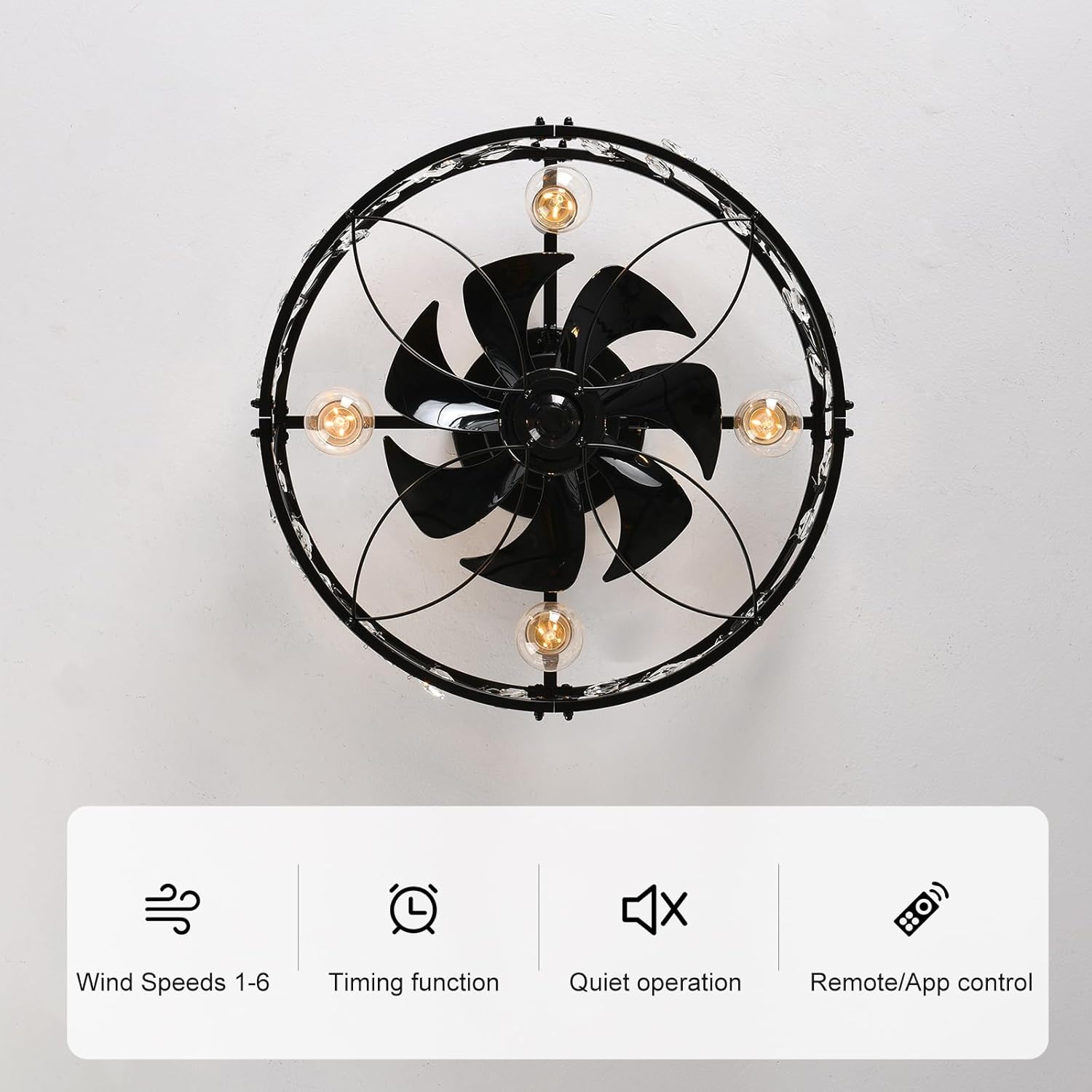
Image: Overview of the remote control and mobile app interface, highlighting wind speeds, timing, quiet operation, and control options.

Image: Detailed view of the remote control buttons and their corresponding functions, including fan speed, light control, and timer settings.
6.2 Mobile Application Control
The fan can also be controlled via a mobile application. Refer to the QR code in your packaging or the video below for instructions on downloading and pairing the app.
Video: This video provides instructions on how to use the remote control and the mobile application to operate the Garwarm Caged Ceiling Fan.
6.3 Seasonal Operation (Reversible Motor)
The fan features a reversible motor to optimize air circulation for different seasons:
- Summer Mode (Downward Airflow): The fan blades rotate counter-clockwise, pushing cool air downwards to create a refreshing breeze.
- Winter Mode (Upward Airflow): The fan blades rotate clockwise, drawing cool air up towards the ceiling and distributing warm air evenly throughout the room.

Image: Visual representation of the downward airflow for summer mode and upward airflow for winter mode.
7. Maintenance
Regular maintenance ensures optimal performance and longevity of your ceiling fan.
- Cleaning: Ensure the power is off before cleaning. Use a soft, damp cloth to wipe down the fan cage and blades. Avoid abrasive cleaners that may damage the finish.
- Removable Fan Blades: The fan blades are monolithic and easy to remove for thorough cleaning. They can also be stored away when not needed.
- Bulb Replacement: Turn off power before replacing bulbs. Allow bulbs to cool before handling. Use only E26 base bulbs, maximum 60W.

Image: Demonstration of cleaning the removable fan blades.
8. Troubleshooting
If you encounter issues with your ceiling fan, refer to the following common problems and solutions:
| Problem | Possible Cause | Solution |
|---|---|---|
| Fan does not start | No power, loose wiring, remote not paired | Check circuit breaker. Verify wiring connections. Re-pair remote control. |
| Light does not turn on | Bulbs faulty, loose wiring, light switch off | Replace bulbs. Check wiring. Ensure light function is enabled on remote/app. |
| Fan makes excessive noise | Loose screws, unbalanced blades, obstruction | Tighten all mounting screws. Ensure blades are clean and free of debris. |
| Remote control not working | Dead batteries, remote not paired, signal interference | Replace remote batteries. Re-pair remote with fan. Reduce interference sources. |
If the problem persists after attempting these solutions, please contact Garwarm customer support.
9. Warranty and Support
This Garwarm ceiling fan comes with a 2-year after-sales service warranty. For warranty claims or technical support, please contact Garwarm Home Decor Store directly through your purchase platform or visit the official Garwarm brand store.
Garwarm Home Decor Store: Visit Store