
1. Introduction
Thank you for choosing the Setpower FC15 Portable 12V Refrigerator. This manual provides essential information for the safe and efficient operation, maintenance, and troubleshooting of your new portable refrigerator. Please read this manual thoroughly before using the appliance and retain it for future reference.
2. Safety Instructions
To ensure safe operation, please observe the following safety precautions:
- Ensure the power supply voltage matches the appliance's requirements (12/24V DC).
- Do not immerse the refrigerator in water or expose it to excessive moisture.
- Keep ventilation openings clear of obstructions.
- Do not use electrical appliances inside the food storage compartments unless they are of the type recommended by the manufacturer.
- Avoid touching cold surfaces with wet hands to prevent frostbite.
- Disconnect the power supply before cleaning or performing maintenance.
- This appliance is not intended for use by persons (including children) with reduced physical, sensory or mental capabilities, or lack of experience and knowledge, unless they have been given supervision or instruction concerning use of the appliance by a person responsible for their safety.
3. Package Contents
Verify that all items are present in the package:
- Setpower FC15 Portable Refrigerator
- DC Power Cable (12/24V)
- User Manual (this document)
- PG216WH Portable Power Station (if included in package)

Image: The Setpower FC15 Portable Refrigerator shown with the PG216WH Portable Power Station.
4. Product Overview
The Setpower FC15 is a compact and efficient portable refrigerator designed for various outdoor activities and travel. It features fast cooling capabilities and low power consumption.
Key Features:
- Fast Cooling: Achieves 32°F from 77°F in approximately 15 minutes.
- Wide Temperature Range: Operates from -4°F to 68°F (-20°C to 20°C).
- Low Power Consumption: Average consumption of 55W.
- Battery Protection: Three-level (H/M/L) battery protection system to prevent vehicle battery drain.
- Tilt Angle Tolerance: Maintains performance even at a 40° tilt angle.
- Removable Door: Ergonomic design for convenience.
- Portable Power Station (PG216WH): Lightweight (3.7 lbs) with 216Wh capacity, featuring a magnetic design for secure attachment.

Image: Illustration highlighting the powerful compressor, fast cooling, energy saving, low noise, and 3-year warranty.

Image: Graph demonstrating the fast cooling capability, showing temperature drop from 77°F to 32°F in 15 minutes and to -4°F in 60 minutes.

Image: Diagram illustrating the removable door feature for ergonomic design and convenience.
5. Setup
5.1 Initial Placement
- Place the refrigerator on a flat, stable surface.
- Ensure adequate ventilation around the unit, especially near the air inlets and outlets.
- Avoid direct sunlight or heat sources.
5.2 Power Connection
- Connect the DC power cable to the refrigerator's power input port.
- Plug the other end of the DC power cable into a 12V or 24V DC power outlet (e.g., car cigarette lighter socket).
- If using the PG216WH Portable Power Station, connect the refrigerator to the power station's DC output port.

Image: The Setpower FC15 portable refrigerator placed in the trunk of a car, demonstrating its compact size and portability.
5.3 PG216WH Portable Power Station Setup (if applicable)
- The PG216WH power station can be magnetically attached to metal surfaces for secure placement.
- Ensure the power station is fully charged before extended use. It can be fully charged in approximately 3 hours.
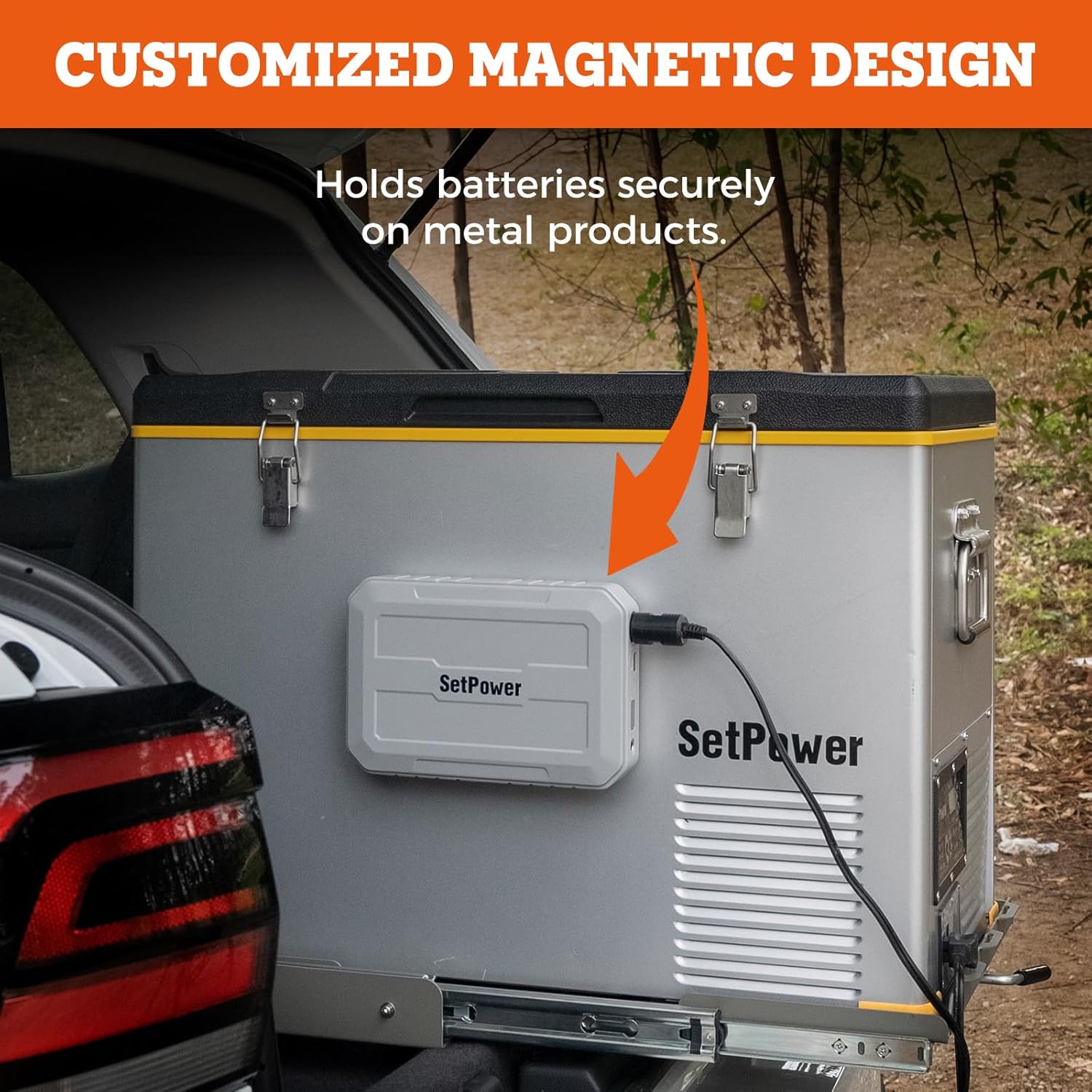
Image: The PG216WH Portable Power Station magnetically attached to a metal surface, illustrating its customized magnetic design.

Image: The PG216WH Portable Power Station connected to a wall outlet for charging, indicating it can be fully charged in 3 hours.
6. Operating Instructions
6.1 Powering On/Off
- Press and hold the power button on the control panel to turn the unit on or off.
6.2 Temperature Setting
- Use the '+' and '-' buttons on the control panel to adjust the desired temperature. The display will show the current internal temperature and the set temperature.
- The temperature range is from -4°F to 68°F (-20°C to 20°C).
6.3 Battery Protection Mode
The refrigerator features a 3-level battery protection system (H/M/L) to prevent your vehicle battery from draining. Select the appropriate level based on your battery condition and usage:
- H (High): Highest cut-off voltage, suitable for starting batteries.
- M (Medium): Medium cut-off voltage, suitable for most common use.
- L (Low): Lowest cut-off voltage, suitable for deep cycle batteries or when the refrigerator is powered by an external power station.
Refer to the control panel instructions for changing the battery protection mode.

Image: The PG216WH Portable Power Station highlighting its three protective features: temperature protection, short circuit protection, and overcharge protection.
7. Maintenance
7.1 Cleaning
- Always disconnect the power supply before cleaning.
- Clean the interior and exterior surfaces with a damp cloth and mild detergent.
- Do not use abrasive cleaners or solvents.
- Ensure the unit is completely dry before reconnecting power.
7.2 Defrosting
- The FC15 features a frost-free system. However, if ice buildup occurs, turn off the unit and allow the ice to melt naturally.
- Wipe away melted water with a clean cloth.
7.3 Storage
- When storing the refrigerator for an extended period, ensure it is clean and dry.
- Leave the lid slightly ajar to prevent odors and mold growth.
- Store in a dry, well-ventilated area.
8. Troubleshooting
If you encounter issues with your Setpower FC15, refer to the table below for common problems and solutions:
| Problem | Possible Cause | Solution |
|---|---|---|
| Refrigerator not turning on. | No power supply; loose connection; vehicle battery low. | Check power cable connection; ensure power outlet is functional; check vehicle battery voltage and adjust battery protection mode (L/M/H). |
| Unit not cooling sufficiently. | Ventilation blocked; ambient temperature too high; door not sealed properly; excessive items inside. | Ensure clear ventilation; move to a cooler environment; check door seal; do not overfill. |
| Unusual noise from unit. | Unit not level; fan obstruction. | Place on a level surface; check for obstructions around the fan. |
| Error code displayed. | Internal fault. | Note the error code and contact customer support. |
If the problem persists after attempting these solutions, please contact Setpower customer support.
9. Specifications
| Feature | Detail |
|---|---|
| Brand | Setpower |
| Model | FC15 |
| Installation Type | Freestanding |
| Form Factor | Portable |
| Voltage | 12 Volts (DC) |
| Defrost System | Frost Free |
| Refrigerant | R-134A or R-290 or R-600A |
| Cooling Performance | 77°F to 32°F in 15 mins; to -4°F in approx. 1 hour |
| Temperature Range | -4°F to 68°F (-20°C to 20°C) |
| Average Power Consumption | 55W |
| Battery Protection | 3-level (H/M/L) |
| Tilt Angle Tolerance | Up to 40° |
| PG216WH Power Station Weight | 3.7 lbs |
| PG216WH Power Station Capacity | 15000mAh | 216WH |
| PG216WH Charge Time | Approx. 3 hours |
10. Warranty and Support
Setpower provides the following warranty for the FC15 Portable Refrigerator:
- Compressor: 3 years technical support.
- Other Parts: 1 year technical support.
For any product questions, technical assistance, or warranty claims, please do not hesitate to reach out to Setpower customer support. Contact information can typically be found on the official Setpower website or through your purchase platform.
SetPower Outdoor Seller Page: Visit Seller Page

