
Introduction
Thank you for purchasing the EMB Home PKL6000 Rechargeable Translucent Party Speaker. This speaker system is designed to provide powerful audio and dynamic lighting for various events. This manual provides essential information for safe operation, setup, and maintenance of your device. Please read it thoroughly before use and retain it for future reference.
Important Safety Instructions
- Read all instructions before operating the speaker.
- Keep this manual for future reference.
- Do not use this apparatus near water.
- Clean only with a dry cloth.
- Do not block any ventilation openings. Install in accordance with the manufacturer's instructions.
- Do not install near any heat sources such as radiators, heat registers, stoves, or other apparatus (including amplifiers) that produce heat.
- Protect the power cord from being walked on or pinched, particularly at plugs, convenience receptacles, and the point where they exit from the apparatus.
- Only use attachments/accessories specified by the manufacturer.
- Unplug this apparatus during lightning storms or when unused for long periods of time.
- Refer all servicing to qualified service personnel. Servicing is required when the apparatus has been damaged in any way, such as power-supply cord or plug is damaged, liquid has been spilled or objects have fallen into the apparatus, the apparatus has been exposed to rain or moisture, does not operate normally, or has been dropped.
Package Contents
Please check the box for the following items:
- EMB Home PKL6000 Party Speaker
- Wired Microphone
- Remote Control
- Power Adapter/Charging Cable
- User Manual
Product Overview
The EMB Home PKL6000 features dual 12-inch woofers and a 1-inch titanium diaphragm driver for clear audio. It includes dynamic LED lighting and multiple connectivity options.
Control Panel and Connections
The rear control panel provides access to all input and output connections, as well as various control knobs and buttons.

Image: Detailed view of the speaker's rear control panel, showing inputs for Mic In, Guitar Jack, USB, SD Card, and controls for LED Switch, Treble, Bass, Mic Vol, Guitar Vol, Power ON/OFF, Modes, Previous, Play/Pause, Skip, Echo, Repeat, and M.PRI.
- Mic In: Connect the wired microphone.
- Guitar Jack Input: Connect a guitar or other instrument.
- USB Input: Insert a USB flash drive for audio playback.
- SD Input: Insert an SD card for audio playback.
- LED Switch: Controls the speaker's LED lighting.
- Treble/Bass: Adjust high and low frequencies.
- Mic Vol/Guitar Vol: Adjust microphone and guitar input volumes.
- Power ON/OFF: Turns the speaker on or off.
- Modes: Switches between input sources (Bluetooth, USB, SD, AUX).
- Previous/Play/Pause/Skip: Media playback controls.
- Echo: Adjusts the echo effect for the microphone.
- Repeat: Repeats the current track or playlist.
- M.PRI (Microphone Priority): Prioritizes microphone audio over music.
Key Features

Image: The speaker showcasing its various connectivity and control options, including USB, SD Card, AUX input, Remote Control, Mode selection, and Volume Knob.
- Translucent Motion (TMS) Technology: Provides vivid, multi-color surround cabinet lighting.
- Multiple Connectivity: Bluetooth, USB, SD Card, AUX.
- Wired Microphone Included: For karaoke and announcements.
- Remote Control: For convenient operation.
- Intuitive Rear Control Panel: Easy access to settings.
Setup
Charging the Speaker
Before initial use, fully charge the speaker. Connect the power adapter to the speaker's charging port and then to a power outlet. The charging indicator will illuminate. A full charge takes approximately 4.5 hours.
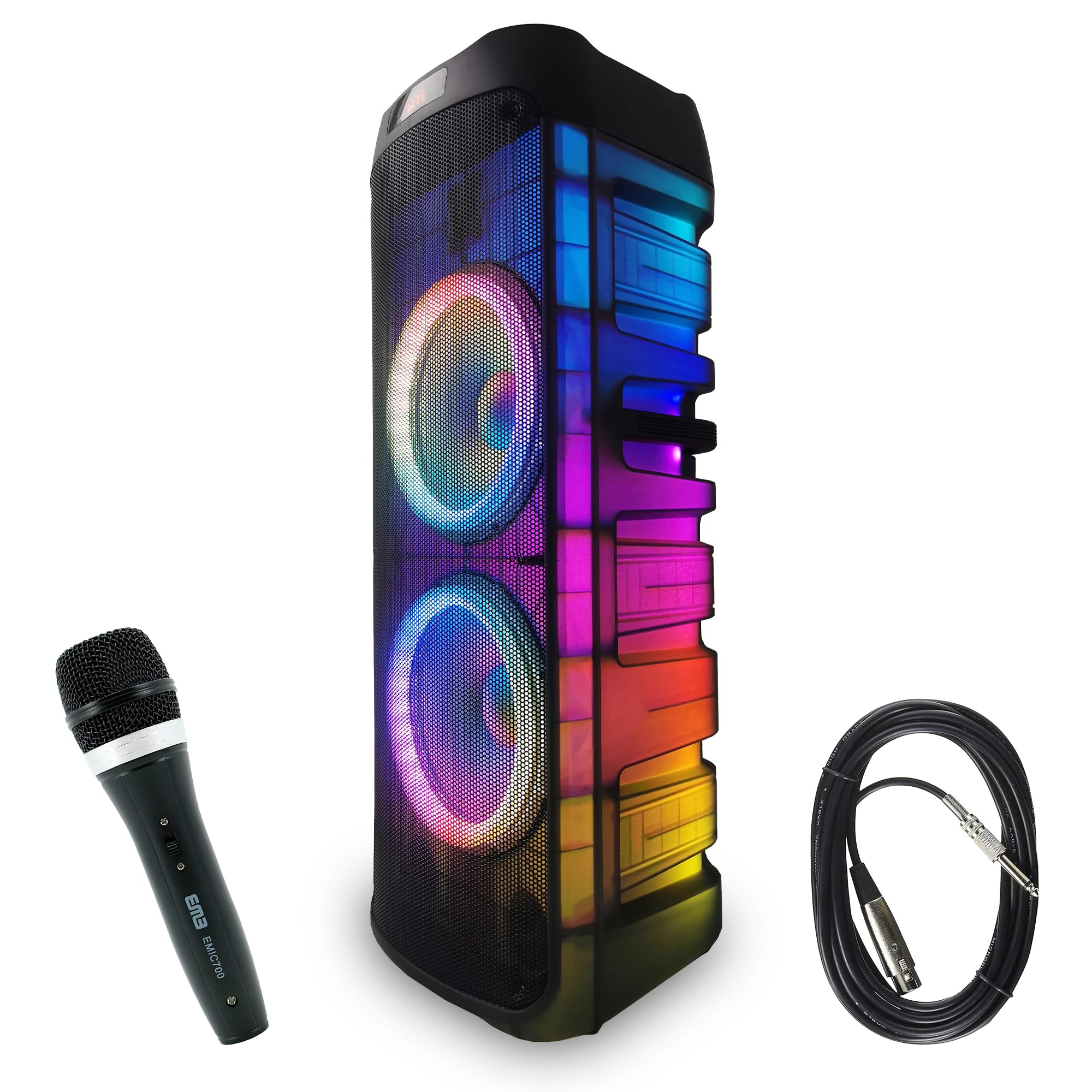
Image: The speaker displaying its charging and playback duration. Charging time is approximately 4.5 hours, and play time is approximately 5 hours on a full charge.
Powering On/Off
Locate the Power ON/OFF switch on the rear control panel. Flip the switch to the 'ON' position to power on the speaker. Flip it to 'OFF' to power off.
Operating Instructions
Bluetooth Connection
To connect a Bluetooth device:
- Turn on the speaker.
- Press the 'Mode' button on the control panel or remote until 'Bluetooth' mode is selected. The speaker will indicate it is ready for pairing.
- Enable Bluetooth on your mobile device (smartphone, tablet, etc.) and search for available devices.
- Select 'PKL6000' from the list of devices. Once paired, the speaker will confirm the connection.
- You can now play audio from your device through the speaker.

Image: Demonstrates Bluetooth connectivity (version 5.3) between a smartphone and the speaker, with an effective range of up to 30 feet.
USB/SD Card Playback
To play audio from a USB drive or SD card:
- Insert a USB flash drive into the USB port or an SD card into the SD card slot on the rear control panel.
- The speaker should automatically switch to USB/SD mode and begin playing audio. If not, press the 'Mode' button to select the correct input.
- Use the 'Previous', 'Play/Pause', and 'Skip' buttons on the control panel or remote to manage playback.
Microphone and Guitar Input
To use the microphone or connect a guitar:
- Connect the wired microphone to the 'Mic In' port or a guitar to the 'Guitar Jack Input' port.
- Adjust the 'Mic Vol' or 'Guitar Vol' knobs to control the respective input volumes.
- Use the 'Echo' knob to add an echo effect to the microphone.
- Activate 'M.PRI' (Microphone Priority) if you want the music volume to automatically lower when speaking into the microphone.
LED Lighting Control
The speaker features dynamic LED lighting. Use the 'LED Switch' on the rear control panel to turn the lights on/off or cycle through different lighting modes.

Image: The speaker illuminated with its 360-degree motion lights, creating a dynamic visual effect.
Wireless Connection (TWS Function)
The PKL6000 supports True Wireless Stereo (TWS) function, allowing you to connect two PKL6000 speakers wirelessly for a stereo sound experience.

Image: Two speakers wirelessly linked, demonstrating the ability to connect two units up to 30 feet apart for a synchronized audio experience.
- Ensure both PKL6000 speakers are powered on and in Bluetooth mode, but not yet paired with any device.
- On one of the speakers (this will be the primary speaker), press and hold the 'TWS' button (if available, or a specific mode button as per product variant) until you hear a confirmation tone.
- The two speakers will automatically connect to each other. Once connected, the primary speaker will be ready for Bluetooth pairing with your device.
- Connect your mobile device to the primary speaker via Bluetooth as described above. Audio will now play through both speakers in stereo.
Maintenance
Cleaning
Wipe the speaker's exterior with a soft, dry cloth. Do not use abrasive cleaners, waxes, or solvents. Avoid spraying liquids directly onto the speaker.
Storage
When not in use for extended periods, store the speaker in a cool, dry place away from direct sunlight and extreme temperatures. It is recommended to charge the battery every 3-6 months to maintain its lifespan.
Battery Care
To prolong battery life, avoid fully discharging the battery frequently. Charge the speaker when the battery level is low. Do not expose the battery to excessive heat.
Troubleshooting
| Problem | Possible Cause | Solution |
|---|---|---|
| Speaker does not power on. | Battery is depleted. Power cable is not connected. | Connect the power adapter and charge the speaker. Ensure the power cable is securely connected. |
| No sound from the speaker. | Volume is too low. Incorrect input mode selected. Device not properly connected. | Increase the master volume. Press the 'Mode' button to select the correct input (Bluetooth, USB, SD, AUX). Re-pair Bluetooth device or re-insert USB/SD card. |
| Bluetooth device cannot pair. | Speaker is not in pairing mode. Device is too far. Another device is already connected. | Ensure the speaker is in Bluetooth mode and discoverable. Move the device closer to the speaker. Disconnect any previously paired devices. |
| Microphone not working. | Microphone not connected properly. Mic volume is too low. | Ensure the microphone is securely plugged into the 'Mic In' port. Increase the 'Mic Vol' knob. |
| LED lights are not working. | LED switch is off. | Toggle the 'LED Switch' on the rear control panel to turn on the lights or change modes. |
Specifications
- Model: PKL6000
- Power Output: 6000W (Peak)
- Woofers: Dual 12-inch Steel Frame
- Driver: 1-inch Titanium Diaphragm
- Connectivity: Bluetooth (v5.3), USB, SD Card, AUX, Wired Microphone Input, Guitar Input
- Power Source: Battery Powered (Rechargeable)
- Charging Time: Approximately 4.5 hours
- Play Time: Approximately 5 hours (varies with volume and LED usage)
- Material: Steel (frame)
- Number of Channels: 2
- Compatible Devices: Smartphone, Laptop, Tablet, MP3 Player, Keyboard, DVD Player, Television
- Mounting Type: Floor Standing
- Dimensions: Approximately 41cm (W) x 39cm (D) x 104.6cm (H)
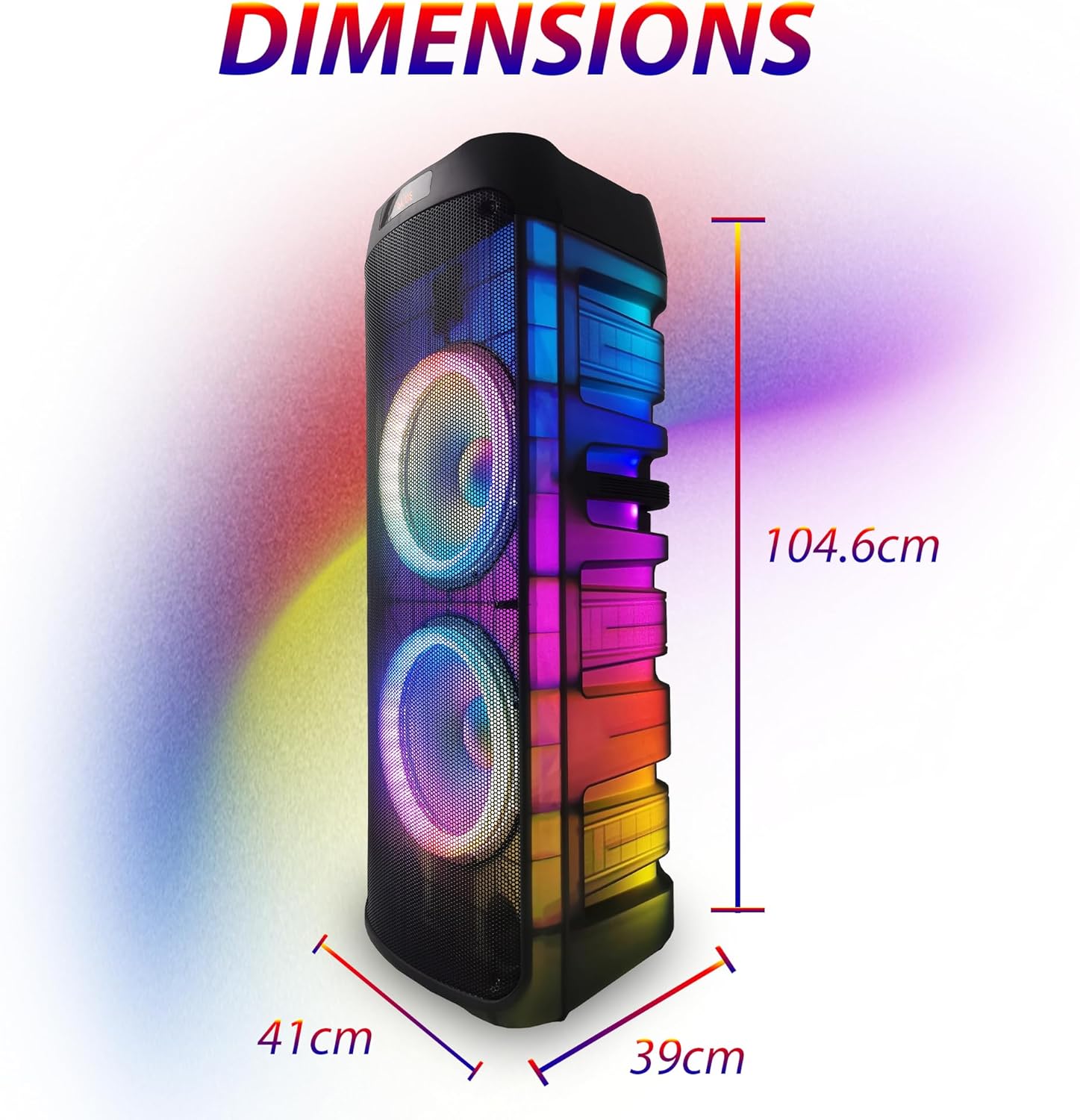
Image: The speaker with its approximate dimensions clearly marked: 41 cm wide, 39 cm deep, and 104.6 cm high.
Warranty and Support
Warranty Information
Warranty terms and conditions are typically provided with your purchase documentation. Please refer to the warranty card or contact your retailer for specific details regarding your product's warranty period and coverage.
Customer Support
For technical assistance, troubleshooting beyond this manual, or inquiries about parts and service, please contact EMB Home customer support. Contact information can usually be found on the manufacturer's website or your purchase receipt.