1. Introduction
Thank you for choosing the Grennix G900 Cordless Robotic Pool Cleaner. This manual provides essential information for the safe and efficient operation, maintenance, and troubleshooting of your new pool cleaner. Please read this manual thoroughly before first use and retain it for future reference.
2. Safety Information
To ensure safe operation and prevent damage, please observe the following safety precautions:
- Always power off the device before handling, cleaning, or performing maintenance.
- Do not operate the cleaner if the charging port or power adapter is damaged.
- Keep the cleaner away from children and pets during operation.
- Ensure the pool water temperature is within the recommended operating range (typically 50°F - 95°F / 10°C - 35°C).
- Do not use the cleaner in pools with extreme slopes (greater than 10 degrees) or for cleaning steps or walls, as it is designed for flat bottom surfaces.
- Only use the original power adapter provided with the cleaner for charging.
- Avoid dropping or subjecting the cleaner to severe impacts.
- Store the cleaner in a cool, dry place when not in use.
3. Package Contents
Verify that all items are present in the package:
- 1 x Grennix G900 Pool Cleaner
- 1 x Filter
- 1 x Power Adapter
- 1 x Retrieval Hook
- 1 x User Manual (This document)

Figure 3.1: Included Accessories. The image shows the G900 cleaner, a filter, a power adapter, a retrieval hook, and the user manual.
4. Product Overview
The Grennix G900 is a cordless robotic pool cleaner designed for efficient and hassle-free cleaning of above-ground and in-ground swimming pools with flat bottoms.

Figure 4.1: Grennix G900 Robotic Pool Cleaner. The cleaner is shown partially submerged in water, with water splashing around it.
Key Features:
- Cordless Design: Eliminates messy hoses and cables for a clutter-free cleaning experience.
- Powerful Suction: Equipped with a brushless motor providing 6000Pa suction power for thorough cleaning.
- Efficient Filtration: Filters particles down to 80 microns, ensuring a sparkling clean pool.
- Long Battery Life: Up to 65 minutes of runtime on a single 2.5-hour charge, suitable for large pools.
- Automatic Parking: The cleaner automatically docks itself when cleaning is complete or battery is low.
- Smart Navigation: Intelligently programmed to navigate pool corners and edges.

Figure 4.2: Dual-Motors Design. This diagram illustrates the internal components including the filter, dual motors, charging port, and 18650 battery, highlighting the cleaner's robust internal structure.

Figure 4.3: Strong Suction. The image shows the cleaner underwater, illustrating its 6000Pa suction power effectively collecting debris from the pool floor.
5. Setup
5.1 Initial Charging
Before first use, fully charge the Grennix G900. The charging time is approximately 2.5 hours for a full charge.
- Ensure the cleaner is dry before charging.
- Connect the power adapter to the charging port on the cleaner.
- Plug the power adapter into a standard electrical outlet.
- The indicator light will show charging status (refer to product specific indicator details if available, otherwise assume standard).
- Once fully charged, disconnect the power adapter.

Figure 5.1: Robust Battery Life. This image highlights the 2600 mAh battery capacity, 60 minutes running time, and 2.3 hours charging time, along with a fast charging indicator.
5.2 Pool Compatibility
The Grennix G900 is compatible with various pool types, including above-ground and in-ground pools, provided they have a flat bottom and a slope not exceeding 10 degrees. It is suitable for pools up to 645 sq.ft (60 m²).
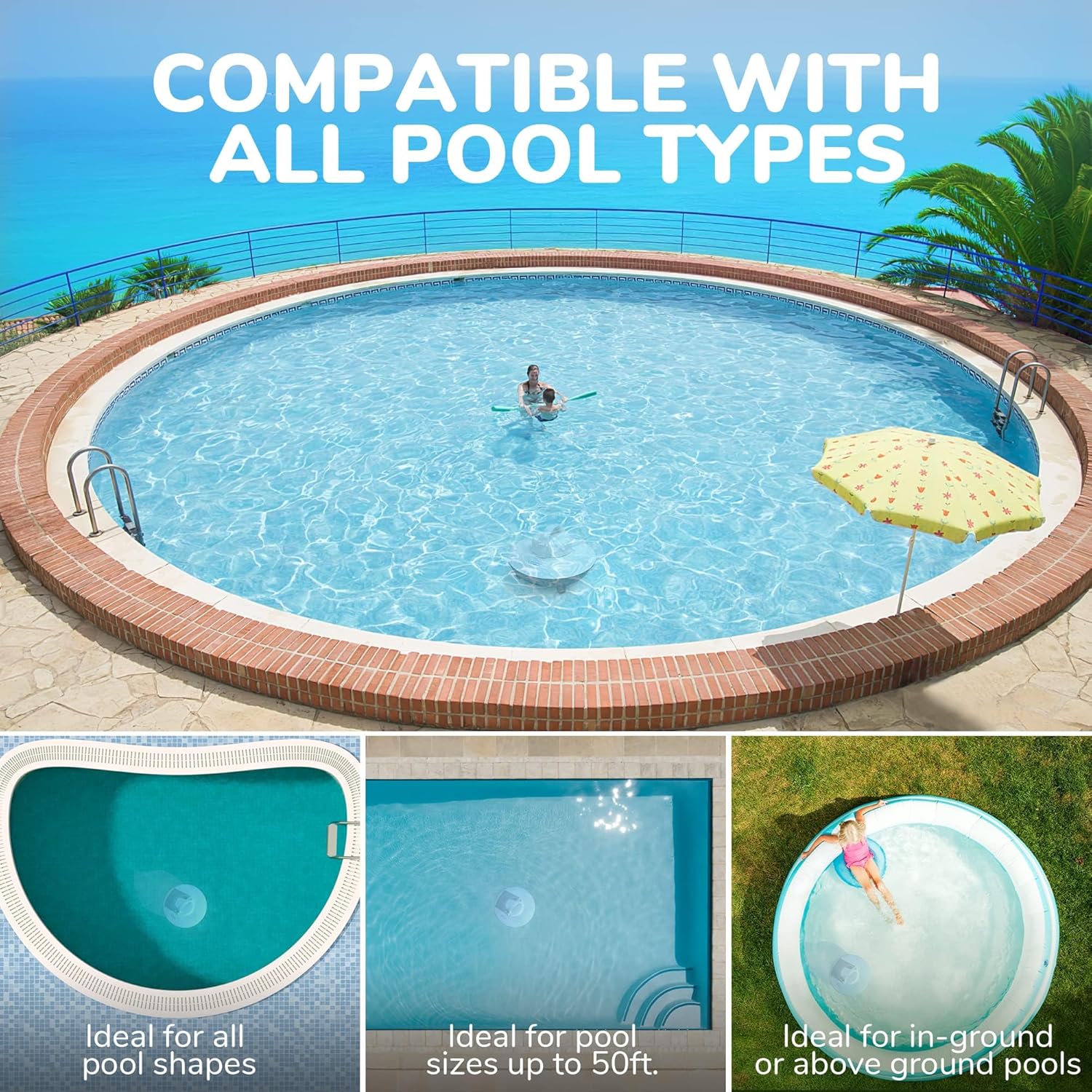
Figure 5.2: Compatible with All Pool Types. This graphic illustrates supported pool types (flat bottom, all shapes, above ground, indoor swimming pools) and unsupported types (steep slopes, diving pools, steps, walls, water lines).
6. Operating Instructions
6.1 Starting Operation
Operating the Grennix G900 is straightforward:
- Ensure the cleaner is fully charged.
- Locate the power button (refer to Figure 4.2 for general location). Press the power button to turn the unit on.
- Gently place the cleaner into the pool water. It will sink to the bottom and begin its cleaning cycle automatically.
- The cleaner will navigate the pool floor, collecting debris.

Figure 6.1: Cordless Design in Action. This image demonstrates the hands-free, fully automated cleaning experience without the need for messy hoses or cluttered cords.
6.2 Automatic Parking and Retrieval
The Grennix G900 features an automatic parking function:
- When the cleaning cycle is complete or the battery level is low (approximately 5%), the cleaner will automatically move to the edge of the pool and dock itself.
- Use the provided retrieval hook to safely lift the cleaner out of the water.
- Ensure to turn off the cleaner after retrieval.

Figure 6.2: Automatic Parking. The cleaner is shown moving towards the pool edge, indicating its self-docking feature when the battery is low or cleaning is complete.
7. Maintenance
Regular maintenance ensures optimal performance and extends the lifespan of your Grennix G900.
7.1 Cleaning the Filter
The filter should be cleaned after each use or when visibly dirty.
- Turn off the cleaner and remove it from the pool.
- Open the cleaner's housing to access the filter basket.
- Remove the filter.
- Rinse the filter thoroughly with a garden hose to remove all debris.
- Ensure the filter is completely clean before reinserting it.
- Close the cleaner's housing securely.

Figure 7.1: Cleaning the Filter. A hand is shown rinsing the filter screen with a hose, demonstrating the ease of maintenance.
7.2 General Cleaning and Storage
- Wipe down the exterior of the cleaner with a soft, damp cloth after each use.
- Ensure the cleaner is completely dry before charging or storing.
- Store the cleaner in a cool, dry place, away from direct sunlight and extreme temperatures.
- If storing for an extended period, charge the battery to approximately 50% every three months to maintain battery health.
8. Troubleshooting
If you encounter issues with your Grennix G900, refer to the table below for common problems and solutions.
| Problem | Possible Cause | Solution |
|---|---|---|
| Cleaner does not turn on. | Battery is low or depleted. | Charge the cleaner fully. |
| Cleaner stops mid-cycle. | Battery is low; filter is clogged. | Retrieve and charge the cleaner; clean the filter. |
| Poor cleaning performance. | Filter is clogged; debris too large. | Clean the filter; manually remove large debris from the pool. |
| Cleaner does not move or moves slowly. | Obstruction in motors; low battery. | Check for and remove any obstructions; charge the cleaner. |
| Cleaner does not dock automatically. | Battery too low; sensor obstruction. | Manually retrieve and charge; ensure no debris is blocking sensors. |
9. Specifications
| Feature | Detail |
|---|---|
| Model Name | G900 |
| Item Model Number | ROKER |
| Brand | GRENNIX (Manufacturer) / RERIOU (Product Brand) |
| Power Source | Battery Powered |
| Battery Type | Lithium-Ion (3 cells) |
| Voltage | 12 Volts |
| Charging Time | Approx. 2.5 hours |
| Running Time | Up to 65 minutes |
| Suction Power | 6000Pa |
| Filtering Accuracy | Up to 80 microns |
| Control Method | Touch |
| Product Dimensions | 16 x 16 x 10 inches (L x W x H) |
| Item Weight | 7.1 pounds |
| Material | Plastic |
| Color | White |
| UPC | 705735514296 |
10. Warranty and Support
The Grennix G900 Cordless Robotic Pool Cleaner comes with a limited warranty. For warranty details, technical support, or service inquiries, please refer to the contact information provided on the product packaging or the official GRENNIX website.
Please retain your proof of purchase for warranty claims.


