
NXGKET 2AYV7YG-811
NXGKET Walkie Talkie User Manual
Comprehensive guide for your NXGKET rechargeable long-range walkie talkie. This manual provides detailed instructions on setup, operation, maintenance, and troubleshooting to ensure optimal performance.
1. Product Overview and Components
The NXGKET walkie talkie is designed for easy and reliable communication. Before use, familiarize yourself with the main components of your device.

Image: Labeled diagram of the NXGKET walkie talkie, highlighting key components such as the antenna, LCD display, PTT button, menu/lock button, call/ring button, microphone, speaker, up/down buttons, headphone jack, and charging port.
Package Contents:
- 3 x NXGKET Walkie Talkies
- 1 x USB-C Charging Cable (3-in-1)
- 1 x User Manual
2. Setup Guide
2.1 Charging the Battery
Your NXGKET walkie talkies come with built-in 1200mAh rechargeable Lithium-ion batteries. Before first use, fully charge the devices.
- Connect the 3-in-1 USB-C charging cable to the charging port on each walkie talkie.
- Plug the USB-A end of the cable into a compatible USB power adapter (not included) or a computer USB port.
- The charging indicator on the walkie talkie will show charging status (refer to device display for details).
- A full charge can provide up to 3 days of standby time.

Image: Three NXGKET walkie talkies connected to a single 3-in-1 USB-C charging cable, illustrating the convenient simultaneous charging feature.
2.2 Powering On/Off
- To power on, press and hold the Power button (usually combined with the Menu/Lock button) until the LCD screen illuminates.
- To power off, press and hold the Power button again until the screen turns off.
2.3 Channel Selection
Your walkie talkie supports 16 channels. For communication, all devices must be set to the same channel and privacy code.
- Press the MENU button to enter channel selection mode.
- Use the UP (+) and DOWN (-) buttons to select your desired channel (1-16).
- Press MENU again to confirm the channel.
- To set privacy codes (121 available), press MENU repeatedly until the privacy code setting appears, then use UP/DOWN to select. Confirm with MENU.
3. Operating Instructions
3.1 Basic Communication (PTT)
- Ensure all walkie talkies are on the same channel and privacy code.
- To transmit, press and hold the PTT (Push-To-Talk) button located on the side of the device. Speak clearly into the microphone.
- Release the PTT button to listen for a response.
3.2 VOX (Voice Operated Exchange) Function
The VOX function allows for hands-free communication without pressing the PTT button. The walkie talkie will automatically transmit when it detects your voice.
- To activate VOX, turn off the walkie talkie. Then, simultaneously press and hold the Power button and the PTT button until the VOX indicator appears on the screen.
- Adjust VOX sensitivity if needed (refer to the device's on-screen menu for details).
- To deactivate VOX, repeat the activation steps or power cycle the device.

Image: A person hiking with a walkie talkie attached to their backpack strap via a belt clip, illustrating the convenience of the VOX hands-free communication feature.
3.3 Volume Adjustment
Use the UP (+) and DOWN (-) buttons to adjust the speaker volume to a comfortable level. The updated speaker provides up to 150% maximum volume increase.
3.4 Keypad Lock
To prevent accidental channel changes or setting adjustments, activate the keypad lock function.
- Press and hold the MENU/LOCK button until the lock icon appears on the LCD screen.
- To unlock, press and hold the MENU/LOCK button again until the lock icon disappears.
3.5 Other Features
- Automatic Squelch: Reduces background noise for clearer communication.
- Automatic Scan: Scans through channels to find active conversations.
- Ring Tones: Choose from 10 different call tones.
- Low Battery Alarm: Alerts you when the battery level is low.
- Drop Protection: Designed for durability in various environments.

Image: Visual representation of key features including drop protection, 10 ringtones, keypad lock, squelch, VOX hands-free, and automatic scan.
4. Range and Performance
The actual communication range of your walkie talkie depends on environmental factors and obstacles.
- City Environment: Up to 1.5 kilometers (0.9 miles).
- Open Area (unobstructed): Up to 5 kilometers (3.1 miles).
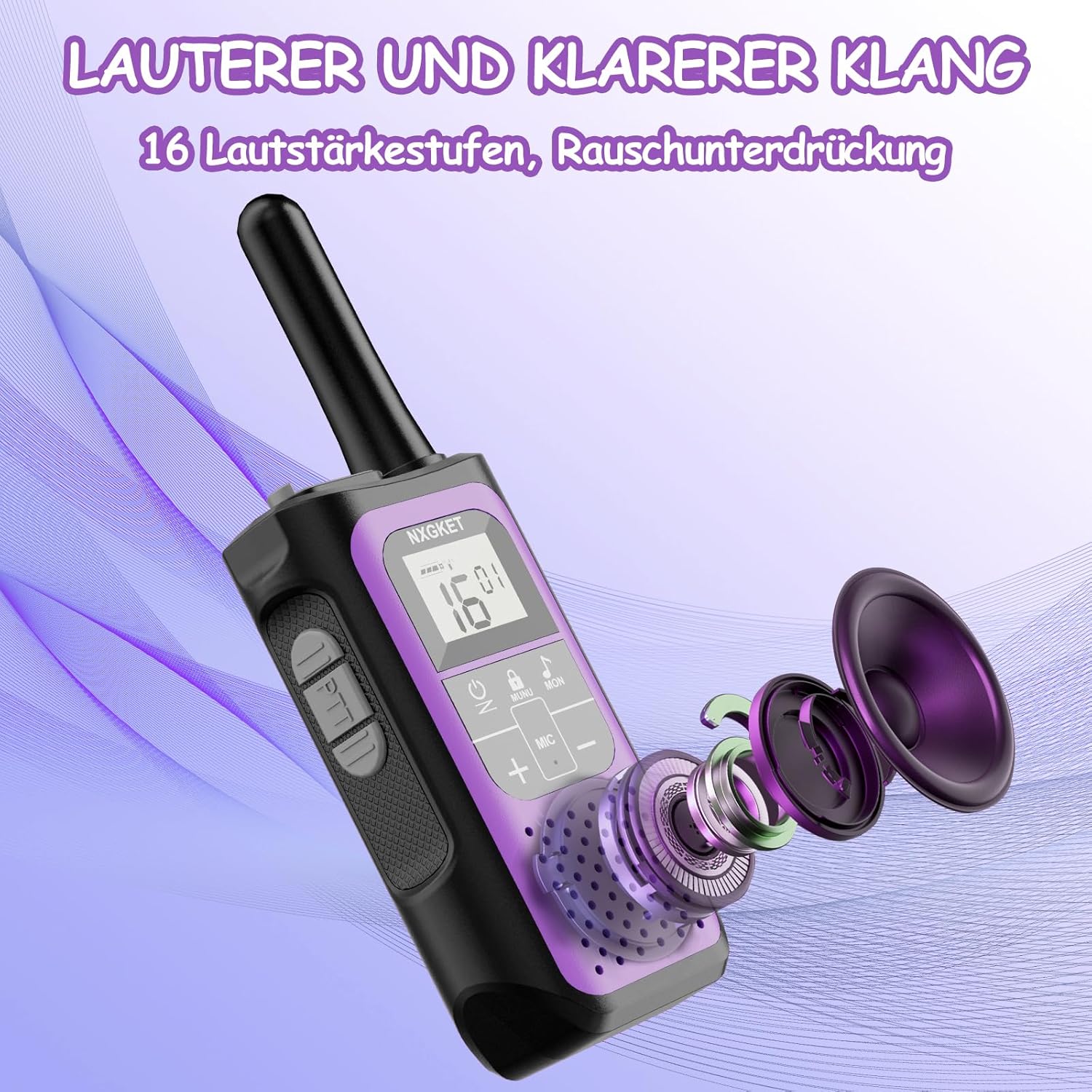
Image: Diagram illustrating the communication range of the walkie talkie, showing a shorter range in urban areas with buildings (up to 1.5 km) and a longer range in open, unobstructed areas (up to 5 km).
4.1 Clear and Loud Sound
The walkie talkie features an upgraded speaker and an adopted silence system, ensuring clear and loud audio even in noisy environments. It is compatible with all brands of walkie talkies.

Image: An exploded view diagram of the walkie talkie's speaker components, emphasizing the design for louder and clearer sound output.
5. Maintenance
Proper maintenance will extend the life of your NXGKET walkie talkies.
- Cleaning: Use a soft, damp cloth to clean the exterior of the device. Do not use harsh chemicals or abrasive cleaners.
- Battery Care: Avoid fully discharging the battery frequently. Recharge the devices regularly, especially if storing them for extended periods.
- Storage: Store the walkie talkies in a cool, dry place away from direct sunlight and extreme temperatures.
- Water Resistance: The device has an IPX4 international protection rating, meaning it is resistant to splashing water from any direction. Do not submerge the device in water.
6. Troubleshooting
If you encounter issues with your walkie talkie, refer to the following common problems and solutions:
| Problem | Possible Cause | Solution |
|---|---|---|
| No power | Battery is depleted. | Charge the walkie talkie fully. |
| No sound / Cannot hear others | Volume is too low; Different channel/privacy code; Squelch level too high. | Increase volume; Ensure all devices are on the same channel and privacy code; Adjust squelch settings. |
| Short communication range | Obstacles (buildings, hills); Low battery; Interference. | Move to an open area; Recharge battery; Avoid sources of strong electromagnetic interference. |
| Cannot transmit | PTT button not pressed correctly; VOX not activated (if desired); Battery low. | Press and hold PTT firmly; Check VOX settings; Recharge battery. |
7. Specifications
Detailed technical specifications for the NXGKET walkie talkie:
| Feature | Value |
|---|---|
| Brand | NXGKET |
| Model Number | 2AYV7YG-811 |
| Battery Composition | Lithium-ion |
| Rechargeable Battery | Yes |
| Battery Capacity | 1200 mAh (built-in) |
| Number of Channels | 16 |
| Maximum Range (Open Area) | 5 Kilometers (3.1 miles) |
| Maximum Range (City) | 1.5 Kilometers (0.9 miles) |
| Voltage | 11.1 Volts |
| International Protection Rating | IPX4 (Splash resistant) |
| Included Components | 3 walkie-talkies, 1 data cable (3-in-1 USB-C), 1 manual |
8. Warranty and Support
Specific warranty information is not provided in the product details. For warranty claims, technical support, or further assistance, please contact the seller or manufacturer directly through your purchase platform.
Keep your purchase receipt or order number handy as it may be required for support.
Related documents2AYV7YG-811


Ask a question about this manual
Ask about setup, troubleshooting, compatibility, parts, safety, or missing instructions. Manuals+ will review the question and use this page’s manual context to help answer it.