
1. Introduction
This manual provides essential instructions for the safe and efficient operation of your EMB Home PKL5500 Professional Powered Speaker. Please read this manual thoroughly before using the product and retain it for future reference. The PKL5500 is designed to deliver powerful audio with versatile connectivity options for various events.
2. Package Contents
Verify that all items listed below are included in your package. If any items are missing or damaged, please contact customer support.
- EMB Home PKL5500 Powered Speaker
- Wired Microphone
- Tripod Speaker Stand
- Remote Control
- Power Cable
- Audio Cable

Figure 2.1: The EMB Home PKL5500 speaker system, including the main speaker unit, wired microphone, tripod stand, and connecting cables.
3. Product Overview
The EMB Home PKL5500 is a professional active powered speaker designed for various audio applications. It features a 15-inch woofer and a 1-inch titanium diaphragm driver for comprehensive sound reproduction. The translucent cabinet incorporates multi-color lighting for visual effects.
Key Features:
- High Power Output: 5000W peak power for clear and robust audio.
- Versatile Connectivity: Supports Bluetooth, USB, SD card, and AUX inputs.
- Integrated Lighting: Translucent cabinet with multi-color motion lighting.
- Complete System: Includes a wired microphone and a sturdy tripod stand.
- User-Friendly Controls: Remote control and intuitive rear control panel with multiple EQ modes.
- Portability: Equipped with wheels for easier transport.
Components and Controls:
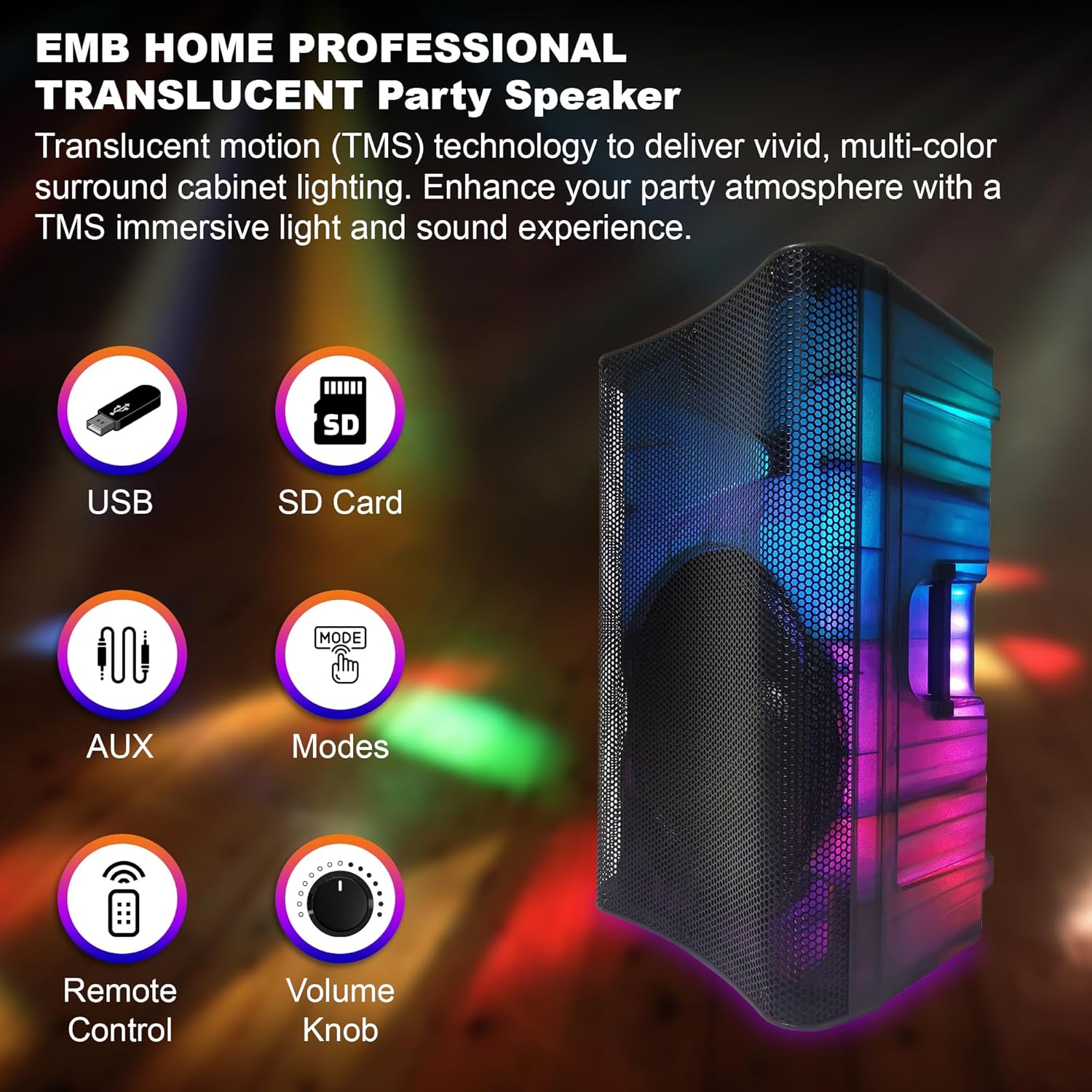
Figure 3.1: Overview of the speaker's input options and controls, including USB, SD Card, AUX, Mode selection, Remote Control sensor, and Volume Knob.

Figure 3.2: Detailed view of the rear control panel, showing various inputs (Mic In, Line In, RCA Line Input, AUX Input), volume controls, treble/bass adjustments, master volume, playback controls, LED switch, and power connections.

Figure 3.3: The speaker's translucent cabinet illuminated with multi-color 360-degree motion lights, enhancing the visual experience.
4. Setup Instructions
- Unpacking: Carefully remove all components from the packaging. Retain packaging for potential future transport or storage.
- Speaker Stand Assembly:
- Extend the legs of the tripod stand to a stable position.
- Adjust the height of the stand to your desired level and secure it with the locking pin and knob.
- Carefully lift the PKL5500 speaker and place it onto the pole of the assembled tripod stand. Ensure it is seated securely.
- Power Connection:
- Ensure the speaker's power switch is in the "OFF" position.
- Connect the provided power cable to the AC Power input on the rear control panel of the speaker.
- Plug the other end of the power cable into a suitable electrical outlet (AC 120V/60Hz).
- Initial Power On:
- Turn the master volume knob to its minimum setting.
- Flip the Power switch on the rear panel to the "ON" position. The power indicator light should illuminate.
5. Operating Instructions
5.1. Source Selection
Use the "Mode" button on the control panel or remote control to cycle through available input sources: Bluetooth, USB, SD Card, AUX, and Line In.
5.2. Bluetooth Connectivity
- Ensure the speaker is powered on.
- Press the "Mode" button until "Bluetooth" mode is selected. The speaker will indicate it is ready for pairing.
- On your mobile device (smartphone, tablet, etc.), enable Bluetooth and search for available devices.
- Select "EMB PKL5500" from the list of devices.
- Once paired, the speaker will confirm the connection. You can now play audio from your device.

Figure 5.1: The EMB Home PKL5500 speaker connected wirelessly to a smartphone via Bluetooth, demonstrating a typical operating range of up to 30 feet.
5.3. USB/SD Card Playback
- Insert a USB flash drive or SD card (pre-loaded with MP3 audio files) into the respective slot on the speaker's control panel.
- The speaker should automatically switch to USB or SD mode and begin playback. If not, press the "Mode" button to select the correct source.
- Use the playback controls (Play/Pause, Next, Previous) on the speaker or remote control to manage your music.
5.4. AUX/Line Input
- Connect your external audio device (e.g., laptop, CD player) to the speaker using an appropriate audio cable (e.g., 3.5mm AUX cable for AUX input, RCA cables for RCA Line Input, or 6.3mm jack for Line In).
- Press the "Mode" button to select the corresponding input source (AUX or Line In).
- Adjust the volume on both your external device and the speaker.
5.5. Microphone Usage
- Connect the wired microphone to the "Mic In" input on the rear control panel.
- Adjust the "Mic in vol" knob to control the microphone's volume.
- Ensure the main volume is set to a comfortable level before speaking into the microphone to avoid feedback.
5.6. Audio Adjustments
- Master Volume: Use the large knob on the control panel or the volume buttons on the remote to adjust the overall output volume.
- Treble/Bass: Use the dedicated "Treble" and "Bass" knobs on the rear control panel to fine-tune the high and low frequencies of the audio.
- EQ Modes: The speaker may feature preset EQ modes (e.g., Pop, Rock, Jazz, Classic). Use the "EQ" button on the remote or control panel to cycle through these modes and select one that suits your audio content.
5.7. Wireless Connection of Two Units (TWS)
The PKL5500 supports True Wireless Stereo (TWS) pairing, allowing two PKL5500 speakers to connect wirelessly for a stereo sound experience.
- Ensure both PKL5500 speakers are powered on and in Bluetooth mode, but not yet connected to any device.
- On one of the speakers (this will be the primary speaker), press and hold the "TWS" button (or a similar designated button, refer to the specific button on the control panel if available, otherwise assume it's part of the "Mode" or a dedicated pairing button). The speaker will emit a pairing tone.
- The two speakers will attempt to pair with each other. Once successfully paired, they will indicate a stereo connection.
- Now, connect your mobile device to the primary speaker via Bluetooth as described in Section 5.2. Audio will play through both speakers in stereo.

Figure 5.2: Illustration of two EMB Home PKL5500 speakers wirelessly connected for stereo sound, with a maximum effective range of 30 feet between units.
6. Maintenance
- Cleaning: Disconnect the speaker from power before cleaning. Use a soft, dry cloth to wipe down the exterior surfaces. Do not use liquid cleaners or abrasive materials.
- Storage: When not in use for extended periods, store the speaker in a cool, dry place, away from direct sunlight and extreme temperatures.
- Handling: Always handle the speaker carefully. When moving, utilize the integrated wheels and handle (if applicable) or lift with proper technique.

Figure 6.1: The EMB Home PKL5500 speaker equipped with wheels and a retractable handle for convenient transport.
7. Troubleshooting
| Problem | Possible Cause | Solution |
|---|---|---|
| No power | Power cable not connected; Power switch off; Outlet malfunction. | Ensure power cable is securely connected. Turn power switch ON. Test outlet with another device. |
| No sound output | Volume too low; Incorrect input source selected; Audio cable disconnected; Device volume low. | Increase master volume. Select correct input source. Check audio cable connections. Increase volume on connected device. |
| Bluetooth pairing failure | Speaker not in pairing mode; Device Bluetooth off; Too far from speaker; Interference. | Ensure speaker is in Bluetooth pairing mode. Enable Bluetooth on your device. Move device closer to speaker. Avoid sources of interference. |
| Microphone not working | Microphone volume low; Microphone not connected; Microphone faulty. | Increase "Mic in vol" knob. Ensure microphone is securely plugged in. Test with another microphone if available. |
| Distorted sound | Volume too high (clipping); Incorrect EQ settings; Damaged audio source. | Reduce master volume. Adjust Treble/Bass or EQ settings. Test with a different audio source. |
8. Specifications
| Feature | Detail |
|---|---|
| Model Number | PKL5500 (Item model number: 0783501154860) |
| Power Output | 5000W (Peak) |
| Woofer Size | 15-inch (Steel Frame) |
| Driver | 1-inch Titanium Diaphragm |
| Connectivity Technology | Bluetooth, USB, SD Card, AUX, Wired Microphone, RCA Line Input |
| Bluetooth Version | 5.3V |
| Wireless Range (TWS) | Up to 30 feet (between two units) |
| Power Source | Corded Electric (AC 120V/60Hz) |
| Material | Steel (Woofer frame) |
| Mounting Type | Floor Standing (with included tripod stand) |
| Color | Multicolor (referring to LED lights) |
| Dimensions (Approx.) | 72.7cm (Width) x 47.3cm (Depth) x 43.9cm (Height) |

Figure 8.1: Approximate dimensions of the EMB Home PKL5500 speaker: 72.7cm (width), 47.3cm (depth), and 43.9cm (height).
9. Warranty and Support
For warranty information, technical support, or service inquiries, please refer to the contact information provided with your purchase or visit the official EMB website. Keep your proof of purchase for warranty claims.
Protection plans are available for purchase separately to extend coverage beyond the standard manufacturer's warranty. Details on these plans can be found where the product was purchased.