1. Introduction
This manual provides detailed instructions for the RadioShack Wireless Active Noise Cancelling Bluetooth Earbuds. Please read this manual thoroughly before using the product to ensure proper operation and to maximize your user experience. Keep this manual for future reference.
2. Package Contents
Verify that all items are present in the package:
- RadioShack Wireless Active Noise Cancelling Bluetooth Earbuds (Left and Right)
- Charging Case
- Protective Case
- USB Charging Cable (Type-C)
- User Manual
3. Product Overview
The RadioShack Wireless Earbuds feature Active Noise Cancelling (ANC) technology, IPX5 water resistance, and Bluetooth 5.2 connectivity for a stable audio experience. The earbuds are designed for comfort and durability, suitable for various activities.

Image: The black RadioShack wireless earbuds are shown inside their open charging case, highlighting their compact design.

Image: A close-up view of the black wireless earbuds, emphasizing their IPX5 water resistance, which protects against sweat and light rain.
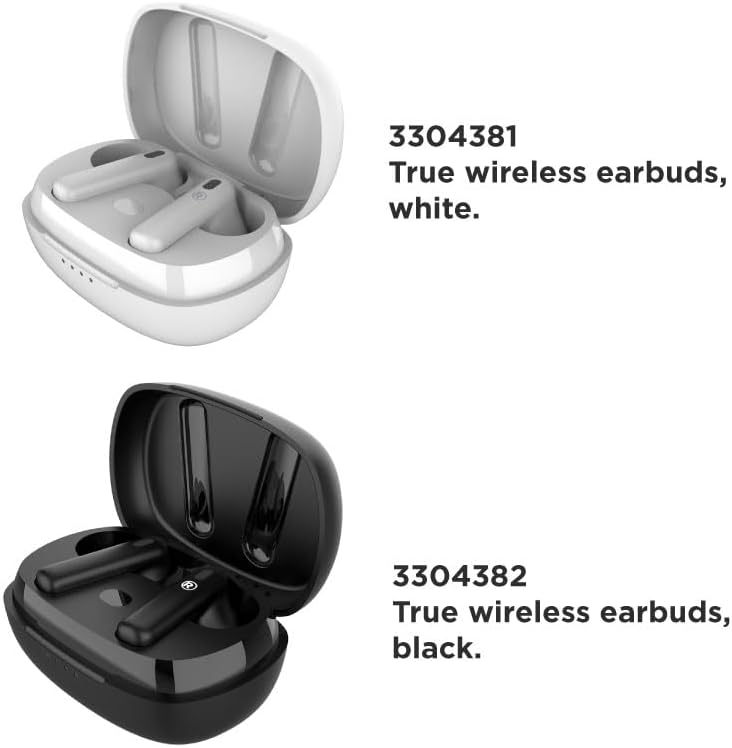
Image: A visual comparison of the white (Model 3304381) and black (Model 3304382) true wireless earbuds, each in their respective charging cases.
4. Setup
4.1 Charging the Earbuds and Case
Before first use, fully charge the earbuds and the charging case. The charging case has a 400mAh battery capacity.
- Place the earbuds into the charging case.
- Connect the USB charging cable to the charging port on the case and to a power source.
- The LED indicators on the case will show the charging status. A full charge typically takes approximately 1 hour.
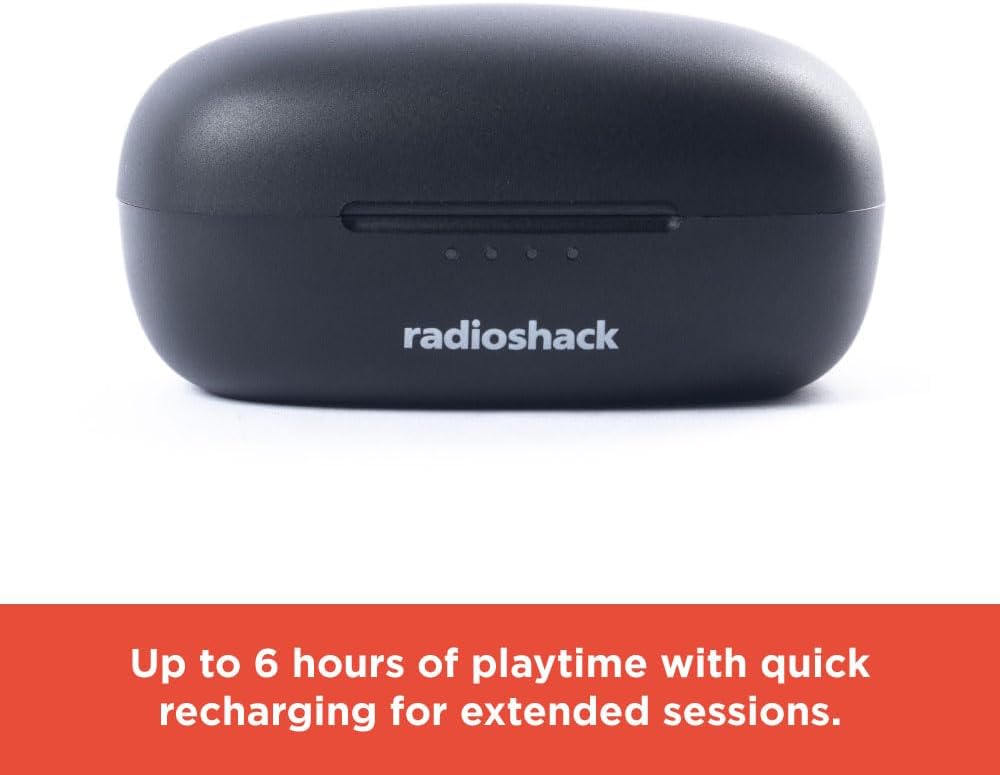
Image: The closed black charging case displays LED indicators, signifying up to 6 hours of playtime with quick recharging capabilities.
4.2 Bluetooth Pairing
The earbuds utilize Bluetooth 5.2 technology for a stable and quick connection.
- Ensure the earbuds are charged and placed in the charging case.
- Open the charging case. The earbuds will automatically enter pairing mode.
- On your device (smartphone, tablet, laptop), enable Bluetooth and search for available devices.
- Select "RadioShack Earbuds" from the list of devices.
- Once connected, a voice prompt will confirm successful pairing.

Image: Hands are shown holding the white wireless earbuds within their open charging case, illustrating the hassle-free setup and stable connection without wires.

Image: Icons representing key features: compatibility with Bluetooth 5.2, a 32 ft wireless range, and a 1-hour charging time.
5. Operating Instructions
5.1 Power On/Off
- Power On: Open the charging case, and the earbuds will automatically power on.
- Power Off: Place the earbuds back into the charging case and close the lid. They will automatically power off and begin charging.
5.2 Music Playback
Use the touch controls on the earbuds for music management:
- Play/Pause: Single tap on either earbud.
- Next Track: Double tap the right earbud.
- Previous Track: Double tap the left earbud.
5.3 Active Noise Cancelling (ANC)
The Active Noise Cancelling feature reduces external noise for focused listening.
- Activate/Deactivate ANC: Triple tap on either earbud. A voice prompt will confirm the mode change.

Image: A person is shown wearing a white earbud, with text indicating that Active Noise Cancelling reduces background noise for focused listening.
5.4 Phone Calls
Manage calls using the earbud touch controls:
- Answer/End Call: Single tap on either earbud.
- Reject Call: Press and hold either earbud for 2 seconds.
Video: This video demonstrates the features and benefits of the RadioShack Noise-Cancelling Wireless Earbuds, including their water resistance, call handling, and playback time.
6. Maintenance
6.1 Cleaning
- Gently wipe the earbuds and charging case with a soft, dry, lint-free cloth.
- Do not use abrasive cleaners, solvents, or aerosol sprays.
- Avoid getting moisture in any openings.
6.2 Storage
- Store the earbuds in their charging case when not in use to protect them and keep them charged.
- Keep the product in a cool, dry place, away from extreme temperatures and direct sunlight.
7. Troubleshooting
If you encounter issues, refer to the following common solutions:
| Problem | Solution |
|---|---|
| Earbuds not pairing | Ensure earbuds are charged. Turn off and on Bluetooth on your device. Forget the device in your Bluetooth settings and re-pair. |
| No sound from earbuds | Check volume levels on both earbuds and your connected device. Ensure earbuds are properly paired. |
| Charging case not charging | Verify the charging cable is securely connected to both the case and the power source. Try a different USB port or power adapter. |
| ANC not working effectively | Ensure ANC is activated (triple tap). Adjust earbud placement for a secure fit. |
8. Specifications
| Feature | Detail |
|---|---|
| Model Name | Wireless Headphones 400MAH Active Noise Cancelling IPX5 |
| Connectivity Technology | Wireless (Bluetooth 5.2) |
| Water Resistance Level | IPX5 Water Resistant |
| Battery Life | Up to 6 Hours (earbuds) |
| Charging Case Battery | 400mAh |
| Charging Time | Approx. 1 Hour |
| Wireless Range | Up to 32 ft |
| Noise Control | Active Noise Cancellation |
| Item Weight | 0.08 Kilograms (2.89 ounces) |
| Compatible Devices | Smartphones, Laptops, Tablets, Smart TVs |
9. Safety Information
- Do not expose the earbuds or charging case to extreme temperatures, direct sunlight, or fire.
- Avoid listening at high volume levels for extended periods to prevent hearing damage.
- Keep out of reach of children and pets.
- Do not attempt to disassemble or modify the product. This will void the warranty.
- Dispose of the product and batteries responsibly according to local regulations.
10. Warranty and Support
For warranty information or technical support, please contact RadioShack customer service. Refer to the product packaging or the official RadioShack website for contact details.


