
1. Introduction
Thank you for choosing the HOTO Air Pump ADV. This portable electric air pump is designed for convenient and precise inflation of various items, including car tires, motorcycle tires, bicycle tires, and balls. Its compact design, intelligent features, and powerful performance make it an essential tool for on-the-go inflation needs.
Please read this manual thoroughly before use to ensure proper operation and to maximize the lifespan of your device.
2. Product Overview

Figure 2.1: HOTO Air Pump ADV and included accessories (air tube, needle valve adapter, Presta valve adapter, quick connect valve adapter, charging cable, storage pouch).
Package Contents:
- HOTO Air Pump ADV (1)
- Storage Pouch (1)
- Charging Cable (USB-C) (1)
- American Air Tube (1)
- Presta Valve Adapter (1)
- Needle Valve Adapter (1)
- Quick Connect Valve Adapter (1)
- User Manual (1)
Key Features:
- Fast Inflation: Inflates car tires from 29-36psi in approximately 2 minutes.
- Smart Auto-Stop: Automatically stops when desired pressure is reached, preventing over-inflation.
- Five Intelligent Modes: Pre-set modes for cars, motorcycles, bicycles, and balls, plus a manual mode.
- High-Capacity Battery: Built-in 2x 2000mAh lithium batteries, capable of inflating up to 10 car tires on a full charge.
- Compact & Portable: Easy to operate with one hand and store in small spaces.
- Digital Display: LED screen shows real-time pressure, modes, and battery level.
- Emergency LED Light: Built-in light for low-light conditions and SOS emergency signaling.
3. Setup
3.1 Initial Charging
Before first use, fully charge the HOTO Air Pump ADV. Connect the provided USB-C charging cable to the charging port on the device and a compatible USB power adapter (not included). The digital display will indicate charging status.
3.2 Attaching the Air Tube and Adapters
- Unscrew the American Air Tube from its storage slot on the device.
- Screw the American Air Tube firmly into the inflation port on the top of the air pump.
- For standard car/motorcycle tires, the American Air Tube can be directly attached to the tire valve.
- For bicycle tires (Presta valve) or balls, select the appropriate adapter (Presta Valve Adapter or Needle Valve Adapter) and screw it onto the end of the American Air Tube.
Figure 3.1: Connecting the air tube and various adapters.
4. Operating Instructions
4.1 Powering On/Off
- To Power On: Long press the Power/Start-stop Button (center button) for 2 seconds. The digital display will light up.
- To Power Off: Long press the Power/Start-stop Button for 2 seconds. The display will turn off. The device will also automatically power off after a period of inactivity.
4.2 Selecting Inflation Mode
After powering on, press the Mode Button (circular button on the right) to cycle through the five available inflation modes:
- Car Mode: Default 36 psi (2.5 bar)
- Motorcycle Mode: Default 35 psi
- Bicycle Mode: Default 45 psi
- Ball Mode: Default 8 psi
- Customized Mode: Adjustable range from 3-150 psi. The device remembers the last set pressure in this mode.

Figure 4.1: Digital display showing the five preset inflation modes.
4.3 Setting Desired Pressure
Once a mode is selected, the default pressure for that mode will be displayed. Use the "+" and "-" buttons to adjust the target pressure. The digital gauge provides real-time pressure readings with an accuracy of ±1 psi.
4.4 Starting and Stopping Inflation
- Securely attach the air tube (with appropriate adapter) to the item's valve.
- Press the Power/Start-stop Button once to begin inflation. The pump will start operating and the display will show the increasing pressure.
- The pump will automatically stop once the preset target pressure is reached.
- To manually stop inflation at any time, press the Power/Start-stop Button again.
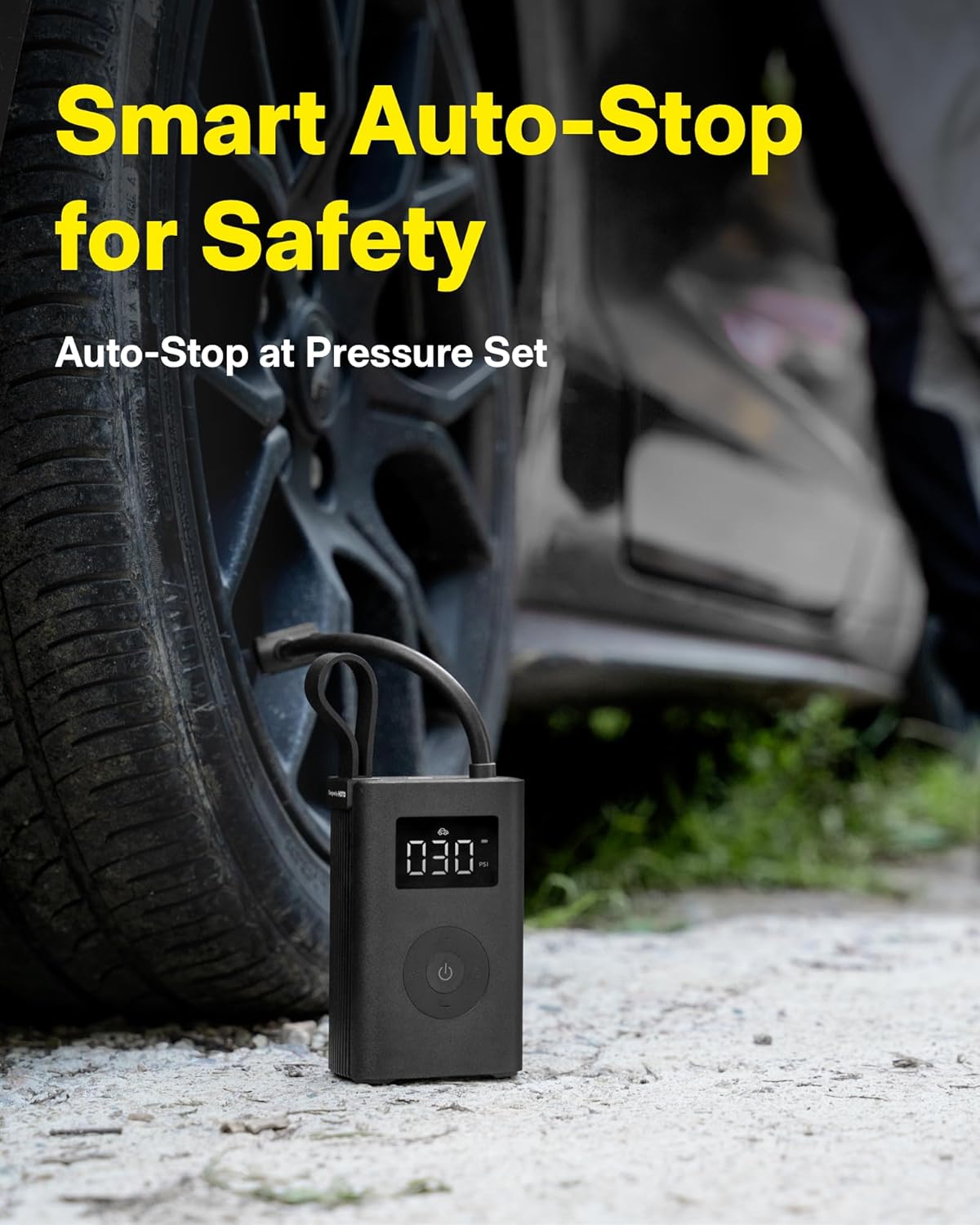
Figure 4.2: The smart auto-stop feature ensures precise inflation.
4.5 Using the LED Light
The HOTO Air Pump ADV features a built-in LED light for illumination in low-light conditions or for emergency signaling.
- To Turn On Light: Press the Light Button (circular button on the left) once.
- To Activate SOS Mode: Press the Light Button a second time. The light will flash in an SOS pattern.
- To Turn Off Light: Press the Light Button a third time.

Figure 4.3: The integrated LED light provides illumination and SOS signaling.
4.6 Video Demonstrations
HOTO Air Pump ADV: Fast Inflation
This video demonstrates the rapid inflation capabilities of the HOTO Air Pump ADV, showcasing its efficiency in quickly inflating tires.
HOTO Air Pump ADV: Smart Inflation Solution
This video highlights the smart features of the HOTO Air Pump ADV, including its auto-stop function and ease of use for various inflation tasks.
5. Maintenance
- Cleaning: Wipe the device with a soft, dry cloth. Do not use abrasive cleaners or immerse the device in water.
- Storage: Store the HOTO Air Pump ADV in a cool, dry place, away from direct sunlight and extreme temperatures. Use the provided storage pouch to keep the device and its accessories organized and protected.
- Battery Care: To prolong battery life, charge the device regularly, even if not in frequent use. Avoid fully discharging the battery for extended periods.
- Air Tube Inspection: Periodically check the air tube and adapters for any signs of wear, cracks, or damage. Replace if necessary to ensure optimal performance and prevent air leaks.
6. Troubleshooting
| Problem | Possible Cause | Solution |
|---|---|---|
| Device does not power on. | Low battery. | Charge the device fully. |
| Device does not inflate. | Air tube not securely connected; Valve not properly attached; Target pressure already reached. | Ensure air tube and valve are securely connected. Check current pressure reading; if it matches or exceeds target, reset target or detach. |
| Inaccurate pressure reading. | Loose connection; Device malfunction. | Ensure all connections are tight. If problem persists, contact customer support. |
| Pump stops prematurely. | Target pressure reached; Overheating protection activated. | Check target pressure. If device is hot, allow it to cool down before resuming operation. |
If you encounter issues not listed here or if solutions do not resolve the problem, please contact HOTO customer support.
7. Specifications
| Feature | Detail |
|---|---|
| Brand | HOTO |
| Model Name | Air Pump ADV |
| Model Number | QWCQA001 |
| Maximum Operating Pressure | 150 PSI |
| Power Source | Battery Powered |
| Battery Capacity | 2 * 2000mAh Lithium Ion |
| Noise Level | 80 dB |
| Product Dimensions | 2.95"L x 1.8"W x 4.84"H |
| Item Weight | 2.39 ounces |
| Material | Plastic |
| Color | Black |
8. Warranty and Support
8.1 Warranty Information
The HOTO Air Pump ADV comes with a standard manufacturer's warranty. Please refer to the warranty card included in your package for specific terms and conditions, including warranty period and coverage details. Keep your purchase receipt as proof of purchase for warranty claims.
8.2 Customer Support
For technical assistance, troubleshooting, or warranty inquiries, please contact HOTO customer support through the following channels:
- Website: Visit the official HOTO website for FAQs and support resources.
- Email: [Insert HOTO Support Email Address Here, if available]
- Phone: [Insert HOTO Support Phone Number Here, if available]
When contacting support, please have your product model number (QWCQA001) and purchase details ready.