
Introduction
Thank you for choosing the Kuulaa KL-YD67 Magsafe Ultra Slim 5000mAh Wireless Power Bank. This device is designed to provide convenient and fast charging for your compatible iPhone models. Please read this manual carefully to ensure proper use, optimal performance, and longevity of your power bank.
Product Overview
The Kuulaa KL-YD67 is an ultra-slim and lightweight magnetic power bank featuring a 5000mAh capacity. It supports both wireless magnetic charging and wired 20W Power Delivery (PD) fast charging via its USB-C port. Its robust aluminum alloy casing and tempered glass back ensure durability and a premium feel.
- Ultra-Slim Design: Measuring less than 7.2mm thick and weighing only 109g, it is highly portable and suitable for travel, including air travel.
- Powerful Magnetic Attachment: Equipped with advanced 2024 magnetic suction technology, providing up to 10N of magnetic force for a secure connection to your iPhone.
- Fast Charging: Offers wireless charging up to 55% in 30 minutes and wired 20W PD fast charging up to 70% in 30 minutes for compatible devices.
- Premium Build: Features an aluminum alloy casing for durability and efficient heat dissipation, with a scratch-resistant tempered glass back.
- Broad Compatibility: Specifically designed for iPhone models with MagSafe, including iPhone 16/15/14/13/12 Pro/Pro Max/Plus/Mini series.
Package Contents
- Kuulaa KL-YD67 Magsafe Ultra Slim 5000mAh Wireless Power Bank
- USB-C Charging Cable
- User Manual
Setup
- Initial Charge: Before first use, fully charge your Kuulaa power bank using the provided USB-C cable and a compatible power adapter (not included). The LED indicators will show the charging status.
- Power On: The power bank is designed to automatically turn on when opened or when a device is connected for charging.

Front view of the Kuulaa Magsafe Ultra Slim Wireless Power Bank, showing its sleek design.
Operating Instructions
Wireless Magnetic Charging (MagSafe)
- Ensure your iPhone is a MagSafe-compatible model (iPhone 16/15/14/13/12 series).
- If using a case, ensure it is an official MagSafe case or a third-party MagSafe compatible case. Non-magnetic cases or cases with phone grips may interfere with magnetic attachment and charging efficiency.
- Align the Kuulaa power bank with the back of your iPhone. The magnets will automatically snap it into place.
- Charging will begin automatically. The power bank's LED indicators will show its remaining charge.

A user attaching the Kuulaa Magsafe Power Bank to an iPhone, demonstrating the quick and secure magnetic connection for charging.

A user holding an iPhone with the Kuulaa Magsafe Power Bank magnetically attached to the back, demonstrating strong magnetic attraction.

Image showing compatibility with iPhone 15/14/13/12 series and official MagSafe cases, while indicating incompatibility with non-magnetic or magnetic cases with phone grips.
Wired Charging (USB-C)
- Connect one end of the USB-C charging cable to the USB-C port on the Kuulaa power bank.
- Connect the other end of the cable to your device's charging port.
- The power bank will automatically begin charging your device.
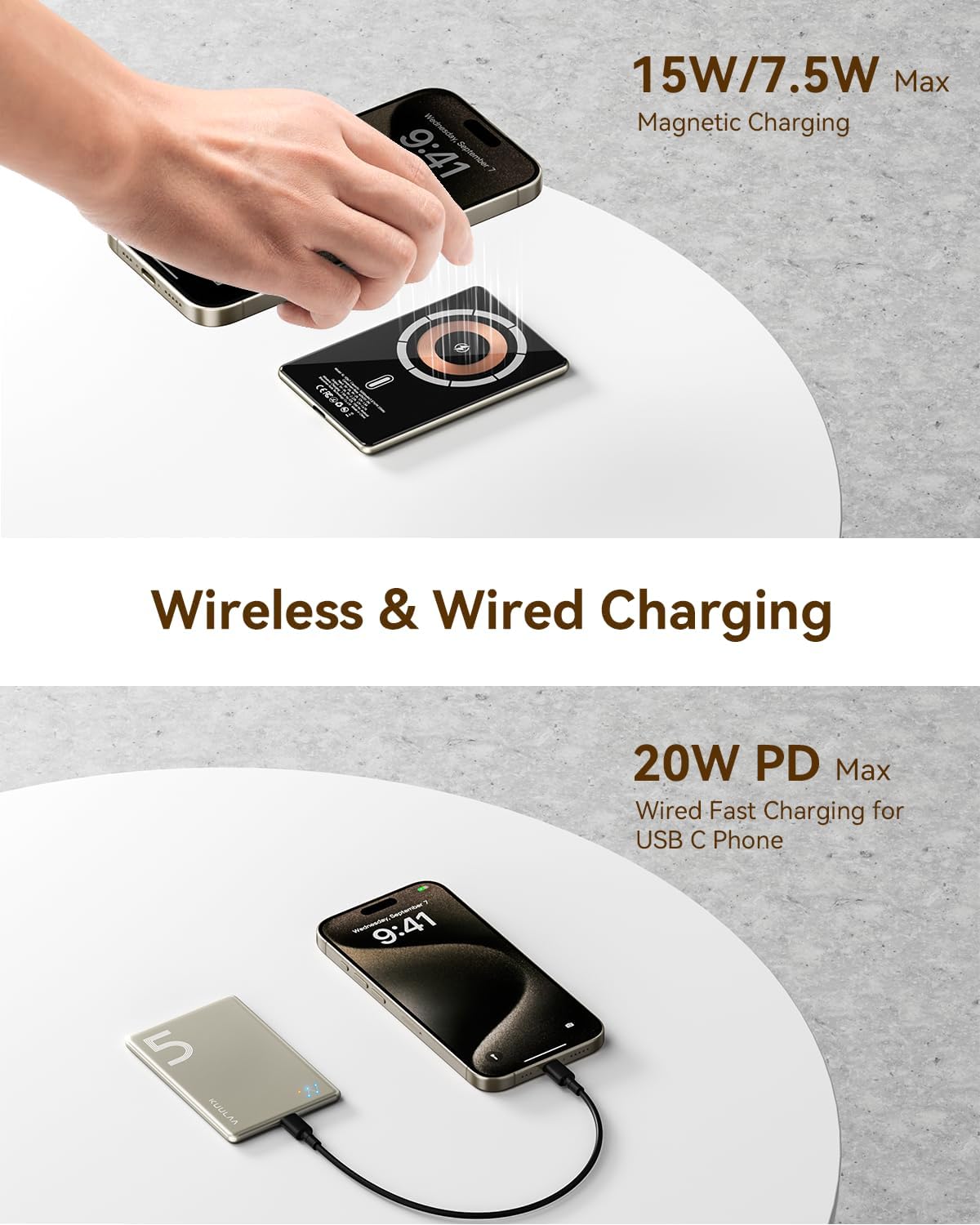
Diagram illustrating both wireless magnetic charging and wired 20W PD fast charging capabilities of the power bank.
Checking Battery Level
The power bank features LED indicators to display its remaining battery charge. Refer to the product's physical indicators for current battery status.
Maintenance
- Keep the power bank dry and away from moisture.
- Avoid extreme temperatures. Do not expose to direct sunlight or very cold environments.
- Clean the device with a soft, dry cloth. Do not use harsh chemicals or abrasive materials.
- Store in a cool, dry place when not in use for extended periods.
- Charge the power bank at least once every three months to maintain battery health.
Troubleshooting
- Power bank is not charging:
- Ensure the USB-C cable is securely connected to both the power bank and the power adapter. Verify the power adapter is functioning correctly and connected to a live power source.
- Device is not charging from the power bank:
- Wireless: Ensure your device is MagSafe compatible and properly aligned with the power bank. Remove any non-MagSafe cases that might obstruct the magnetic connection or wireless charging.
- Wired: Check if the USB-C cable is securely connected to both the power bank and your device. Try a different cable or device to rule out cable or device issues.
- Ensure the power bank has sufficient charge.
- Power bank or device gets warm during charging:
- It is normal for the power bank and your device to become slightly warm during charging, especially during fast charging. This is similar to the behavior of original chargers. If it becomes excessively hot, disconnect immediately and contact support.

Diagram highlighting the power bank's safety features, including overcharge, overvoltage, short circuit, and overheat protection.
Specifications
| Model Name: | KL-YD67 |
| Brand: | Kuulaa |
| Battery Capacity: | 5000 mAh |
| Battery Composition: | Lithium-ion |
| Special Feature: | Fast Charging |
| Connector Type: | USB Type C |
| Number of Ports: | 1 |
| Item Weight: | 104 Grams |
| Product Dimensions (L x W x H): | 10.3 x 6.8 x 0.71 cm |
| Color: | Natural Titanium |

The Kuulaa Magsafe Power Bank shown next to a stack of playing cards, illustrating its ultra-slim profile of 0.28 inches (approximately 0.71 cm).
Warranty and Support
The Kuulaa KL-YD67 Magsafe Ultra Slim 5000mAh Wireless Power Bank comes with a one-year warranty from the date of purchase.
If you encounter any issues or have questions regarding your product, please do not hesitate to contact our customer support team. We are committed to providing comprehensive support and assistance, with responses typically available 24/7.
For support, please refer to the contact information provided on the product packaging or the official Kuulaa website.


