1. Introduction
Thank you for choosing the Toputure Walking Pad TP3 Treadmill. This manual provides essential information for the safe and efficient operation, maintenance, and troubleshooting of your new fitness equipment. Please read this manual thoroughly before first use and keep it for future reference.
Package Contents
Upon unpacking, please ensure all items listed below are present and in good condition:
- Toputure Walking Pad TP3 Treadmill
- Remote Control
- Power Cable
- Wrench
- User Manual (this document)

Image: The package contents of the Toputure Walking Pad TP3, showing the treadmill, remote control, power cable, wrench, and user manual.
2. Safety Instructions
To reduce the risk of serious injury, read all important precautions and instructions in this manual and on your treadmill before using it.
- Always place the treadmill on a level surface.
- Keep children and pets away from the treadmill during operation.
- Wear appropriate athletic footwear and clothing.
- Do not operate the treadmill if it has a damaged cord or plug, or if it is not working properly.
- Do not use the treadmill outdoors or in damp areas.
- Ensure adequate clearance around the treadmill (at least 2 meters behind and 0.6 meters on each side).
- Do not step on or off the treadmill while the belt is moving.
- Consult a physician before starting any exercise program.
- The maximum user weight capacity for this treadmill is 130 kg.
3. Setup
The Toputure Walking Pad TP3 is designed for minimal setup. It comes pre-assembled and ready for use.
Placement and Unfolding
Place the treadmill on a flat, stable surface. The compact design allows for easy storage under furniture when not in use. Integrated transport wheels facilitate movement.

Image: The Toputure Walking Pad TP3 demonstrating its compact design and transport wheels, being stored under a sofa.
Manual Incline Adjustment
The treadmill features a manual incline adjustment to increase exercise intensity. The original incline is 2°, and it can be adjusted to 4.7° by inserting a screw. This adjustment allows for better fat burning and improved fitness.
- Locate the adjustment mechanism at the rear of the treadmill.
- Remove the bolt and rotate the incline block.
- Insert the bolt into the upper hole to set the incline to 4.7°.
- To return to the original 2° incline, reverse the steps.

Image: A visual guide illustrating the two-step process for manually adjusting the incline of the treadmill.
Initial Power On
Connect the power cable to the treadmill and a suitable power outlet. The LED display will illuminate, indicating the treadmill is ready for use.
Video: An overview of the Toputure Walking Pad TP3, demonstrating its folding mechanism, incline adjustment, app connectivity, remote control, and usage in both walking and running modes. This video highlights the product's features and ease of use.
4. Operating Instructions
The Toputure Walking Pad TP3 offers versatile exercise options with its 2-in-1 design and smart controls.
Modes of Operation
The treadmill supports two primary modes:
- Walking Machine Mode: Speed range of 1 to 4 km/h. Ideal for light exercise or use under a standing desk.
- Treadmill Mode: Speed range of 4 to 10 km/h. Suitable for brisk walking or light jogging.
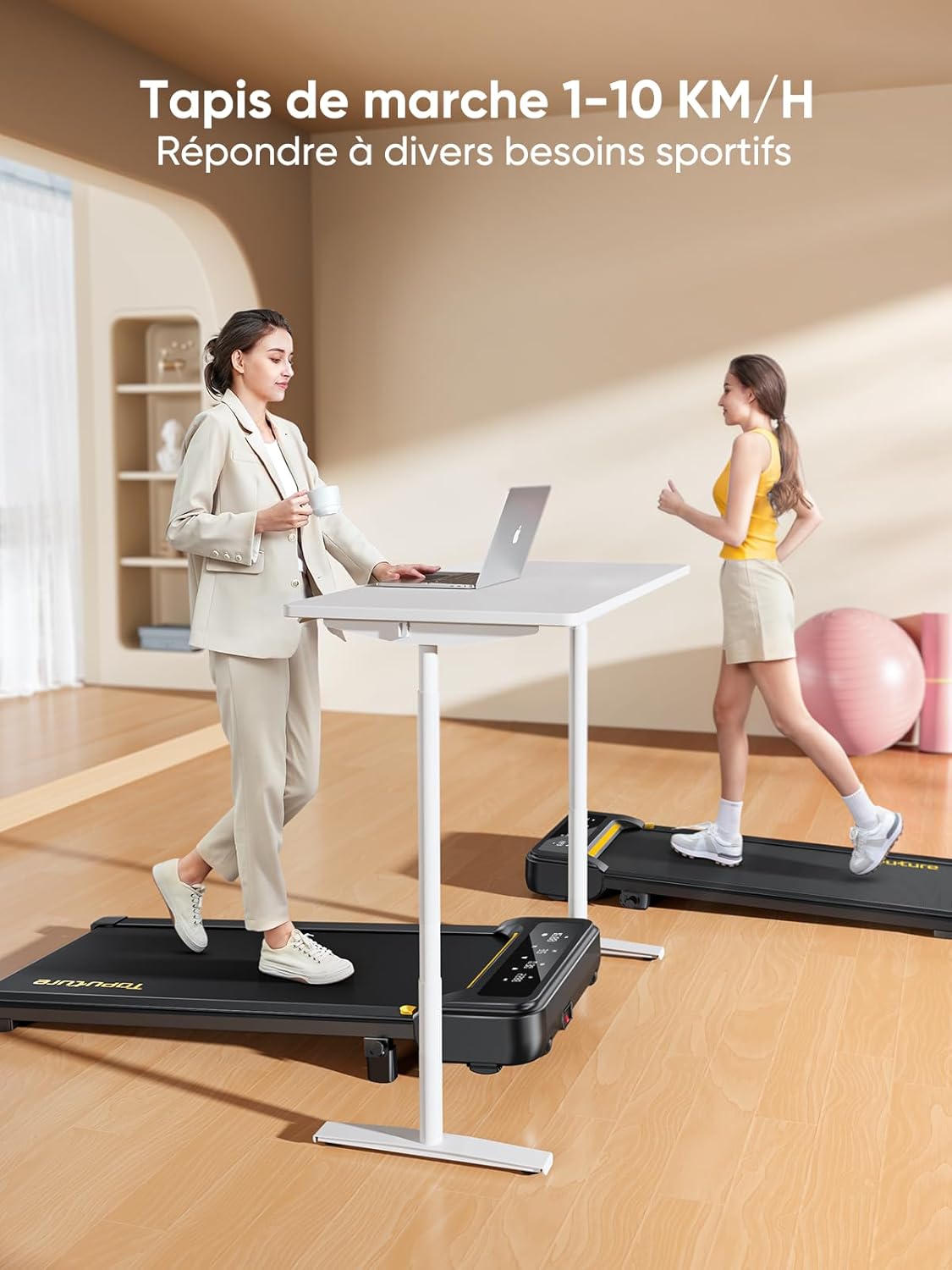
Image: A user demonstrating the 2-in-1 functionality of the treadmill, showing both walking and running modes.
LED Display and Remote Control
The multi-function LED display shows real-time data including speed, distance, time, and calories burned. You can adjust speed and mode using the touch screen or the included remote control.
- Remote Control: Use the remote to start/stop, adjust speed, and switch modes. The remote features a pause button that allows you to temporarily stop your workout without losing your exercise data.
- Magnetic Storage: The remote control can be conveniently attached to the treadmill's body via a magnetic function when not in use, preventing loss.

Image: The multi-function LED display of the treadmill, along with an illustration of the magnetic remote control storage feature.
Smart App Control (FITSHOW)
Connect your treadmill to the "FITSHOW" app via Bluetooth (Bluetooth name: TP3) for enhanced control and tracking. The app provides various training courses and allows you to monitor your progress.
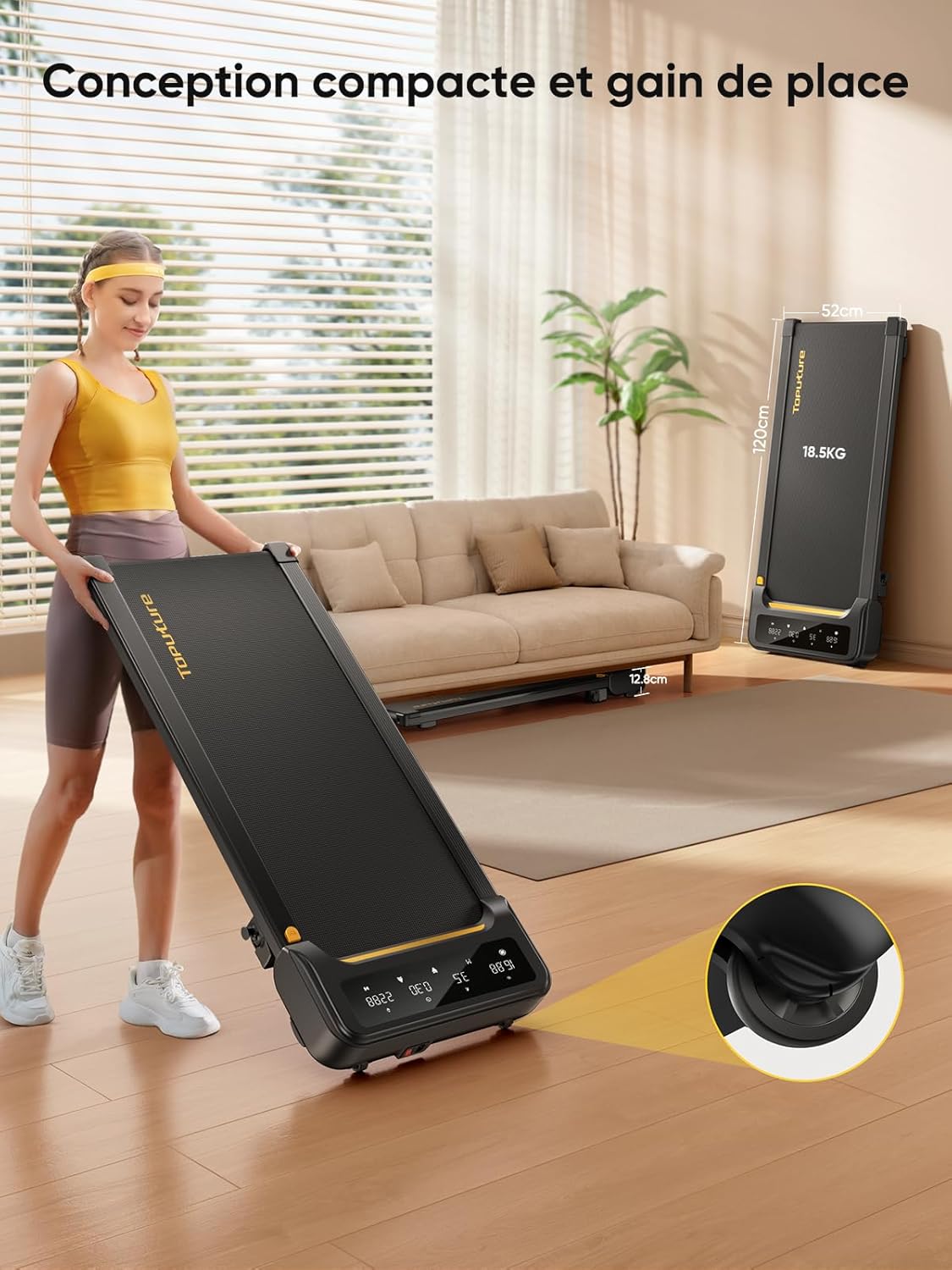
Image: A user engaging with the treadmill while connected to a fitness app, showcasing the smart app control feature.
5. Maintenance
Regular maintenance ensures the longevity and optimal performance of your Toputure Walking Pad TP3 Treadmill.
Cleaning
Wipe down the treadmill with a damp cloth after each use to remove sweat and dust. Avoid using abrasive cleaners or solvents.
Lubrication
The running belt requires lubrication with silicone oil approximately once a month, depending on usage. Locate the designated lubrication port on the treadmill deck and apply silicone oil as instructed in the product packaging for the lubricant.
Running Belt Adjustment
The running belt may require occasional adjustment to ensure it remains centered and properly tensioned. Refer to the specific instructions provided with your treadmill for detailed belt adjustment procedures. A powerful 2.5 HP silent motor drives the 7-layer anti-slip textured running belt, supported by internal silicone columns for shock absorption.

Image: A detailed view of the treadmill's multi-layer running belt, highlighting its anti-slip and shock-absorbing properties.
6. Troubleshooting
This section addresses common issues you might encounter with your Toputure Walking Pad TP3 Treadmill.
| Problem | Possible Cause | Solution |
|---|---|---|
| Treadmill does not start | Power cable not connected; Power switch off; Remote control battery low | Ensure power cable is securely plugged in; Turn on the power switch; Replace remote control batteries. |
| Running belt slips or stops | Belt too loose; Insufficient lubrication; Overload (user weight exceeds capacity) | Adjust belt tension; Apply silicone oil; Ensure user weight is within 130 kg limit. |
| Unusual noise during operation | Loose components; Lack of lubrication; Belt misalignment | Check and tighten all visible screws; Lubricate the running belt; Adjust belt alignment. |
| Display not working correctly | Loose connection; Electronic malfunction | Check all cable connections; If problem persists, contact customer support. |
| App (FITSHOW) connectivity issues | Bluetooth off; Incorrect app settings; App bug | Ensure Bluetooth is enabled on your device; Check app permissions and settings; Update the app to the latest version. |
If you encounter any issues not listed here or if the suggested solutions do not resolve the problem, please contact Toputure customer support for assistance.
7. Specifications
Below are the technical specifications for the Toputure Walking Pad TP3 Treadmill:
- Model: TP3
- Color: Black
- Frame Material: Alloy Steel
- Motor Power: 2.5 HP (Cheval-vapeur)
- Speed Range: 1 - 10 km/h
- Incline: Manual, 2° to 4.7°
- Max Weight Capacity: 130 kg
- Running Surface Dimensions: 100 cm (length) x 40 cm (width)
- Product Dimensions (L x W x H): 120 x 52 x 12 cm
- Item Weight: 18.5 kg
- Display Type: LCD (shows Calories burned, Distance, Time, Speed)
- Number of Programs: 12 preset programs
- Power Source: Electric Cable
- Special Features: Manual incline, APP control (FITSHOW), Magnetic remote storage, Shock absorption system

Image: A visual representation of the treadmill's spacious running area and its maximum weight capacity.
8. Warranty and Support
The Toputure Walking Pad TP3 Treadmill typically comes with a 2-year warranty. Please refer to your purchase documentation or contact the seller for specific warranty terms and conditions.
Customer Support
For any questions, technical assistance, or warranty claims, please contact Toputure customer support through the retailer where you purchased the product or visit the official Toputure website for contact information.
We are committed to providing high-quality fitness equipment and excellent customer service.


