
iKanzi NX9
iKanzi Smartwatch User Manual
Model: NX9
1. Introduction
This manual provides detailed instructions for the iKanzi Smartwatch, Model NX9. It covers setup, operation, maintenance, and troubleshooting to ensure optimal performance and user experience. Please read this manual thoroughly before using your smartwatch.

Figure 1.1: iKanzi Smartwatch, showcasing its sleek design and vibrant display.
2. Setup and Pairing
To begin using your iKanzi Smartwatch, you must first pair it with your smartphone via the dedicated application.
2.1. App Installation
- Download the "FitCloudPro" application from your smartphone's app store (available for both iPhone and Android).
- Ensure your smartwatch is powered on and its Bluetooth function is enabled.
- Enable Bluetooth on your smartphone.
2.2. Pairing Process
- Open the "FitCloudPro" app.
- Navigate to the "Device" section and select "Device Settings" to search for devices.
- Select "NX9" from the list of found devices.
- On your smartwatch, a prompt will appear asking to pair with your phone. Select "Yes".
- On your smartphone, accept the Bluetooth pairing request and allow notification display permissions.

Figure 2.1: Visual guide for Bluetooth pairing and call features.
3. Operating Instructions
3.1. Bluetooth Call and Message Notifications
The smartwatch features a built-in speaker and microphone, allowing you to make and receive calls directly from your wrist after connecting to your smartphone. It also supports various app notifications.
- Bluetooth Call: Once paired, you can answer or reject incoming calls directly on the smartwatch. You can also sync contacts and view call history. To enable audio mode for calls, swipe right on the home screen and tap the phone icon to turn on "Audio Mode". If it shows "Disconnected", connect to "NX9 HT" in your phone's Bluetooth settings.
- Message Notifications: Receive notifications from apps like LINE, Twitter, Facebook, and Instagram with vibration alerts. You can view the full content of messages on your watch.
- Vibration Intensity: Adjust vibration intensity (strong/off) for notifications.

Figure 3.1: Message notification display and vibration settings.
3.2. Sports Modes and Activity Tracking
The smartwatch supports over 100 indoor and outdoor sports modes, helping you track your fitness goals.
- Available Modes: Includes running, basketball, cycling, baseball, yoga, jump rope, badminton, tennis, and many more.
- Data Recording: When connected to the app, it records exercise distance, time, and calorie consumption. This data assists in setting and managing your workout plans.

Figure 3.2: Overview of the diverse sports modes available on the smartwatch.
3.3. Music Control and Camera Remote
Control your smartphone's music playback and camera shutter directly from your smartwatch.
- Music Control: Play, pause, skip tracks, and adjust volume for music playing on your connected phone.
- Camera Remote: Use your smartwatch as a remote shutter for your smartphone's camera, ideal for group photos or selfies.
3.4. Voice Assistant and Other Functions
Enhance your daily efficiency with the integrated voice assistant and other convenient features.
- Voice Assistant: Activate your phone's voice assistant (e.g., Siri, Google Assistant) directly from the watch for hands-free operation.
- Weather Forecast: Get real-time weather updates on your wrist.
- Brightness Adjustment: Adjust screen brightness for optimal visibility in various lighting conditions.
- Stopwatch & Alarm: Utilize built-in stopwatch and alarm functions.
- Menstrual Cycle Reminder: A convenient feature for tracking menstrual cycles.
- DIY Watch Faces: Customize your watch face with over 300 options available in the app, or upload your own photos.
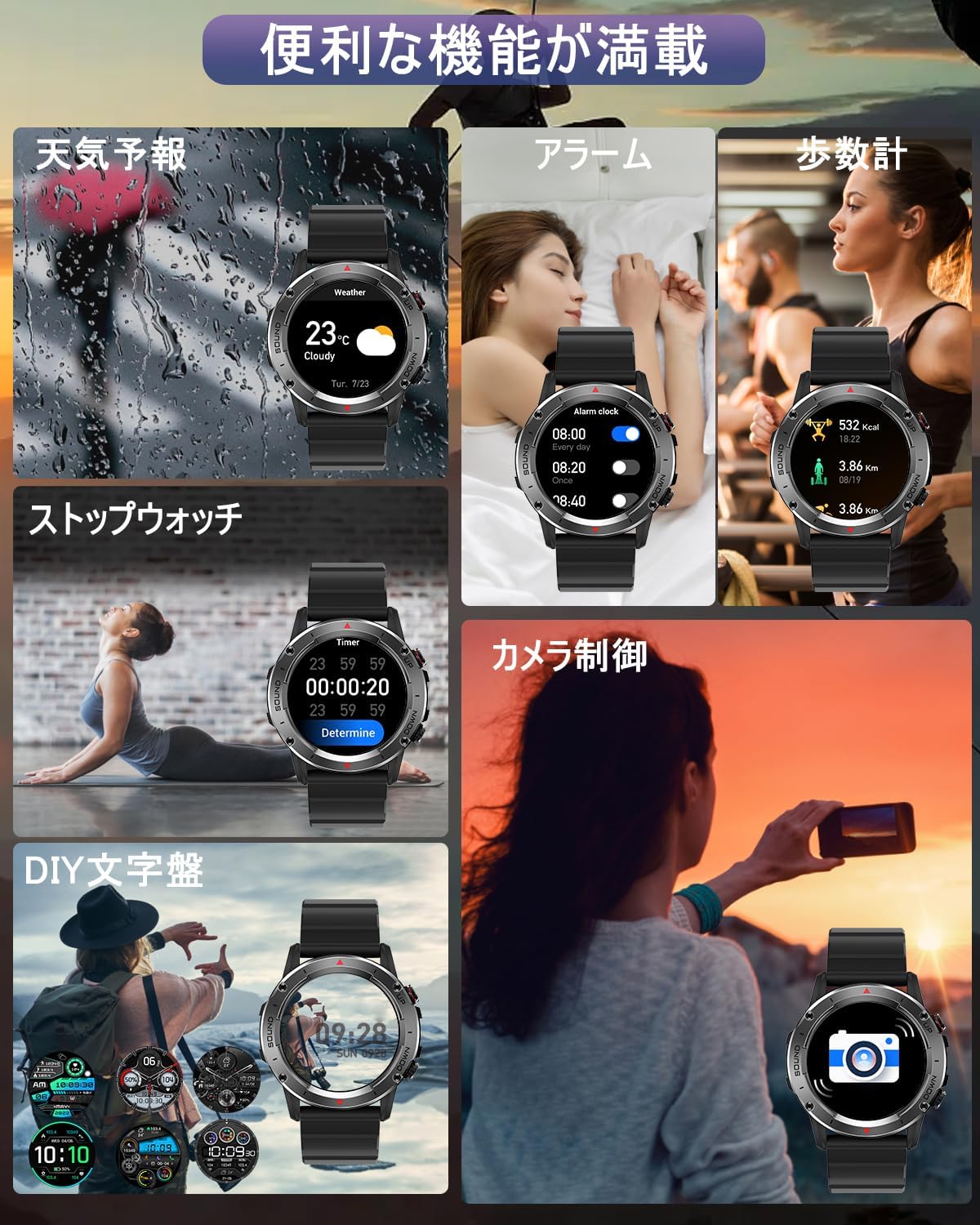
Figure 3.3: Features including music control, camera remote, and IP68 rating.

Figure 3.4: Overview of additional convenient functions.
4. Maintenance
4.1. Battery Life and Charging
The iKanzi Smartwatch is equipped with a 400mAh large-capacity battery, providing extended usage and standby times.
- Usage Time: Approximately 7-15 days on a single full charge, depending on usage.
- Standby Time: Up to 30 days.
- Charging: A full charge takes approximately 2 hours. Use the provided charging cable.

Figure 4.1: Battery specifications and charging details.
4.2. Water and Dust Resistance
The smartwatch is IP68 rated, offering excellent dust and water resistance. It is suitable for daily use and outdoor activities, providing peace of mind against water and sweat damage.
5. Troubleshooting
If you encounter issues with your smartwatch, refer to the following common solutions:
5.1. Notifications Not Received
- Check Do Not Disturb Mode: Ensure the smartwatch's "Do Not Disturb" mode is off. Swipe down on the watch's main screen to find the moon icon; tap it to toggle the mode. When DND is on, features like wrist-lift screen activation and notifications will not function.
- Check Audio Mode: Ensure the watch's "Audio Mode" is on. Swipe right on the home screen and tap the phone icon. If it shows "Disconnected", connect to "NX9 HT" in your phone's Bluetooth settings.
- Smartphone Bluetooth Settings: For Android, ensure "Share System Notifications" is enabled in your phone's Bluetooth settings for the connected device.
- iOS Notification Settings: For iPhone, go to Settings > Notifications > Show Previews and set it to "Always". Also, ensure that for individual apps, "Show Previews" is set to "Always" and notifications are enabled for Lock Screen, Notification Center, and Banners. If "Show Previews" is set to "Never", notifications may not appear on the watch. Notifications may also not appear on the watch if the phone screen is on.
5.2. Audio Output Issues
If audio is not coming from the watch or is coming from the phone instead:
- Toggle Audio Mode: On the smartwatch, swipe down from the main screen to find the headphone icon. Tap it to toggle the watch's "Audio Mode" on or off. When on, audio will play through the watch. When off, audio will play through the phone.
6. Specifications
| Feature | Specification |
|---|---|
| Brand | iKanzi |
| Model | NX9 |
| Screen Size | 1.39 inches |
| Color | Blue |
| Wireless Communication Standard | Bluetooth |
| Connectivity Technology | Bluetooth |
| Included Components | Cable |
| Product Dimensions | 11 x 4 x 2 cm |
| Item Weight | 170 g |
7. Warranty and Support
Specific warranty details and direct customer support contact information are not provided within this manual. Please refer to the product packaging or the retailer's website for warranty claims and support inquiries.
Ask a question about this manual
Ask about setup, troubleshooting, compatibility, parts, safety, or missing instructions. Manuals+ will review the question and use this page’s manual context to help answer it.