1. Introduction
Thank you for purchasing the ION Wearable Power Bank D02. This compact and versatile power bank is designed for on-the-go charging, featuring built-in retractable cables, a powerful LED flashlight, and a convenient wearable design. Please read this manual carefully before use to ensure proper operation and to maximize the lifespan of your device.
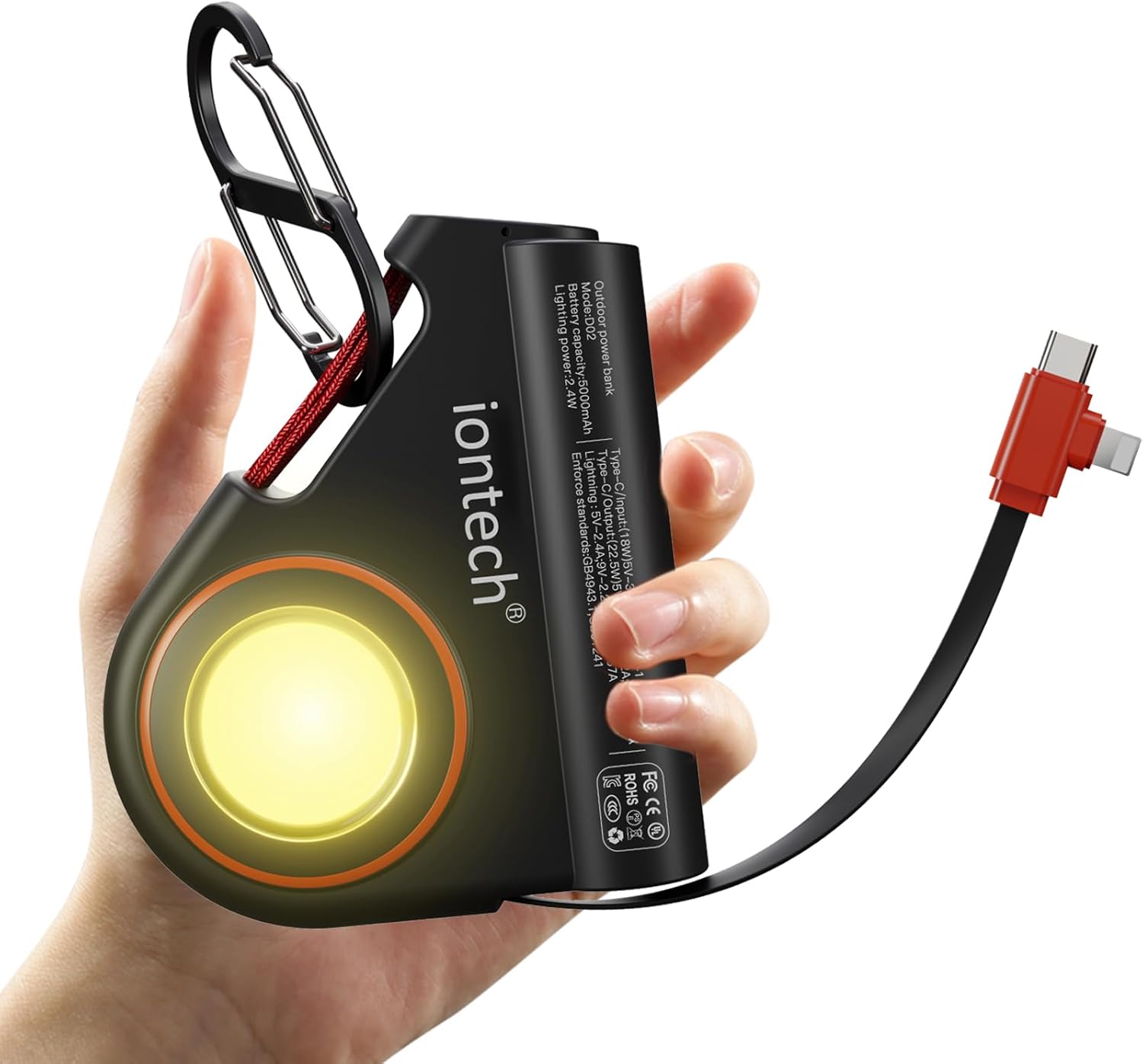
Image: The ION Wearable Power Bank D02, highlighting its compact design and built-in features.
2. Package Contents
Please check the package for the following items:
- ION Wearable Power Bank D02 with built-in 2-in-1 cable (USB-C and iOS)
- Removable Carabiner
- User Manual
3. Product Overview
The ION D02 Power Bank integrates several key features for convenience and utility:
- Built-in Retractable Cables: Features a 2-in-1 cable with both USB-C and iOS connectors for broad compatibility.
- LED Flashlight: A bright 2.4W LED light with steady and SOS modes.
- Portable Design: Includes a lanyard and a detachable carabiner for easy attachment to bags or clothing.
- Additional USB-C Port: An extra USB-C port allows for charging a second device simultaneously.
- LED Power Indicator: Lights indicate the remaining battery level.

Image: Detail of the power bank's built-in retractable 2-in-1 cable and the additional USB-C port.
4. Setup and Initial Use
4.1 Initial Charging of the Power Bank
Before first use, it is recommended to fully charge your ION Wearable Power Bank. The built-in USB-C cable supports bidirectional fast charging, meaning it can be used to recharge the power bank itself.
- Locate the built-in USB-C connector on the retractable cable.
- Plug the USB-C connector into a compatible USB-C wall adapter (not included) or a computer's USB-C port.
- The LED power indicators will illuminate to show charging progress. All indicators will be solid when fully charged.

Image: Recharging the power bank using its built-in USB-C cable.
5. Operating Instructions
5.1 Charging Your Devices
The power bank can charge up to two devices simultaneously using its built-in 2-in-1 cable and the additional USB-C port.
- For Built-in Cable: Gently pull the retractable cable to extend it. Select the appropriate connector (USB-C or iOS) and plug it into your device's charging port.
- For Additional USB-C Port: Connect your device using a separate USB-C to USB-C cable (not included) to the extra USB-C port on the power bank.
- Charging will begin automatically. The LED indicators on the power bank will show the remaining battery level.
- When finished, gently retract the cable by pulling it slightly further until it locks and then slowly releases. Do not force the cable.

Image: Fast charging capabilities of the power bank, capable of charging an iPhone 15 to over 50% in 30 minutes.
5.2 Flashlight Operation
The power bank is equipped with a 2.4W LED flashlight.
- Turn On/Off: Double-press the power button to turn the flashlight on or off.
- SOS Mode: Once the flashlight is on, press the power button once more to switch to SOS lighting mode. Press again to return to steady light, or double-press to turn off.

Image: The power bank's bright LED flashlight, ideal for various situations.
5.3 Wearable Functionality
The included lanyard and detachable carabiner allow for convenient hands-free carrying.
- Attach the lanyard or carabiner to your backpack, belt loop, or other suitable attachment points.
- This allows for easy access to charging while on the move, perfect for outdoor activities or gaming.

Image: The power bank's wearable design, allowing for convenient charging while on the move.
6. Care and Maintenance
To ensure the longevity and optimal performance of your power bank, please follow these guidelines:
- Keep the device dry. Avoid exposure to water or high humidity.
- Do not expose the device to extreme temperatures (hot or cold).
- Clean the device with a soft, dry cloth. Do not use harsh chemicals or abrasive cleaners.
- Store the power bank in a cool, dry place when not in use.
- Avoid dropping or subjecting the device to strong impacts.
- Do not attempt to disassemble, repair, or modify the power bank yourself. This will void the warranty and may cause damage or injury.
7. Troubleshooting
| Problem | Possible Cause | Solution |
|---|---|---|
| Power bank not charging devices. | Low battery on power bank; loose connection; incompatible cable. | Recharge the power bank; ensure cables are securely connected; use the built-in cable or a compatible USB-C cable. |
| Power bank not recharging. | Faulty wall adapter/USB port; damaged cable. | Try a different wall adapter or USB-C port; ensure the built-in USB-C cable is not damaged. |
| Flashlight not working. | Power bank battery is too low; incorrect operation. | Recharge the power bank; double-press the power button to activate the flashlight. |
| Retractable cable not retracting smoothly. | Cable mechanism jammed or damaged. | Gently pull the cable slightly further to release the lock, then allow it to retract slowly. Do not force it. If persistent, contact support. |
8. Specifications
| Feature | Detail |
|---|---|
| Model Number | D02 |
| Battery Capacity | 5000 mAh |
| Product Dimensions | 3.5 x 1 x 3 inches |
| Item Weight | 5 ounces |
| Built-in Cable Output | USB-C: 22.5W, iOS: 18W |
| USB-C Input (for recharging) | 18W |
| Flashlight Power | 2.4W |
| Special Features | Built-in retractable 2-in-1 cable, LED flashlight, removable carabiner |

Image: Dimensions and weight of the compact power bank.
9. Warranty and Support
The ION Wearable Power Bank D02 comes with a one-year limited warranty from the date of purchase. This warranty covers manufacturing defects and workmanship under normal use.
The warranty does not cover:
- Damage caused by accident, abuse, misuse, flood, fire, earthquake, or other external causes.
- Damage caused by operating the product outside the permitted or intended uses described by ION.
- Damage caused by service performed by anyone who is not a representative of ION.
- Products or parts that have been modified to alter functionality or capability without the written permission of ION.
For warranty claims or technical support, please contact ION customer service through the retailer where the product was purchased or visit the official ION website for contact information.


