
OPPO Reno12 F 5G (Model: 110010233413KIT)
OPPO Reno12 F 5G AI Smartphone User Manual
Model: Reno12 F 5G (110010233413KIT)
1. Introduction
Welcome to the user manual for your new OPPO Reno12 F 5G AI Smartphone. This guide provides detailed instructions on how to set up, operate, maintain, and troubleshoot your device. Please read this manual carefully to ensure optimal performance and longevity of your smartphone.

Image: The OPPO Reno12 F 5G AI Smartphone in green, showcasing its sleek design and the included car support accessory.
2. What's in the Box
Upon unboxing your OPPO Reno12 F 5G, you should find the following items:
- OPPO Reno12 F 5G AI Smartphone
- USB Type-C Charging Cable
- SIM Ejector Tool
- Pre-applied Protective Film
- Quick Start Guide (Installation Manual)
- Warranty Card
- Car Support (Magnetic)
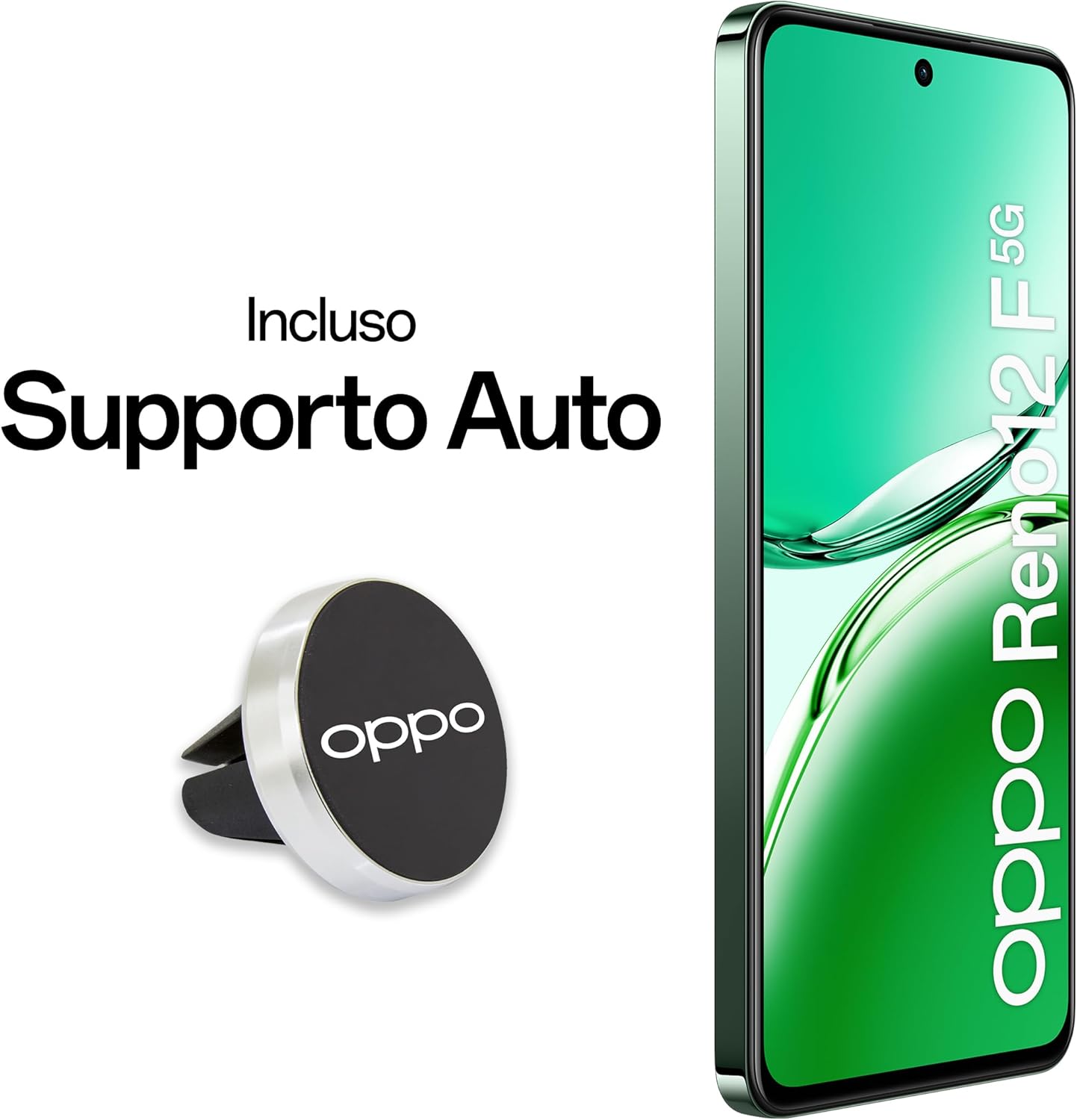
Image: The OPPO Reno12 F 5G smartphone displayed alongside its magnetic car support accessory.
3. Product Features Overview
The OPPO Reno12 F 5G is designed with advanced features to enhance your mobile experience:
- AI Triple Camera System: Featuring a 50MP main, 8MP ultra-wide, and 2MP macro lens, complemented by a 32MP front camera.
- Vibrant AMOLED Display: A 6.67-inch 120Hz AMOLED FHD+ display with visual protection for immersive viewing.
- Long-lasting Battery: Equipped with a 5000mAh battery and 45W SUPERVOOC fast charging.
- Powerful Performance: Powered by a MediaTek Dimensity 6300 processor with 16GB RAM (8GB + 8GB expandable) and 256GB ROM (expandable up to 2TB).
- Enhanced Security: In-display fingerprint unlock for quick and secure access.
- Durability: IP64 rating for splash and dust resistance, built with All-Round Armour for robust protection.
- AI Capabilities: Integrated AI features for photography and connectivity, including AI Eraser 2.0, AI Smart Image Matting 2.0, and AI LinkBoost.
- Halo Light: A customizable light ring around the camera module for notifications, calls, and charging status.

Image: Promotional image highlighting the AI capabilities of the OPPO Reno12 F 5G.

Image: Visual summary of the OPPO Reno12 F 5G's key selling points, including design, AI portrait capabilities, AI connection, and battery life.
4. Setup Guide
4.1. SIM Card Installation
- Locate the SIM card tray on the side of your device.
- Insert the SIM ejector tool into the small hole next to the tray and press gently until the tray pops out.
- Place your Nano-SIM card(s) and/or microSD card (if applicable) into the designated slots on the tray, ensuring the gold contacts face down.
- Carefully push the tray back into the device until it clicks into place.
4.2. Initial Power On and Setup
- Press and hold the Power button (located on the right side) until the OPPO logo appears.
- Follow the on-screen prompts to select your language, region, and connect to a Wi-Fi network.
- Sign in with your Google account or create a new one to access Google services and the Play Store.
- Set up your screen lock method (PIN, pattern, password, or fingerprint).
- Complete the setup wizard to transfer data from an old device or start fresh.
5. Operating Instructions
5.1. Basic Navigation
- Home Screen: Swipe left or right to navigate between home screens.
- App Drawer: Swipe up from the bottom of the screen to access all installed applications.
- Notifications & Quick Settings: Swipe down from the top of the screen to view notifications and access quick settings toggles.
- Recent Apps: Swipe up and hold from the bottom of the screen (if using gesture navigation) or tap the recent apps button (if using navigation buttons) to view and switch between recently used applications.
5.2. Customizing Settings
Access the 'Settings' app to personalize your device:
- Display & Brightness: Adjust screen brightness, color temperature, dark mode, and refresh rate (120Hz).
- Sound & Vibration: Configure ringtones, notification sounds, and vibration patterns.
- Wallpapers & Style: Change wallpapers, themes, and icon styles.
- Security & Privacy: Manage screen lock, fingerprint unlock, app permissions, and privacy settings.
5.3. Connectivity
- Wi-Fi: Connect to wireless networks for internet access.
- Bluetooth: Pair with wireless headphones, speakers, and other Bluetooth devices.
- Mobile Network (5G): Ensure your SIM card is active and your mobile data is enabled for 5G connectivity.
- AI LinkBoost: Experience fluid and stable network connection with faster sharing and more precise navigation, thanks to the 360-degree antenna design.

Image: Illustration of AI LinkBoost technology, ensuring stable and fast network connections.
6. Camera Features
The OPPO Reno12 F 5G boasts a versatile camera system:
- Rear Cameras:
- 50MP Main Camera
- 8MP Ultra-wide Camera
- 2MP Macro Camera
- Front Camera: 32MP Selfie Camera
- Camera Functions: Photo, Panorama, Macro, Video, Dual-View Video, Night Mode, Portrait Mode, HDExtra, Time Lapse, Slow Motion, Google Lens.
6.1. AI Photography Enhancements
- AI Eraser 2.0: Easily remove unwanted strangers or objects from your photos with a single tap for seamless edits.
- AI Smart Image Matting 2.0: Quickly cut out people and animals from photos, then add emojis, stickers, backgrounds, and more, all without leaving the app.

Image: Detailed view of the OPPO Reno12 F 5G's camera module, specifying the resolution of each lens: 32MP front, 50MP primary, 2MP macro, and 8MP ultra-wide.

Image: Demonstration of AI Eraser 2.0, showing before and after examples of removing elements from a photo.

Image: Example of AI Smart Image Matting 2.0, illustrating how subjects can be precisely cut out from images.
6.2. Halo Light
The enchanting Halo Light in the camera module can be monochrome or multicolor, and its luminous effects adapt to music, calls, charging, notifications, and more.

Image: Close-up of the OPPO Reno12 F 5G's camera module, highlighting the customizable Halo Light feature.
7. Battery and Charging
Your OPPO Reno12 F 5G is equipped with a high-capacity 5000mAh battery for extended usage and supports rapid charging technology.
- Battery Capacity: 5000mAh for long-lasting experience.
- Fast Charging: Supports 45W SUPERVOOC fast charging. Use the provided USB Type-C cable and a compatible 45W SUPERVOOC charger (sold separately) for optimal charging speeds.
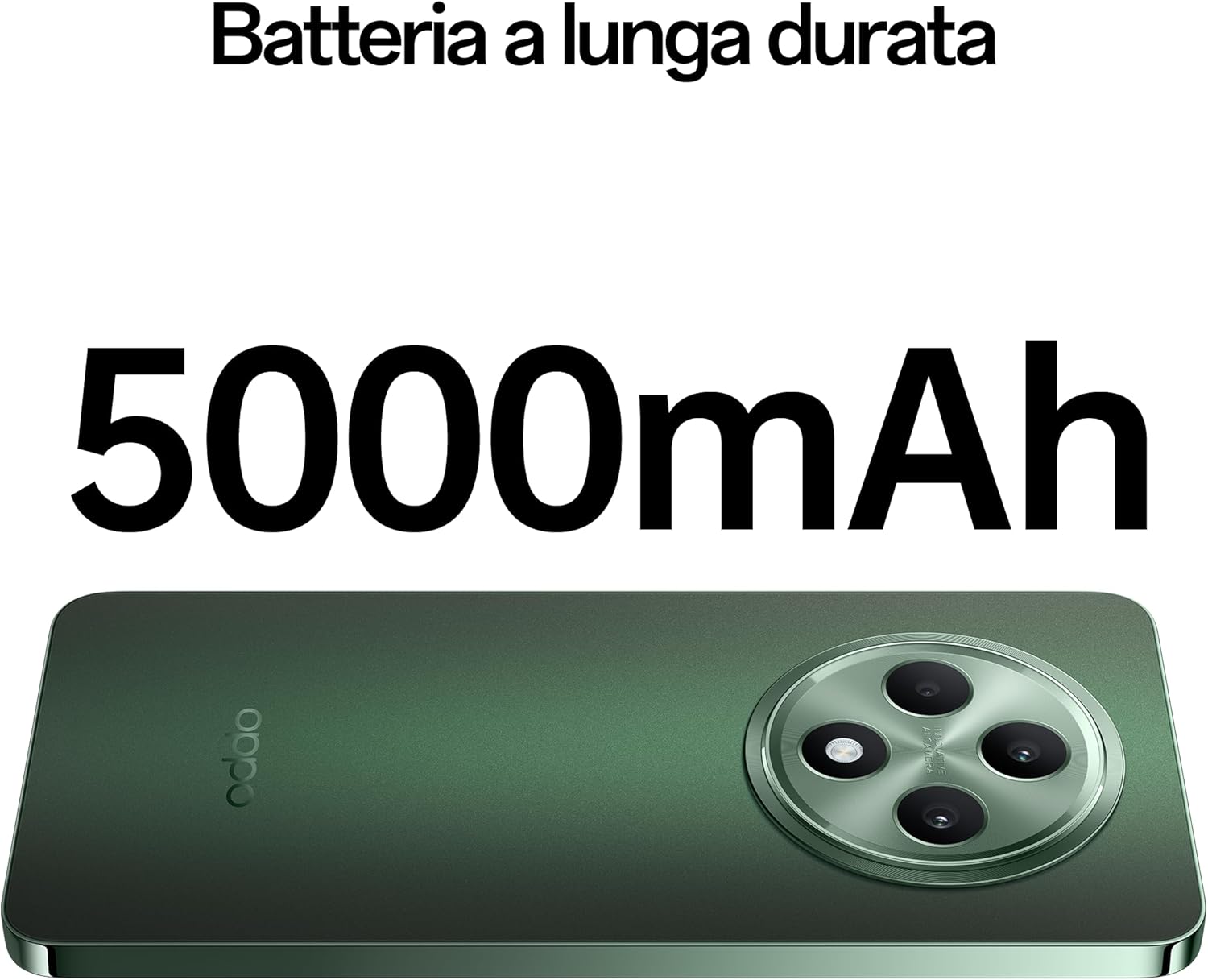
Image: Visual representation emphasizing the 5000mAh long-lasting battery of the OPPO Reno12 F 5G.

Image: Depiction of the 45W SUPERVOOC fast charging technology, showing the USB-C port and cable.
8. Performance
The OPPO Reno12 F 5G is engineered for smooth and efficient performance:
- Processor: MediaTek Dimensity 6300, built on a 6nm process for improved performance and energy efficiency.
- RAM: 16GB (8GB physical + 8GB expandable virtual RAM) for seamless multitasking.
- Internal Storage (ROM): 256GB, expandable up to 2TB via microSD card.
- Operating System: Android 14 with ColorOS 14.0, offering a user-friendly interface and smart features.

Image: Diagram illustrating the powerful internal components, including the MediaTek Dimensity 6300 processor, 8GB RAM, and 256GB ROM.

Image: Visual detailing the expandable RAM (8GB + 4GB/6GB/8GB) and ROM (256GB, expandable up to 2TB) capabilities of the device.
9. Maintenance
9.1. Cleaning Your Device
To keep your smartphone in optimal condition:
- Use a soft, lint-free cloth to wipe the screen and body.
- Avoid using harsh chemicals, abrasive materials, or aerosol sprays.
- For stubborn smudges, slightly dampen the cloth with water or a screen cleaner designed for electronics.
9.2. Software Updates
Regularly check for and install software updates to ensure your device has the latest features, security patches, and performance improvements. Go to Settings > About device > Up to date to check for updates.
9.3. Storage Management
To maintain smooth performance, periodically manage your device's storage:
- Delete unnecessary apps, photos, and videos.
- Clear cache data for apps in Settings > Apps > App management > [App Name] > Storage usage > Clear cache.
- Utilize cloud storage services for backups.

Image: An exploded view of the OPPO Reno12 F 5G, illustrating its robust internal and external protection features, including high-strength alloy structure and tempered glass.
10. Troubleshooting
This section addresses common issues you might encounter with your OPPO Reno12 F 5G.
10.1. Common Issues
- Device Not Turning On: Ensure the battery is charged. Press and hold the Power button for at least 10 seconds to force restart.
- Apps Crashing/Freezing: Close the app from recent apps. Clear the app's cache (see Maintenance section). If the issue persists, reinstall the app.
- Poor Network Connectivity: Check if Airplane Mode is off. Restart your device. Verify your SIM card is properly inserted. Contact your mobile carrier if issues persist.
- Battery Draining Quickly: Reduce screen brightness, disable unnecessary background apps, turn off Wi-Fi/Bluetooth when not in use. Check battery usage in Settings to identify power-hungry apps.
- Fingerprint Sensor Issues: Ensure your finger is clean and dry. Re-register your fingerprint if necessary.
10.2. Factory Reset
A factory reset will erase all data on your device and restore it to its original factory settings. Backup all important data before proceeding.
- Go to Settings > System settings > Back up and reset > Reset phone.
- Select Erase all data.
- Enter your screen lock password if prompted.
- Confirm the reset. Your device will restart and begin the reset process.
11. Specifications
Key technical specifications for the OPPO Reno12 F 5G:
| Feature | Specification |
|---|---|
| Brand | OPPO |
| Model Name | Reno12 F 5G |
| Model Number | 110010233413KIT |
| Operating System | Android 14 & ColorOS 14.0 |
| Display Size | 6.67 Inches |
| Display Resolution | 1920 x 1080 (FHD+) |
| Refresh Rate | 120 Hz |
| RAM Memory Size | 16 GB (8GB + 8GB expandable) |
| Storage Capacity | 256 GB (Expandable up to 2TB) |
| Rear Camera | 50MP + 8MP + 2MP AI Triple Camera |
| Front Camera | 32MP |
| Battery Capacity | 5000mAh |
| Charging | 45W SUPERVOOC |
| Water Resistance | IP64 (Splash and Dust Resistant) |
| Product Dimensions | 0.78 x 7.58 x 16.31 cm |
| Weight | 187 grams |
| Wireless Carrier | All carriers |
| Cellular Technology | 5G |

Image: Diagram showing the physical dimensions (length, width, thickness) and weight of the OPPO Reno12 F 5G.
12. Warranty and Support
Your OPPO Reno12 F 5G comes with a standard manufacturer's warranty. Please refer to the included Warranty Card for specific terms and conditions, including warranty duration and coverage details.
12.1. Customer Support
For technical assistance, troubleshooting beyond this manual, or warranty claims, please contact OPPO Customer Service. You can typically find support contact information on the official OPPO website or through the support section within your device's settings.
Online Resources: Visit the official OPPO support website for FAQs, software downloads, and service center locations. OPPO Support Website
Related documentsReno12 F 5G (Model: 110010233413KIT)


Ask a question about this manual
Ask about setup, troubleshooting, compatibility, parts, safety, or missing instructions. Manuals+ will review the question and use this page’s manual context to help answer it.