Introduction
The Panasonic WN10 is a wireless wearable TV neck speaker designed to provide clear audio close to your ears. It features a Clear Voice Function and Dynamic Range Control to enhance spoken content, making dialogue easier to hear by emphasizing human voices over background noise. The system offers easy setup with a wireless transmitter for TV connection and Bluetooth pairing for smartphones and other devices. It also includes a built-in microphone for hands-free calling and is splashproof (IPX4 equivalent), making it suitable for various environments.

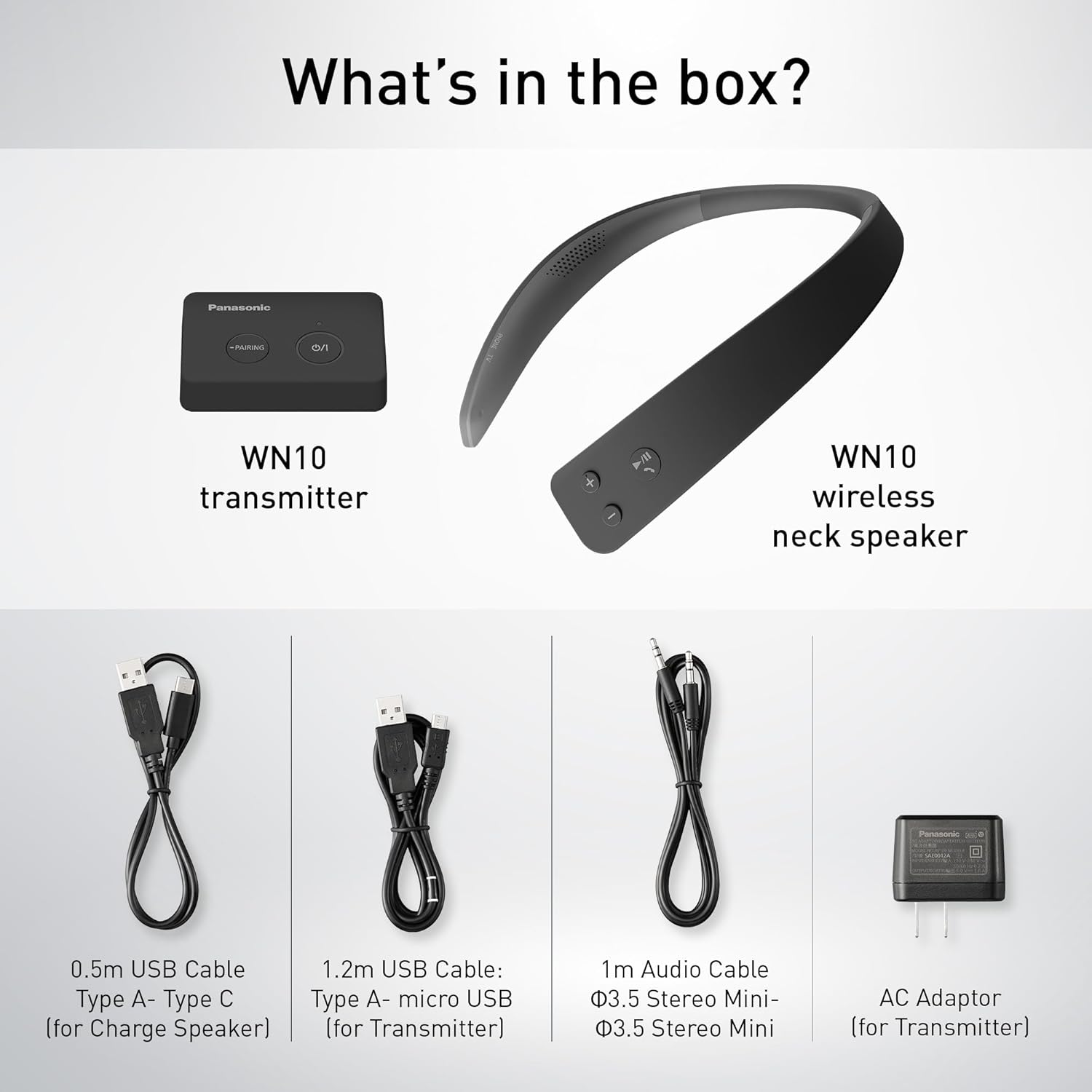
What's in the Box
Ensure all components are present before proceeding with setup.
- Panasonic WN10 Wireless Neck Speaker
- Panasonic WN10 Transmitter
- 0.5m USB Cable Type A-Type C (for Charge Speaker)
- 1.2m USB Cable: Type A-micro USB (for Transmitter)
- 1m Audio Cable Φ3.5 Stereo Mini-Φ3.5 Stereo Mini
- AC Adaptor (for Transmitter)
- Quick Start Guide
Product Features
- Clear TV Sound: Enjoy clear TV sound close to your ears with Clear Voice Function and Dynamic Range Control.
- Easy Wireless Connection: Simple setup for TV and ability to connect to two devices simultaneously.
- Hands-Free Calling: Built-in microphone enables convenient hands-free phone calls.
- Splashproof Design: Equivalent to IPX4, offering protection against water splashes.
Setup Instructions
Connecting to a TV (Wireless Transmitter)
The WN10 does not require complex TV connection settings. Use the included wireless transmitter for an easy setup.
- Connect the wireless transmitter to the headphone jack on your TV using the audio connection cord.
- Connect the AC adaptor to the wireless transmitter and plug it into a power outlet.
- The system is now ready for use.

Bluetooth Pairing with Smartphones/PCs
The WN10 can also be paired with devices such as smartphones or PCs via Bluetooth.
- Ensure the WN10 neck speaker is powered on.
- Press the input selector button on the speaker to switch to Bluetooth mode.
- On your smartphone or PC, navigate to the Bluetooth settings.
- Select
Related Documents - SC-WN10PP-K

Panasonic SC-WN10 Wireless Neck Speaker System Owner's Manual
Comprehensive owner's manual for the Panasonic SC-WN10 Wireless Neck Speaker System, detailing setup, operation, Bluetooth connectivity, clear voice function, making calls, and troubleshooting. Includes warranty information and support links.
Panasonic SC-WN10 ワイヤレスネックスピーカーシステム 取扱説明書
パナソニック SC-WN10 ワイヤレスネックスピーカーシステムの取扱説明書です。セットアップ、操作方法、機能、トラブルシューティング、仕様について詳しく解説しています。
Panasonic SC-DM202EG-K Micro System User Manual
User manual for the Panasonic SC-DM202EG-K micro system, providing comprehensive instructions for setup, operation, and maintenance to ensure optimal performance and user satisfaction.
Panasonic Home Theater Audio System Operating Instructions (SC-HTB258, SC-HTB250, SC-HTB208, SC-HTB200)
This document provides operating instructions for the Panasonic Home Theater Audio System, covering models SC-HTB258, SC-HTB250, SC-HTB208, and SC-HTB200. It includes safety precautions, setup guides, operational details, and troubleshooting tips.
Panasonic SC-HTB150 Home Theater Audio System Operating Instructions
Official operating instructions for the Panasonic SC-HTB150 Home Theater Audio System, detailing setup, features, connections, playback, and troubleshooting.
Panasonic SC-HT790V, SC-HT800V, SC-HT810V DVD/VCR Home Theater Sound System Operating Instructions
Comprehensive operating instructions and user manual for the Panasonic SC-HT790V, SC-HT800V, and SC-HT810V DVD/VCR Home Theater Sound System, covering setup, operation, features, and troubleshooting.