
K&F CONCEPT DMW-BLK22
K&F Concept DMW-BLK22 Battery and Dual LCD Charger User Manual
Comprehensive instructions for your K&F Concept DMW-BLK22 battery and dual LCD charger.
Introduction
This manual provides detailed instructions for the safe and efficient use of your K&F Concept DMW-BLK22 Battery and Dual LCD Charger. Please read this manual thoroughly before operation and retain it for future reference.
The K&F Concept DMW-BLK22 battery offers a 2400mAh capacity, providing extended power for your camera. The accompanying dual LCD charger allows for simultaneous charging of two batteries, featuring an LCD display to monitor charging status. This set is compatible with various Panasonic Lumix camera models.
Package Contents

Image: The package contents including two batteries, a dual charger, and a USB charging cable.
- 2 x K&F Concept DMW-BLK22 Li-ion Batteries (2400mAh, 7.4V, 17.76Wh)
- 1 x Dual-Slot LCD Battery Charger
- 1 x USB Charging Cable (Type-A to Type-C)
Compatibility
The K&F Concept DMW-BLK22 battery and charger set is designed for use with cameras that utilize DMW-BLK22 batteries. Compatible Panasonic Lumix camera models include:
- Panasonic Lumix DC-S9
- Panasonic Lumix DC-G9
- Panasonic Lumix DC-S5
- Panasonic Lumix DC-S5II
- Panasonic Lumix DC-S5IIX
- Panasonic Lumix GH5II
- Panasonic Lumix GH6
- Panasonic Lumix S5M2
- Panasonic Lumix GH5M2

Image: A person using a camera in a natural landscape, illustrating the product's compatibility with various camera models.
Setup
Charging the Batteries
- Connect the Charger: Connect the provided USB charging cable to the charger's Type-C or Micro-USB input port.
- Power Source: Connect the other end of the USB cable to a compatible USB power source (e.g., USB wall charger, phone charger, car charger, laptop).
- Insert Batteries: Insert one or two DMW-BLK22 batteries into the designated slots (CH1 and CH2) on the charger. Ensure correct orientation.
- Monitor Charging: The LCD display on the charger will show the charging status for each battery (0-25%, 25-50%, 50-75%, 75-100%).
- Charging Completion: The display will indicate when the batteries are fully charged.
Note: Do not connect both the Type-C and Micro-USB ports simultaneously for charging.

Image: The dual LCD charger actively charging two batteries, with the LCD display showing battery charge levels.

Image: Illustrations of the charger connected to different power sources like a power bank, car charger, and laptop.
Operating Instructions
Using the Batteries with Your Camera
- Insert Battery: Once fully charged, remove the battery from the charger. Refer to your camera's instruction manual for the correct procedure to insert the battery into your specific camera model.
- Power On: Turn on your camera. The camera should recognize the K&F Concept DMW-BLK22 battery.
- Monitor Battery Level: Monitor the battery level through your camera's display.
- Replace Battery: When the battery level is low, replace it with a freshly charged battery.
Battery Capacity and Runtime
Each DMW-BLK22 battery has a capacity of 2400mAh (7.4V, 17.76Wh), designed for extended photography and video recording sessions.
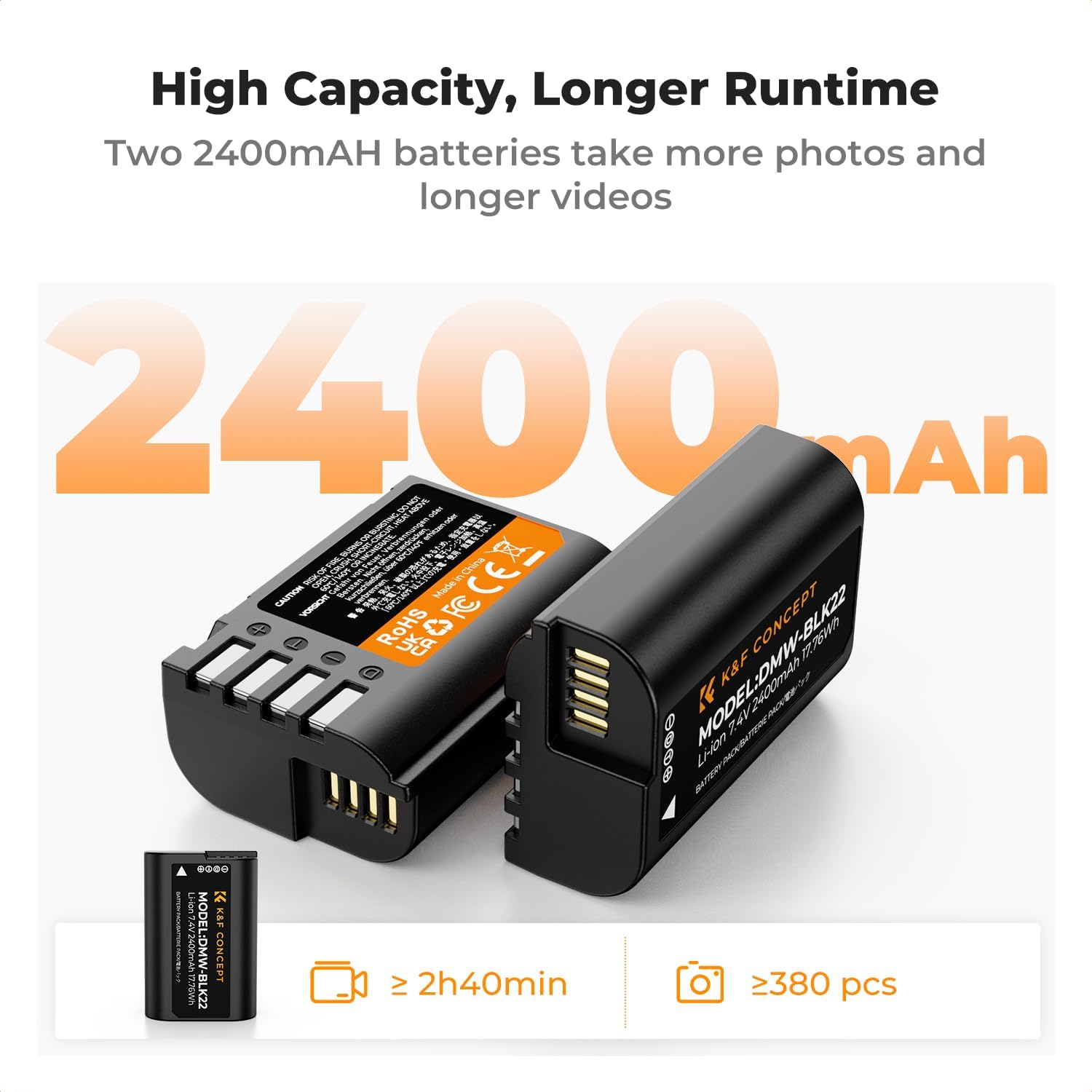
Image: Two K&F Concept DMW-BLK22 batteries highlighting their 2400mAh capacity for longer usage.
Maintenance
- Storage: Store batteries in a cool, dry place away from direct sunlight and extreme temperatures.
- Cleaning: Use a soft, dry cloth to clean the battery and charger contacts. Do not use liquid cleaners.
- Disposal: Dispose of old batteries according to local regulations. Do not incinerate or expose to high temperatures.
- Regular Charging: If batteries are not used for an extended period, charge them periodically (e.g., every 3-6 months) to maintain their lifespan.
Troubleshooting
| Problem | Possible Cause | Solution |
|---|---|---|
| Batteries not charging | Loose connection, faulty cable, incompatible power source, damaged battery/charger. | Ensure all connections are secure. Try a different USB cable or power source. Check for visible damage to batteries or charger. |
| Charger LCD not displaying | No power, charger malfunction. | Verify power connection. Try a different power source. If issue persists, contact support. |
| Battery drains quickly | High power consumption by camera, aged battery, extreme temperatures. | Reduce camera power settings if possible. Batteries naturally degrade over time; consider replacement. Avoid using in extreme hot/cold conditions. |
| Camera does not recognize battery | Incorrect battery insertion, firmware issue (rare). | Re-insert the battery correctly. Ensure the battery is fully charged. Consult your camera's manual for battery recognition issues. |
Safety Information
The K&F Concept DMW-BLK22 battery and charger are equipped with multiple protection features to ensure safe operation:
- Overcharge Protection: Prevents batteries from being overcharged.
- High Temperature Protection: Monitors and prevents overheating during charging and discharge.
- Over-current Protection: Safeguards against excessive current flow.
- Over-voltage Protection: Protects against voltage surges.
- Short-circuit Protection: Prevents damage from short circuits.
The product is CE/FCC/RoHS/3C certified, indicating compliance with relevant safety and environmental standards.
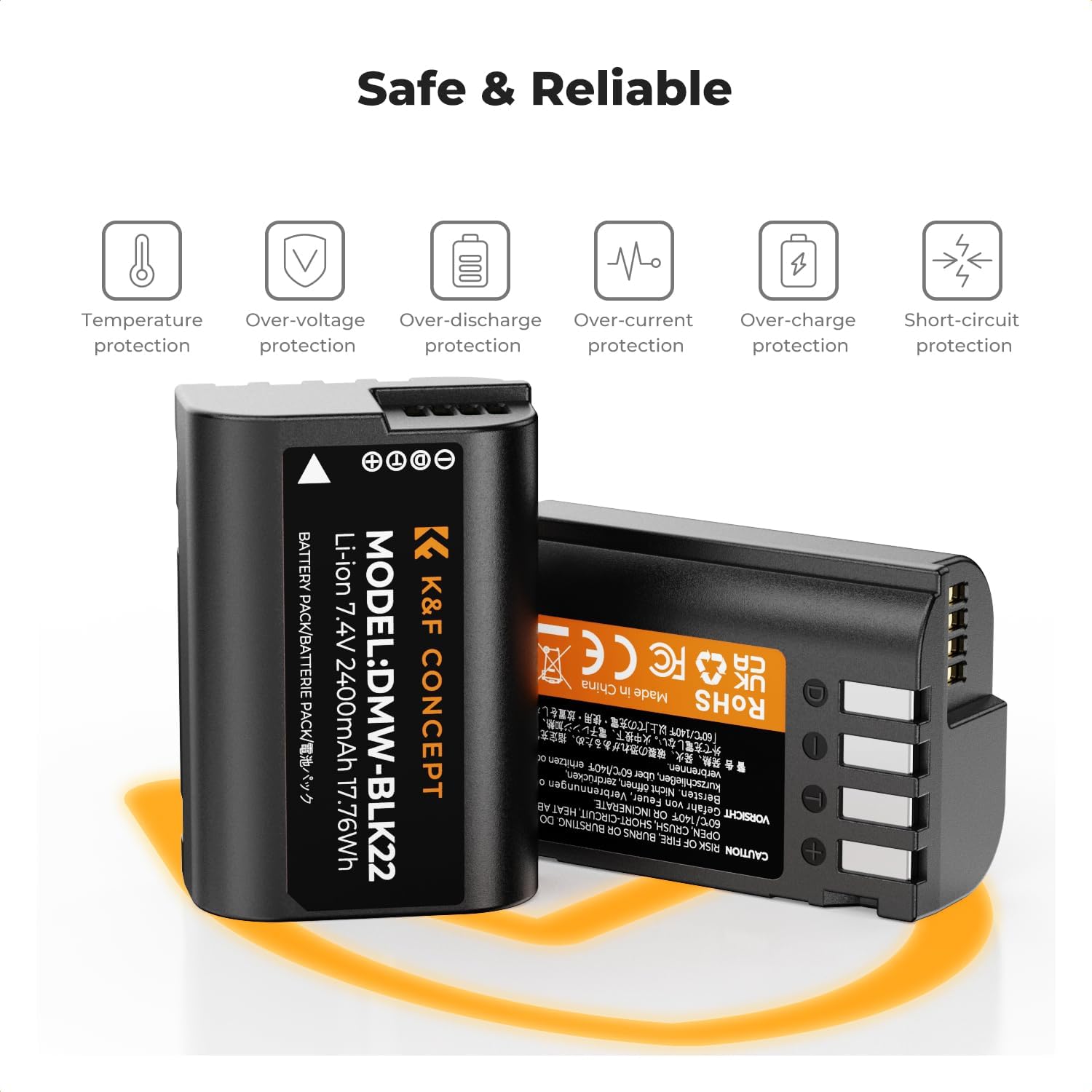
Image: Visual representation of the comprehensive safety features integrated into the battery design.
Specifications
| Feature | Detail |
|---|---|
| Battery Type | Li-ion Battery |
| Battery Capacity | 2400mAh (7.4V, 17.76Wh) |
| Charger Input | 5V 2.1A |
| Charger Output (1 Battery) | 8.4V 700mA |
| Charger Output (2 Batteries) | 8.4V 500mA * 2 |
| Charging Temperature | 0°C – 45°C (32°F – 113°F) |
| Discharge Temperature | -10°C – 60°C (14°F – 140°F) |
| Model Number | DMW-BLK22 |
| Certifications | CE, FCC, RoHS, 3C |

Image: A visual summary of the product specifications and included items.
Warranty and Support
For warranty information or technical support, please refer to the official K&F Concept website or contact their customer service directly. Keep your purchase receipt as proof of purchase for warranty claims.
Online Resources: Visit the K&F Concept Store on Amazon
Ask a question about this manual
Ask about setup, troubleshooting, compatibility, parts, safety, or missing instructions. Manuals+ will review the question and use this page’s manual context to help answer it.