
Introduction
The ZAFRO D4229B-VC is a versatile 22-pint dehumidifier designed for effective moisture removal in various residential spaces, including homes, basements, and large rooms up to 2000 square feet. This unit is capable of removing up to 45 pints of moisture per 24 hours (under optimal conditions) and allows humidity adjustment from 30% to 80%. It features multiple operating modes, automatic defrost, and convenient drainage options.
Product Overview

Figure 1: Front view of the ZAFRO D4229B-VC Dehumidifier.
Key Features
- Multi-Mode Operation: Features Auto, Continuous, and Sleep modes for flexible use.
- Adjustable Humidity: Allows setting desired humidity levels between 30% and 80%.
- Full-Tank Protection: Automatically stops operation and alerts when the water tank is full.
- Low Noise Design: Operates at a noise level of ≤45dB, suitable for quiet environments.
- Easy Maintenance: Equipped with an easily removable and washable filter.
- Portability: Designed with recessed handles and 4 castor wheels for effortless movement.
- Automatic Defrost: Prevents ice buildup, ensuring efficient operation even at low temperatures (down to 41°F).
Setup
Unpacking and Placement
- Carefully remove the dehumidifier from its packaging.
- Place the unit upright on a flat, stable surface.
- Allow the unit to stand upright for at least 24 hours before plugging it in to ensure the refrigerant settles.
- Ensure there is at least 8 inches of space around the unit for proper air circulation.

Figure 2: Product dimensions (9"D x 14"W x 22"H) for proper placement.
Operating Instructions
Control Panel Overview

Figure 3: Detailed view of the control panel with various buttons and display.
Powering On/Off
- Plug the power cord into a grounded electrical outlet.
- Press the Power button to turn the unit ON or OFF.
Setting Operating Modes
The dehumidifier offers three distinct operating modes:
- Auto Mode: The unit automatically adjusts fan speed and humidity levels to maintain optimal comfort.
- Continuous Drying Mode: The machine runs continuously, providing maximum dehumidification. Humidity levels cannot be adjusted in this mode.
- Sleep Mode: Operates quietly with adjustable fan speed and humidity. The display lights dim for undisturbed rest.

Figure 4: Visual representation of the three working modes: Auto, Continuous Drying, and Sleep.
Adjusting Humidity and Fan Speed
- Press the HUMI button to set your desired humidity level (30% to 80%).
- Press the SPEED button to toggle between high and low fan speeds.
Timer Function
- Press the TIMER button to set an automatic shut-off time, adjustable up to 24 hours.
Child Lock
- To activate or deactivate the child lock, press and hold the LOCK button for 3 seconds. This prevents accidental changes to settings.
Video 1: A seller-provided video demonstrating the ZAFRO D4229B-VC dehumidifier's user manual and highlights, including unpacking and basic operation.
Drainage Options
The ZAFRO D4229B-VC dehumidifier offers two convenient methods for water drainage:
1. Manual Drainage (Water Tank)
- The unit is equipped with a 0.53-gallon (22-pint capacity) water tank.
- When the tank is full, the dehumidifier will automatically stop operating, and an indicator light will illuminate, accompanied by an audible beep.
- Carefully pull out the water tank from the front of the unit.
- Empty the collected water into a sink or drain.
- Reinsert the empty water tank firmly back into the unit until it clicks into place.
2. Continuous Drainage (Drain Hose)
- For continuous operation without manual emptying, connect the included 3.3-foot drain hose to the drainage outlet at the back of the unit.
- Ensure the hose is positioned to drain downwards into a suitable floor drain or large container. Gravity will facilitate continuous water removal.
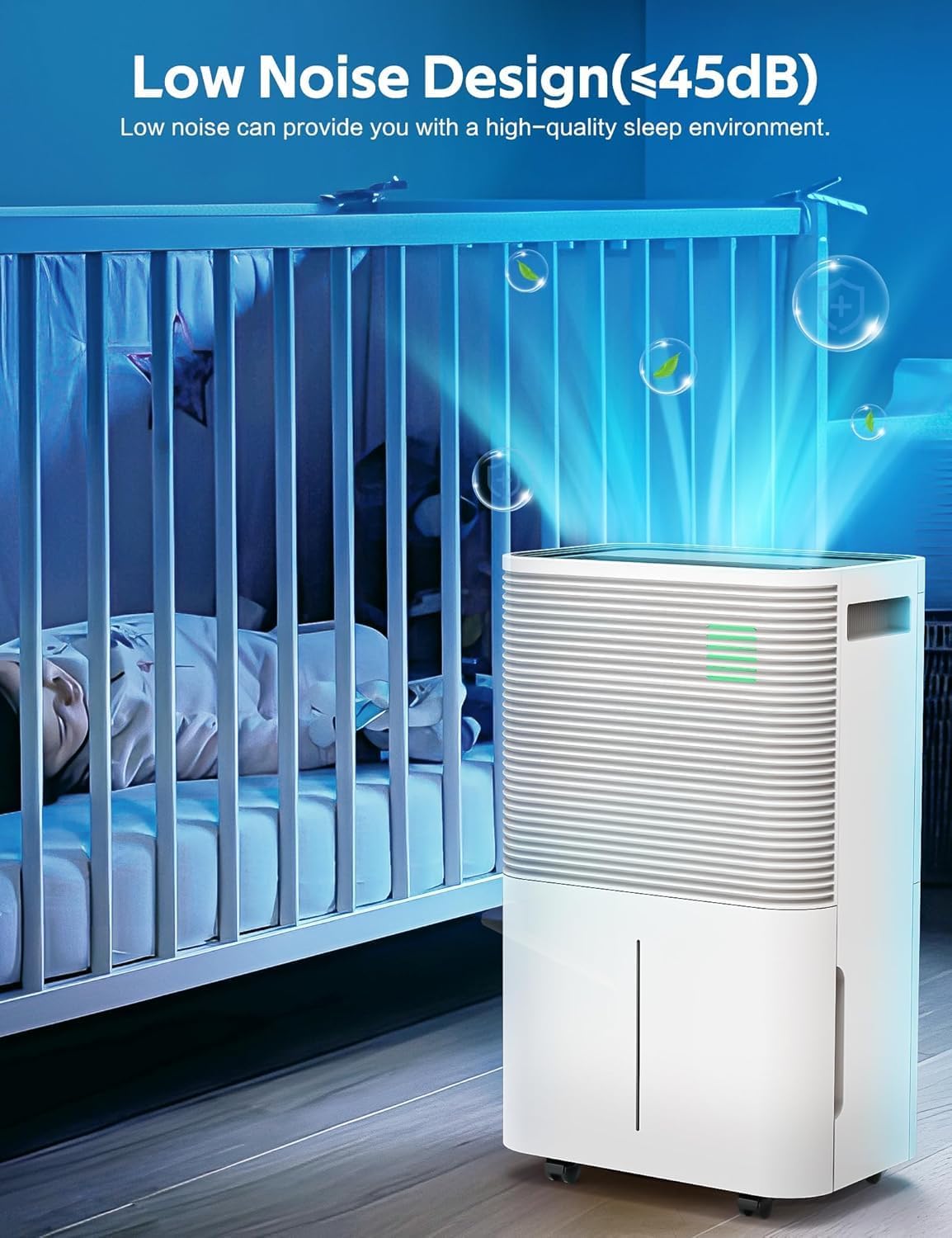
Figure 5: Illustration of both manual water tank drainage and continuous hose drainage methods.
Maintenance
Cleaning the Air Filter
Regular cleaning of the air filter is essential for maintaining the dehumidifier's efficiency and prolonging its lifespan.
- Turn off the dehumidifier and unplug it from the power outlet.
- Locate the filter mesh at the back of the unit.
- Gently remove the filter mesh.
- Use a vacuum cleaner to remove dust and debris from the filter.
- For a more thorough cleaning, rinse the air filter under running water.
- Allow the filter to air dry completely before reinserting it into the unit.
General Cleaning
- Wipe the exterior of the unit with a soft, damp cloth.
- Do not use harsh chemicals or abrasive cleaners, as these can damage the surface.
Troubleshooting
| Problem | Possible Cause | Solution |
|---|---|---|
| Dehumidifier does not turn on. | No power supply; Power cord not properly connected; Water tank full or not correctly installed. | Check power outlet; Ensure power cord is securely plugged in; Empty and correctly reinsert water tank. |
| No water collected. | Room temperature too low; Humidity level too low; Air filter clogged. | Ensure room temperature is above 41°F; Adjust desired humidity setting lower; Clean the air filter. |
| Unit is noisy. | Unit not on a level surface; Air filter clogged. | Place the unit on a flat, stable surface; Clean the air filter. |
| Poor dehumidification performance. | Doors/windows open; Room size too large; Air filter clogged. | Close all doors and windows; Ensure room size is within specified range; Clean the air filter. |
Specifications
| Attribute | Detail |
|---|---|
| Brand | ZAFRO |
| Model Name | D4229B-VC |
| Dehumidification Capacity | 22 Pints per Day (up to 45 Pints/24hrs max) |
| Coverage Area | Up to 2000 Square Feet |
| Water Tank Capacity | 0.53 Gallons (22 Pints) |
| Product Dimensions | 9"D x 14"W x 22"H |
| Item Weight | 36.6 pounds |
| Material | Plastic |
| Color | White |
| Special Features | Automatic Defrost, Automatic Moisture Removal, Automatic Restart, Automatic Shutoff, Digital Display, Ergonomic Handle |
| Operation Mode | Auto Defrost |
| Included Components | User Manual, Dehumidifier |
Warranty & Support
For warranty information or technical support, please refer to the contact details provided in the included user manual or visit the official ZAFRO website.