1. Introduction
Thank you for choosing the Circooter Cruiser Pro Electric Scooter. This manual provides essential information for the safe operation, assembly, maintenance, and troubleshooting of your new electric scooter. Please read this manual thoroughly before first use to ensure optimal performance and safety.

Figure 1.1: The Circooter Cruiser Pro Electric Scooter, showcasing its robust design and vibrant lighting.
2. Safety Guidelines
Your safety is paramount. Always adhere to the following guidelines to prevent injury or damage to the scooter.
- Always wear a helmet and appropriate protective gear (knee pads, elbow pads, wrist guards) when riding.
- Do not ride in wet conditions, heavy rain, or through puddles. The scooter is IPX4 waterproof, meaning it is resistant to splashing water from any direction, but not submersion.
- Ensure all bolts and quick-release mechanisms are securely fastened before each ride.
- Familiarize yourself with local laws and regulations regarding electric scooter use.
- Maintain a safe distance from other vehicles, pedestrians, and obstacles.
- Avoid riding on uneven terrain, steep slopes, or slippery surfaces unless specifically designed for off-road use and with caution.
- Do not perform stunts or sudden maneuvers that could lead to loss of control.
- The maximum weight limit for this scooter is 330 pounds. Do not exceed this limit.
- Regularly check tire pressure, brake function, and overall scooter condition.
3. Package Contents
Upon unpacking, please verify that all items listed below are present and in good condition:
- Circooter Cruiser Pro Electric Scooter
- Charger
- Spare Inner Tube
- Storage Bag
- Toolkit
4. Assembly & Setup
The Circooter Cruiser Pro comes partially assembled. Follow these steps to complete the setup:
- Unfold the Scooter: Carefully lift the handlebar stem until it locks into place. Ensure the folding mechanism is securely latched.
- Attach the Handlebars: Insert the handlebars into the stem and tighten any securing screws using the provided toolkit. Ensure they are firmly attached and do not wobble.
- Check Tire Pressure: The 11-inch pneumatic off-road tires may require inflation before first use. Refer to the tire sidewall for recommended PSI.
- Initial Charge: Before your first ride, fully charge the scooter's battery. Connect the charger to the charging port(s) and a power outlet. The indicator light on the charger will change when charging is complete.

Figure 4.1: The 48V 20Ah Lithium-ion battery provides a maximum range of 40 miles and supports a maximum load of 330 lbs.
5. Operating Instructions
Learn how to operate your Circooter Cruiser Pro for a smooth and enjoyable ride.
5.1 Powering On/Off
Press and hold the power button on the display to turn the scooter on or off.
5.2 Riding Modes
The scooter features multiple speed modes (TRUBO, STD, ECO) which can be switched via the display or the companion app. Select the appropriate mode based on your riding environment and desired speed.

Figure 5.1: The real-time smart display shows speed, battery level, distance, and allows for speed mode switching.
5.3 Braking System
The Cruiser Pro is equipped with oil brake, disc brake, and electronic brake systems for precise and reliable stopping power. Familiarize yourself with the brake levers and practice braking in a safe area before riding at higher speeds.
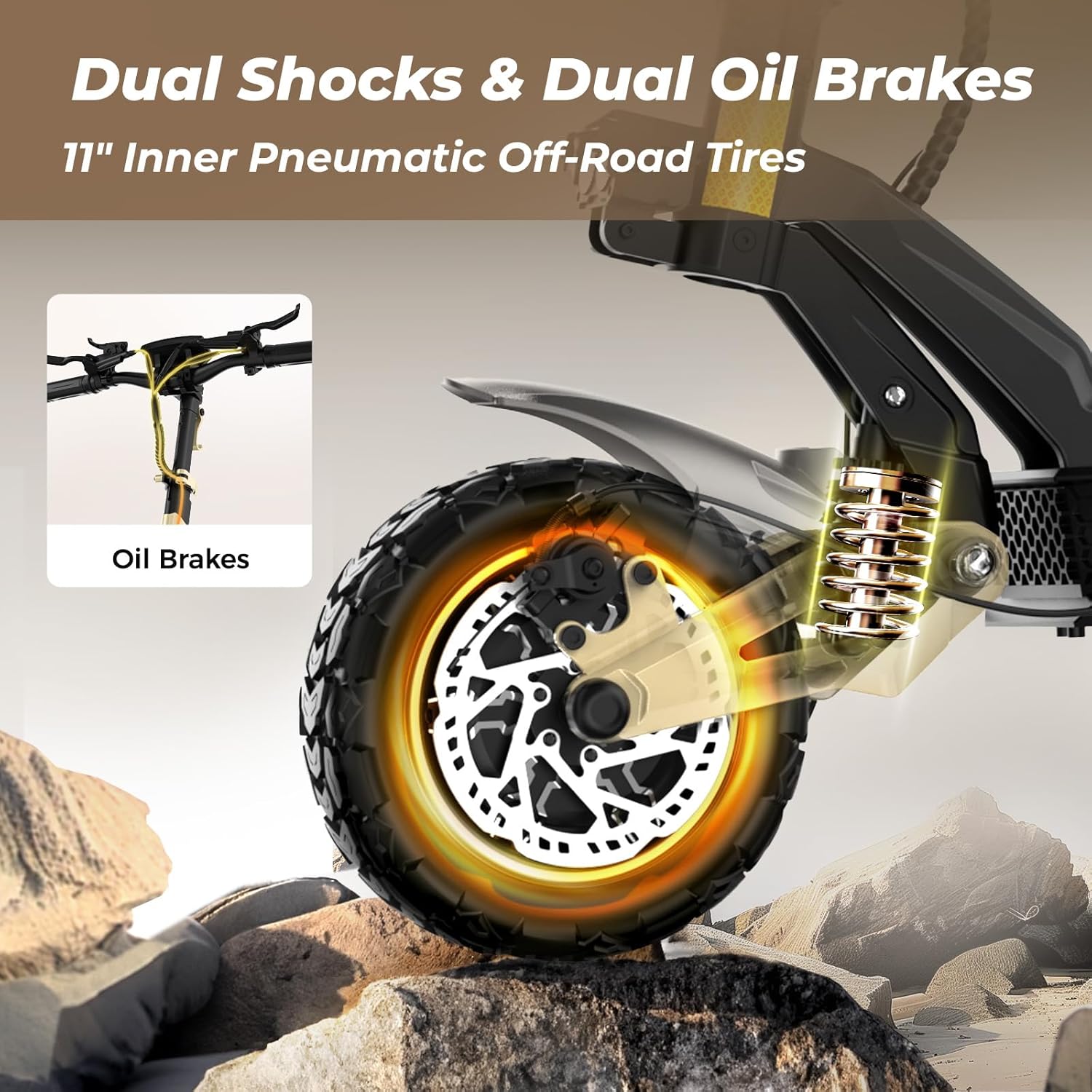
Figure 5.2: Illustration of the dual shocks and dual oil brakes, highlighting the 11-inch inner pneumatic off-road tires.
5.4 Lighting System
The scooter features ambient lights, headlights, spotlights, taillights, and turn signals for enhanced visibility, especially during nighttime rides. Ensure all lights are functional before riding in low-light conditions.

Figure 5.3: The scooter's comprehensive lighting system includes a strong headlight, brake tail light, and left/right turn signals for safety.
5.5 CIRCOOTER App Integration
Enhance your riding experience by connecting your scooter to the "CIRCOOTER" app. The app offers features such as mileage display, gear switching, cruise control, lock/unlock, and headlight control.

Figure 5.4: The CIRCOOTER app provides seamless control and monitoring of your scooter, including riding records and navigation.
6. Maintenance
Regular maintenance ensures the longevity and safe operation of your scooter.
- Cleaning: Wipe down the scooter with a damp cloth. Do not use high-pressure water jets or immerse the scooter in water.
- Tires: Check tire pressure weekly and inflate to the recommended PSI. Inspect tires for wear, punctures, or damage.
- Brakes: Regularly check brake pads and discs for wear. Ensure brake levers provide firm and responsive braking. Adjust or replace components as needed.
- Battery Care: Charge the battery fully after each use. If storing for an extended period, charge to approximately 50-70% and recharge every 30-60 days to prevent deep discharge. Store in a cool, dry place.
- Fasteners: Periodically check all screws, bolts, and connections to ensure they are tight and secure.
7. Troubleshooting
This section addresses common issues you might encounter.
| Problem | Possible Cause | Solution |
|---|---|---|
| Scooter does not power on | Low battery; Loose connections; Faulty power button | Charge the battery; Check all cable connections; Contact customer support |
| Reduced range or power | Under-inflated tires; Battery degradation; Overload | Inflate tires to correct PSI; Ensure full charge; Do not exceed weight limit; Contact customer support if battery issue persists |
| Brakes feel spongy or ineffective | Worn brake pads; Air in hydraulic system; Loose brake cable | Inspect and replace brake pads; Bleed hydraulic brakes (professional recommended); Tighten brake cable |
| Unusual noises during operation | Loose components; Debris in wheels/motor; Worn bearings | Inspect and tighten all parts; Clean wheels/motor area; Contact customer support for inspection |
8. Specifications
Key technical specifications for the Circooter Cruiser Pro Electric Scooter.
| Feature | Specification |
|---|---|
| Brand | CIRCOOTER |
| Model Name | Cruiser Pro |
| Motor Power | Dual 1200W (2400W total) |
| Max Speed | Up to 38 Mph |
| Battery | 48V 20Ah Lithium-ion |
| Max Range | Up to 40 Miles |
| Tires | 11 Inches Pneumatic Off-Road |
| Weight Limit | 330 Pounds |
| Product Dimensions (L x W x H) | 54" x 26" x 52" |
| Frame Material | Aluminum-magnesium alloy |
| Brake Style | Front Braking, Rear Braking (Oil, Disc, Electronic) |
| Suspension Type | Coil Spring (Front and Rear Hydraulic) |
| Special Feature | Foldable |
| Age Range (Description) | 13+ |
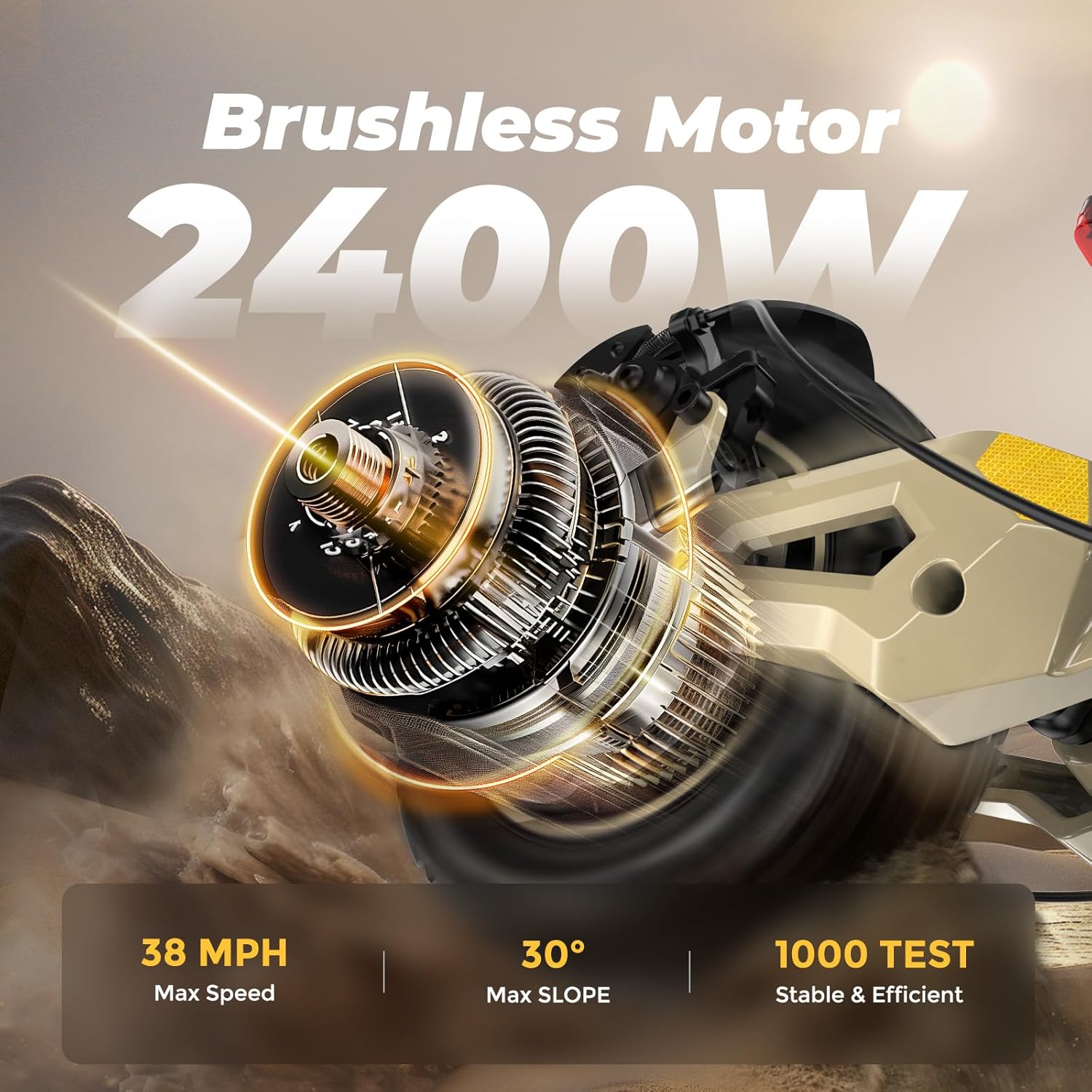
Figure 8.1: The powerful 2400W brushless motor enables a max speed of 38 MPH and a 30° max slope climbing ability.
9. Warranty & Support
CIRCOOTER is committed to customer satisfaction and provides comprehensive warranty coverage for your Cruiser Pro Electric Scooter.
The electric scooter comes with a limited warranty:
- 12 months and 365 days warranty for various accessories (e.g., rear fender, throttle, disc brake).
- 180 days limited warranty for the motor and battery.
All Circooter products have passed the rigorous UL2272 certification, ensuring enhanced safety and professionalism.
For any questions, technical assistance, or warranty claims, please contact our dedicated customer support team:
Email: hello@circooter.com
Our customer support team is available around the clock throughout the year to assist you.


