
1. Introduction
This manual provides essential information for the safe and efficient use of your POCO Pods True Wireless Bluetooth Headset. Please read it carefully before use and retain it for future reference. These earbuds are designed to deliver high-quality audio with advanced features for an enhanced listening experience.
2. Package Contents
- POCO Pods True Wireless Earbuds
- Wireless Charging Case
3. Product Overview
The POCO Pods are designed for superior audio performance and convenience. Key features include a total playback time of up to 30 hours, powerful 12mm dynamic drivers for rich sound, ultra-low 60ms latency for seamless synchronization, fast charging capability, and Environmental Noise Cancellation (ENC) for clear calls.
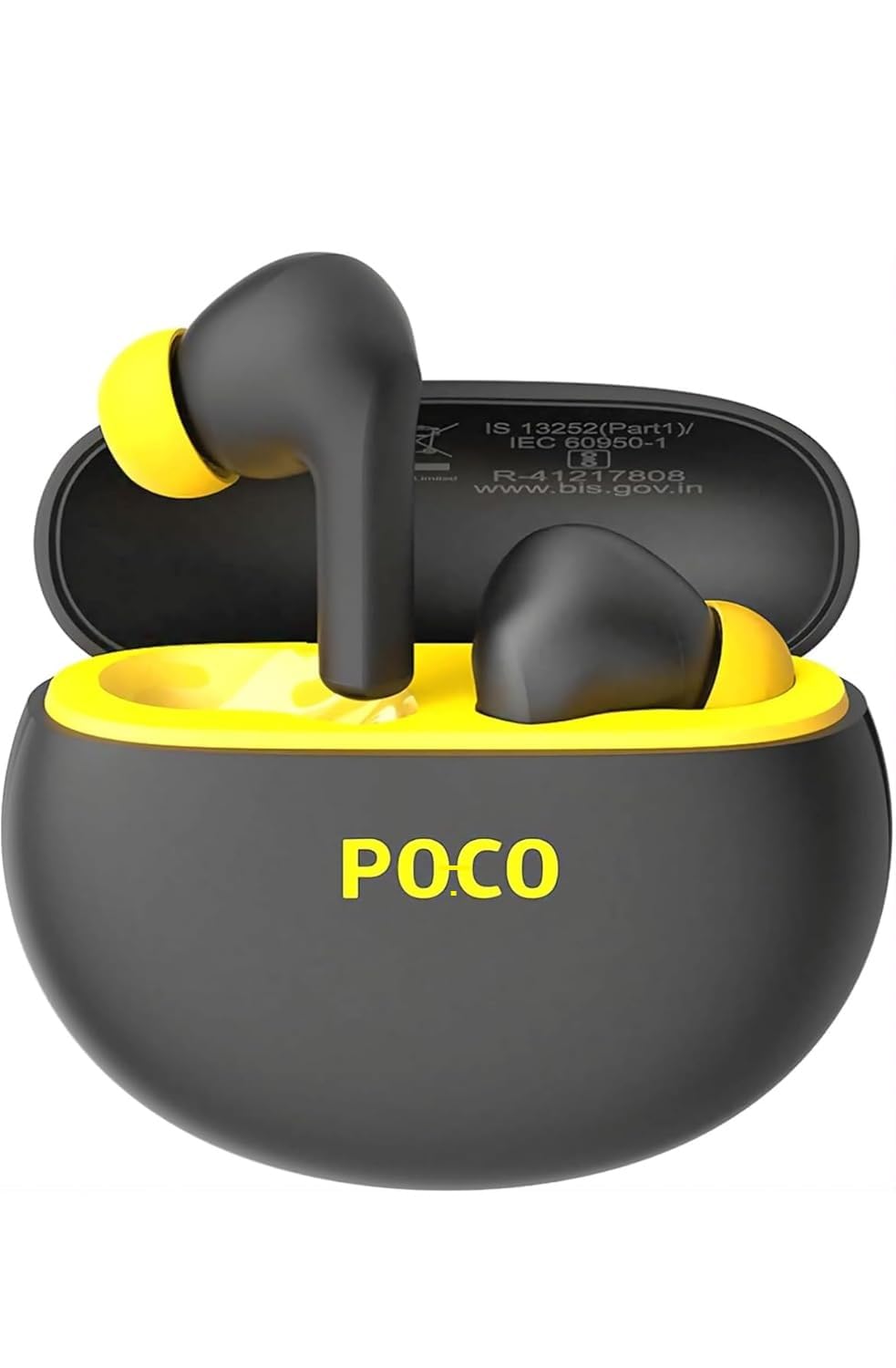
Image showing the POCO Pods earbuds, their charging case, and the product packaging. The earbuds and case are black with yellow accents.
4. Setup
4.1 Charging the Case
Connect the charging case to a power source using a compatible USB cable (not included). The indicator light on the case will show the charging status. A full charge of the case provides sufficient power for multiple earbud recharges, contributing to the total 30 hours of playback.
4.2 Charging the Earbuds
Place the earbuds into the charging case. They will automatically begin charging. Ensure the charging contacts on both the earbuds and the case are clean and dry. A quick 10-minute charge provides up to 4 hours of playback.
4.3 Initial Pairing
- Open the charging case. The earbuds will automatically power on and enter pairing mode.
- On your device (smartphone, tablet, laptop), enable Bluetooth.
- Search for 'POCO Pods' in the list of available Bluetooth devices and select it to connect.
- Once successfully paired, the earbuds will automatically connect to your device when removed from the case in the future.
5. Operating Instructions
5.1 Power On/Off
The earbuds power on automatically when removed from the charging case and power off when placed back in the case and the lid is closed.
5.2 Touch Controls
The POCO Pods feature intuitive touch controls on each earbud. Refer to the following for common functions:
- Play/Pause: Single tap on either earbud.
- Next Track: Double tap on the right earbud.
- Previous Track: Double tap on the left earbud.
- Answer/End Call: Single tap on either earbud.
- Reject Call: Press and hold either earbud for 2 seconds.
- Activate Voice Assistant: Triple tap on either earbud.
5.3 Environmental Noise Cancellation (ENC)
The integrated ENC technology actively reduces background noise during phone calls, ensuring your voice is transmitted clearly to the other party, even in noisy environments.
6. Maintenance
6.1 Cleaning
Gently wipe the earbuds and charging case with a soft, dry, lint-free cloth. Do not use harsh chemicals, abrasive materials, or liquids directly on the device. Ensure charging contacts are clean and dry to maintain optimal performance.
6.2 Storage
Store the POCO Pods in their charging case when not in use to protect them from damage and keep them charged. Avoid exposing the device to extreme temperatures, direct sunlight, or high humidity.
7. Troubleshooting
7.1 Earbuds Not Pairing
- Ensure both earbuds are charged and in pairing mode (open the case).
- Turn off and then turn on Bluetooth on your device.
- Try forgetting 'POCO Pods' from your device's Bluetooth settings and re-pairing.
7.2 No Sound from One Earbud
- Check the battery levels of both earbuds.
- Ensure both earbuds are properly seated in the charging case to ensure connection.
- Try placing both earbuds back in the case, closing the lid, and then taking them out again.
7.3 Charging Issues
- Verify that the charging cable and power adapter are functional.
- Ensure the charging contacts on both the earbuds and the case are clean and free of debris.
8. Specifications
| Brand | Generic (Product: POCO Pods) |
| Model Number | MW-56858 |
| Audio Driver Type | Dynamic Driver |
| Driver Size | 12mm |
| Latency | 60ms |
| Noise Control | Environmental Noise Cancellation (ENC) |
| Impedance | 80 Ohms |
| Wireless Technology | Bluetooth |
| Control Method | Touch |
| Water Resistance Level | Waterproof |
| Compatible Devices | Cellphones, Tablets, Laptops, Desktops |
| Box Contents | Wireless Charging Case |
| Material | Plastic |
9. Warranty and Support
For detailed warranty information and technical support, please refer to the documentation provided at the time of purchase. It is recommended to retain your proof of purchase for any warranty claims or service requests. For further assistance, contact your retailer or the manufacturer's customer support.