
Introduction
This manual provides essential information for the safe and effective use of your Paladone Star Wars Stormtrooper Mask Light. Please read these instructions carefully before use and retain them for future reference.
The Stormtrooper Mask Light is a decorative lighting product designed to illuminate your space. It features a detailed Stormtrooper helmet design and offers versatile display options.
What's Included
- 1 x Paladone Star Wars Stormtrooper Mask Light
- 1 x USB Cable
- 1 x Display Stand (pre-attached or separate, for freestanding use)
Note: 3x AAA batteries are required for battery operation and are not included.
Setup
Power Options
Your Stormtrooper Mask Light can be powered in two ways:
- USB Power: Connect the included USB cable to the light and to a compatible USB power source (e.g., computer, USB wall adapter - not included).
- Battery Power: Insert 3x AAA batteries (not included) into the battery compartment.
Battery Installation
- Locate the battery compartment on the back of the light.
- Open the battery compartment cover.
- Insert 3x AAA batteries, ensuring correct polarity (+/-).
- Close the battery compartment cover securely.
Placement
The Stormtrooper Mask Light offers flexible display options:
- Freestanding: Use the included clear display stand to place the light on a desk, shelf, or any flat surface.
- Wall Mountable: The back of the light features keyholes for wall mounting. Ensure appropriate wall fixings (not included) are used for secure installation.
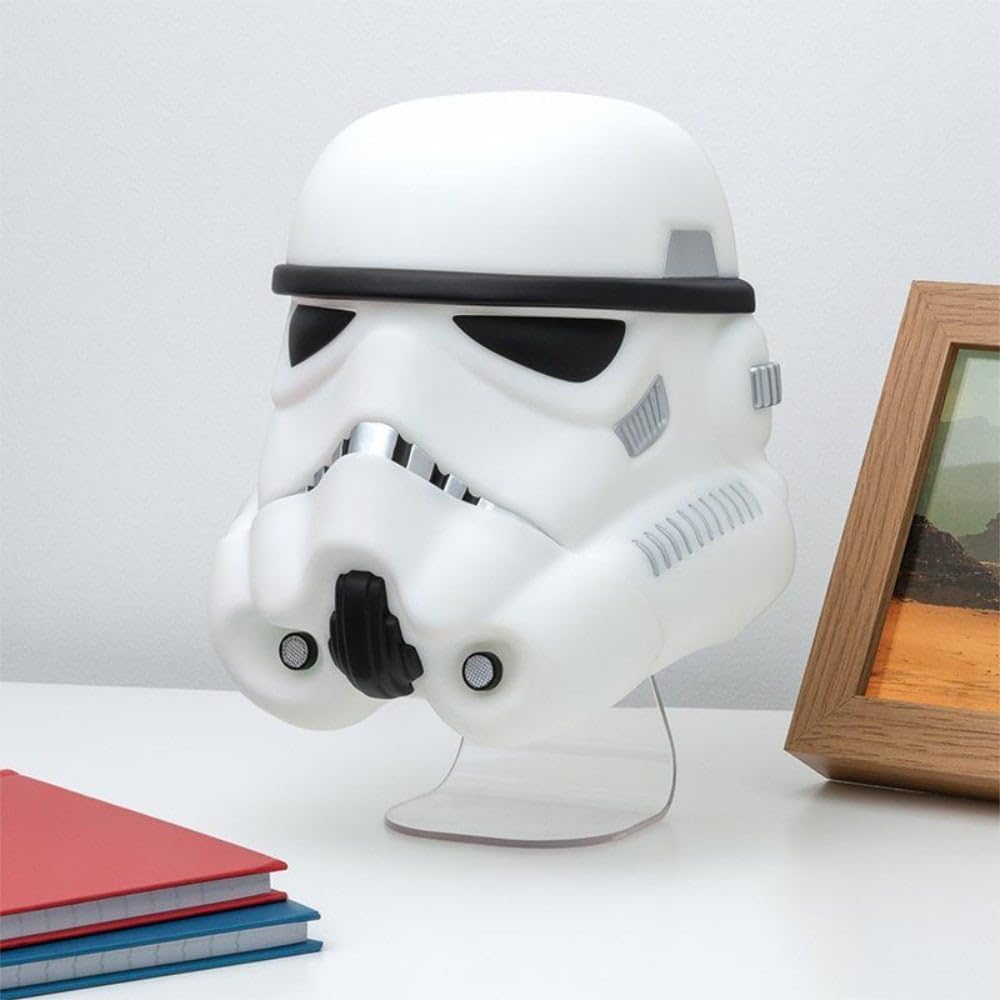
Image: Stormtrooper Mask Light in freestanding position, unlit.

Image: Stormtrooper Mask Light mounted on a wall, unlit.
Operating Instructions
Turning the Light On/Off
To turn the Stormtrooper Mask Light on or off, locate the touch-sensitive button on the top of the helmet. Gently press this button to activate or deactivate the light.

Image: Stormtrooper Mask Light illuminated in freestanding position.

Image: Stormtrooper Mask Light illuminated while wall-mounted.
Maintenance
To maintain your Stormtrooper Mask Light, follow these guidelines:
- Cleaning: Wipe the surface with a soft, dry cloth. Do not use abrasive cleaners or solvents.
- Storage: When not in use for extended periods, remove batteries and store the light in a cool, dry place.
- Water Resistance: This product is for indoor use only and is not water-resistant. Avoid exposure to moisture or liquids.
Troubleshooting
- Light does not turn on:
- Ensure batteries are correctly installed with proper polarity, or the USB cable is securely connected to a working power source.
- If using batteries, check if they are depleted and replace them if necessary.
- Confirm you are pressing the touch-sensitive button on the top of the helmet.
- Light is dim:
- If using batteries, they may be low. Replace with fresh AAA batteries.
- If using USB, ensure the power source provides sufficient power.
Specifications
| Brand | Paladone |
| Model Name | Stormtrooper Mask Light |
| Model Number | 13340 |
| Product Dimensions | 5.91"D x 7.76"W x 8.66"H (approx. 22cm tall) |
| Item Weight | 0.43 Kilograms (approx. 15.1 ounces) |
| Power Source | USB Powered or 3x AAA Batteries (not included) |
| Light Source Type | LED |
| Control Method | Touch |
| Indoor/Outdoor Usage | Indoor |
| Material | Polyurethane or Acrylonitrile Butadiene Styrene |
Warranty Information
For warranty details, please refer to the packaging or contact Paladone customer support directly. Keep your proof of purchase for any warranty claims.
Support
If you encounter any issues or have questions not covered in this manual, please visit the official Paladone website or contact their customer service department for assistance.
Website: www.paladone.com