
FUNMILY FUNMILY 3.25HP Heavy Duty Treadmill
FUNMILY 3.25HP Heavy Duty Treadmill
User Manual
Brand: FUNMILY
1. Introduction
Welcome to the FUNMILY 3.25HP Heavy Duty Treadmill user manual. This guide provides essential information for the safe and effective operation, assembly, and maintenance of your new fitness equipment. Designed for home use, this treadmill features a powerful 3.25HP motor, 0-15% automatic incline, smart app control, and a robust shock absorption system, supporting users up to 300 lbs.
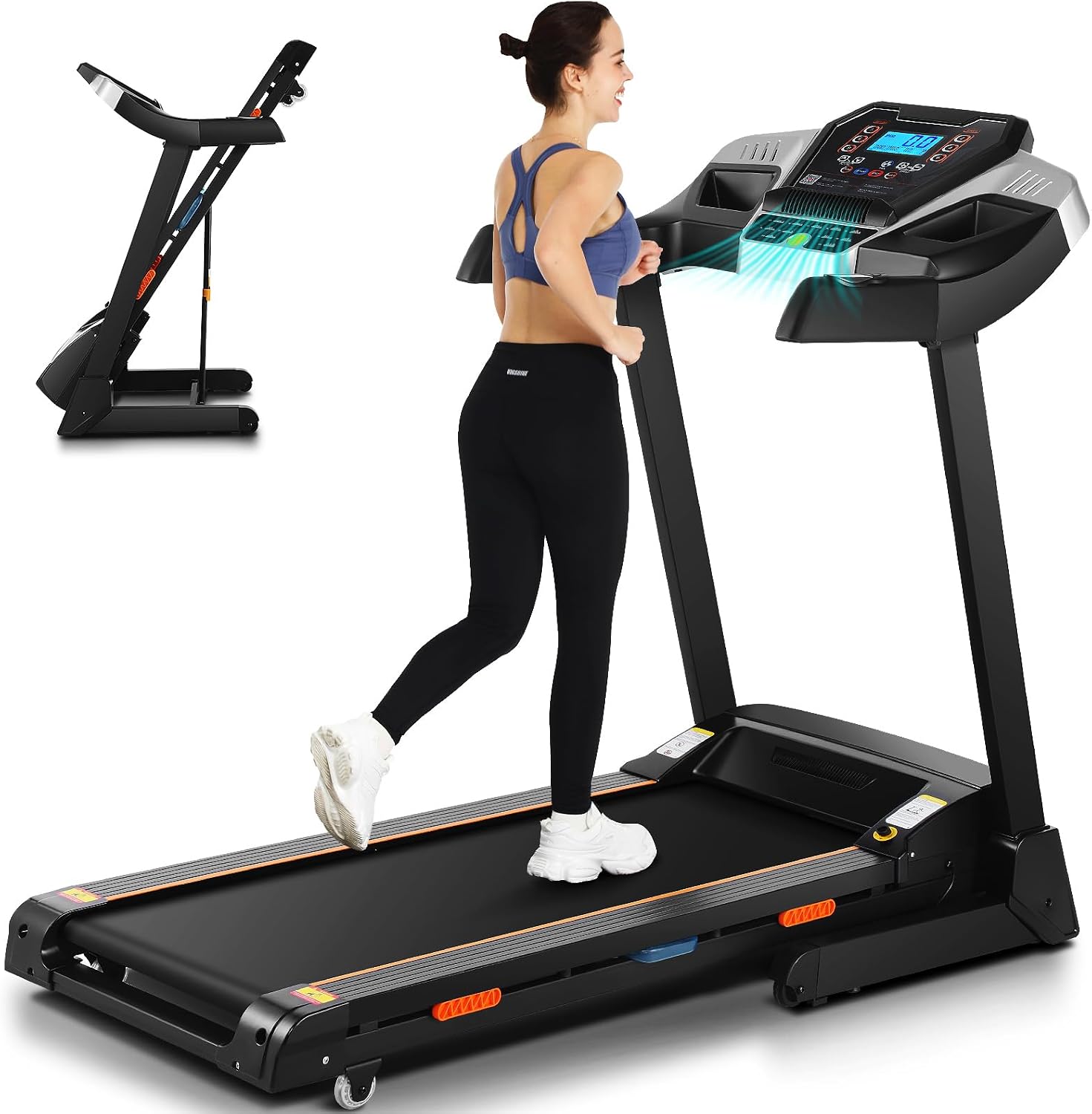
Image: The FUNMILY Treadmill, showcasing its design and a user engaging in a workout.
2. Safety Information
Always read and understand all warnings and instructions before using the treadmill. Keep children and pets away from the equipment during operation. Ensure the safety key is properly attached before starting any workout. In case of emergency, pull the safety key to immediately stop the treadmill.
- Place the treadmill on a flat, stable surface.
- Ensure adequate clearance around the treadmill (at least 6 feet behind and 2 feet on each side).
- Wear appropriate athletic footwear.
- Do not operate the treadmill if it is damaged or malfunctioning.
- Consult a physician before beginning any exercise program.
3. Setup and Assembly
The FUNMILY Treadmill is designed for easy setup, arriving largely pre-assembled. Follow these steps for initial preparation:
- Unpacking: Carefully remove all packaging materials.
- Placement: Position the treadmill on a level surface, ensuring sufficient space for safe operation and folding.
- Unfolding: The treadmill features a soft-drop hydraulic system for easy unfolding. Gently press the hydraulic system with your foot to lower the running deck.
- Power Connection: Locate the power button on the outside of the device and connect the power cord to a grounded outlet.

Image: Demonstrates the treadmill's foldable design for easy storage and movement.

Image: Detailed view of the soft-drop hydraulic folding system.
4. Operating Instructions
Your FUNMILY Treadmill is equipped with an intuitive control panel and smart features to enhance your workout.
4.1 Control Panel and Display
The large LCD console provides real-time feedback on your workout, including speed, time, distance, calories burned, and heart rate. It also features a unique built-in fan for added comfort.

Image: Close-up of the large multi-functional smart LCD display and control buttons.

Image: Exploded view highlighting various features of the console, including incline, speed, time, distance, calories, heart rate, built-in fan, and audio speakers.
4.2 Speed and Automatic Incline
Adjust your workout intensity with a speed range of 0-9 MPH and an automatic incline from 0% to 15%. The incline feature allows you to simulate uphill sections, targeting different muscle groups for a more efficient workout.
- Walking Mode: 0-4 MPH, ideal for light cardio and warm-ups.
- Running Mode: 4-9 MPH, suitable for more intense cardio and endurance training.

Image: Illustrates the 0-15% automatic incline feature, showing different incline levels for strength, calorie, and aerobic training.

Image: Depicts the treadmill's walking mode (0-4 MPH) and running mode (4-9 MPH), highlighting speed, weight capacity, motor power, auto incline, and low noise.
4.3 Smart App Control
Connect your treadmill via Bluetooth to compatible fitness apps like SPAX and ZWIFT. This allows you to simulate various outdoor running scenes, track your progress, and add an interactive dimension to your workouts.

Image: Shows the treadmill integrated with a smartphone displaying the SPAX and ZWIFT apps for Bluetooth control.
4.4 Shock Absorption System
The treadmill features a 7-layer high-density shock-absorbing running belt and a dual rebound shock absorption system. This design minimizes impact on your joints, providing a comfortable and safe running experience.

Image: Diagram illustrating the 7-layer high-tech, high-density running belt and its shock-absorbing properties.
5. Maintenance
Regular maintenance ensures the longevity and optimal performance of your treadmill.
- Cleaning: Wipe down the treadmill with a damp cloth after each use to remove sweat and dust. Avoid abrasive cleaners.
- Belt Lubrication: Periodically lubricate the running belt according to the instructions in the included user manual. This helps maintain smooth operation and extends belt life. The treadmill is designed with a convenient access point for lubrication.
- Belt Tension and Alignment: Check the running belt tension and alignment regularly. Adjust as needed to prevent slipping or excessive wear.
- Motor Area: Keep the motor area clean and free of dust and debris to ensure proper ventilation.
6. Troubleshooting
If you encounter any issues with your FUNMILY Treadmill, refer to the following common solutions:
| Problem | Possible Cause | Solution |
|---|---|---|
| Treadmill does not power on | Power cord not plugged in, power switch off, circuit breaker tripped. | Ensure power cord is securely plugged in. Turn on the power switch. Check household circuit breaker. |
| Running belt slips or hesitates | Belt too loose, insufficient lubrication. | Adjust belt tension (refer to main user manual for detailed steps). Lubricate the running belt. |
| Unusual noise during operation | Loose parts, motor issue, belt friction. | Check for loose screws and tighten. Ensure belt is lubricated. If noise persists, contact customer support. |
| Incline not adjusting | Incline motor issue, obstruction. | Check for any obstructions under the deck. Power cycle the treadmill. If issue continues, contact support. |
For more detailed troubleshooting or issues not listed here, please refer to the full user manual included with your product or contact customer support.
7. Specifications
| Feature | Detail |
|---|---|
| Brand | FUNMILY |
| Model Name | Treadmill with 15% Auto Incline, FUNMILY 3.25HP Heavy Duty Treadmill for Home, 300 lb Weight Capacity Folding Running Machine, Smart App Control/Shock Absorption/Bluetooth Speaker(Classic Deeep Black) |
| Color | Classic Deeep Black |
| Product Dimensions (D x W x H) | 59"D x 24.8"W x 50.7"H |
| Material | Alloy Steel |
| Maximum Speed | 9 Miles per Hour |
| Special Features | Auto Incline, Bluetooth, Heart Rate Monitor, Heavy Duty |
| Maximum Horsepower | 3.25 Horsepower |
| Power Source | Corded Electric |
| Included Components | User Manual, Power Cord, Remote Control |
| Maximum Weight Recommendation | 300 Pounds |
| Frame Material | Alloy Steel |
| Warranty Description | 2 Year Manufacturer |
8. Warranty and Support
FUNMILY offers a one-year warranty on the motor, frame, and any treadmill parts, ensuring a worry-free purchase experience. For any questions, concerns, or warranty claims, please contact FUNMILY customer service through the retailer where you purchased the product or visit the official FUNMILY website for support contact details.
Thank you for choosing FUNMILY. We are committed to providing you with a satisfying fitness experience.
Related documentsFUNMILY 3.25HP Heavy Duty Treadmill

Ask a question about this manual
Ask about setup, troubleshooting, compatibility, parts, safety, or missing instructions. Manuals+ will review the question and use this page’s manual context to help answer it.