
1. Product Overview
The Glocusent Star Projector is a versatile 5-in-1 device designed to enhance your sleep environment and provide relaxation. It combines a star projector, a white noise sound machine, a HiFi Bluetooth speaker, a gentle night light, and a built-in clock. This device can be controlled via a mobile application for comprehensive customization.

Image 1.1: The Glocusent Star Projector in use, illustrating its projection capabilities and app control.
2. Package Contents
Upon opening the package, please ensure all the following items are present:
- Glocusent Sleeping Pod Starry Lamp (Star Projector Unit)
- User Manual (this document)
- 20° Angle Lamp Stand
- Power adapter with cable
3. Setup Guide
3.1 Power Connection
Connect the provided power adapter cable to the Glocusent Star Projector's power input port. Plug the adapter into a standard electrical outlet. The device will power on automatically.
3.2 App Download and Pairing
For full functionality and customization, it is recommended to use the Glocusent mobile application. The app allows for advanced control over projection, sounds, scheduling, and more.
- Download the 'Glo Sleep' app from your device's app store.
- Ensure your Wi-Fi network is a 2.4 GHz network. The device requires a secure 2.4 GHz or 5 GHz compatible Wi-Fi connection for app integration.
- Open the app and follow the on-screen instructions to pair your Glocusent Star Projector. This typically involves selecting the device type and entering your Wi-Fi credentials.
- Ensure the Star Projector's Wi-Fi setting in the Glo Sleep App matches your smartphone's network.
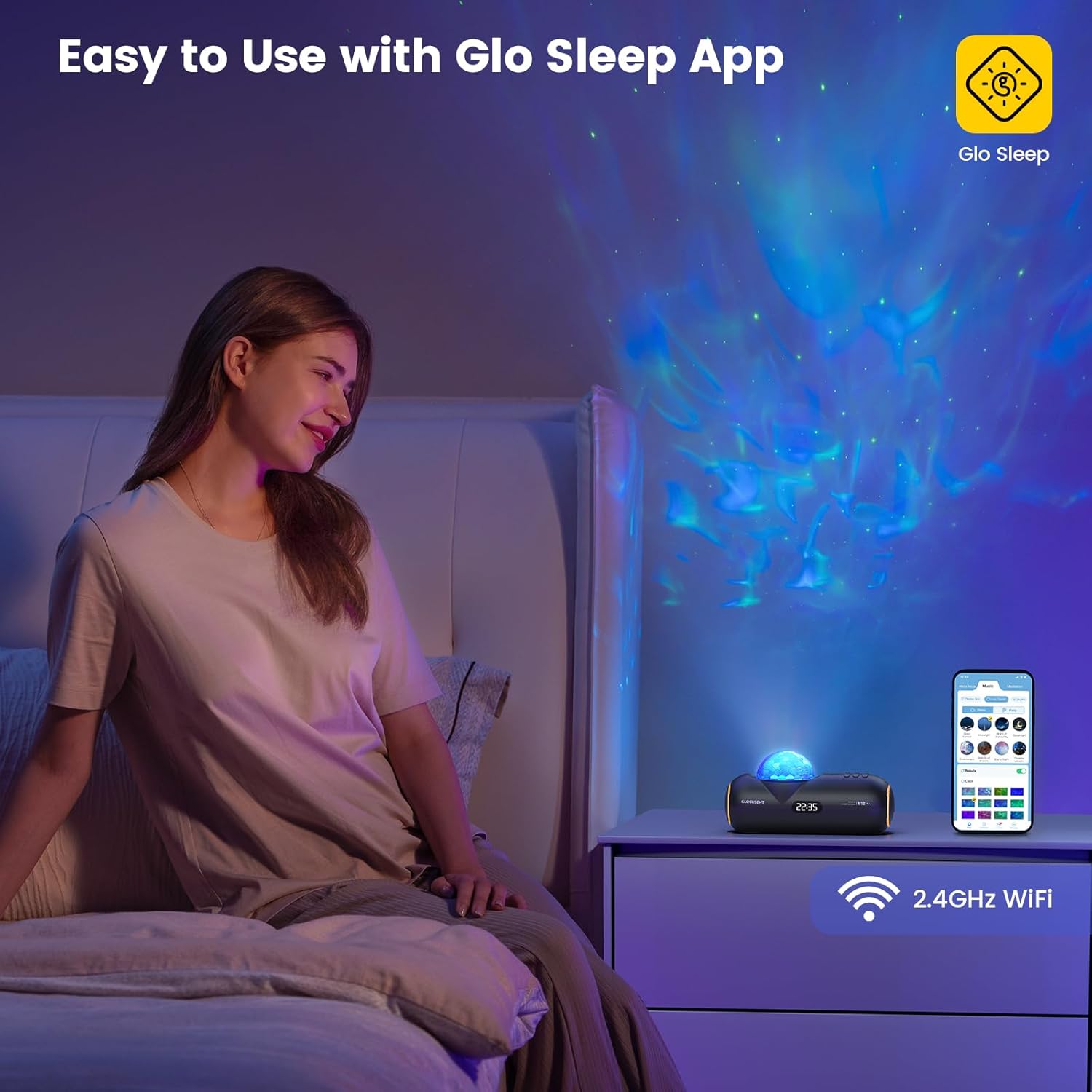
Image 3.1: Controlling the Glocusent Star Projector using the Glo Sleep App on a smartphone.
4. Operating Instructions
4.1 Star Projector Functions
The projector can display 16 sleep-aid celestial nebulas across an area of up to 538 square feet. Adjustments can be made via the app or physical buttons:
- Colors: Choose from 16 different color options for the nebula projection.
- Speeds: Adjust the nebula movement speed with 10 available levels.
- Brightness: Select from 5 brightness levels to set the desired ambiance.

Image 4.1: Visual representation of the star projector's adjustable features.
4.2 Sound Machine Functions
The device includes a comprehensive sound library to aid relaxation and sleep:
- White Noises: 23 distinct white noise options.
- Sleep-Enhancing Melodies: 27 curated melodies.
- Meditation Guides: 10 guided meditation voices.

Image 4.2: Overview of the sound machine's extensive sound library.
4.3 Bluetooth Speaker
The integrated HiFi Bluetooth speaker allows you to play your own audio content:
- Activate Bluetooth on your smartphone or audio device.
- Select the Glocusent Star Projector from the list of available Bluetooth devices to pair.
- Once connected, you can stream music, podcasts, or other audio through the projector's speaker.

Image 4.3: Internal components illustrating the HiFi Bluetooth speaker.
4.4 Time-for-Bed & Time-to-Rise Scheduling
Utilize the mobile app to set up automated routines for sleep and wake-up:
- Bedtime Routine: Program the device to begin nebula display and soothing sounds at a set bedtime, gradually dimming to ease you into sleep.
- Wake-up Routine: Schedule an energizing track to start at your desired wake-up time, helping you to wake up refreshed.
- The built-in Sleep Calculator in the app can assist in determining ideal sleep and wake times for optimal rest.

Image 4.4: App interface for setting automatic sleep and wake-up schedules.
4.5 Night Light and Clock
The device also functions as a gentle night light and features a built-in clock display.
5. Maintenance and Safety
5.1 Cleaning and Care
To maintain your Glocusent Star Projector in optimal condition:
- Always unplug the device from the power source before cleaning.
- Use a soft, dry cloth to wipe the exterior surfaces.
- Do not use liquid cleaners, aerosols, or abrasive materials, as these may damage the device.
5.2 Safety Guidelines
Adhere to the following safety precautions to prevent injury or damage to the device:
- Do not use the device in a bathtub or near water.
- This device is not a toy; keep it away from children under 3 years of age.
- To prevent hearing damage, avoid playing sounds at excessive volumes.
- Do not operate the device if it appears damaged.
- This device is intended for indoor use only.
- Do not use with a damaged power cord or plug.
- Always follow local regulations regarding electrical devices.
6. Troubleshooting
If you encounter issues with your Glocusent Star Projector, refer to the following common solutions:
| Problem | Possible Cause | Solution |
|---|---|---|
| Device does not power on. | Power adapter not connected or faulty outlet. | Ensure the power adapter is securely connected to the device and a working electrical outlet. Try a different outlet. |
| Cannot connect to Wi-Fi or app. | Incorrect Wi-Fi frequency (not 2.4 GHz) or network issues. | Verify your Wi-Fi network is 2.4 GHz. Ensure the device and your smartphone are on the same Wi-Fi network during pairing. Restart your router and the projector. |
| No sound from speaker. | Bluetooth not connected or volume too low. | Ensure your device is successfully paired via Bluetooth. Increase the volume on both the projector and your connected audio device. |
| Projection is dim or unclear. | Brightness setting too low or lens obstructed. | Adjust the brightness level via the app or device controls. Ensure the projection lens is clean and unobstructed. |
| App features (e.g., scheduling) not working. | Device not fully paired with app or app requires update. | Confirm the device is fully paired and connected in the Glo Sleep app. Check for app updates in your app store. |
If the issue persists after attempting these solutions, please contact Glocusent Customer Experience Team for further assistance.
7. Product Specifications
| Feature | Specification |
|---|---|
| Brand | Glocusent |
| Model Number | N12 |
| Part Number | GLCSNTN1201 |
| Item Weight | 1.9 pounds |
| Package Dimensions | 12.95 x 5.71 x 4.49 inches |
| Material | Acrylonitrile Butadiene Styrene (ABS) |
| Power Source | Corded Electric |
| Voltage | 12 Volts (DC) |
| Type of Bulb | LED |
| Luminous Flux | 50 Lumen |
| Color Temperature | 2000 Kelvin |
| Special Features | Dimmable, Hands Free, Memory Function |
| Connectivity | Bluetooth 5.1, 2.4GHz Wi-Fi |
8. Warranty and Support
8.1 Warranty Information
Glocusent offers a 60-day return service and a 24-month warranty for this product. Please retain your proof of purchase for warranty claims.
8.2 Certifications
The Glocusent Star Projector is certified by FCC, CE, RoHS, PSE, and C-TICK, ensuring compliance with relevant safety and quality standards.
8.3 Customer Support
The Glocusent Customer Experience Team is available 24/7 to assist you with any inquiries or issues. For support, please refer to the contact information provided on the product packaging or the official Glocusent website.

