
1. Introduction and Overview
The SANUS Preferred SMF421 Full-Motion TV Wall Mount is designed to securely hold flat-panel televisions ranging from 26 inches to 55 inches and weighing up to 55 lbs. This mount provides exceptional flexibility, allowing you to extend, tilt, and swivel your TV up to 21 inches from the wall. This ensures an optimal viewing angle from virtually anywhere in your room, enhancing your viewing experience. Its exclusive FluidMotion technology enables effortless tilt adjustments with a simple touch, and integrated cable management channels help maintain a clean and organized setup by securing loose cables along the mount arm. Post-installation level and shift adjustments are also available to ensure your TV is perfectly positioned.

Figure 1.1: The SANUS Preferred Full-Motion TV Wall Mount attached to a television.
2. Key Features
- Extended Viewing Range: Extends up to 21 inches (53.3 cm) from the wall, providing optimal viewing angles throughout the room with ease and comfort.
- FluidMotion Technology: Allows for effortless adjustment of the TV's tilt, ensuring a smooth and seamless viewing experience.
- Sleek and Stylish Design: Designed to complement both your TV and room decor, its stylish profile blends seamlessly into any setting.
- Slim Profile: Keeps your TV snug against the wall when retracted, maintaining a sleek and tidy appearance.
- In-Arm Cable Management: Conceals and organizes cables within the mount's arm and joint, ensuring a clutter-free setup.
3. Setup and Installation
Proper installation is crucial for the safety and stability of your TV. It is highly recommended to consult a professional installer if you are unsure about any steps. Always ensure the mount is secured to a wall stud or appropriate structural support.
3.1 Wall Plate Installation
- Locate Wall Studs: Use a stud finder to accurately locate the center of two adjacent wall studs where you intend to mount the TV.
- Mark Drilling Locations: Hold the wall plate against the wall at the desired height and mark the drilling points for the lag bolts. Ensure the marks are level.
- Drill Pilot Holes: Drill pilot holes at the marked locations. The size of the drill bit will depend on your wall material and the provided lag bolts.
- Secure Wall Plate: Attach the wall plate to the wall using the lag bolts and washers. Tighten securely, but do not overtighten.

Figure 3.1: Front view of the mount's wall plate and articulating arm.
3.2 TV Bracket Installation
- Attach Brackets to TV: Carefully place your TV face down on a soft, clean surface. Attach the vertical TV brackets to the back of your TV using the appropriate screws and spacers provided. Ensure they are centered and securely fastened to the VESA mounting holes.
- Hang TV on Wall Plate: With assistance, carefully lift the TV and hook the TV brackets onto the wall plate. Ensure the TV is securely seated on the mount.
- Secure TV to Mount: Engage any safety locks or screws on the TV brackets to prevent accidental dislodgement.

Figure 3.2: The mount allows for easy leveling of the TV after installation.
4. Operating Instructions
The SANUS Preferred Full-Motion TV Wall Mount offers versatile adjustments to achieve your desired viewing experience.
4.1 Extending and Retracting the TV
Gently pull or push the TV from its sides to extend it away from the wall or retract it back. The articulating arm allows for smooth movement.

Figure 4.1: The mount extends the TV up to 21 inches (53.3 cm) from the wall.
4.2 Tilting the TV (FluidMotion Technology)
The mount features FluidMotion Technology for effortless tilting. Simply grasp the top or bottom edge of your TV and gently push or pull to adjust the vertical tilt angle. This allows you to reduce glare or optimize viewing from different heights.
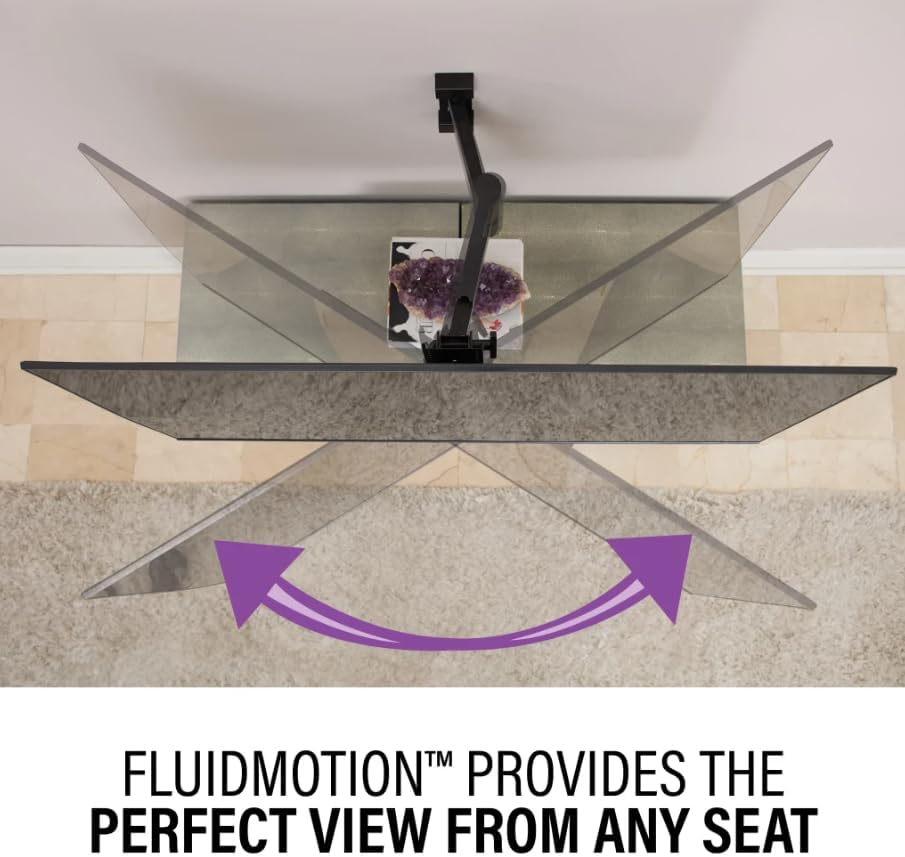
Figure 4.2: FluidMotion Technology provides the perfect view from any seat, allowing for easy swivel.
4.3 Swiveling the TV
To swivel the TV horizontally, gently push or pull the side of the TV. The articulating arm will allow the TV to pivot left or right, providing a wide range of viewing angles.

Figure 4.3: The mount's stylish design blends seamlessly with your TV and decor, even when extended.
4.4 Cable Management
Utilize the integrated cable management channels within the mount's arm to route and conceal your TV cables. This helps maintain a clean and organized appearance.
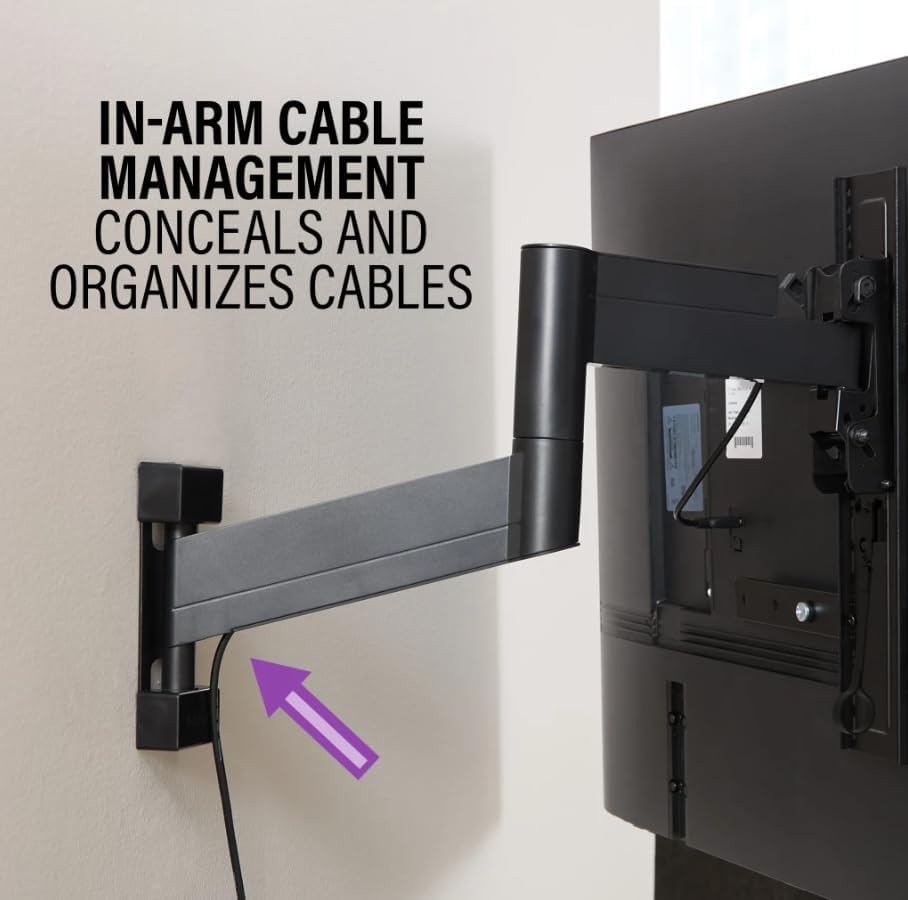
Figure 4.4: In-arm cable management conceals and organizes cables for a tidy setup.
5. Maintenance
To ensure the longevity and optimal performance of your SANUS TV wall mount, follow these simple maintenance guidelines:
- Regular Cleaning: Dust the mount periodically with a soft, dry cloth. Avoid using abrasive cleaners or solvents, as they may damage the finish.
- Check Connections: Periodically inspect all screws and bolts to ensure they remain tight. Over time, vibrations or frequent adjustments may cause them to loosen.
- Lubrication: The articulating joints are designed for smooth operation and typically do not require lubrication. If you notice any stiffness, contact customer support for advice.
6. Troubleshooting
If you encounter any issues with your TV wall mount, refer to the following common troubleshooting tips:
- TV Not Level: Use the post-installation leveling adjustment feature (refer to Figure 3.2) to fine-tune the TV's horizontal position. Ensure the wall plate itself was installed level.
- Difficulty Moving Mount: Check for any obstructions or tangled cables. Ensure all adjustment screws are not overtightened, allowing for free movement.
- Mount Feels Loose: Immediately re-check all wall and TV connections. Ensure the lag bolts are securely fastened into the wall studs. If the issue persists, discontinue use and consult a professional.
- Cables Not Staying Organized: Ensure cables are properly routed through the in-arm cable management channels and secured with any provided clips or ties.
7. Specifications
| Brand | Sanus |
| Model Number | SMF421-B1 |
| Item Weight | 10.54 pounds |
| Product Dimensions | 17.1 x 21 x 2.1 inches |
| Compatible TV Sizes | 26 - 55 Inches |
| Maximum Weight Capacity | 55 lbs |
| Material | Metal |
| Movement Type | Articulating |
| Maximum Extension from Wall | 21 inches |
| Color | Black |
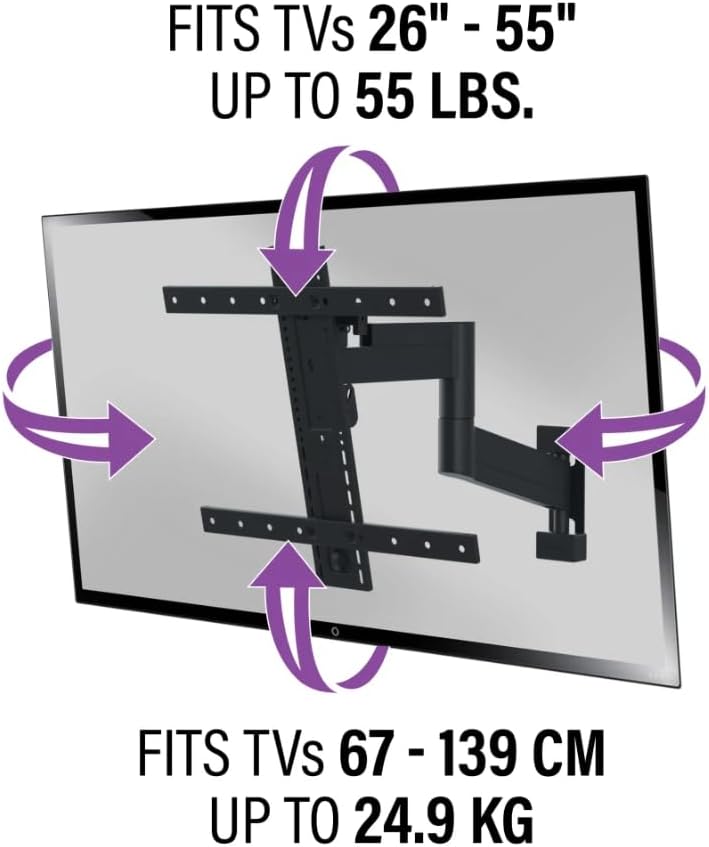
Figure 7.1: The mount is designed to fit TVs from 26" to 55" and support up to 55 lbs (24.9 kg).
8. Warranty and Support
For detailed warranty information and customer support, please refer to the official Sanus website or contact their customer service department. Keep your purchase receipt as proof of purchase for any warranty claims.
Online Resources: www.sanus.com


