
1. Introduction
This manual provides detailed instructions for the ASHATA X9 Language Translator Earbuds. Please read this manual carefully before using the product to ensure proper operation and to maximize its features. Keep this manual for future reference.
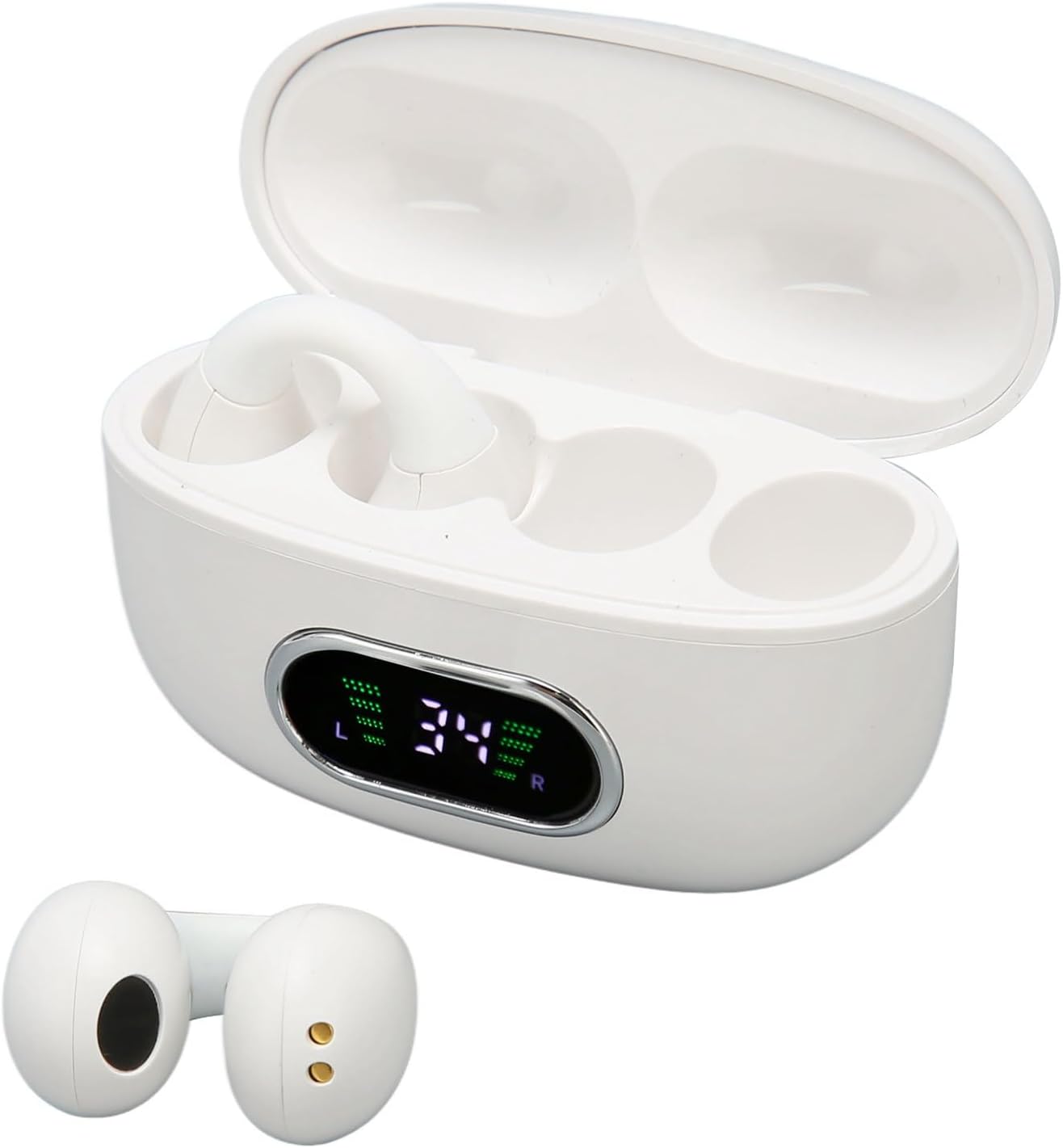
Image 1.1: The ASHATA X9 Language Translator Earbuds in their charging case, displaying battery levels.
2. Package Contents
Ensure all items are present in the package:
- ASHATA X9 Translator Earbuds (2 units)
- Charging Case
- USB Charging Cable
- User Manual (this document)

Image 2.1: Contents of the ASHATA X9 package, including earbuds, charging case, and USB cable.
3. Setup
3.1 Charging the Device
- Place the earbuds into the charging case.
- Connect the USB charging cable to the charging port on the case and to a compatible USB power source.
- The charging case features a power display to indicate the remaining battery level. Ensure the case and earbuds are fully charged before first use.
3.2 App Installation and Pairing
- Download the dedicated translation application to your smartphone. Refer to the QR code or link provided in the quick start guide (if applicable) or search for the ASHATA Translator app in your device's app store.
- Ensure Bluetooth is enabled on your smartphone.
- Open the charging case. The earbuds will automatically enter pairing mode.
- On your smartphone, search for available Bluetooth devices and select "ASHATA X9" (or similar) to connect.
- Once connected, open the translation app to complete the setup.

Image 3.1: The ASHATA X9 Earbuds are compatible with iOS, Android, and Windows systems, connecting wirelessly to various smartphones.
4. Operating Instructions
4.1 Translation Modes
The ASHATA X9 supports online translation in 144 languages. The translation speed is approximately 0.2 seconds.
- Touch Mode: Two individuals each wear an earbud. Click or double-click the earbud to initiate real-time translation. This mode is ideal for direct conversations.
- External Playback Mode: One person wears an earbud, and the other person speaks into the smartphone. The translation is played through the earbud and/or the phone's speaker.
- Speaking Mode: Both individuals wear an earbud. Speak naturally, and the earbuds will translate in real-time.

Image 4.1: An illustration of the real-time translation feature, showing two individuals communicating with translated text on a smartphone.
4.2 Language Selection
Within the translation application, select your native language and the target language for translation. The app will then process spoken words between these two languages.
4.3 Music and Call Functions
The earbuds also function as standard Bluetooth headphones for audio playback and calls.
- Fingerprint Control: The earbuds feature a high-sensitivity touch panel. Gentle touches allow you to control music playback (e.g., skip tracks) and manage phone calls.
- Stereo Sound System: Enjoy 360-degree comprehensive audio coverage for music, calls, and gaming.

Image 4.2: The earbud's touch-sensitive surface, enabling quick control of various functions.

Image 4.3: The ASHATA X9 earbuds feature a V5.3 upgrade chip for stable transmission and low latency, beneficial for gaming and other audio applications.
5. Maintenance
5.1 Cleaning
- Gently wipe the earbuds and charging case with a soft, dry, lint-free cloth.
- Do not use abrasive cleaners, solvents, or aerosol sprays.
- Avoid getting moisture in any openings.
5.2 Storage
- Store the earbuds in their charging case when not in use to protect them and keep them charged.
- Keep the device in a cool, dry place, away from direct sunlight and extreme temperatures.
5.3 Battery Care
- To prolong battery life, avoid fully discharging the battery frequently.
- Charge the device regularly, even if not in frequent use.
6. Troubleshooting
6.1 Connection Issues
- Earbuds not pairing: Ensure earbuds are charged and in pairing mode. Turn off and on your phone's Bluetooth. Forget the device in your phone's Bluetooth settings and try pairing again.
- Intermittent connection: Ensure you are within the 10-meter Bluetooth range without significant obstructions.
6.2 Translation Problems
- Inaccurate translation: Verify that the correct source and target languages are selected in the app. Speak clearly and at a moderate pace. Ensure a stable internet connection for online translation.
- No translation output: Check earbud volume and phone volume. Ensure the microphone is not obstructed.
6.3 Charging Issues
- Device not charging: Check the USB cable and power adapter for damage. Ensure the charging contacts on the earbuds and case are clean and free of debris.
6.4 App Not Responding
- Close the app completely and restart it.
- Check for app updates in your device's app store.
- Restart your smartphone.
7. Specifications
| Feature | Specification |
|---|---|
| Model Number | ASHATA6uxrmvo31f-12 |
| Bluetooth Version | 5.3 |
| Translation Languages | 144 (online) |
| Translation Speed | Approx. 0.2 seconds |
| Charging Case Battery | 300mAh |
| Compatibility | Android, iOS, Windows systems |
| Wireless Range | Up to 10 meters (without wall obstruction) |
| Item Weight | 2.47 ounces |
| Package Dimensions | 3.94 x 3.94 x 1.57 inches |
8. Warranty and Support
For warranty information and customer support, please refer to the documentation provided at the time of purchase or contact the manufacturer directly. Details regarding specific warranty periods and support channels are typically available from the seller or on the ASHATA official website.