
iScooter i8
Contents
iScooter i8 Electric Scooter User Manual
Model: i8 | Brand: iScooter
Introduction
Welcome to the iScooter i8 Electric Scooter user manual. This guide provides essential information for the safe and efficient operation, assembly, maintenance, and troubleshooting of your new electric scooter. Designed for adults and teens, the i8 features a powerful 350W motor, offering a top speed of 18 mph and a range of up to 12 miles. Its foldable and portable design makes it ideal for commuting. Please read this manual thoroughly before first use.

Figure 1: The iScooter i8 Electric Scooter.
Setup and Assembly
Your iScooter i8 comes partially assembled. Follow these steps to complete the setup:
- Unboxing: Carefully remove all components from the packaging, including the scooter, manual, screws, and screwdriver.
- Handlebar Installation: Lift the handlebar stem to an upright position. Secure it using the quick-release clamp. Ensure it clicks into place firmly.
- Handlebar Attachment: Attach the handlebars to the stem. Use the provided screws and screwdriver to secure them tightly.
- Initial Charge: Before first use, fully charge the scooter's battery. Connect the charger to the charging port and a power outlet. The indicator light on the charger will change when fully charged (typically 5-6 hours).
- Tire Check: Verify that the 8.5-inch pneumatic tires are properly inflated to the recommended pressure.
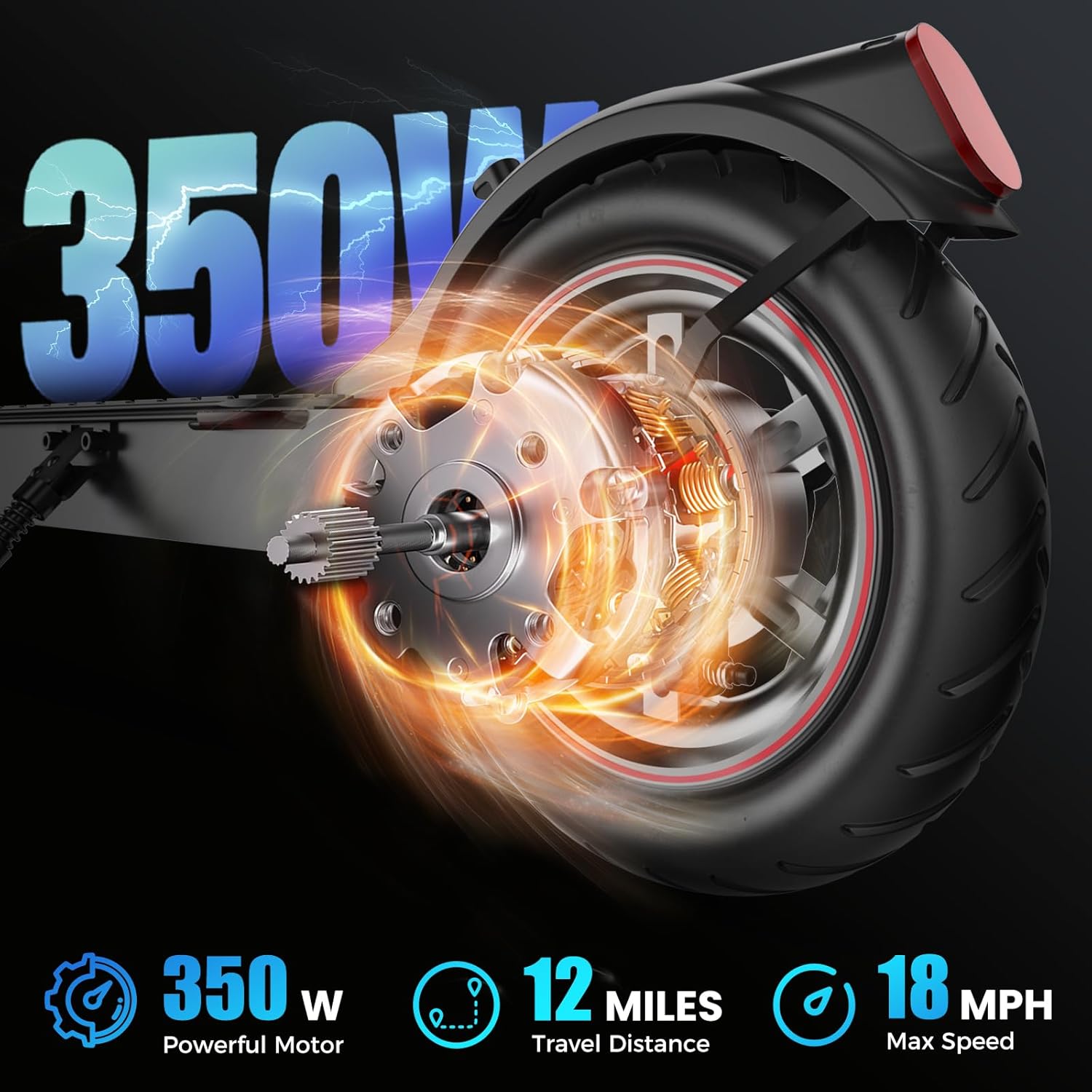
Figure 2: The iScooter i8 in its folded state, demonstrating its portability.
Video 1: Product Display of i8 Escooter. This video demonstrates the scooter's features, including its folding mechanism and general operation, which can assist with initial setup and understanding its portability.
Operating Instructions
Powering On/Off and Riding Modes
To power on the scooter, press and hold the power button on the Smart LED Display. To power off, press and hold the button again. The i8 features three riding modes:
- ECO Mode: Up to 6 MPH for energy efficiency.
- D Mode: Up to 9 MPH for balanced performance.
- S Mode: Up to 15.6 MPH for maximum speed.
Switch between modes by short-pressing the power button. The display will show your current speed, battery level, and active mode.
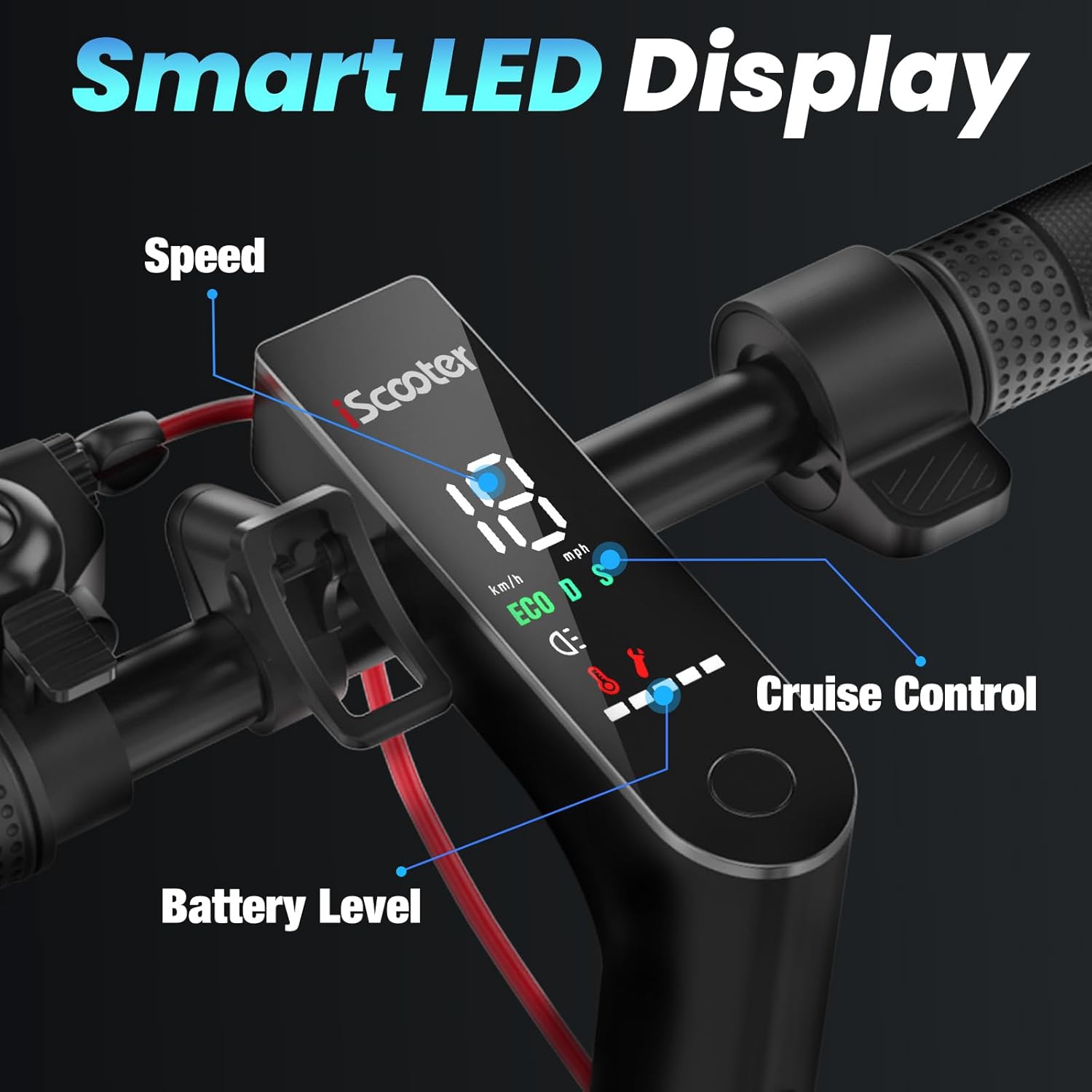
Figure 3: Close-up of the Smart LED Display showing speed, battery level, and cruise control indicator.
Braking System
The i8 is equipped with a dual braking system for reliable stopping power: disc brakes and EABS regenerative anti-lock braking. Apply the brake lever on the handlebar to engage the brakes. Always maintain a safe distance from other objects and pedestrians.

Figure 4: Illustration of the dual brake system and comfortable grip for enhanced safety.
Cruise Control
To activate cruise control, maintain a consistent speed for a few seconds. The scooter will beep, and the cruise control icon will appear on the display. To deactivate, simply press the brake lever or the accelerator.
Lighting System
The scooter features an ultra-bright headlight and warning taillights for safe night riding. The headlight illuminates up to 15 meters ahead. Ensure lights are on when riding in low-light conditions.

Figure 5: The iScooter i8 with its bright headlight and eye-catching taillight, designed for safe riding at night.
Maintenance
Regular maintenance ensures the longevity and safe operation of your iScooter i8.
- Cleaning: Wipe down the scooter with a damp cloth after use. Avoid using high-pressure water or harsh chemicals.
- Tire Pressure: Check tire pressure regularly. Proper inflation of the 8.5-inch pneumatic tires is crucial for ride quality and safety.
- Brake Inspection: Periodically inspect the brake system for wear and tear. Ensure the brake lever operates smoothly and the brakes provide adequate stopping power.
- Battery Care: Store the scooter in a cool, dry place. If storing for extended periods, charge the battery to about 50-70% and recharge every 30-60 days to prevent deep discharge.
- Fasteners: Check all screws and bolts periodically to ensure they are tight.
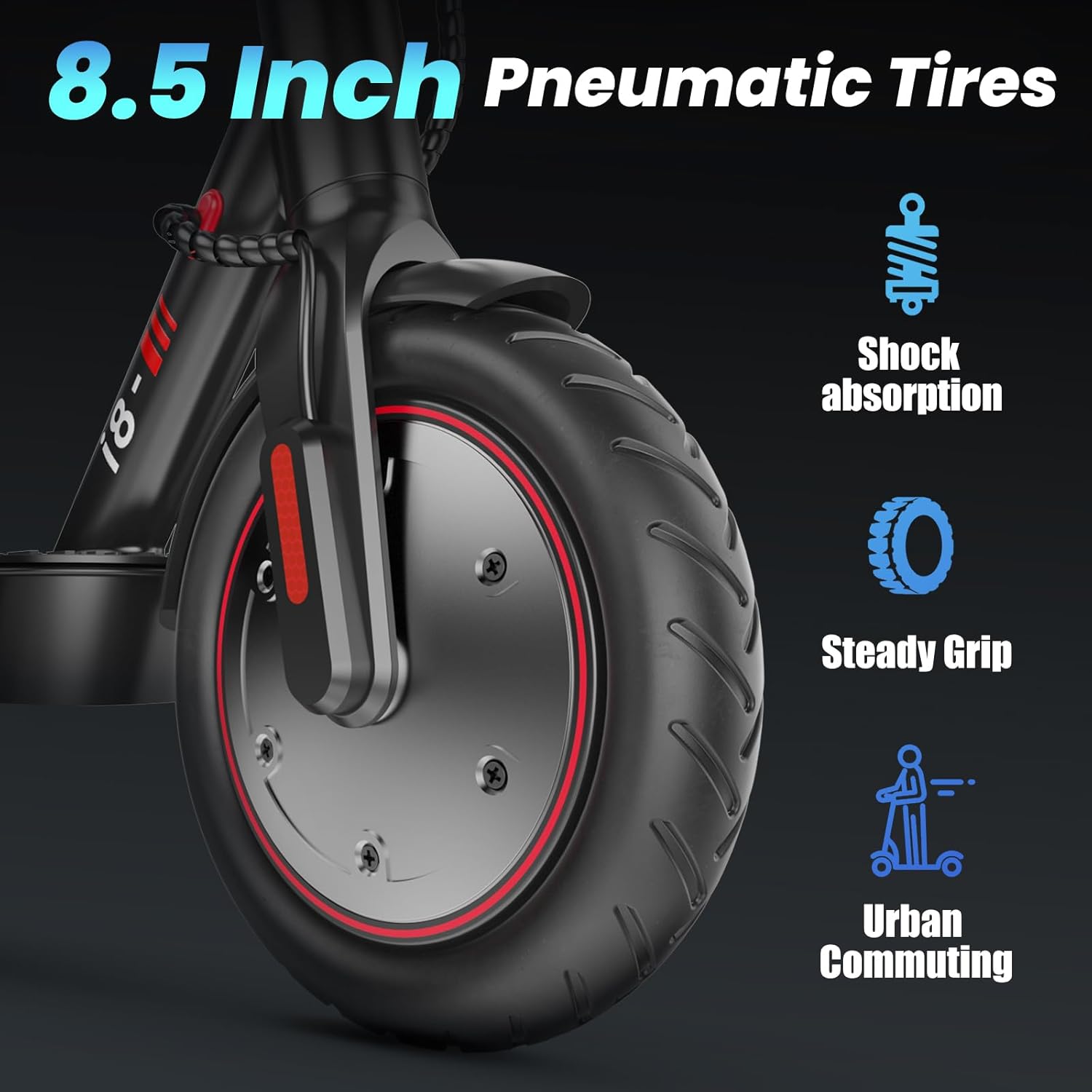
Figure 6: The 8.5-inch pneumatic tires provide shock absorption and a steady grip for urban commuting.
Troubleshooting
If you encounter issues with your iScooter i8, refer to the following common problems and solutions:
| Problem | Possible Cause | Solution |
|---|---|---|
| Scooter does not power on | Low battery; Loose connections | Charge the battery; Check all cable connections. |
| Reduced range or speed | Low tire pressure; Overload; Battery degradation | Inflate tires to correct pressure; Reduce load; Contact support for battery check. |
| Brakes not effective | Brake pads worn; Cable loose | Inspect and replace brake pads if necessary; Adjust brake cable tension. |
| Unusual noises during operation | Loose components; Debris in wheels | Check all fasteners; Inspect wheels for foreign objects. |
If the problem persists after attempting these solutions, please contact iScooter customer support.
Specifications
Key technical specifications for the iScooter i8 Electric Scooter:
- Brand: iScooter
- Model Name: i8
- Color: Black
- Motor: 350W Brushless Powerful Motor
- Top Speed: 18 Mph
- Maximum Distance Range: 12 Miles
- Battery: 36V/5.2AH High-Capacity
- Charging Time: 5-6 Hours
- Weight Limit: 220 Pounds
- Item Weight: 26.4 Pounds
- Wheel Size: 8.5 Inches
- Wheel Material: Rubber (Pneumatic)
- Frame Material: Aluminum
- Brake Style: Double Braking Systems (Disc Brakes and EABS Regenerative Anti-lock Braking)
- Special Features: Lightweight, Non-slip deck, Cruise Control, Foldable Design, UL2272 Certified
- Age Range (Description): Suitable for 14 years +
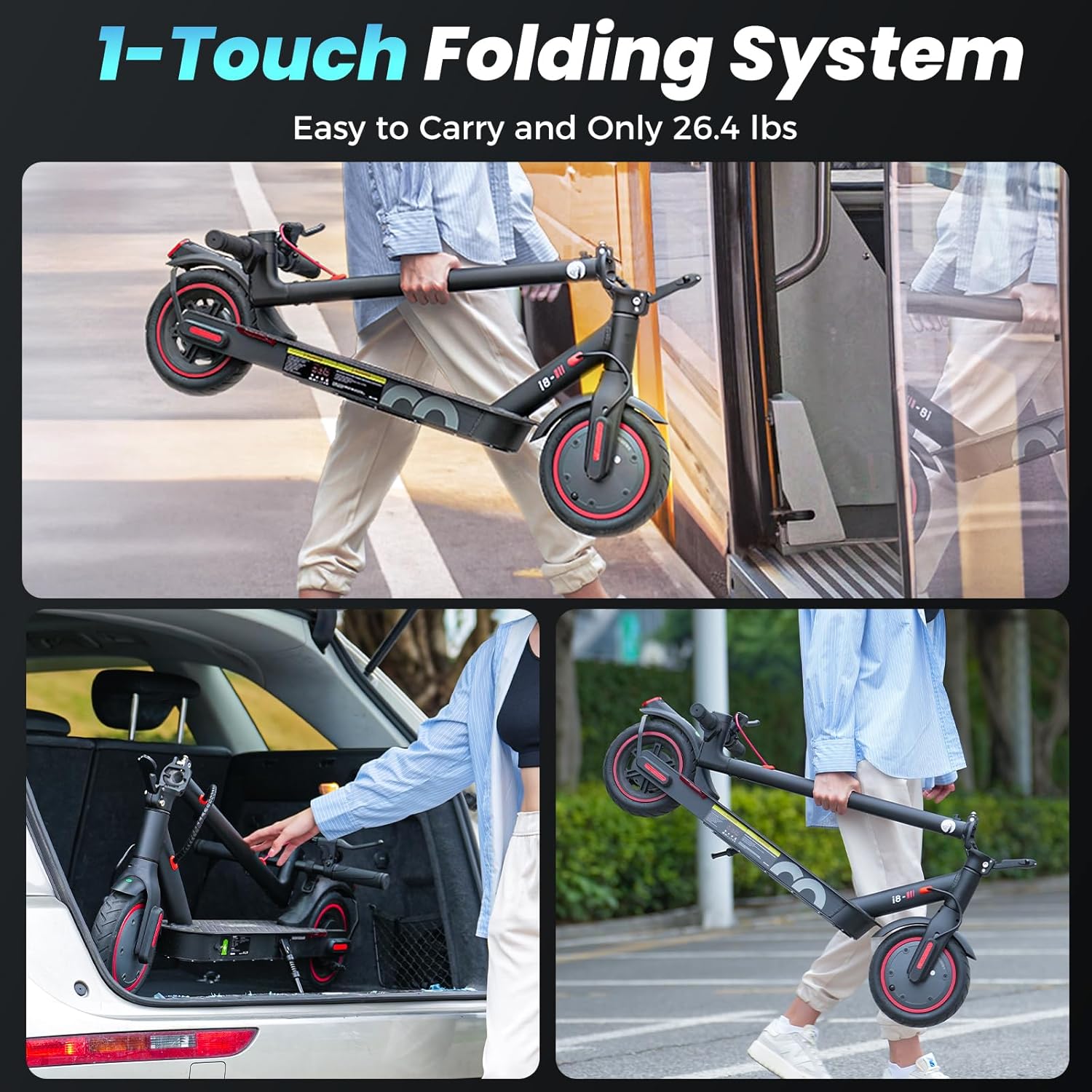
Figure 7: Visual representation of the 350W powerful motor, 12 miles travel distance, and 18 mph max speed capabilities.
Warranty and Support
iScooter is dedicated to delivering premium, affordable, and dependable products. Your i8 Electric Scooter comes with a limited warranty:
- Warranty Period: 6 months or 1 year for different parts. Please refer to your purchase documentation for specific component warranty details.
- Coverage: The warranty covers manufacturing defects and malfunctions under normal use. It does not cover damage from misuse, accidents, or unauthorized modifications.
Customer Support
For any inquiries, technical assistance, or warranty claims, our dedicated customer support team is here to assist you. Your satisfaction is our top priority.
- Call Center: +1 (855) 916-2366
- Live Chat/Email Support: support@iscooterglobal.com

Figure 8: iScooter's customer support details for after-sale service.
Ask a question about this manual
Ask about setup, troubleshooting, compatibility, parts, safety, or missing instructions. Manuals+ will review the question and use this page’s manual context to help answer it.