
CUBOT CUBOT A10 Mobile Phones
Contents
CUBOT A10 Mobile Phone User Manual
Your comprehensive guide to the CUBOT A10 Smartphone
Introduction
Welcome to the user manual for your new CUBOT A10 Mobile Phone. This guide provides detailed instructions to help you set up, operate, maintain, and troubleshoot your device. The CUBOT A10 is designed to offer a seamless and efficient mobile experience, featuring the latest Android 14 operating system, a powerful Octa-core processor, and a large 6.56-inch HD+ display with a 90Hz refresh rate.
Key features include an impressive 12GB RAM (4GB + 8GB extended RAM) and 128GB internal storage, expandable up to 1TB with a microSD card. Capture stunning photos with the 48MP main camera and 16MP front camera. Stay powered throughout the day with the 5100mAh battery and 18W fast charging. This manual will help you unlock the full potential of your CUBOT A10.
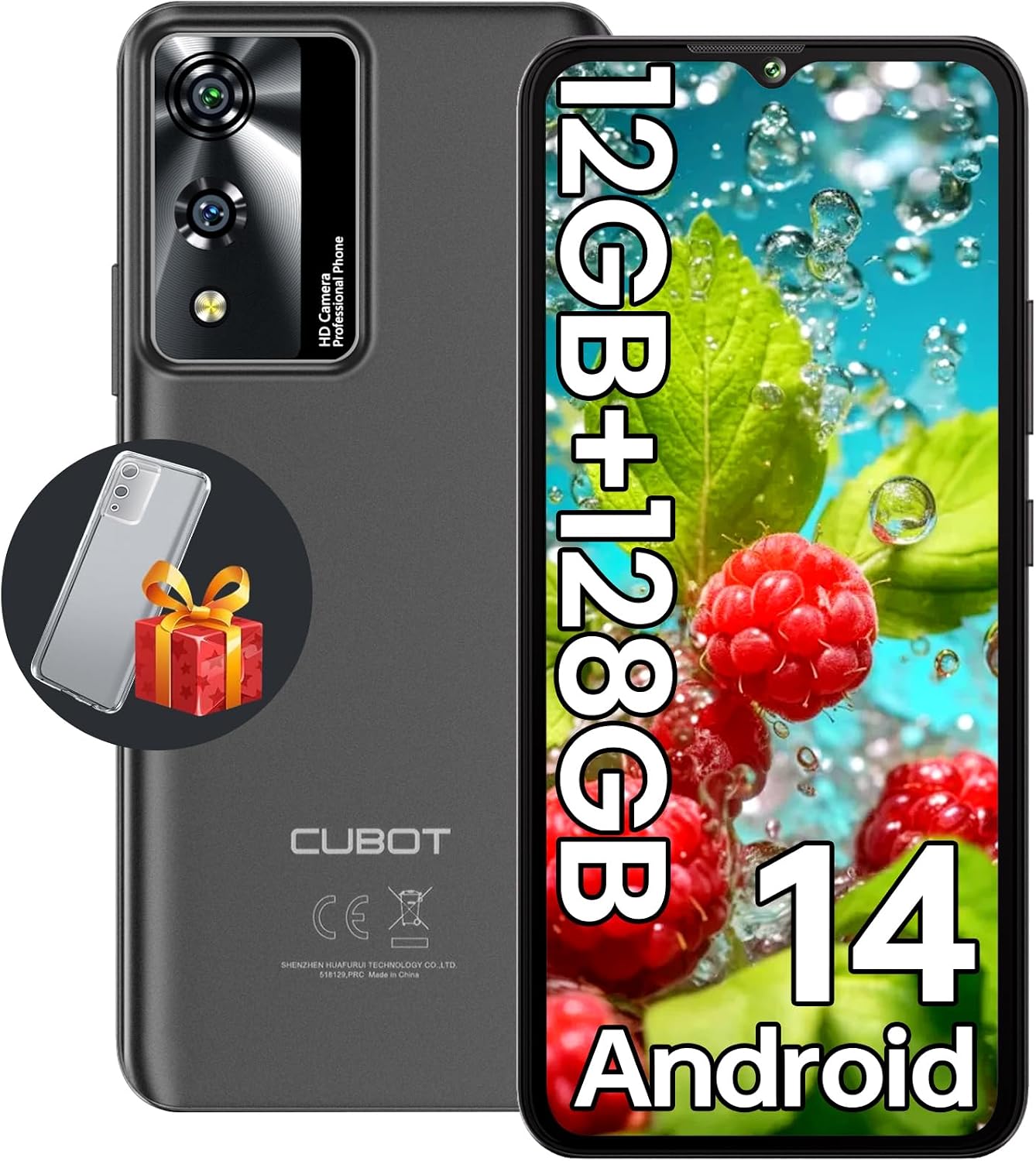
Figure 1: CUBOT A10 Mobile Phone, showcasing its sleek design and camera module on the back, and the vibrant display on the front.
Setup
1. What's in the Box
Before you begin, ensure all components are present:
- CUBOT A10 Mobile Phone
- Screen Protector (pre-applied or in box)
- Power Adapter (9V2A)
- USB Cable
- SIM Tray Ejector
- Phone Protect Case
- Quick Start Guide
- Compliance Regulation Document
2. Inserting SIM Card(s) and MicroSD Card
The CUBOT A10 supports dual SIM cards or one SIM card and one MicroSD card for expanded storage.
- Locate the SIM tray on the side of your phone.
- Insert the SIM tray ejector tool into the small hole next to the tray and press firmly until the tray pops out.
- Carefully pull out the SIM tray.
- Place your Nano-SIM card(s) and/or MicroSD card into the designated slots on the tray, ensuring the gold contacts face down. Refer to the diagram on the tray for correct orientation.
- Gently push the tray back into the phone until it clicks into place.

Figure 2: Illustration of inserting SIM cards and a MicroSD card into the CUBOT A10's tray.
3. Initial Power On and Basic Setup
To power on your device for the first time:
- Press and hold the Power button (usually on the right side) until the CUBOT logo appears.
- Follow the on-screen prompts to select your language, connect to a Wi-Fi network, and set up your Google account.
- You can also set up Face ID during this initial setup or later in the settings.
Operating Your CUBOT A10
1. Android 14 Operating System
The CUBOT A10 runs on the latest Android 14, offering enhanced privacy and security features, along with a range of personalization options. Enjoy a smooth and efficient experience across various applications.

Figure 3: The CUBOT A10 running the Android 14 operating system, showing various app icons and interface elements.
2. Display and Interaction
Experience immersive visuals on the 6.56-inch HD+ display. With a 90Hz refresh rate, scrolling and animations are exceptionally smooth. The display also features 500nit peak brightness for clear visibility.

Figure 4: Visual representation of the CUBOT A10's 6.56-inch HD+ display with 90Hz refresh rate, highlighting its smooth visual experience.
3. Camera System
The CUBOT A10 is equipped with a 48MP ultra-clear main camera and a 16MP front camera. Explore various shooting modes including time-lapse, slow motion, panorama, portrait, and night mode to capture stunning photos and selfies.

Figure 5: Depiction of the CUBOT A10's 48MP main camera and 16MP front camera, illustrating its photographic capabilities.
4. Battery and Charging
The 5100mAh mega battery provides extended usage, allowing for days of binge-watching, streaming, or gaming. With 18W fast charging, your phone recharges quickly. The CUBOT A10 also supports OTG (On-The-Go) function, enabling it to act as a power bank for other devices.

Figure 6: Visual representation of the CUBOT A10's 5100mAh battery capacity, emphasizing its long-lasting power.
5. Memory and Storage
The CUBOT A10 features up to 12GB RAM (4GB physical + 8GB extended) for smooth multitasking and an Octa-core processor for efficient performance. It comes with 128GB of internal storage, expandable up to 1TB via a MicroSD card, providing ample space for your apps, photos, videos, and files.

Figure 7: Diagram illustrating the CUBOT A10's 12GB RAM (4GB + 8GB extended) and 128GB ROM, highlighting its storage capabilities.
6. Security and Navigation
- Face ID Unlock: Securely unlock your phone using facial recognition.
- Navigation Systems: The A10 supports GPS, Beidou, GLONASS, and Galileo for fast and accurate location services.
- Hotkey Button: A customizable hotkey button on the left side allows quick access to your preferred applications.
Maintenance
1. General Care
- Keep your phone dry. Moisture can damage the device.
- Avoid extreme temperatures. Do not expose your phone to very hot or very cold environments.
- Clean the screen and body with a soft, lint-free cloth. Avoid using harsh chemicals.
- Protect the screen with the provided screen protector and case to prevent scratches and damage.
2. Software Updates
Regularly check for and install software updates to ensure your device has the latest features, security patches, and performance improvements. You can usually find this option in Settings > System > System update.
3. Battery Care
- Use only the original charger and cable provided with your CUBOT A10.
- Avoid fully discharging the battery frequently. It is recommended to keep the battery level between 20% and 80% for optimal longevity.
- Do not leave the phone charging for excessively long periods after it reaches 100%.
Troubleshooting
If you encounter issues with your CUBOT A10, try the following solutions:
| Problem | Possible Solution |
|---|---|
| Phone freezes or is unresponsive | Press and hold the Power button for about 10-15 seconds to force a restart. |
| Apps not opening or freezing |
|
| Battery drains quickly |
|
| Cannot connect to Wi-Fi/Mobile Data |
|
| Poor call quality |
|
If the problem persists, consider performing a factory reset (Settings > System > Reset options > Erase all data (factory reset)). Warning: This will erase all data on your phone. Back up important data before proceeding.
Specifications
| Feature | Detail |
|---|---|
| Brand | CUBOT |
| Model Name | CUBOT A10 Mobile Phones |
| Operating System | Android 14 |
| RAM Memory Installed Size | 12 GB (4GB + 8GB extended) |
| Memory Storage Capacity | 128 GB (Expandable up to 1TB via MicroSD) |
| CPU Model | Octa-core processor (Note: "AMD A10" listed in some specifications is incorrect for a mobile device.) |
| Screen Size | 6.56 Inches |
| Resolution | HD+ (1080 x 2160 pixels) |
| Refresh Rate | 90 Hz |
| Main Camera | 48 MP |
| Front Camera | 16 MP |
| Battery Capacity | 5100 mAh |
| Charging | 18W Fast Charging, OTG Reverse Charge |
| Wireless Carrier | Unlocked for All Carriers |
| SIM Support | Dual Nano SIM or 1 Nano SIM + 1 MicroSD/TF card |
| Navigation | GPS, Beidou, GLONASS, Galileo |
| Dimensions | 19 x 10 x 5.8 cm (Package Dimensions) |
| Weight | 509 g (Package Weight) |
Warranty and Support
CUBOT is committed to providing excellent customer service for your A10 Mobile Phone.
- Returns: Enjoy a 30-day no-reason return policy.
- Warranty: Your CUBOT A10 comes with a TWO-YEAR warranty from the date of purchase. This warranty covers manufacturing defects.
- Technical Support: Long-term technical support is available to assist you with any operational or technical queries.
- Customer Service: CUBOT offers 24-hour online customer service for prompt assistance.
For further assistance, please refer to the contact information provided in your Quick Start Guide or visit the official CUBOT website.
Ask a question about this manual
Ask about setup, troubleshooting, compatibility, parts, safety, or missing instructions. Manuals+ will review the question and use this page’s manual context to help answer it.