
1. Introduction
This manual provides detailed instructions for the installation, operation, and maintenance of your Garosa Battery Voltage Meter. This device is designed to accurately monitor battery capacity and voltage, featuring a clear LED digital display for various battery types including Lithium and Lead-Acid batteries.
2. Safety Information
- Always ensure the power supply is disconnected before installation or maintenance to prevent electrical shock.
- Do not exceed the maximum input voltage of 120V DC.
- Handle the device with care to avoid physical damage.
- Keep the device away from moisture, extreme temperatures, and corrosive environments.
- Ensure proper wiring connections as indicated in the setup section to prevent damage to the meter or battery.
3. Package Contents
The package includes:
- 1 x Garosa Battery Voltage Meter
4. Product Overview
The Garosa Battery Voltage Meter is a compact and stable device designed for accurate battery monitoring. It features a high-definition LED screen for clear display of voltage and battery capacity percentage.
Key Features:
- High-definition LED Screen: Provides a clear and bright display from all viewing angles.
- Accurate Remaining Capacity: Directly displays battery capacity sign and percentage.
- Battery Capacity Monitor: Tracks battery capacity and voltage.
- Wide Compatibility: Suitable for various applications including cars, motorcycles, scooters, bikes, power banks, and test equipment.
- Compact and Portable: Designed for ease of use and high measurement accuracy.
Component Identification:

Figure 4.1: Front view of the Garosa Battery Voltage Meter displaying voltage (e.g., 51.3V).

Figure 4.2: Front view of the Garosa Battery Voltage Meter displaying battery percentage (e.g., 86%).

Figure 4.3: Rear view of the meter, showing the wiring terminals and battery type selection switches.
5. Setup and Installation
Follow these steps for proper installation of the battery voltage meter:
- Mounting: The meter has a size of approximately 47x27x16mm (1.9x1.1x0.6in) and a mounting hole size of approximately 45.5x26.5mm (1.8x1.0in). Ensure you have an appropriate cutout for flush mounting.
- Wiring:
- Connect the red wire to the positive (+) terminal of the battery or power source.
- Connect the black wire to the negative (-) terminal of the battery or power source.
- Ensure connections are secure and insulated to prevent short circuits.
- Battery Type Selection: Refer to the labels on the back of the meter (Figure 4.3) to select the correct battery type and voltage range using the internal switches. Options typically include 12V, 24V, 48V, 60V, 72V, 96V for Lithium or Lead-Acid batteries. Incorrect selection may lead to inaccurate readings.
- Power On: Once wired correctly, the meter will power on and display the current voltage and battery capacity.

Figure 5.1: Internal view of the meter, showing the circuit board and components. This view is for reference and not for user modification.
6. Operating Instructions
The Garosa Battery Voltage Meter operates automatically once connected to a power source within its specified voltage range.
- Display Modes: The meter typically cycles between displaying the current voltage (V) and the battery capacity percentage (%). Some models may have a button on the side (refer to Figure 6.1) to manually switch between these display modes or to adjust settings.
- Reading the Display:
- The large digital numbers indicate the voltage or percentage.
- The battery icon graphically represents the charge level, with green segments indicating remaining capacity and red indicating depleted capacity.
- Monitoring: Continuously monitor the display to keep track of your battery's charge status and voltage. This helps in preventing over-discharge or over-charge, extending battery life.
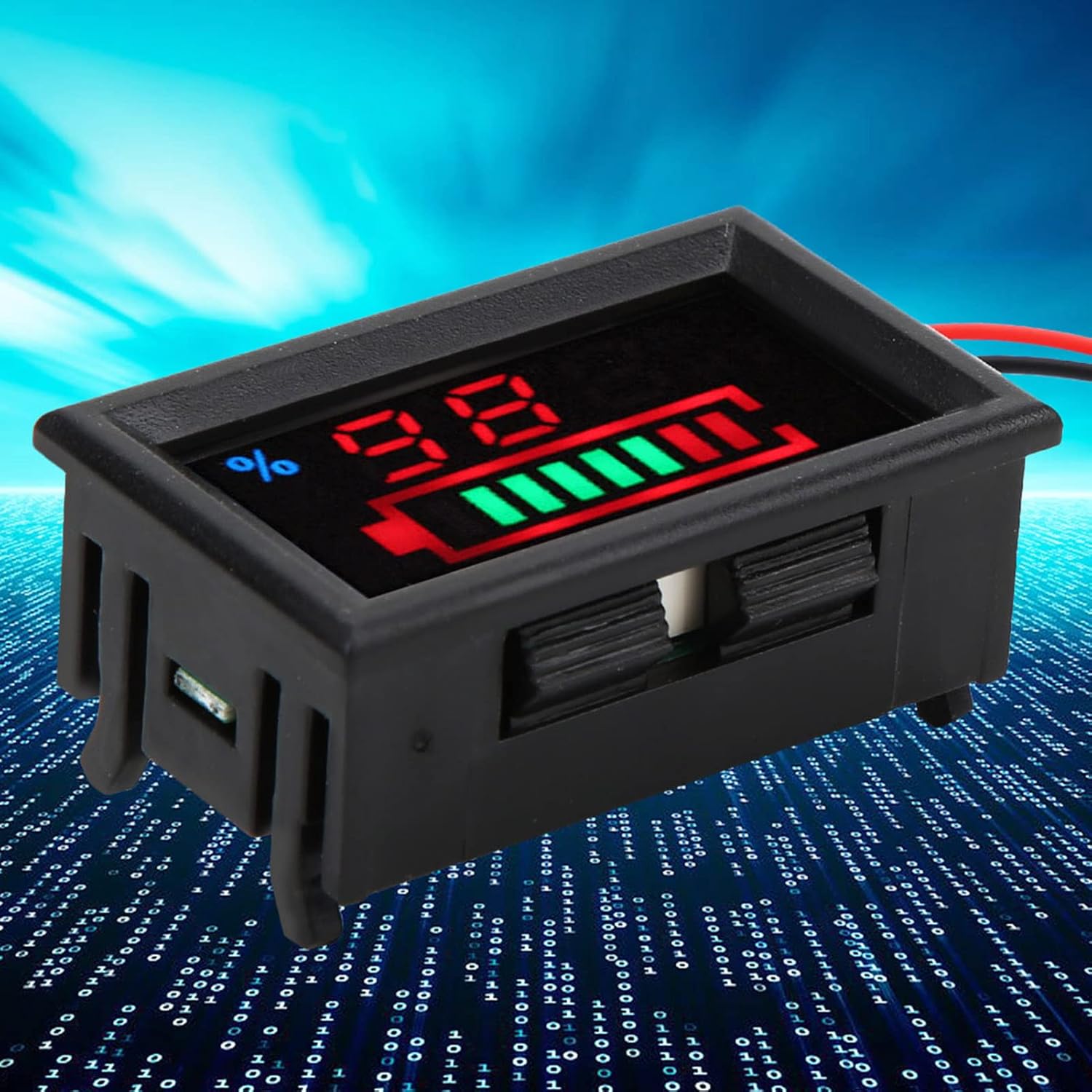
Figure 6.1: Side view of the meter, potentially showing a button for display mode selection or calibration.
7. Maintenance
To ensure the longevity and accurate performance of your Garosa Battery Voltage Meter, follow these maintenance guidelines:
- Cleaning: Use a soft, dry cloth to clean the display and casing. Do not use abrasive cleaners or solvents.
- Environmental Conditions: Operate and store the meter within the specified working temperature of -10℃ to +65℃ and avoid high humidity (no condensation).
- Connection Check: Periodically inspect the wiring connections to ensure they remain secure and free from corrosion.
- Avoid Impact: Protect the device from drops or strong impacts.
8. Troubleshooting
| Problem | Possible Cause | Solution |
|---|---|---|
| No display or meter does not power on. | Incorrect wiring, no power supply, or voltage outside operating range. |
|
| Inaccurate voltage or capacity reading. | Incorrect battery type selection, faulty wiring, or meter malfunction. |
|
| Display is dim or flickering. | Low input voltage or unstable power supply. |
|
9. Specifications
| Parameter | Value |
|---|---|
| Item Type | Battery Monitor |
| Battery Type (Optional) | Lithium Battery, Lead-Acid Battery |
| Voltage (Optional) | 12V, 24V, 48V, 60V, 72V, 96V |
| Material | ABS |
| Color | As shown in pictures |
| Size | Approx. 47x27x16mm / 1.9x1.1x0.6in |
| Mounting Hole | Approx. 45.5x26.5mm / 1.8x1.0in |
| Weight | Approx. 15g / 0.5oz |
| Voltage Measurement Range | DC 8~120 V (wide range) |
| Maximum Input Voltage | 120 V |
| Minimum Resolution Below 100 V | 0.1 V |
| Minimum Resolution of 100 V | 1 V |
| Energy Resolution | 1% |
| Working Current | < 15mA |
| Screen Display | LED |
| Measurement Rate | > 500 mS / time |
| Voltage Measurement Accuracy | 1% |
| Wire Length | > 150mm / 5.91in |
| Minimum Supply Voltage | + 8 V |
| Maximum Supply Voltage | + 120 V |
| Working Temperature | -10℃ ~ +65℃ |
| Working Humidity | (no condensation) |
10. Warranty Information
Garosa products are manufactured to high-quality standards. This product is covered by a standard limited warranty against defects in materials and workmanship from the date of purchase. Please retain your proof of purchase for warranty claims. The warranty does not cover damage caused by improper installation, misuse, unauthorized modifications, or natural disasters.
11. Support
For technical assistance, troubleshooting, or warranty inquiries, please contact Garosa customer support through your retailer or the official Garosa website. Please have your product model number (Garosa7q5fcr94ae-15) and purchase details ready when contacting support.