
1. Introduction
The xDuoo DT-01 is a versatile HiFi Phone DAC Pre-Amplifier Player designed to enhance the audio output from mobile phones and tablets. It functions as a digital turntable, converting USB audio signals into high-quality coaxial, optical, or analog outputs for connection to various audio decoding devices, amplifiers, or active speakers. The DT-01 supports high-resolution audio formats including PCM up to 32Bit/384kHz and DSD256, ensuring a superior listening experience. Additionally, it features a phone charging function to maintain device battery life during use.
2. Safety Information
- Do not expose the device to water or excessive moisture.
- Avoid placing the device near heat sources or in direct sunlight.
- Use only the provided power cable and accessories.
- Do not attempt to disassemble or repair the device yourself. Refer to qualified service personnel.
- Keep out of reach of children.
3. Package Contents
Verify that all items are present in the package:
- xDuoo DT-01 Unit
- USB Cable (Type-C to Type-C OTG cable, Type-C to A cable)
- User Manual
- Warranty Card
Video: xDuoo DT-01 Unboxing. This video demonstrates the unboxing process and the contents included in the product package.
4. Product Overview
4.1 Front Panel

Image: Front view of the xDuoo DT-01 unit, showing the phone dock, charging switch, power switch, output selection, and headphone jack.
- Sample Rate Indicator: Displays the current audio sampling rate with different colors.
- Charging Switch: Toggles phone charging on or off.
- Power Switch: Turns the unit on or off.
- Output Selection: Selects between USB output and SP/AUX output.
- Headphone Output Jack: 3.5mm jack for connecting headphones.
4.2 Rear Panel

Image: Rear view of the xDuoo DT-01 unit, showing various input and output ports.
- AUX OUT: 3.5mm analog audio output.
- Coaxial Output: Digital coaxial audio output.
- Optical Output: Digital optical audio output.
- USB Signal Output: USB port for digital audio output to an external DAC.
- USB Signal Input: USB port for connecting the mobile phone/tablet.
- Power Input (DC 5V): USB-C port for external power supply.
5. Setup
- Power Connection: Connect the provided USB power cable to the DC 5V Power Input port (11) on the rear panel and plug the other end into a suitable USB power adapter (not included).
- Mobile Device Connection:
- Place your mobile phone or tablet onto the base of the DT-01 unit.
- Use the supplied USB cable (Type-C to Type-C OTG or Lightning to Type-C OTG) to connect the USB port of your mobile device to the USB Signal Input port (10) on the rear panel of the DT-01.
- Audio Output Connection:
- To Headphones: Connect your headphones to the Headphone Output Jack (5) on the front panel.
- To External DAC (USB): Set the Output Selection switch (4) to "USB". Connect a USB cable from the USB Signal Output port (9) to your external USB DAC.
- To External DAC/Amplifier (Coaxial/Optical): Set the Output Selection switch (4) to "SP/AUX". Connect a coaxial cable from the Coaxial Output port (7) or an optical cable from the Optical Output port (8) to your audio decoding device or amplifier.
- To Amplifier/Active Speakers (AUX): Set the Output Selection switch (4) to "SP/AUX". Connect a 3.5mm audio cable from the AUX OUT port (6) to your amplifier or active speakers.
Video: xDuoo DT-01 HiFi Turntable for Phone. This video demonstrates the connection process for the DT-01 with a mobile phone and various audio outputs.
6. Operating Instructions
- Power On/Off: Use the Power Switch (3) on the front panel to turn the DT-01 unit on or off.
- Output Selection: Use the Output Selection switch (4) to choose between "USB" for digital USB output to an external DAC, or "SP/AUX" for coaxial, optical, or analog AUX outputs.
- Phone Charging: Use the Charging Switch (2) to enable or disable phone charging. This allows you to charge your phone while it is connected and playing music, or prevent charging to conserve the DT-01's power.
- Sample Rate Indication: The Sample Rate Indicator (1) lights up in different colors to show the current audio sampling rate:
- Blue: 44.1-48kHz
- Purple: 96K-384kHz
- White: DSD64-256

Image: Diagram illustrating the different colors of the sample rate indicator and their corresponding sampling rates.
- Volume Control: The volume of the AUX OUT (6) and Headphone Output Jack (5) can be adjusted using the volume knob located on the side of the unit. This pre-amplifier function eliminates the need to adjust the volume on connected speakers or amplifiers.
7. Features and Functions
- USB Audio Conversion: Converts USB audio from your phone or tablet into high-quality coaxial, optical, or analog signals. Supports PCM up to 32Bit/384kHz and DSD256.
- Phone Charging: Features a charging switch to allow simultaneous phone charging while playing music, or to disable charging to conserve the DT-01's power.
- Coaxial/Optical Output: Provides digital audio outputs supporting PCM 24bit/192kHz and DSD64 (DoP) for connection to various audio decoding devices.
- USB Output: The audio signal originates from the phone, but the USB power supply is provided by the DT-01, preventing phone battery drain. This output can also be used to send the digital signal directly to another external DAC, bypassing the DT-01's internal DAC.
- Headphone Output: Includes a headphone port with 350mW (32Ω load) output power, capable of driving many types of headphones for private listening.
- Pre-Amplifier Function: The volume of the AUX out can be controlled directly by the unit's volume knob, offering convenient adjustment without needing to change speaker volume.
- Durable Construction: The shell is made of high-strength aluminum alloy, providing durability and effective shielding from external noise.
- Portable Design: The backup plate for the phone is removable, allowing for easier portability when not in use.
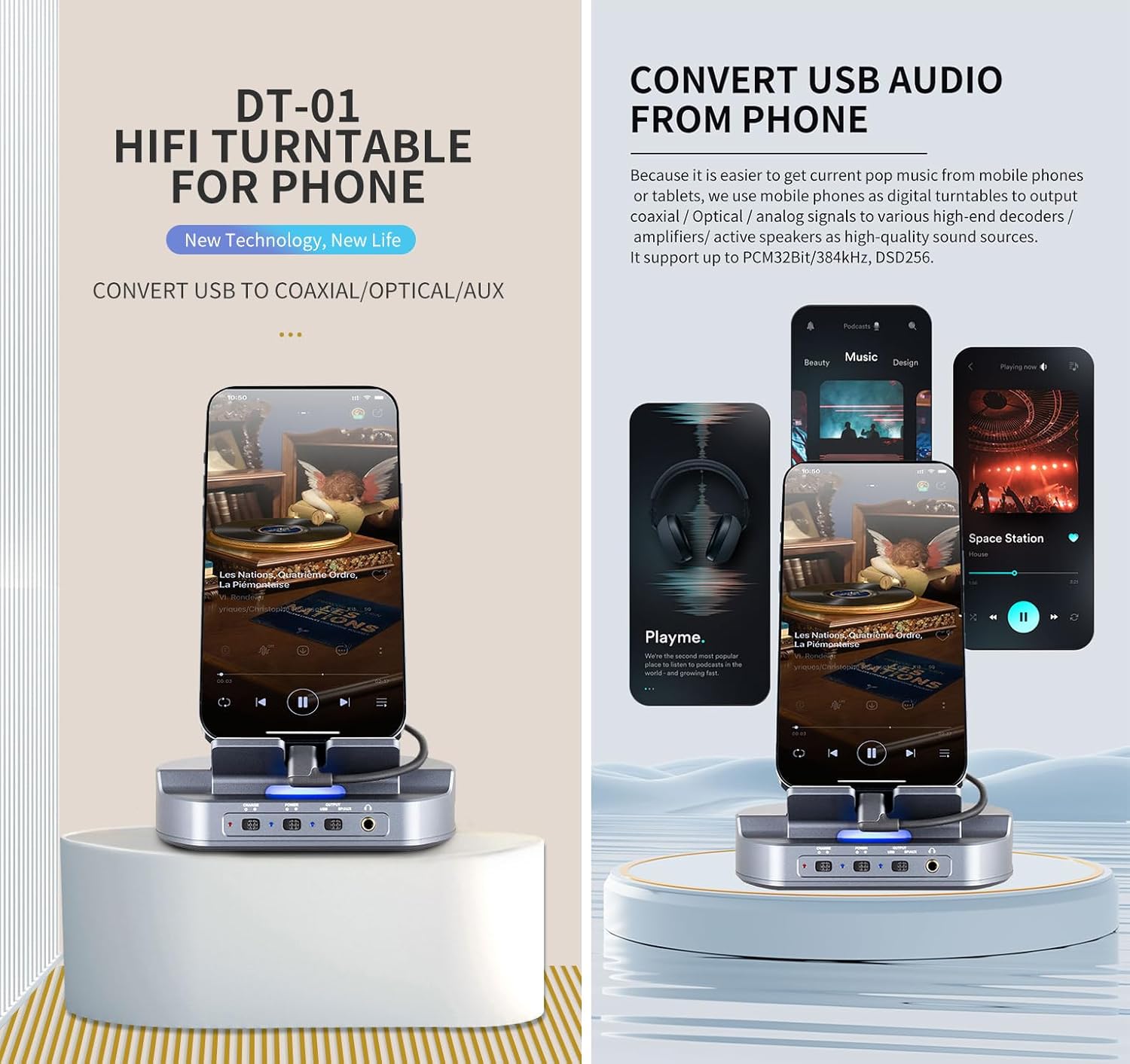
Image: The xDuoo DT-01 with a phone docked, highlighting its function to convert USB audio from a phone to various outputs.
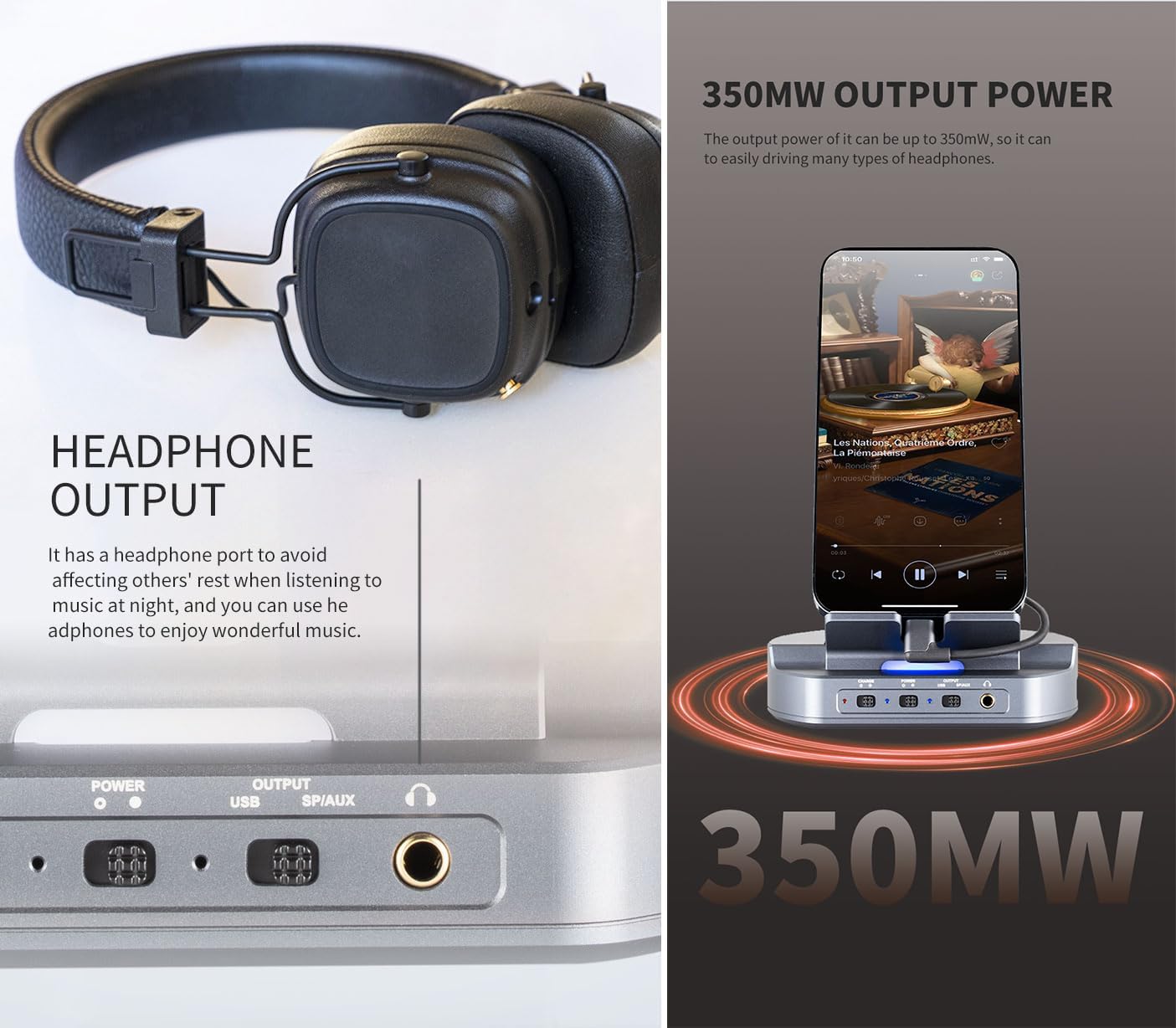
Image: Close-up of the xDuoo DT-01 showing the headphone output and indicating 350mW output power.

Image: Detailed views of the xDuoo DT-01, illustrating USB output, easy portability with a removable backplate, and the aluminum alloy shell construction.
Video: xDuoo DT-01 HiFi Phone DAC Pre-Amp Player Transforms Dock. This video provides an overview of the DT-01's features and functionality.
8. Specifications
| Parameter | Value |
|---|---|
| Power In | DC5V/2A |
| Sampling Rate Display | Multi-color display |
| Compliant OS | Windows/Linux/Mac OS X/iOS/Android |
| Frequency Response (USB) | 20Hz-20kHz (±0.5dB) |
| Frequency Response (AMP) | 10 Hz-80kHz (±0.5dB) |
| Sampling Rate Support | PCM: 16-32BIT/44.1-384KHZ, DSD: DOP/NATIVE, DSD64-256 |
| Coaxial Output Level | 0dBFS |
| Coaxial THD+N | 0.000008% |
| Optical Output Level | 0dBFS |
| Optical THD+N | 0.000008% |
| AUX OUT Level | 2.0Vrms |
| AUX OUT THD+N | 0.009%@1kHz |
| AUX OUT S/N | 115dB |
| AUX OUT Crosstalk | ≥89dB |
| Headphone Output Power | 350mW (32Ω load) |
| Headphone THD+N | 0.015%@1kHz |
| Headphone S/N | 113dB |
| Headphone Crosstalk | ≥65dB |
| Size | 11.5X9.0X13.0cm |
| Weight | 0.4kg |

Image: A table displaying the detailed technical specifications of the xDuoo DT-01.
9. Troubleshooting
- No Sound Output:
- Ensure the DT-01 is powered on.
- Check all cable connections (USB from phone, power, audio output).
- Verify the Output Selection switch (4) is set correctly for your desired output (USB or SP/AUX).
- Confirm the volume is not set to minimum on the DT-01 or the connected audio device.
- Ensure your mobile device is playing audio and its volume is not muted or too low.
- Phone Not Charging:
- Check if the Charging Switch (2) is in the "ON" position.
- Ensure the DT-01 is receiving power.
- Verify the USB cable connecting the phone to the DT-01 is functioning correctly.
- Intermittent Audio:
- Check for loose cable connections.
- Ensure the mobile device is securely docked and connected.
- Try restarting both the DT-01 and your mobile device.
10. Maintenance
- Clean the device with a soft, dry cloth. Do not use liquid cleaners or aerosols.
- Keep the ports free from dust and debris.
- Store the device in a cool, dry place when not in use.
11. Warranty and Support
The xDuoo DT-01 comes with a standard manufacturer's warranty. Please refer to the included Warranty Card for specific terms and conditions regarding warranty coverage and duration.
For technical support, troubleshooting assistance, or warranty claims, please contact xDuoo customer service or the retailer from whom you purchased the product. Contact information can typically be found on the manufacturer's official website or on the Warranty Card.
Online resources and FAQs may also be available on the xDuoo website for additional support.